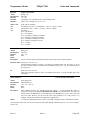
1
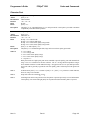
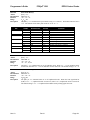
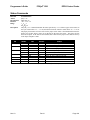
Control Codes
Function
ASCII
Hexadecimal
Decimal
Range
Description
Bit
0
1
2
3
4-7
POSjet® 1500
Programmer's Guide
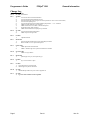
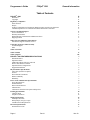
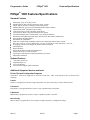
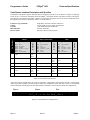
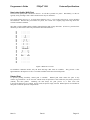
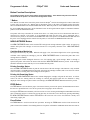
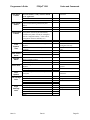
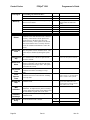
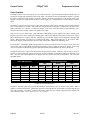
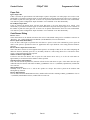
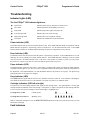
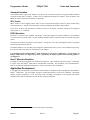
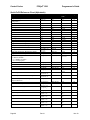
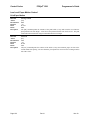
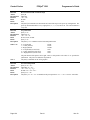
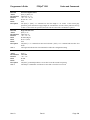
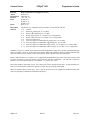
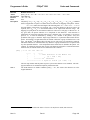
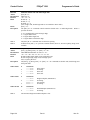
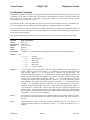
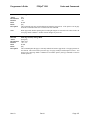
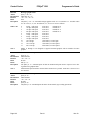
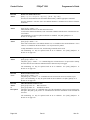
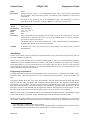
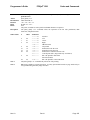
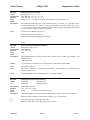
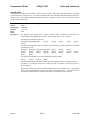
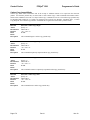
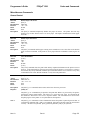
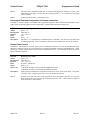
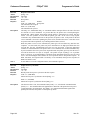
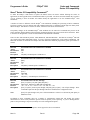
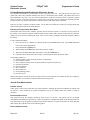
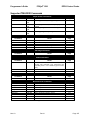
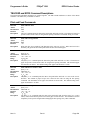
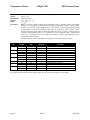
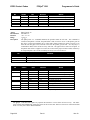
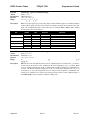
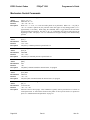
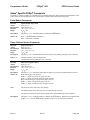
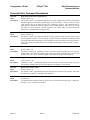
Select Paper Sensor(s) to Output Paper-End Signals
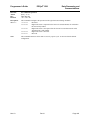
[ESC] p 3 <n>
1BH 70H 33H <n>
<27> <112> <51> <n>
0 n 255
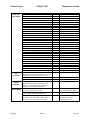
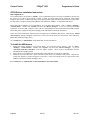
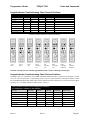
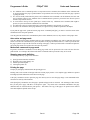
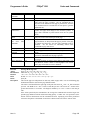
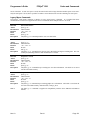
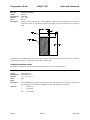
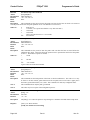
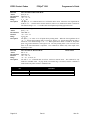
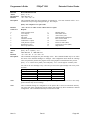
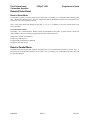
The [ESC] p 3 <n> command selects the paper sensor that outputs a paper out signal to the parallel
interface when a paper out is detected. The default setting is when all sensors are enabled. (<n> =
15). It is possible to select multiple sensors to output signals. If any of the sensors detect a paper
out, the paper out signal is output. The command is only available with a parallel interface. The
paper out sensor is an option. If the sensor is not equipped, the settings of bits 0 and 1 of the
command are not effective.
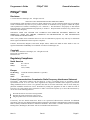
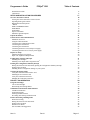
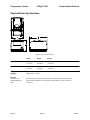
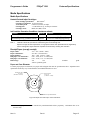
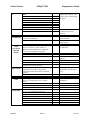
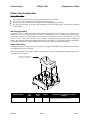
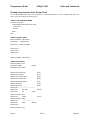
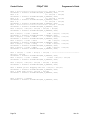
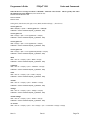
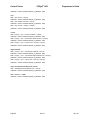
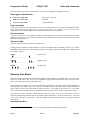
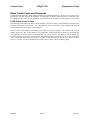
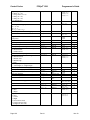
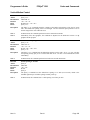
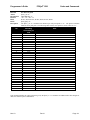
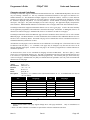
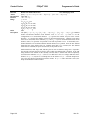
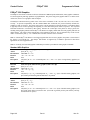
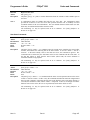
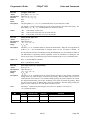
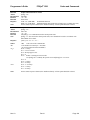
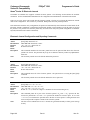
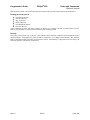
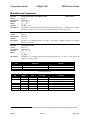
On/Off
Off
On
Off
On
Off
On
Off
On
-
Hexadecimal
00H
01H
00H
02H
00H
04H
00H
08H
-
Decimal
<0>
<1>
<0>
<2>
<0>
<4>
<0>
<8>
-
Function
Paper roll low sensor disabled
Paper roll low sensor enabled
Paper roll low sensor disabled
Paper roll low sensor enabled
Paper roll end sensor disabled
Paper roll end sensor enabled
Paper roll end sensor disabled
Paper roll end sensor enabled
Undefined
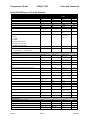
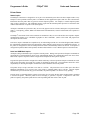
Table 39 Paper Sensor Commands
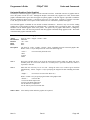
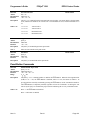
Function
ASCII
Hexadecimal
Decimal
IPCL
EPOS
Description
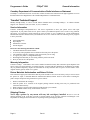
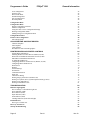
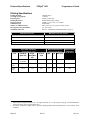
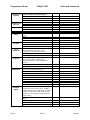
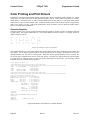
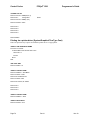
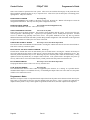
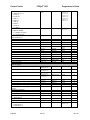
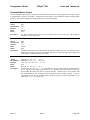
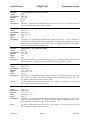
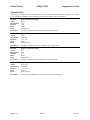
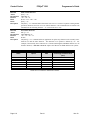
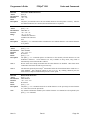
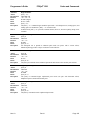
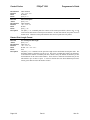
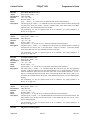
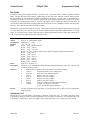
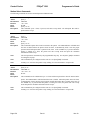
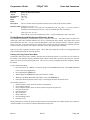
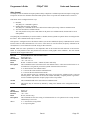
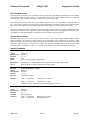
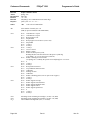
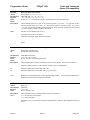
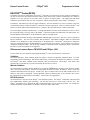
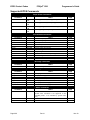
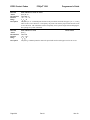
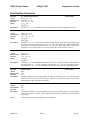
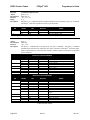
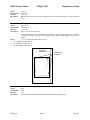
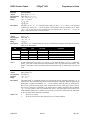
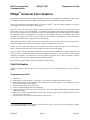
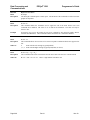
Enable print suppress and data pass through
[ESC] < <n>
1BH 3CH <n>
<27> <60> <n>
&%PT <n>
[ESC] = <n>
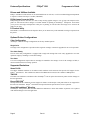
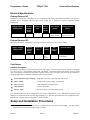
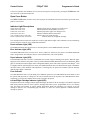
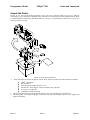
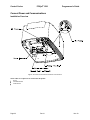
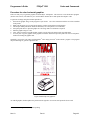
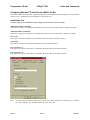
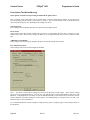
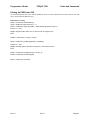
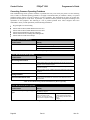
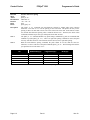
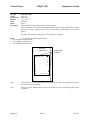
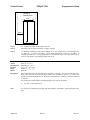
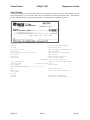
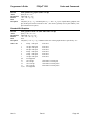
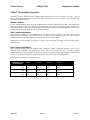
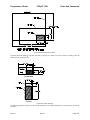
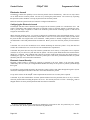
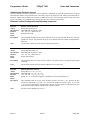
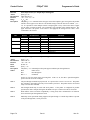
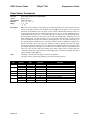
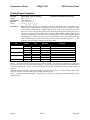
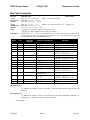
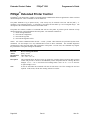
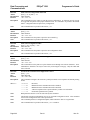
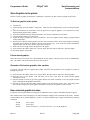
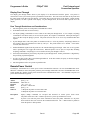
The [ESC] < <n> command provides print suppress and data pass through features.
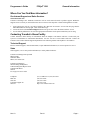
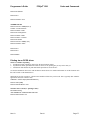
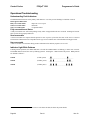
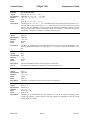
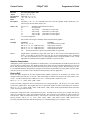
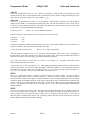
Where
Bit 0
Bit 1
Bits 2 - 7
Printer select
Pass through On
Undefined
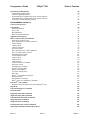
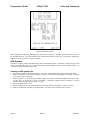
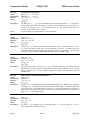
If Bit 0 is clear, the printer stops processing data. If Bit 1 is set, the data is passed through the
printer and sent out on the serial port.
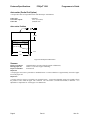
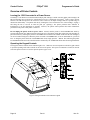
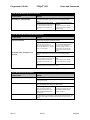
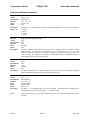
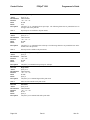
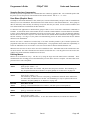
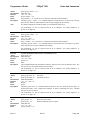
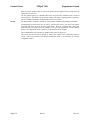
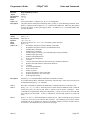
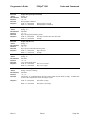
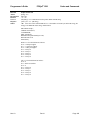
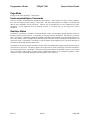
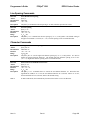
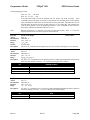
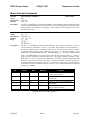
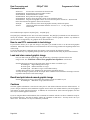
Note 1
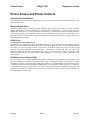
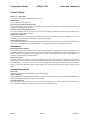
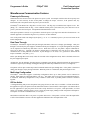
The pass through command is preprocessed. It is processed as soon as it is received. The printer
may continue to print while previously received data is processed. The printer must be on-line and
ready to activate the command.
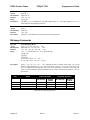
Note 2
Pass through should only be used with serial printers. If the printer is configured for parallel
operation, the data is still pass through on the IEEE 1284 port. In most cases this is not useful.
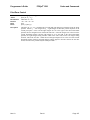
Note 3
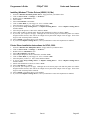
When Ithaca® Series 50 Printer compatibility is being used, these commands do not function.
Series 50 Printer pass through must be used.
Note 4
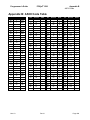
Multi-drop is not operational during suppress and pass through. If a multi-drop address is present
in the pass through data, it is not processed.
Page 176
Rev N
Nov-10