1
Quick Start Guide
Introduction
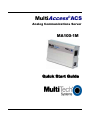
This guide shows you how to setup your MultiAccess ACS
(Analog Communications Server) single-port communications
server, MA100-1M. The MA100-1M provides connectivity to the
corporate LAN for telecommuters and mobile users, or to
remotely installed equipment, via one integrated V.92/56K
modem.
The MultiAccess ACS has two roles (usage), RAS and Modem
Sharing.
RAS Solution: The MultiAccess can be used as a dial-in PPP
Remote Access Server in a LAN to Client environment. The
purpose is to give a remote node (i.e., Microsoft Dail-up
Networking clients) IP access to the same subnet and LAN the
ACS is installed on. The supported PPP security protocol
(means of communicating user credentials between PPP end
points) is PAP only.
Modem Sharing Solution: The modem in the ACS can be a
shared resource on your network. Computers with network
asscess to the ACS can use Telnet on port 7000 and get direct
AT command access to the modem in the ACS, for either
outbound or inbound calls. A common way to take advantage of
this role is by installing Com Port Redirector Software (i.e., MultiTech’s MCSI2000 for Windows) on your workstation(s).
For detailed information, product specification, troubleshooting
tips, and warranty repair policies, refer to the User Guide,
available on the product CD accompanying your MA100-1M.
3