1
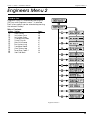
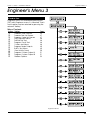
Engineer’s Menu 2
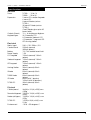
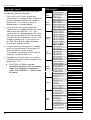
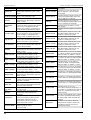
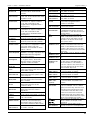
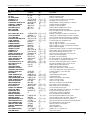
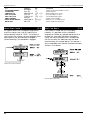
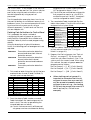
LCD
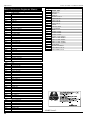
SYSTEM RE-ARMED
SYSTEM SET
TAMPER 01-56
TEST CCTS OFF
TEST FAIL 01-56
TIME CHANGED
UNSET WARD A/B/C/S
WALK TEST
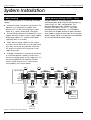
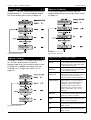
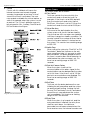
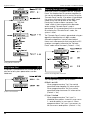
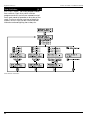
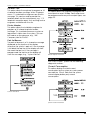
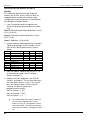
Reset User Code 1
TS790+ & TS900+ Installation Manual
Starburst
RE-ARMED
FULL SET
TAMP R 01-56
TEST OFF
T. FAIL 01-56
TIME CHG
UNSET A/B/C/S
WALK TST
LED
rA
FS
TA.01-56
To
TF.01-56
Tc
Un.ABCS
cT
[2.0]
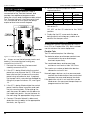
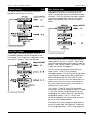
This option allows the installation engineer to
reset the master user (user 01) back to the
factory default code of “5678". This feature is
useful when the master user has forgotten their
passcode or has accidentally changed it
without realising. This operation is logged.
Description
System re-armed all healthy circuits.
System fully set.
Tamper alarm from circuit.
All circuits taken off “Test”
Circuit failed during “Test”.
System time changed
Wards A, B, C or System Unset.
System “Walk Test” selected.
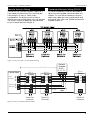
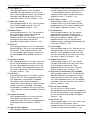
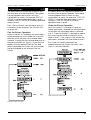
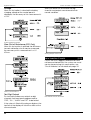
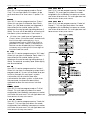
Start Call Back
[2.A]
If the system is fitted with a DC58M digimodem, it is possible for the installation
engineer to initiate an upload sequence to a
remote site (normally the alarm company).
Once the communication link is established
with the remote site, data can be sent and
received from the control panel. This feature is
only compatible with Menvier Lineload software
version 2.2 or above.
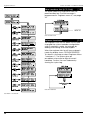
Reset User Code Flowchart
S
tart Call Back Flowchart
44