1
Engineer’s Menu 1
TS790+ & TS900+ Installation Manual
Engineer’s Menu 1
Introduction
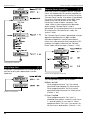
Engineers menu 1 is the first of three engineers
menus, which is selected when the engineer’s
passcode is entered. The engineer may leave
“Engineer menu 1" by pressing the [ESC] key.
The system will return to the unset condition but
the remote keypads will show ”Engineer-onsite". This message will be cleared the next time
a valid user passcode is entered or by exiting
the engineer's mode via user menu 1.
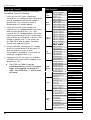
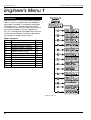
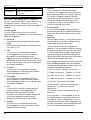
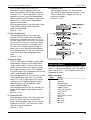
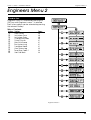
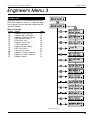
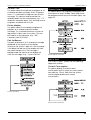
Menu contents
Hotkey
1
2
3
4
5
6
7
8
9
0
B
C
Option
Program Panel Outputs
Program Digicom Outputs
Program Digicom Channels
Program Circuits & Attributes
Program System Timers
Program Setting Modes
System Printout
Remote Reset Number
Program Configuration
Goto User Menu 1
View Location Text
Relearn Required
Page
25
25
25
28
30
33
34
34
34
37
38
38
Engineer’s Menu 1
24