1
OziExplorer Help Contents
Page 208 of 252
Note: Due to licensing conditions, there may be printing restrictions on some map types.
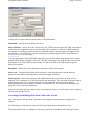
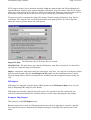
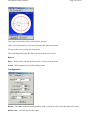
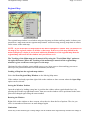
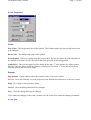
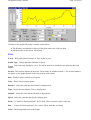
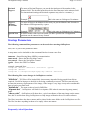
Select Area to print on the main map
Only enabled when a Selected option is specified in Print Map. When enabled, you can use the
mouse (with the left mouse button depressed) to drag a rectangle on the main map window marking
a section of the map you want printed.
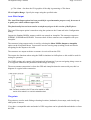
If you need to select an area larger than the current screen view you can zoom the map so you see
more of the map in the window or use the arrow keys to scroll the map while dragging the selection
window.
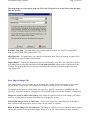
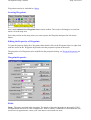
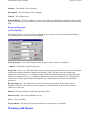
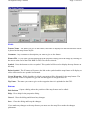
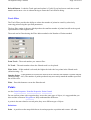
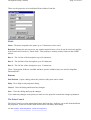
Print Map
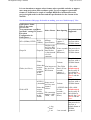
The portion of the image or the size of the printout.
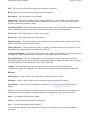
Window - Fit to page(s) - Prints the map portion that is currently visible and fits it to the page, the
aspect ratio is retained. Note that the amount of image printed can be controlled by setting the map
zoom function to an appropriate level before printing.
Window - to Scale - Prints the map portion that is currently visible. You can select the scale to print
to.
Selected - Fit to page(s) - Allows you to draw an area on the main OziExplorer map window. This
selected area can then be printed and it is fitted to the page(s). If the Lock Aspect Ratio checkbox is
ticked the correct aspect ratio of the page/s will be maintained as you draw the area on the map.
Change to zoom level of the map to enable larger areas of the map to be selected.
Selected - to Scale - Allows you to draw an area on the main OziExplorer map window. This
selected area can then be printed to the specified scale. Change to zoom level of the map to enable
larger areas of the map to be selected.
Map - Fit to page - Prints the map and fits it to the page(s), the aspect ratio is retained.
Map - to Scale - Prints the map to the specified scale.
Scale - Select the scale you want to use to print the map. If the scale you want is not in the list
simply enter it in. Be careful specifing low scale values for a large map. This can result in a large