1
Chapter 4
Using Security Features
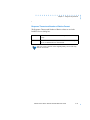
Multiple Domain Authentication Setup Procedure
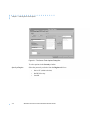
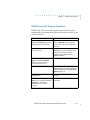
Follow these Windows NT® steps to facilitate support for multiple
domain authentication:
Windows NT® steps
Server Tools steps
1.
Establish the appropriate trust relationship among domains.
2.
Load the Remote Annex Server Tools for Windows NT® on the
trusting domain controller.
3.
Define the user(s) in the trusted domain’s security accounts
manager database.
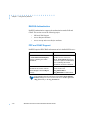
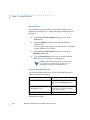
All Windows NT® users who require authorization must use the Remote
Annex Server Tools software to configure these services. Those
definitions are accomplished in the following steps:
1.
Add a valid entry(s) in the acp_userinfo file.
2.
If the caller requires a dial-up address, add a valid entry(s) in
the acp_dialup file.
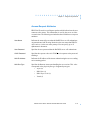
The name of the user must be defined in the acp_userinfo and acp_dialup
file in the format:
domain-name\\user-name
For example, a user named Stephen from the Marketing domain would
log on as Marketing\\Stephen.Windows NT®, Windows for
Workgroups®, and Windows 95® use this format.
Remote Annex Server Tools for Windows NT® User Guide
4-3