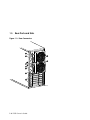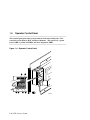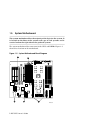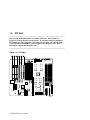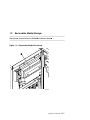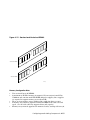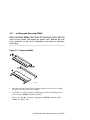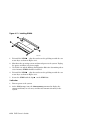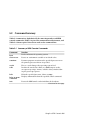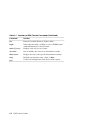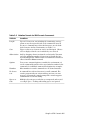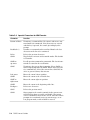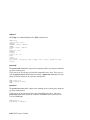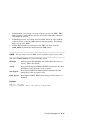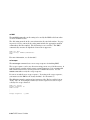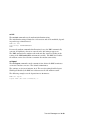
1
AlphaServer DS25 Owner’s Guide Order Number: EK-DS250-UG. D01 This manual is for managers and operators of HP AlphaServer DS25 systems. Hewlett-Packard Company April 2003 © 2002, 2003 Hewlett-Packard Company. Linux is a registered trademark of Linus Torvalds in several countries. UNIX is a trademark of The Open Group in the United States and other countries. All other product names mentioned herein may be trademarks of their respective companies. HP shall not be liable for technical or editorial errors or omissions contained herein. The information in this document is provided “as is” without warranty of any kind and is subject to change without notice. The warranties for HP products are set forth in the express limited warranty statements accompanying such products. Nothing herein should be construed as constituting an additional warranty. Regulatory Notices for Series ET2003 FCC Notice Part 15 of the Federal Communications Commission (FCC) Rules and Regulations has established Radio Frequency (RF) emission limits to provide an interference-free radio frequency spectrum. Many electronic devices, including computers, generate RF energy incidental to their intended function and are, therefore, covered by these rules. These rules place computers and related peripheral devices into two classes, A and B, depending upon their intended installation. Class A devices are those that may reasonably be expected to be installed in a business or commercial environment. Class B devices are those that may reasonably be expected to be installed in a residential environment (i.e., personal computers). The FCC requires devices in both classes to bear a label indicating the interference potential of the device as well as additional operating instructions for the user. The rating label on the device shows which class (A or B) the equipment falls into. Class B devices have an FCC ID on the label. Class A devices do not have an FCC ID on the label. Once the class of the device is determined, refer to the following corresponding statement. Class A Equipment This equipment has been tested and found to comply with the limits for a Class A digital device, pursuant to Part 15 of the FCC rules. These limits are designed to provide reasonable protection against harmful interference when the equipment is operated in a commercial environment. This equipment generates, uses, and can radiate radio frequency energy and, if not installed and used in accordance with the instructions, may cause harmful interference to radio communications. Operation of this equipment in a residential area is likely to cause harmful interference, in which case the user will be required to correct the interference at personal expense. Class B Equipment This equipment has been tested and found to comply with the limits for a Class B digital device, pursuant to Part 15 of the FCC Rules. These limits are designed to provide reasonable protection against harmful interference in a residential installation. This equipment generates, uses, and can radiate radio frequency energy and, if not installed and used in accordance with the instructions, may cause harmful interference to radio communications. However, there is no guarantee that interference will not occur in a particular installation. If this equipment does cause harmful interference to radio or television reception, which can be determined by turning the equipment off and on, the user is encouraged to try to correct the interference by one or more of the following measures: • • • • Reorient or relocate the receiving antenna. Increase the separation between the equipment and receiver. Connect the equipment into an outlet on a circuit different from that to which the receiver is connected. Consult the dealer or an experienced radio or television technician for help. Modifications The FCC requires the user to be notified that any changes or modifications made to this device that are not expressly approved by Hewlett-Packard Company may void the user’s authority to operate the equipment. Cables Connections to this device must be made with shielded cables with metallic RFI/EMI connector hoods in order to maintain compliance with FCC rules and regulations. Declaration of Conformity for products marked with the FCC logo – United States only This device complies with Part 15 of the FCC rules. Operation is subject to the following two conditions: (1) This device may not cause harmful interference, and (2) this device must accept any interference received, including interference that may cause undesired operation. For questions regarding your product, contact: Compaq Computer Corporation P. O. Box 692000, Mail Stop 530113 Houston, Texas 77269-2000 or, call 1-800- 652-6672 (1-800-OK COMPAQ) For questions regarding this FCC declaration, contact: Compaq Computer Corporation P. O. Box 692000, Mail Stop 510101 Houston, Texas 77269-2000 or, call (281) 514-3333 To identify this product, refer to the part, series, or model number found on the product. Taiwanese Notice Japanese Notice Canadian Notice (Avis Canadien) Class A Equipment This Class A digital apparatus meets all requirements of the Canadian Interference-Causing Equipment Regulations. Cet appareil numérique de la classe A respecte toutes les exigences du Règlement sur le matériel brouilleur du Canada. Class B Equipment This Class B digital apparatus meets all requirements of the Canadian Interference-Causing Equipment Regulations.Cet appareil numérique de la classe B respecte toutes les exigences du Règlement sur le matériel brouilleur du Canada. European Union Notice Products with the CE marking comply with the EMC Directive (89/336/EEC) and the Low Voltage Directive (73/23/EEC) issued by the Commission of the European Community and if this product has telecommunication functionality, the R&TTE Directive (1999/5/EC). Compliance with these directives implies conformity to the following European Norms (in parentheses are the equivalent international standards and regulations): • • • • • EN55022 (CISPR 22) – Electromagnetic Interference EN55024 (IEC61000-4-2, 3, 4, 5, 6, 8, 11) – Electromagnetic Immunity EN61000-3-2 (IEC61000-3-2) – Power Line Harmonics EN61000-3-3 (IEC61000-3-3) – Power Line Flicker EN60950 (IEC60950) – Product Safety Contents Preface ..................................................................................................................... xiii Chapter 1 1.1 1.2 1.3 1.4 1.5 1.6 1.7 1.8 1.9 1.10 1.11 1.12 System Enclosures ................................................................................ 1-2 System Chassis—Front View/Top View................................................ 1-4 Rear Ports and Slots ............................................................................. 1-6 Operator Control Panel......................................................................... 1-8 System Motherboard........................................................................... 1-10 PCI Slots ............................................................................................. 1-12 Power Supplies.................................................................................... 1-14 Power Requirements ........................................................................... 1-16 Removable Media Storage................................................................... 1-17 Storage Subsystem.............................................................................. 1-18 System Access (Pedestal) .................................................................... 1-19 Console Terminal ................................................................................ 1-20 Chapter 2 2.1 2.2 2.2.1 2.2.2 2.2.3 2.3 2.3.1 2.4 2.4.1 2.4.2 2.4.3 2.4.4 2.5 2.6 System Overview Operation Powering Up the System....................................................................... 2-2 Power-Up Displays................................................................................ 2-4 RMC Power-Up Display ........................................................................ 2-5 SROM Power-Up Display...................................................................... 2-5 SRM Console Power-Up Display ........................................................... 2-6 SRM Console ....................................................................................... 2-10 Selecting the Display Device............................................................... 2-11 Displaying the Hardware Configuration............................................. 2-12 Displaying Boot Environment Variables ............................................ 2-13 Displaying the Logical Hardware Configuration ................................ 2-15 Displaying the Bootable Devices......................................................... 2-18 Viewing the Memory Configuration.................................................... 2-20 Setting SRM Environment Variables ................................................. 2-21 Setting Console Security ..................................................................... 2-22 v 2.6.1 2.6.2 2.6.3 2.6.4 2.7 2.7.1 2.7.2 2.7.3 2.7.4 2.7.5 Setting the Console Password............................................................. 2-23 Setting the Console to Secure Mode.................................................... 2-25 Turning Off Security During a Console Session ................................. 2-26 Returning to User Mode...................................................................... 2-28 Updating Firmware............................................................................. 2-29 Firmware Update Utility .................................................................... 2-30 Manual Updates.................................................................................. 2-32 Updating from the CD-ROM ............................................................... 2-34 Updating from an OpenVMS System Disk ......................................... 2-35 Updating from the Network................................................................ 2-36 Chapter 3 3.1 3.1.1 3.1.2 3.1.3 3.1.4 3.1.5 3.1.6 3.2 3.2.1 3.3 3.4 3.5 3.6 3.7 Setting Boot Options ............................................................................. 3-2 auto_action ............................................................................................ 3-3 bootdef_dev............................................................................................ 3-5 boot_file ................................................................................................. 3-6 boot_osflags ........................................................................................... 3-7 ex*0_inet_init ......................................................................................... 3-11 ex*0_protocols ....................................................................................... 3-12 Booting Tru64 UNIX ........................................................................... 3-13 Booting Tru64 UNIX over the Network .............................................. 3-16 Starting a Tru64 UNIX Installation ................................................... 3-18 Booting Linux...................................................................................... 3-20 Booting OpenVMS............................................................................... 3-24 Booting OpenVMS from the InfoServer .............................................. 3-26 Starting an OpenVMS Installation ..................................................... 3-28 Chapter 4 4.1 4.2 4.3 4.4 4.5 4.5.1 4.6 4.7 4.7.1 4.7.2 4.8 4.9 vi Booting and Installing an Operating System Configuring and Installing Components Installing a Pedestal Kit ....................................................................... 4-2 Preparing to Install Components........................................................ 4-10 Removing the Side Cover (Pedestal) ................................................... 4-11 Removing the Top Cover (Rackmount) ............................................... 4-13 Memory Configuration ........................................................................ 4-14 Installing and Removing DIMMs........................................................ 4-17 CPU Configuration.............................................................................. 4-19 Installing a PCI Option....................................................................... 4-21 PCI Configuration ............................................................................... 4-22 Installing a PCI Option....................................................................... 4-24 Installing a Redundant Power Supply ................................................ 4-27 Network Configuration ....................................................................... 4-29 4.9.1 4.10 4.11 4.11.1 4.12 4.13 4.13.1 4.13.2 Ethernet Connection Status LEDs...................................................... 4-30 Disk Drive Configuration .................................................................... 4-31 Installing Disk Drives ......................................................................... 4-32 Drive Status LEDs........................................................................ 4-34 External SCSI Expansion ................................................................... 4-35 Updating Firmware............................................................................. 4-37 Sources of Firmware Updates....................................................... 4-38 Updating Firmware from the CD-ROM........................................ 4-39 Chapter 5 Firmware 5.1 5.1.1 5.2 5.3 5.4 5.5 5.6 5.7 5.8 5.9 5.10 5.11 5.12 5.13 5.13.1 5.13.2 5.14 5.15 5.16 5.17 5.19 5.20 5.20.1 5.20.2 5.20.3 5.20.4 5.20.5 5.21 5.21.1 5.21.2 5.21.3 SRM Console Overview ......................................................................... 5-2 Invoking the SRM Console.................................................................... 5-4 Command Summary ............................................................................. 5-5 Getting Help........................................................................................ 5-10 Displaying the Configuration.............................................................. 5-12 Displaying the Bootable Devices......................................................... 5-15 Displaying the Memory Configuration................................................ 5-16 Displaying the Power Status............................................................... 5-17 Displaying the SRM Console Version ................................................. 5-18 Displaying the CPU Status ................................................................. 5-19 Displaying the PALcode Version......................................................... 5-20 Booting an Operating System ............................................................. 5-21 Testing the System.............................................................................. 5-23 Starting and Stopping CPUs............................................................... 5-25 halt (or stop).................................................................................. 5-25 continue......................................................................................... 5-25 Updating Firmware............................................................................. 5-27 Forcing a System Crash Dump ........................................................... 5-30 Initializing the System........................................................................ 5-31 Reading a File ..................................................................................... 5-34 Creating a Power-Up Script................................................................ 5-36 Setting Console Security ..................................................................... 5-38 Overview of Secure Mode.............................................................. 5-38 Setting the Console Password....................................................... 5-39 Setting the Console to Secure Mode ............................................. 5-41 Turning Off Security During a Console Session ........................... 5-42 Returning to User Mode ............................................................... 5-45 Setting and Viewing Environment Variables ..................................... 5-46 com*_baud..................................................................................... 5-50 console........................................................................................... 5-51 cpu_enabled .................................................................................. 5-52 vii 5.21.4 5.21.5 5.21.6 5.21.7 5.21.8 5.21.9 5.21.10 5.21.11 5.21.12 eg*0_mode or ei*0_mode or ew*0_mode ....................................... 5-53 kbd_hardware_type ...................................................................... 5-55 language........................................................................................ 5-56 os_type .......................................................................................... 5-57 pci_parity ...................................................................................... 5-58 pk*0_fast....................................................................................... 5-59 pk*0_host_id ................................................................................. 5-60 pk*0_soft_term.............................................................................. 5-61 tt_allow_login................................................................................ 5-63 Chapter 6 Remote Management 6.1 6.2 6.2.1 6.3 6.4 6.5 6.6 6.6.1 6.6.2 6.6.3 6.6.4 6.6.5 6.7 6.8 6.9 RMC Overview ...................................................................................... 6-2 Operating Modes ................................................................................... 6-4 Bypass Modes........................................................................................ 6-6 Terminal Setup ..................................................................................... 6-9 SRM Environment Variables for COM1 ............................................. 6-10 Entering the RMC............................................................................... 6-11 Using the Command-Line Interface.................................................... 6-13 Displaying the System Status............................................................. 6-14 Displaying the System Environment .................................................. 6-16 Using Power On and Off, Reset, and Halt Functions ......................... 6-18 Configuring Remote Dial-In................................................................ 6-20 Configuring Dial-Out Alert ................................................................. 6-22 Resetting the RMC to Factory Defaults.............................................. 6-25 RMC Command Reference .................................................................. 6-29 Troubleshooting Tips........................................................................... 6-41 Chapter 7 Troubleshooting 7.1 7.2 7.3 7.4 7.5 7.6 7.7 7.8 7.9 7.10 7.11 7.11.1 viii Error Beep Codes .................................................................................. 7-2 Diagnostic LEDs on OCP ...................................................................... 7-3 Power Problems..................................................................................... 7-6 Console-Reported Failures.................................................................... 7-7 Boot Problems ....................................................................................... 7-8 Thermal Problems and Environmental Status ................................... 7-10 Operating System Reported Failures.................................................. 7-11 Memory Problems ............................................................................... 7-12 PCI Bus Problems ............................................................................... 7-13 SCSI Problems .................................................................................... 7-14 Fail-Safe Booter Utility....................................................................... 7-15 Starting the FSB Automatically ................................................... 7-15 7.11.2 7.11.3 7.11.4 Starting the FSB manually........................................................... 7-16 Required Firmware....................................................................... 7-18 Updating Firmware ...................................................................... 7-19 Chapter 8 Specifications 8.1 8.2 8.3 8.4 8.5 8.5.1 8.5.2 Physical Specifications.......................................................................... 8-2 Environmental Specifications ............................................................... 8-4 Electrical Specifications ........................................................................ 8-5 Acoustical Data ..................................................................................... 8-7 Power Cord Requirements .................................................................... 8-8 General Requirements .......................................................................... 8-8 Country-Specific Requirements ............................................................ 8-9 Index Examples 2–1 2–2 2–3 2–4 2–5 2–6 2–7 2–8 2–9 2–10 2–11 2–12 2–13 2–14 3–1 3–2 3–3 3–4 3–5 3–6 3–7 5–1 RMC Power-Up Display ........................................................................ 2-5 Sample SROM Power-Up Display......................................................... 2-5 SRM Power-Up Display ........................................................................ 2-6 SRM Console Example........................................................................ 2-10 Show Boot*.......................................................................................... 2-13 Show Config ........................................................................................ 2-15 Show Device ........................................................................................ 2-18 Show Memory...................................................................................... 2-20 Set Password....................................................................................... 2-23 Set Secure............................................................................................ 2-25 Login ................................................................................................... 2-26 Clear Password ................................................................................... 2-28 Update Utility Display........................................................................ 2-30 Update RMC Example ........................................................................ 2-33 Booting Tru64 UNIX from a Local SCSI Disk .................................... 3-13 RIS Boot .............................................................................................. 3-16 Text-Based Installation Display ......................................................... 3-18 Linux Boot Output .............................................................................. 3-21 Booting OpenVMS from the Local CD-ROM Drive............................. 3-24 InfoServer Boot ................................................................................... 3-26 OpenVMS Installation Menu .............................................................. 3-28 Help (or Man) ..................................................................................... 5-10 ix 5–2 5–3 5–4 5–5 5–6 5–7 5–8 5–9 5–10 5–11 5–12 5–13 5–14 5–15 5–16 5–17 5–18 5–19 5–20 5–21 5–22 5–23 5–24 6–1 6–2 7–1 Show Config ........................................................................................ 5-12 Show Device ........................................................................................ 5-15 Show Memory...................................................................................... 5-16 Show Power......................................................................................... 5-17 Show Version....................................................................................... 5-18 Show CPU ........................................................................................... 5-19 Show Pal.............................................................................................. 5-20 Tru64 UNIX Boot (Abbreviated) ......................................................... 5-21 Test...................................................................................................... 5-23 Halt and Continue............................................................................... 5-25 Updating Firmware from a CD ........................................................... 5-27 Updating Firmware from a CD (Continued)....................................... 5-29 Crash ................................................................................................... 5-31 Init....................................................................................................... 5-32 More .................................................................................................... 5-35 Editing the Nvram Script.................................................................... 5-37 Clearing the Nvram Script.................................................................. 5-37 Set Password....................................................................................... 5-40 Set Secure............................................................................................ 5-42 Login ................................................................................................... 5-43 Clear Password ................................................................................... 5-46 Set envar and Show envar................................................................... 5-47 User-Created Environment Variable .................................................. 5-47 Dial-In Configuration.......................................................................... 6-20 Dial-Out Alert Configuration .............................................................. 6-22 Running LFU ...................................................................................... 7-19 Figures 1–1 1–2 1–3 1–4 1–5 1–6 1–7 1–8 1–9 1–10 1–11 x DS25 Systems ....................................................................................... 1-2 Top/Front Components (Pedestal)......................................................... 1-4 Rear Connectors.................................................................................... 1-6 Operator Control Panel......................................................................... 1-8 System Motherboard Block Diagram.................................................. 1-10 PCI Slots ............................................................................................. 1-12 Power Supplies.................................................................................... 1-14 Power Supply Requirements............................................................... 1-16 Removable Media Drive Area ............................................................. 1-17 Storage Cage ....................................................................................... 1-18 System Keys........................................................................................ 1-19 1–12 2–1 4–1 4–2 4–3 4–4 4–5 4–6 4–7 4–8 4–9 4–10 4–11 4–12 4–13 4–14 4–15 4–16 4–17 4–18 4–19 4–20 4–21 4–22 4–23 4–24 6–1 6–2 6–3 6–4 7–1 7–2 Console Terminal Connections............................................................ 1-20 Operator Control Panel......................................................................... 2-2 Pedestal Kit Contents ........................................................................... 4-3 Installing the Lower Panel.................................................................... 4-5 Installing the Upper Panel.................................................................... 4-6 Installing the Side Dress Panel ............................................................ 4-7 Installing the Side Access Cover........................................................... 4-8 Installing the Door ................................................................................ 4-9 Removing the Side Cover .................................................................... 4-11 Attaching the Antistatic Wrist Strap.................................................. 4-12 Removing Top Cover ........................................................................... 4-13 Stacked and Unstacked DIMMs ......................................................... 4-15 Memory Slots ...................................................................................... 4-16 Installing DIMMs................................................................................ 4-18 Removing DIMMs ............................................................................... 4-19 CPU Installation ................................................................................. 4-20 PCI Slots ............................................................................................. 4-21 PCI Slot Voltages and Hose Numbers................................................. 4-23 Installing a PCI Option....................................................................... 4-25 Adding a Third Supply (Pedestal Orientation) ................................... 4-27 Network Connection............................................................................ 4-29 Ethernet Connector LEDs................................................................... 4-30 Disk Backplane Connector Orientation (Rackmount) ........................ 4-31 Installing and Removing Disk Drives ................................................. 4-32 Disk Drive LEDs ................................................................................. 4-34 External SCSI .................................................................................... 4-36 Data Flow in Through Mode ................................................................. 6-4 Data Flow in Bypass Mode.................................................................... 6-6 Setup for RMC....................................................................................... 6-9 RMC Jumpers (Default Positions) ...................................................... 6-27 LED Patterns During Power-Up (Rack Orientation)............................ 7-3 FSB Switch "On" Setting (Rackmount Orientation) .......................... 7-17 Tables 1 1–1 2–1 2–2 3–1 HP AlphaServer DS25 Documentation................................................. xiv How Physical I/O Slots Map to Logical Slots ...................................... 1-13 How Physical I/O Slots Map to Logical Slots ...................................... 2-17 Device Naming Conventions ............................................................... 2-19 OpenVMS Boot Flag Settings ............................................................... 3-9 xi 4–1 4–2 4–3 4–4 4–5 5–1 5–2 5–3 5–4 5–5 5–6 6–1 6–2 6–3 7–1 7–2 7–3 7–4 7–5 7–6 7–7 7–8 7–9 8–1 8–2 8–3 8–4 8–5 xii Pedestal Kit Contents ........................................................................... 4-4 DIMM and Array Reference................................................................ 4-16 Ethernet Status LEDs......................................................................... 4-33 SCSI ID Orientation............................................................................ 4-34 Drive Status ........................................................................................ 4-37 Summary of SRM Console Commands ................................................. 5-5 Notation Formats for SRM Console Commands ................................... 5-7 Special Characters for SRM Console .................................................... 5-8 How Physical I/O Slots Map to Logical Slots ...................................... 5-14 Device Naming Conventions ............................................................... 5-15 Environment Variable Summary........................................................ 5-49 Status Command Fields...................................................................... 6-15 Elements of Dial String and Alert String ........................................... 6-24 RMC Troubleshooting ......................................................................... 6-41 Error Beep Codes .................................................................................. 7-2 System Warning Messages ................................................................... 7-4 System Power-Up Messages ................................................................. 7-4 Fatal Errors and System is Down......................................................... 7-5 Troubleshooting Power Problems.......................................................... 7-6 Troubleshooting Console-Reported Failures......................................... 7-7 Troubleshooting Boot Problems ............................................................ 7-8 Operating System Reported Failures.................................................. 7-11 Troubleshooting Memory Problems .................................................... 7-12 Physical Specifications.......................................................................... 8-2 Environmental Specifications ............................................................... 8-4 Electrical Specifications ........................................................................ 8-5 Acoustical Data ..................................................................................... 8-7 Power Cord Requirements by Country ................................................. 8-9 Preface Intended Audience This manual is for HP AlphaServer DS25 systems. Document Structure This manual uses a structured documentation design. Topics are organized into small sections, usually consisting of two facing pages. Most topics begin with an abstract that provides an overview of the section, followed by an illustration or example. The facing page contains descriptions, procedures, and syntax definitions. This manual has eight chapters. • Chapter 1, System Overview, gives an overview of the system and describes the components. • Chapter 2, Operation, gives basic operating instructions on powering up and configuring the machine, setting console security, and updating firmware. • Chapter 3, Booting and Installing an Operating System, describes how to boot a supported operating system and how to begin an operating system installation. • Chapter 4, Configuring and Installing Components, shows how to install memory DIMMs, CPUs, PCI cards, and other options. • Chapter 5, Firmware, describes the SRM firmware, which allows you to configure and boot the Tru64 UNIX, Linux, or OpenVMS operating system and verify the configuration of devices. It also provides a reference to the SRM commands and environment variables. • Chapter 6, Remote Management, describes the function and operation of the integrated remote management console. • Chapter 7, Troubleshooting, gives basic troubleshooting procedures. • Chapter 8, Specifications, gives system specifications. xiii Documentation Titles Table 1 HP AlphaServer DS25 Documentation Title Order Number User Documentation Kit QA–6WEAA–G8 Owner’s Guide EK–DS250–UG Documentation CD (6 languages) AG–RT2DA–BE Maintenance Kit Service Guide QA–6WEAB–G8 EK–DS250–SV Loose Piece Items Basic Installation Card EK–DS250–PD Rackmount Installation Guide EK–DS250–RG Rackmount Installation Template EK–DS250–TP AlphaServer DS25 in a 9000 Series Cabinet Installation Information EK–BA57R–IN Information on the Internet Visit the HP Web site at www.compaq.com for service tools and more information about the AlphaServer DS25 system. xiv Chapter 1 System Overview This chapter provides an overview of the system, including: • System Enclosures • System Chassis—Front View/Top View • System Chassis—Rear View • Rear Ports and Slots • Operator Control Panel • System Motherboard • PCI Slots • Power Supplies • Power Requirements • Removable Media Storage • Storage Subsystem • System Access (pedestal) • Console Terminal NOTE: See Chapter 4 for warnings and procedures for accessing internal parts of the system. System Overview 1-1 1.1 System Enclosures The DS25 family consists of a standalone pedestal with expanded storage capacity, and a rackmount system. Figure 1–1 DS25 Systems DF )� FD=5 AHLAH ,5 # DF )� FD=5 AHLAH ,5 # DF )� FD=5 AHLAH ,5 # Cabinet Pedestal MR0316A 1-2 DS25 Owner’s Guide Common Components The basic building block of the system is the chassis, which houses the following common components: • Up to two CPUs (EV68 Alpha chip) • 200-pin memory DIMMs (up to 16 with a minimum of 4) • I/O (located on system motherboard) with six 64-bit PCI slots: Four hot-swap PCI slots with two at 66 MHz (3.3 V) and two at 33 MHz (5.0 V). • CD-ROM read/write drive • One storage cage that houses up to six 1-inch universal drives • Up to three power supplies, offering N+1 power • A 25-pin parallel port, two 9-pin serial ports, mouse and keyboard ports • An operator control panel with: Diagnostic LEDs Power button with green LED Halt button with amber LED Reset button System Overview 1-3 1.2 System Chassis—Front View/Top View Figure 1–2 Top/Front Components (Pedestal) 6 8 1 2 7 7 3 6 5 4 MR0291 1-4 DS25 Owner’s Guide X Y Z [ \ ] ^ _ Operator control panel CD-ROM read/write drive Hard disk drives Power supplies System motherboard Memory CPUs Speaker System Overview 1-5 1.3 Rear Ports and Slots Figure 1–3 Rear Connectors 1 10 2 11 3 4 5 6 7 8 9 MR0290 1-6 DS25 Owner’s Guide Rear Panel Connections n o p q r s t u ` a Parallel port Serial port (COM2) Serial port (COM1) Keyboard port Mouse port Ethernet A (10/100) Ethernet B (10/100/1000) SCSI breakout AC power outlets System fan 0 System fan 1 System Overview 1-7 1.4 Operator Control Panel The control panel provides system controls and status indicators. The controls are the Power, Halt, and Reset buttons. The panel has a green power LED, a yellow halt LED, and four diagnostic LEDs. Figure 1–4 Operator Control Panel 1 1 6 5 2 2 3 4 4 3 MR0292 1-8 DS25 Owner’s Guide n Power button. This button is a latching switch. Pressing the Power button on powers up the system. Pressing the button to standby turns off all DC volt ages except Aux 5 volts. The 5 volt standby powers the remote management console (RMC). See Chapter 6. o Power LED (green). Lights when the Power button is pressed. p Reset button. A latch contact switch that restarts the system and reinitializes the console firmware. q Halt LED. Halt condition (yellow). Lights when you press the Halt button. r Halt button. Halts the system. Latching contact switch. s Diagnostic LEDs. Programmable by software. Blink at various console states. See Chapter 7 for details. Remote Commands Commands issued from the remote management console (RMC) can be used to reset, halt, and power the system on or off. For information on RMC, see Chap ter 6. RMC Command Function Poweron Turns on power. Emulates pressing the Power button to the On position. Poweroff Turns off power. Emulates pressing the Power button to the Off position. Halt Halts the system. Haltin Halts the system and causes the halt to remain asserted. Haltout Releases a halt created with haltin. Reset Resets the system. Emulates pressing the Reset button. System Overview 1-9 1.5 System Motherboard The system motherboard has the majority of the logic for the system. It is located on the floor of the system card cage in rack systems and is vertical and on the right side for the pedestal systems. The system motherboard has connectors for the CPUs and DIMMs Figure 1–5 shows these locations on the motherboard. Figure 1–5 System Motherboard Block Diagram 2 3 3 5 4 1 MR0293 1-10 DS25 Owner’s Guide See Figure 1–5 for sections of the motherboard: X Y Z [ \ CPU slots (CPU 0 is right slot). I/O slots Memory slots IDE SCSI All components are on a single system motherboard that contains a memory subsystem, PCI bus, integrated dual Ultra3 SCSI controllers, and slots for PCI options. CPU Module The system can have up to two CPU modules. The CPU modules are installed on the system motherboard. Each module contains an Alpha EV68 microproc essor. The microprocessor is a superscalar CPU with out-of-order execution and specu lative execution to maximize speed and performance. It contains four integer execution units and dedicated execution units for floating-point add, multiply, and divide. It has an instruction cache and a data cache on the chip. Each cache is a 64 KB, two-way, set-associative, virtually addressed cache that has 64-byte blocks. The data cache is a physically tagged, write-back cache. Each CPU module has an 8 MB Level 2 B-cache (backup cache) and a power regulator. See Chapter 4 for instructions on installing CPUs. DIMMs The system supports up to 16 DIMMs. Each array contains four slots. The sys tem uses 200-pin buffered synchronous dual in-line memory modules (DIMMs). (See Chapter 4 for instructions on installing DIMMs.) System Overview 1-11 1.6 PCI Slots The system motherboard has six, 64-bit PCI slots. The callouts in Figure 1–6 show the PCI slot locations. In systems with part numbers Dx-57AAA-xx, slot 6 supports a half-length card only. In systems with part numbers Dx-57AAB-xx, slot 6 supports full-length cards. Slots 1 through 5 support full-length cards. Figure 1–6 PCI Slots 1 2 3 4 5 6 MR0294 1-12 DS25 Owner’s Guide There is no direct correspondence between the physical numbers of the slots and the logical slot identification reported with the SRM console show config com mand (described in Chapter 2). Table 1–1 maps the physical slot numbers to the SRM logical ID numbers. See Chapter 4 for instructions on installing PCI options. Table 1–1 How Physical I/O Slots Map to Logical Slots Physical Slot SRM Logical ID 1 Hose 1 Slot ID 1 2 Hose 1 Slot ID 2 3 Hose 3 Slot ID 2 4 Hose 3 Slot ID 1 5 Hose 0 Slot ID 9 6 Hose 0 Slot ID 10 System Overview 1-13 1.7 Power Supplies Depending on the system model and amount of memory, either two or three power supplies are required. Systems with two supplies can add a third power supply for redundancy. Figure 1–7 Power Supplies CAT0043A 1-14 DS25 Owner’s Guide A power backplane integrates the supplies for power distribution, monitoring, and control. The power supplies can be accessed and removed from the front of the enclosure. See Chapter 4 for instructions on adding or replacing a power supply. The following voltages are provided: +3.3, +5.0, +12.0, -12.0 Aux (+5.0 Aux al ways powered). Two internal fans for each power supply cool the power supply. The fans are temperature controlled and speed up as the power supply tempera ture increases. Systems containing model FR-H7910-AA power supplies (part number 3050662-01) require a minimum of three power supplies if the system contains more than 8GB of memory. Systems containing model 3X-H7911-AA power supplies (part number 3010047-01) require a minimum of two power supplies. A third supply may be added for redundancy (see next section). N+1 Power Supply Configuration In a redundant configuration (three 3X-H7911-AA supplies) , a power supply may be removed for servicing without interrupting system operation. An I/O interrupt is generated whenever the number of power supplies in operation changes. Two power supplies must be installed and working for the system to operate. The system shuts down if the number of working power supplies ever falls be low two. System Overview 1-15 1.8 Power Requirements The system automatically detects the voltage source when it powers up (auto-sensing from 100 V – 240 V) and adjusts the power supply input to accept that voltage. Figure 1–8 shows the maximum current ratings for a fully loaded system (without monitor or terminal). It also shows where to plug in the AC power cords. Power supply ratings and power cord requirements are in Chapter 8. Figure 1–8 Power Supply Requirements 2 1 10 / 100 A 10 / 100 / 1000 B 0 1 2 1 3 4 2 100-120VAC 10.8A 50/60 Hz 220-240VAC 5.3A 50/60 HZ 5 6 MR0295 1-16 DS25 Owner’s Guide 1.9 Removable Media Storage The system chassis houses a CD-ROM read/write drive n. Figure 1–9 Removable Media Drive Area 1 CAT0050A System Overview 1-17 1.10 Storage Subsystem The system comes with a six-slot storage subsystem that holds 1-inch drives. You can install up to six 1-inch universal hard drives in the storage disk cage. See Chapter 4 for installation and swap procedures. Figure 1–10 Storage Cage MR0296A The storage system backplane contains on-board multimode terminators that provide LVD (low voltage differential) termination to the bus when all devices are LVD. If an SE (single-ended) device is installed in the backplane, the terminators automatically switch to SE mode termination. All devices on the bus will operate in SE mode and all transactions will be subject to SE speed and length limitations. 1-18 DS25 Owner’s Guide 1.11 System Access (Pedestal) At the time of delivery, the system keys are taped inside the small front door that provides access to the operator control panel and removable media devices. Figure 1–11 System Keys CAT0024A System Overview 1-19 1.12 Console Terminal The console terminal can be a serial (character cell) terminal connected to the COM1 or COM2 port or a VGA monitor connected to a VGA adapter. A VGA monitor requires a keyboard and mouse. Figure 1–12 Console Terminal Connections VT 2 1 10 / 100 A 10 / 100 / 1000 B VGA 0 6 5 1 4 3 2 2 1 MR0297 1-20 DS25 Owner’s Guide Chapter 2 Operation This chapter gives instructions for basic system operation. The following topics are covered: • Powering Up the System • Power-Up Displays • SRM Console • Displaying the Hardware Configuration • Setting SRM Environment Variables • Setting Console Security • Updating Firmware Operation 2-1 2.1 Powering Up the System To power up the system, press the power button. Testing begins, and status shows on the console terminal screen and in the control panel display. Figure 2–1 Operator Control Panel 1 2 1 6 5 2 4 3 4 3 MR0292A 2-2 DS25 Owner’s Guide n o Z [ \ ] Power button Power LED (Green) Reset button Halt LED Halt button Diagnostic LEDs Operation 2-3 2.2 Power-Up Displays Power-up information is displayed on the operator control panel LEDs and on the console terminal startup screen. Messages sent from the SROM (serial read-only memory) program are displayed first, followed by messages from the SRM console. NOTE: The power-up text that is displayed on the screen depends on what kind of terminal is connected as the console terminal: VT or VGA. If the SRM console environment variable is set to serial, the entire power-up display, consisting of the SROM and SRM power-up mes sages, is displayed on the VT terminal screen. If console is set to graphics, SROM messages are not displayed, and the SRM messages are delayed until VGA initialization has completed. If the COM1_mode is set to through, RMC will also display power-up and fatal messages. 2-4 DS25 Owner’s Guide 2.2.1 RMC Power-Up Display Example 2–1 RMC Power-Up Display RMC RMC RMC RMC RMC RMC RMC - 2.2.2 System is Down Starting to Test Max Fan Speeds Power Supplies OK System DC is OK System is up System Fans OK Powerup Complete SROM Power-Up Display Example 2–2 Sample SROM Power-Up Display SROM V1.3-F CPU # 00 @ 1000 MHz SROM program starting Reloading SROM SROM V1.3-F CPU # 00 @ 1000 MHz System Bus Speed @ 0125 MHz SROM program starting PCI66 bus speed check Starting secondary on CPU #1 Bcache data tests in progress Bcache address test in progress CPU parity and ECC detection in progress Bcache ECC data tests in progress Bcache TAG lines tests in progress Memory sizing in progress Memory configuration in progress Testing AAR0 Memory data test in progress Memory address test in progress Memory pattern test in progress Memory thrashing test in progress Memory initialization Loading console Code execution complete (transfer control) Operation 2-5 2.2.3 SRM Console Power-Up Display At the completion of SROM power-up, the primary CPU transfers con trol to the SRM console program, described in Section 2.3. The console program continues the system initialization. Failures are reported to the console terminal through the power-up screen and a console event log. Example 2–3 SRM Power-Up Display OpenVMS PALcode V1.96-40, Tru64 UNIX PALcode V1.90-31 starting console on CPU 0 initialized idle PCB initializing semaphores initializing heap initial heap 240c0 memory low limit = 218000 heap = 240c0, 17fc0 initializing driver structures initializing idle process PID initializing file system initializing timer data structures lowering IPL CPU 0 speed is 1000 MHz create dead_eater create poll create timer create powerup access NVRAM 1536 MB of System Memory Testing Memory ... probe I/O subsystem Hose 0 - PCI bus running at 33Mhz entering idle loop probing hose 0, PCI probing PCI-to-ISA bridge, bus 1 bus 0, slot 8 -- eia -- Intel 82559ER Ethernet bus 0, slot 16 -- dqa -- Acer Labs M1543C IDE bus 0, slot 16 -- dqb -- Acer Labs M1543C IDE Hose 1 - PCI bus running at 66Mhz probing hose 1, PCI Hose 2 - PCI bus running at 66Mhz probing hose 2, PCI bus 0, slot 1, function 0 -- pka -- Adaptec AIC-7899 bus 0, slot 1, function 1 -- pkb -- Adaptec AIC-7899 bus 0, slot 5 -- ega -- BCOM Gigabit 5703c 2-6 DS25 Owner’s Guide X Y Z Hose 3 - PCI bus running at 33Mhz probing hose 3, PCI starting drivers [ nThe primary CPU prints a message indicating that it is running the console. Starting with this message, the power-up display is sent to any console ter minal, regardless of the state of the console environment variable. If console is set to graphics, the display from this point on is saved in a memory buffer and displayed on the VGA monitor after the PCI buses are sized and the VGA device is initialized. oThe memory size is determined and memory is tested. pThe I/O subsystem is probed and I/O devices are reported. I/O adapters are configured. qDevice drivers are started. Continued on next page Operation 2-7 Example 2–3 SRM Power-Up Display (Continued) starting console on CPU 1 initialized idle PCB initializing idle process PID lowering IPL CPU 1 speed is 1000 MHz create powerup initializing GCT/FRU at 23e000 Initializing ega dqa dqb eia pka pkb Memory Testing and Configuration Status Array Size Base Address Intlv Mode --------- ---------- ---------------- ---------0 512Mb 0000000040000000 1-Way 2 1024Mb 0000000000000000 1-Way 1536 MB of System Memory Testing the System Testing the Disks (read only) Testing the Network AlphaServer DS25 Console V6.3-1, built on Jun 10 2002 at 11:51:30 P00>>> 2-8 DS25 Owner’s Guide \ ] ^ r The console is started on the secondary CPU. The example shows a twoprocessor system. s Various diagnostics are performed. t The console terminal displays the SRM console banner and the prompt, Pnn>>>. The number n indicates the primary processor. In a multiproces sor system, the prompt could be P00>>> or P01>>>. From the SRM prompt, you can boot the operating system. Operation 2-9 2.3 SRM Console The SRM console is the command-line interface that allows you to set up and boot the operating system, display the system configuration, set environment variables, and perform basic system troubleshooting. SRM firmware is located in a flash ROM (read-only memory) on the sys tem board. The SRM console firmware is described in detail in Chapter 5, Firmware. The following sections cover functions you can perform from the SRM console. Example 2–4 SRM Console Example P00>>> set bootdef_dev dkb0,dka0 In this example, the operator enters the SRM set command and specifies the devices from which to boot the operating system. At power-up the system will try to boot from SCSI device dkb0 and if unsuccessful, will boot from dka0. 2-10 DS25 Owner’s Guide 2.3.1 Selecting the Display Device The SRM console environment variable determines to which display device (VT-type terminal or VGA monitor) the console display is sent. The console terminal that displays the SRM user interface can be either a serial terminal (VT320 or higher, or equivalent) or a VGA monitor. The SRM console environment variable determines the display device. • If you use a VT-type device as the console terminal, set the console envi ronment variable to serial. The VT device should be connected to the se rial port COM1 or COM2. • If you use a VGA monitor as the console terminal, set the console environ ment variable to graphics. You can verify the display device with the SRM show console command and change the display device with the SRM set console command. If you change the display device setting, you must reset the system (with the Reset button or the init command) to put the new setting into effect. In the following example, the operator displays the current console device (a graphics device) and then resets it to a serial device. After the system initial izes, output will be displayed on the serial terminal. P00>>> show console console graphics P00>>> set console serial P00>>> init . . . Operation 2-11 2.4 Displaying the Hardware Configuration View the system hardware configuration from the SRM console. It is useful to view the hardware configuration to ensure that the system recognizes all devices, memory configuration, and network connec tions. Use the following SRM console commands to view the system configuration: show boot* Displays the boot environment variables. show config Displays the logical configuration of interconnects and buses on the system and the devices found on them. show device Displays the bootable devices and controllers in the system. show fru Displays the physical configuration of FRUs (field-replaceable units). See Chapter 5 for information on this command. show memory Displays configuration of main memory. 2-12 DS25 Owner’s Guide 2.4.1 Displaying Boot Environment Variables Use the show boot* command to list the boot environment variables. Use the set command with a variable to set up the boot environment. See Chapter 3 for more information on setting boot environment vari ables. Example 2–5 Show Boot* P00>>> show boot* boot_dev boot_file boot_osflags boot_reset bootdef_dev booted_dev booted_file booted_osflags dka0.0.0.1.1 a OFF dka0.0.0.1.1 Operation 2-13 boot_dev Device or device list from which booting is to be at tempted, here SCSI device dka0. boot_file The default file name used for the primary bootstrap when no file name is specified by the boot command. boot_osflags Boot flags, here the Tru64 UNIX “a” (autoboot) flag. boot_reset Action taken in response to an error halt or boot com mand. OFF, the default, indicates a warm boot (no full reset is performed). bootdef_dev Device or device list from which booting is to be attempted when no path is specified on the command line. Here, SCSI device dka0. booted_dev The device from which booting occurred. booted_file The file name used for the primary bootstrap during the last boot. booted_osflags Additional parameters, if any, specified by the last boot command that are to be interpreted by system software. 2-14 DS25 Owner’s Guide 2.4.2 Displaying the Logical Hardware Configuration Use the show config command to display the logical configuration. To display the physical configuration, issue the show fru command. Example 2–6 Show Config P00>>> sho config hp AlphaServer DS25 X Firmware SRM Console: PALcode: Serial ROM: RMC ROM: RMC Flash ROM: V6.3-1 OpenVMS PALcode V1.96-40, Tru64 UNIX PALcode V1.90-31 V1.3-F G1.4 V1.1 Processors CPU 0 CPU 1 Alpha EV68CB pass 2.4 1000 MHz Alpha EV68CB pass 2.4 1000 MHz Core Logic Cchip Dchip PPchip 0 PPchip 1 TIG Rev Rev Rev Rev Rev Memory Array --------0 2 Y 8MB Bcache 8MB Bcache Z 18 17 17 17 2.6 Size ---------512Mb 1024Mb Base Address ---------------0000000040000000 0000000000000000 [ Intlv Mode ---------1-Way 1-Way 1536 MB of System Memory Slot 7 8 12 16 Slot 1/0 Option Acer Labs M1543C Intel 82559ER Ethern Yukon PCI Hot-Plug C Acer Labs M1543C IDE \ Hose 0, Bus 0, PCI - 33 MHz Bridge to Bus 1, ISA eia0.0.0.8.0 00-02-A5-20-00-DD dqa.0.0.16.0 dqb.0.1.16.0 dqa0.0.0.16.0 CD-224E Option Floppy Hose 0, Bus 1, ISA dva0.0.0.1000.0 Option Adaptec AIC-7899 Hose 2, Bus 0, PCI - 66 MHz pka0.7.0.1.2 SCSI Bus ID 7 dka0.0.0.1.2 COMPAQ BD01862A67 Operation 2-15 1/1 5 Slot 1 6 P00>>> n o p q r Adaptec AIC-7899 BCOM Gigabit 5703c Option ELSA GLoria Synergy Yukon PCI Hot-Plug C dka100.1.0.1.2 pkb0.7.0.101.2 ega0.0.0.5.2 COMPAQ BF01863644 SCSI Bus ID 7 00-02-A5-20-7F-AC Hose 3, Bus 0, PCI - 66 MHz vga0.0.0.1.3 Firmware. Version numbers of the SRM console, PALcode, serial ROM, RMC ROM, and RMC flash ROM Processors. Processors present, processor version and clock speed, and amount of backup cache Core logic. Version numbers of the chips that form the interconnect on the system board Memory. Memory arrays and memory size This part of the command output shows the PCI buses. The “Slot” column lists the slots (logical IDs) seen by the system. Logical IDs identify both installed PCI cards and onboard chips. In this example, the onboard chips include the Yukon PCI hot-plug controller and the Acer Labs M1543C IDE. The logical IDs do not correspond directly to the physi cal slots into which the devices are installed. See Table 2–1 for the corre spondence between logical IDs and physical slots. The slots in Example 2–6 are explained below. NOTE: The naming of devices (for example, dqa.0.0.16.0) follows the con ventions given in Table 2–2. Hose 0, Bus 0, PCI Slot 7 Onboard Acer chip. Provides bridge to Bus 1 Slot 8 Onboard Ethernet Slot 12 Onboard PCI hot-plug controller Slot 16 Onboard Acer chip Hose 0, Bus 1 Hose 2, Bus 0, PCI Slots 1/0, 1/1 Adaptec controller. Slot 5 Broadcom gigabit Ethernet controller Hose 3, Bus 0, PCI Slot 1 ELSA Gloria Synergy Slot 6 Onboard PCI hot-plug controller 2-16 DS25 Owner’s Guide Table 2–1 How Physical I/O Slots Map to Logical Slots Physical Slot SRM Logical Slot ID 1 Hose 1 Slot ID 1 2 Hose 1 Slot ID 2 3 Hose 3 Slot ID 2 4 Hose 3 Slot ID 1 5 Hose 0 Slot ID 9 6 Hose 0 Slot ID 10 Operation 2-17 2.4.3 Displaying the Bootable Devices Use the show device command to display the devices from which the operating system can be booted. Example 2–7 Show Device P00>>> show device dqa0.0.0.16.0 dva0.0.1000.0* ega0.0.0.5.2 eia0.0.0.8.0 pka0.7.0.1.2 pkb0.7.0.101.2 DQA0 DVA0 EGA0 EIA0 PKA0 PKB0 P00>>> * DS25 systems have no floppy drive. 2-18 DS25 Owner’s Guide HL-DT-ST GCE-8302B 2.01 00-00-00-00-00-00 40-00-04-A5-F8-00 SCSI Bus ID 7 SCSI Bus ID 7 Table 2–2 Device Naming Conventions Category Description The device, dqa0 is used as an example in the following device category and description. Two-letter designator of port or class driver dq Driver ID dk SCSI drive or CD ew Ethernet port dq IDE CD-ROM fw FDDI device dr RAID set device mk SCSI tape du DSSI disk mu DSSI tape dv Diskette drive pk SCSI port eg Ethernet port pu DSSI port pz KZPCC-CE RAID ei Ethernet port controller Storage adapter ID One-letter designator of storage adapter a (a, b, c…). Device unit number Unique number (MSCP unit number). SCSI unit numbers 0 are forced to 100 X node ID. Bus node number Bus node ID. 0 Channel number Used for multi-channel devices. 0 16 Logical slot number Corresponds to logical slot number, as shown in Example 2 7. Hose number 0 Hose 0, 1, 2, or 3 Operation 2-19 2.4.4 Viewing the Memory Configuration Use the show memory command to view the configuration of main memory. Example 2–8 Show Memory P00>>> show memory Array Size --------- ---------0 1024Mb Base Address ---------------0000000000000000 Intlv Mode ---------1-Way 1024 MB of System Memory P00>>> The show memory display corresponds to the memory array configuration de scribed in Chapter 4. The display does not indicate the number of DIMMs or the DIMM size. The output of the show memory command also provides the memory interleav ing status of the system. Use the show fru command to display the DIMMs in the system and their loca tion. See Chapter 5. 2-20 DS25 Owner’s Guide 2.5 Setting SRM Environment Variables You may need to set several SRM console environment variables and built-in utilities to configure the system. Set environment variables at the P00>>> prompt. • To check the setting for a specific environment variable, enter the show envar command, where the name of the environment variable is sub stituted for envar. To see a list of the environment variables, enter the show * command. • To reset an environment variable, use the set envar command, where the name of the environment variable is substituted for envar. The environment variables used to set up the boot environment are described in Chapter 3. Chapter 5 covers other environment variables you are likely to use. Operation 2-21 2.6 Setting Console Security You can set the SRM console to secure mode to prevent unauthorized persons from modifying the system parameters or otherwise tampering with the system from the console. When the SRM is set to secure mode, you can use only two console commands: • The boot command, to boot the operating system. • The continue command, to resume running the operating system if you have inadvertently halted the system. The boot command cannot take command-line parameters when the console is in secure mode. The console boots the operating system using the environment variables stored in NVRAM (boot_file, bootdef_dev, boot_flags). The console security commands are as follows: set password set secure These commands put the console into secure mode. clear password Exits secure mode. login Turns off console security for the current session. Once you enter the login command in secure mode, you can enter any SRM command as usual. However, the system automati cally returns to secure mode when you enter the boot or continue command or when you reset the system. NOTE: The security features work only if access to the system hardware is de nied to unauthorized persons. Be sure the system is available only to authorized persons. 2-22 DS25 Owner’s Guide 2.6.1 Setting the Console Password Set the console password with the set password command. A password is required for operating the system in secure mode. Example 2–9 Set Password P00>>> set password Please enter the password: Please enter the password again: P00>>> P00>>> set password Please enter the password: Please enter the password again: Now enter the old password: P00>>> P00>>> set password Please enter the password: Password length must be between 15 and 30 characters P00>>> n o p Operation 2-23 The set password command sets the console password for the first time or changes an existing password. It is necessary to set the password only if the system is going to operate in secure mode. The syntax is: set password n Setting a password. If a password has not been set and the set password command is issued, the console prompts for a password and verification. The password and verification are not echoed. o Changing a password. If a password has been set and the set password command is issued, the console prompts for the new password and verifica tion, then prompts for the old password. The password is not changed if the validation password entered does not match the existing password stored in NVRAM. p The password length must be between 15 and 30 alphanumeric characters. Any characters entered after the 30th character are not stored. 2-24 DS25 Owner’s Guide 2.6.2 Setting the Console to Secure Mode To set the console to secure mode, first set the password. Then enter the set secure command. The system immediately enters secure mode. Example 2–10 Set Secure P00>>> set secure Console is secure. Please login. P00>>> b dkb0 Console is secure - parameters are not allowed. P00>>> login Please enter the password: P00>>> b dkb0 (boot dkb0.0.0.3.1) . . . n o The set secure command enables secure mode. If no password has been set, you are prompted to set the password. Once you set a password and enter the set secure command, secure mode is in effect immediately and only the con tinue, boot (using the stored parameters), and login commands can be per formed. The syntax is: set secure n The console is put into secure mode, and then the operator attempts to boot the operating system with command-line parameters. A message is dis played indicating that boot parameters are not allowed when the system is in secure mode. o The login command is entered to turn off security features for the current console session. After successfully logging in, the operator enters a boot command with command-line parameters. Operation 2-25 2.6.3 Turning Off Security During a Console Session The login command turns off the security features, enabling access to all SRM console commands during the current console session. The sys tem automatically returns to secure mode as soon as the boot or con tinue command is entered or when the system is reset. Example 2–11 Login P00>>> Secure P00>>> Please Please P00>>> Please P00>>> login not set. Please set the password. set password enter the password: enter the password again: login enter the password. show boot* n o p n The login command is entered, but the system is not in secure mode. A password must be set. o A password is set. p The login command is entered. After the password is entered, console secu rity is turned off for the current session and the operator can enter com mands. 2-26 DS25 Owner’s Guide When you enter the login command, you are prompted for the current system password. If a password has not been set, a message is displayed indicating that there is no password in NVRAM. If a password has been set, this prompt is dis played: Please enter the password: If the password entered matches the password in NVRAM, when the prompt is redisplayed the console is no longer in secure mode and all console commands can be performed during the current console session. If You Forget the Password If you forget the current password, use the login command in conjunction with the control panel Halt button to clear the password, as follows: 1. Enter the login command: P00>>> login 2. When prompted for the password, press the Halt button to the latched posi tion and then press the Return (or Enter) key. 3. Press the Halt button to release the halt. The password is now cleared and the console cannot be put into secure mode unless you set a new password. Operation 2-27 2.6.4 Returning to User Mode The clear password command clears the password environment vari able, setting it to zero. Once the password is cleared, you are returned to user mode. Example 2–12 Clear Password P00>>> clear password Please enter the password: Console is secure P00>>> clear password Please enter the password: Password successfully cleared. P00>>> n o n o The wrong password is entered. The system remains in secure mode. The password is successfully cleared. The clear password command is used to exit secure mode and return to user mode. To use clear password, you must know the current password. Once you clear the password, the console is no longer secure. To clear the password without knowing the current password, you must use the login command in conjunction with the Halt button, as described in Section 2.6.3. 2-28 DS25 Owner’s Guide 2.7 Updating Firmware Typically, you update system firmware whenever the operating system is updated. You might also need to update firmware if you add I/O de vice controllers and adapters, if enhancements are made to the firm ware, or if the serial ROM or RMC firmware become corrupted. Sources of Firmware Updates The system firmware resides in the flash ROM located on the system board. The Alpha Systems Firmware Update Kit comes on a CD-ROM, which is up dated quarterly. You can also obtain Alpha firmware updates from the Inter net. Quarterly Update Service The Alpha Systems Firmware Update Kit CD-ROM is available by subscription from hp. Alpha Firmware Internet Access You can also obtain Alpha firmware update files from the Internet: http://ftp.digital.com/pub/DEC/Alpha/firmware/ If you do not have a Web browser, you can access files using anonymous ftp: $ ftp ftp.digital.com Name (ftp.digital.com:mcdowell): anonymous 331 Guest login ok, send ident as password. Password: 230 Guest login ok, access restrictions apply. Remote system type is UNIX. Using binary mode to transfer files. ftp> cd /pub/DEC/Alpha/firmware ftp> ls ... ftp> cd v6.4 ftp> ls ... ftp> cd ds25 ftp> get README The README file explains how to download firmware updates. Operation 2-29 2.7.1 Firmware Update Utility The system firmware is updated from a Loadable Firmware Update Utility (LFU). When you boot the medium containing the update image, the LFU banner and command descriptions are displayed. Enter com mands at the UPD> prompt. Before updating the firmware, enter the list command to list the current revi sion of the firmware. Enter the update command to update the firmware automatically. Example 2–13 Update Utility Display Checking dqa0.0.0.16.0 for the option firmware files. . . Checking dva0.0.0.1000.0 for the option firmware files. . . Option firmware files were not found on CD or floppy. If you want to load the options firmware, please enter the device on which the files are located(ewa0), or just hit <return> to proceed with a standard console up date: ***** Loadable Firmware Update Utility ***** -------------------------------------------------------------Function Description -------------------------------------------------------------Display Exit List Displays the system’s configuration table. Done exit LFU (reset). Lists the device, revision, firmware name, and update revision Update Replaces current firmware with loadable data image. Verify Compares loadable and hardware images. ? or Help Scrolls this function table. -------------------------------------------------------------- 2-30 DS25 Owner’s Guide UPD> list Device Current Revision Filename Update Revision FSB V6.3-2 fsb_fw V6.3-2 SRM V6.3-1 srm_fw V6.3-1 srom V1.3-F srom_fw V1.3-F cipca_fw dfxaa_fw A420 3.20 fca_2354_fw CS3.81A4 kgpsa_8k_fw kzpcc_smor kzpcc_fw DS3.81A4 1.12 CQ16 kzpsa_fw A12 UPD> UPD> u srm Confirm update on: srm [Y/(N)]y WARNING: updates may take several minutes to complete for each device. DO NOT ABORT! srm Updating to 6.3-1... Verifying 6.3-1... PASSED. UPD> u fsb Confirm update on: fsb [Y/(N)]y WARNING: updates may take several minutes to complete for each device. DO NOT ABORT! fsb Updating to 6.3-2... Verifying 6.3-2... PASSED. UPD> list . . . UPD> exit Operation 2-31 2.7.2 Manual Updates If the RMC firmware or serial ROM (SROM) become corrupted, you can perform a manual update. 1. Boot the update medium. 2. At the UPD> prompt, enter the exit command and answer y at the prompt: UPD> exit Do you want to do a manual update [y/(n)] y AlphaServer DS25 Console V6.3-1, built on May 2,2002 at 05:02:30 3. To update RMC firmware, enter update rmc. To update the serial ROM (SROM), enter update srom. For example: UPD> update rmc or UPD> update srom NOTE: The RMC will recycle and it will seem as if the system has reset. Only the RMC resets itself during the update. If the update is done through the serial line connected to COM1, and COM1_mode is set to through. RMC power-up messages will be seen during the update. 2-32 DS25 Owner’s Guide Example 2–14 Update RMC Example UPD> update rmc Confirm update on: rmc [Y/(N)]y WARNING: updates may take several minutes to complete for each device. DO NOT ABORT! rmc Updating to V1.1... RMC - Starting to Test Max Fan Speeds RMC - Power Supplies OK RMC - System DC is OK RMC - System is up RMC - System Fans OK RMC - Powerup Complete Verifying V1.1... PASSED. UPD> Operation 2-33 2.7.3 Updating from the CD-ROM You can update the system firmware from CD-ROM. 1. At the SRM console prompt, enter the show device command to determine the drive name of the CD-ROM drive. 2. Load the Alpha Systems Firmware Update CD into the drive. 3. Boot the system from the CD, using the drive name determined in step 1 (for example, dqa0). P00>>> boot dqa0 4. Enter the update command at the UPD> prompt. 5. When the update is complete, exit from the Firmware Update Utility. UPD> exit 2-34 DS25 Owner’s Guide 2.7.4 Updating from an OpenVMS System Disk You can update the firmware from an OpenVMS system disk. 1. Download the firmware update image from the Firmware Updates Web site. 2. Rename the downloaded file to fwupdate.exe. 3. Enter the following commands on the OpenVMS Alpha system: $ set file/attr=(rfm:fix,lrl:512,mrs:512,rat:none) fwup- date.exe $ copy/contiguous fwupdate.exe "system_disk":[sys0.sysexe] NOTE: Insert the name of your system disk in place of "system_disk," for example, dka100:. 4. Shut down the operating system to get to the SRM console prompt. 5. Boot the update utility from the SRM console as follows: P00>>> boot dka100 -flags 0,a0 NOTE: Replace dka100 with the name of the system disk, if different. 6. After some messages are displayed, you will be prompted for the bootfile. Enter the directory and file name as follows : Bootfile: [sys0.sysexe]fwupdate.exe 7. Enter the update command at the UPD> prompt. Operation 2-35 2.7.5 Updating from the Network You can update firmware from the network using the MOP protocol for OpenVMS or the BOOTP protocol for Tru64 UNIX. Updating Firmware Using BOOTP 1. Download the firmware update image from the Firmware Updates Web site. 2. Copy the downloaded file to a UNIX based network server for BOOTP boot ing on the system. For details on configuring the BOOTP server, refer to Tru64 UNIX documentation or the system’s Firmware Release Notes docu ment. 3. Enter the update command at the UPD> prompt. Updating Firmware Using MOP 1. Download the firmware update image from the Firmware Updates Web site. 2. Copy the downloaded file to an OpenVMS based network server for MOP booting on the system. For details on configuring the MOP server, refer to OpenVMS documentation or the system’s Firmware Release Notes docu ment. 3. To ensure that the downloaded file is in a proper VMS fixed record format, enter the following command before using the file for MOP booting: $ set file/attr=(rfm:fix,lrl:512,mrs:512,rat:none) “fwupdate.sys” NOTE: Replace “fwupdate.sys” with the name of the firmware image you downloaded. 4. Boot the update file. For example: P00>>> boot -file fwupdate eia0 5. Enter the update command at the UPD> prompt. 2-36 DS25 Owner’s Guide Chapter 3 Booting and Installing an Operating System This chapter gives instructions for booting the Tru64 UNIX, OpenVMS, and Linux operating systems and for starting an operating system installation. It also describes how to switch from one operating system to another. Refer to your operating system documentation for complete instructions on booting or starting an installation. The following topics are included: • Setting Boot Options • Booting Tru64 UNIX • Starting a Tru64 UNIX Installation • Booting Linux • Booting OpenVMS • Booting OpenVMS from the InfoServer • Starting an OpenVMS Installation NOTE: Your system may have been delivered to you with factory-installed soft ware (FIS); that is, with a version of the operating system already in stalled. If so, refer to the FIS documentation included with your system to boot your operating system for the first time. Linux-ready systems do not come with factory-installed software. Booting and Installing an Operating System 3-1 3.1 Setting Boot Options You can set a default boot device, boot flags, and network boot proto cols for Tru64 UNIX or OpenVMS using the SRM set command with en vironment variables. Once these environment variables are set, the boot command defaults to the stored values. You can override the stored values for the current boot session by entering parameters on the boot command line. The SRM boot-related environment variables are listed below and described in the following sections. auto_action Determines the default action the system takes when the system is power cycled, reset, or experiences a failure. bootdef_dev Device or device list from which booting is to be attempted when no path is specified on the command line. boot_file Specifies a default file name to be used for booting when no file name is specified by the boot command. boot_osflags Defines parameters (boot flags) used by the operating sys tem to determine some aspects of a system bootstrap. eg*0_inet_init ei*0_inet_init ew*0_inet_init Determines whether the interface’s internal Internet database is initialized from NVRAM or from a network server (through the bootp protocol). Set this environment variable if you are booting Tru64 UNIX from a RIS server. eg*0_protocols ei*0_protocols ew*0_protocols Defines a default network boot protocol (bootp or mop). 3-2 DS25 Owner’s Guide 3.1.1 auto_action The auto_action environment variable specifies the action the console takes any time the system powers up, fails, or resets. The value of auto_action takes effect only after you reset the system by pressing the Reset button or by issuing the init command. The default setting for auto_action is halt. With this setting, the system stops in the SRM console after being initialized. To cause the operating system to boot automatically after initialization, set the auto_action environment vari able to boot or restart. • When auto_action is set to boot, the system boots from the default boot device specified by the value of the bootdef_dev environment variable. • When auto_action is set to restart, the system boots from whatever device it booted from before the shutdown/reset or failure. NOTE: After you set the auto_action environment variable, it is recommended that you set the boot device and operating system flags as well, using the set bootdef_dev and set boot_osflags commands. The syntax is: set auto_action value The options for value are: halt The system remains in console mode after power-up or a system crash. boot The operating system boots automatically after the SRM init command is issued or the Reset button is pressed. restart The operating system boots automatically after the SRM init command is issued or the Reset button is pressed, and it also re boots after an operating system crash. Booting and Installing an Operating System 3-3 Examples In the following example, the operator sets the auto_action environment vari able to restart. The device specified with the bootdef_dev environment vari able is dka0. When Tru64 UNIX is shut down and rebooted, the system will reboot from dka0. P00>>> show auto_action auto_action halt P00>>> set auto_action restart P00>>> init . . . P00>>> show auto_action auto_action restart P00>>> show bootdef_dev bootdef_dev dka0 P00>>> boot ... [Log in to UNIX and shutdown/reboot] #shutdown -r now ... console will boot from dka0 In the following example, auto_action is set to restart, but Tru64 UNIX is booted from a device other than the device set with bootdef_dev. When Tru64 UNIX is shut down and rebooted, the system reboots from the specified device. P00>>> boot dka100 . . . [Log in to UNIX and shutdown/reboot] #shutdown -r now ... console will boot from dka100 3-4 DS25 Owner’s Guide 3.1.2 bootdef_dev The bootdef_dev environment variable specifies one or more devices from which to boot the operating system. When more than one device is specified, the system searches in the order listed and boots from the first device with operating system software. Enter the show bootdef_dev command to display the current default boot de vice. Enter the show device command for a list of all devices in the system. The syntax is: set bootdef_dev boot_device boot_device The name of the device on which the system software has been loaded. To specify more than one device, separate the names with commas. Example In this example, two boot devices are specified. The system will try booting from dkb0 and if unsuccessful, will boot from dka0. P00>>> set bootdef_dev dkb0, dka0 NOTE: When you set the bootdef_dev environment variable, it is recom mended that you set the operating system boot parameters as well, us ing the set boot_osflags command. Booting and Installing an Operating System 3-5 3.1.3 boot_file The boot_file environment variable specifies the default file name to be used for booting when no file name is specified by the boot command. The factory default value is null. The syntax is: set boot_file filename Example In this example, the system is set to boot from dka0. P00>>> set boot_file dka0 3-6 DS25 Owner’s Guide 3.1.4 boot_osflags The boot_osflags environment variable sets the default boot flags and, for OpenVMS, a root number. Boot flags contain information used by the operating system to determine some aspects of a system bootstrap. Under normal circumstances, you can use the default boot flag settings. To change the boot flags for the current boot only, use the flags_value argument with the boot command. The syntax is: set boot_osflags flags_value The flags_value argument is specific to the operating system. Tru64 UNIX Systems Tru64 UNIX systems take a single ASCII character as the flags_value argu ment. a Load operating system software from the specified boot device (auto boot). Boot to multiuser mode. i Prompt for the name of a file to load and other options (boot interac tively). Boot to single-user mode. s Stop in single-user mode. Boots /vmunix to single-user mode and stops at the # (root) prompt. D Full dump; implies “s” as well. By default, if Tru64 UNIX crashes, it completes a partial memory dump. Specifying “D” forces a full dump at system crash. Example The following setting will autoboot Tru64 UNIX to multiuser mode when you enter the boot command. P00>>> set boot_osflags a Booting and Installing an Operating System 3-7 Linux Systems The flags_value argument for Linux is 0 (zero). Flags_value Arguments for Red Hat Distribution 0 Halt. (Do not set init default to this value.) 1 Single-user mode. 2 Multiuser, without NFS (same as 3, if you do not have networking) 3 Full multiuser mode (Default) 4 Unused 5 X11 6 Reboot. (Do not set init default to this value.) Flags_value Arguments for SuSE Distribution 0 Halt. (Do not set init default to this value.) S Single-user mode. (Default) 1 Multiuser without network 2 Multiuser with network 3 Multiuser with network and xdm 6 Reboot. (Do not set init default to this value.) Single-user mode is typically used for troubleshooting. To make system changes at this run level, you must have read/write privileges. The command to boot Linux into single-user mode is similar to the following example, where “/” root is in partition 2 of dka0, and the kernel is in /boot/compaq.gz. P00>>> boot –file 2/boot/compaq.gz –flags “root=/dev/sda2 rw s” Example This following command sets the boot_osflags environment variable for Linux: P00>>> set boot_osflags 0 3-8 DS25 Owner’s Guide OpenVMS Systems OpenVMS systems require an ordered pair as the flags_value argument: root_number and boot_flags. root_number boot_flags Directory number of the system disk on which OpenVMS files are located. For example: root_number Root Directory 0 (default) [SYS0.SYSEXE] 1 [SYS1.SYSEXE] 2 [SYS2.SYSEXE] 3 [SYS3.SYSEXE] The hexadecimal value of the bit number or numbers set. To specify multiple boot flags, add the flag values (logical OR). For example, the flag value 10080 executes both the 80 and 10000 flag settings. See Table 3–1. Table 3–1 OpenVMS Boot Flag Settings Flags_Value Bit Number Meaning 1 0 Bootstrap conversationally (enables you to mod ify SYSGEN parameters in SYSBOOT). 2 1 Map XDELTA to a running system. 4 2 Stop at initial system breakpoint. 8 3 Perform diagnostic bootstrap. 10 4 Stop at the bootstrap breakpoints. 20 5 Omit header from secondary bootstrap image. 80 7 Prompt for the name of the secondary bootstrap file. 100 8 Halt before secondary bootstrap. 10000 16 Display debug messages during booting. 20000 17 Display user messages during booting. Booting and Installing an Operating System 3-9 Examples In the following OpenVMS example, root_number is set to 2 and boot_flags is set to 1. With this setting, the system will boot from root directory [SYS2.SYSEXE] to the SYSBOOT prompt when you enter the boot command. P00>>> set boot_osflags 2,1 In the following OpenVMS example, root_number is set to 0 and boot_flags is set to 80. With this setting, you are prompted for the name of the secondary boot strap file when you enter the boot command. P00>>> set boot_osflags 0,80 3-10 DS25 Owner’s Guide 3.1.5 ex*0_inet_init The eg*0_inet_init, ei*0_inet_init, or ew*0_inet_init environment vari able determines whether the interface’s internal Internet database is initialized from nvram or from a network server (through the bootp protocol). Legal values are nvram and bootp. The default value is bootp. Set this environment variable if you are booting Tru64 UNIX from a RIS server. To list the network devices on your system, enter the show device command. The Ethernet controllers start with the letters “eg”, “ei” or “ew,” for example, ewa0. The third letter is the adapter ID for the specific Ethernet controller. Replace the asterisk (*) with the adapter ID letter when using this command. The syntax is: set eg*0_inet_init value or set ei*0_inet_init value or set ew*0_inet_init value The value is one of the following: nvram Initializes the internal Internet database from nvram. bootp Initializes the internal Internet database from a network server through the bootp protocol. Example P00>>> set ewa0_inet_init bootp Booting and Installing an Operating System 3-11 3.1.6 ex*_protocols The eg*0_protocols, ei*0_protocols, or ew*0_protocols environment variable sets network protocols for booting and other functions. To list the network devices on your system, enter the show device command. The Ethernet controllers start with the letters “eg,” “ei,” or “ew,” for example, ewa0. The third letter is the adapter ID for the specific Ethernet controller. Replace the asterisk (*) with the adapter ID letter when entering the command. The syntax is: set eg*0_protocols protocol_value or set ei*0_protocols protocol_value or set ew*0_protocols protocol_value The options for protocol_value are: mop (default) Sets the network protocol to mop (Maintenance Operations Protocol), the setting typically used with the OpenVMS oper ating system. bootp Sets the network protocol to bootp, the setting typically used with the Tru64 UNIX operating system. bootp,mop When both are listed, the system attempts to use the mop protocol first, regardless of which is listed first. If not suc cessful, it then attempts the bootp protocol. Example P00>>> show device dqa0.0.0.16.0 dva0.0.1000.0* ega0.0.0.5.2 eia0.0.0.8.0 pka0.7.0.1.2 pkb0.7.0.101.2 DQA0 DVA0 EGA0 EIA0 PKA0 PKB0 P00>>> * DS25 systems have no floppy drive. 3-12 DS25 Owner’s Guide HL-DT-ST GCE-8302B 2.01 00-00-00-00-00-00 40-00-04-A5-F8-00 SCSI Bus ID 7 SCSI Bus ID 7 3.2 Booting Tru64 UNIX Tru64 UNIX can be booted from a CD-ROM on a local drive (a CD-ROM drive connected to the system), from a local SCSI disk, or from a UNIX RIS server. Example 3–1 shows a boot from a local SCSI disk drive. The example is abbreviated. For complete instructions on booting Tru64 UNIX, see the Tru64 UNIX Installation Guide. Example 3–1 Booting Tru64 UNIX from a Local SCSI Disk P00>>> boot dka200 (boot dka200.2.0.1.2 -flags 0,0) block 0 of dka200.2.0.1.2 is a valid boot block reading 14 blocks from dka200.2.0.1.2 bootstrap code read in base = 314000, image_start = 0, image_bytes = 1c00(7168) initializing HWRPB at 2000 initializing page table at 5fff0000 initializing machine state setting affinity to the primary CPU jumping to bootstrap code UNIX boot - Wednesday August 01, 2001 Loading vmunix ... Loading at 0xfffffc0000430000 Sizes: text = 4833472 data = 732176 bss = 1643280 Starting at 0xfffffc000043fe90 set_pmap_memdsc_state: start 0x0 end 0x161f cl 0xfffffffffffb6d90 Alpha boot: available memory from 0x2c3e000 to 0x5ffee000 Compaq Tru64 UNIX V5.1A (Rev. 1885); Wed Apr 24 15:56:13 EST 2002 physical memory = 1536.00 megabytes. available memory = 1491.67 megabytes. using 5854 buffers containing 45.73 megabytes of memory Master cpu at slot 0 Starting secondary cpu 1 Firmware revision: 6.3-1 PALcode: UNIX version 1.90-31 HP AlphaServer DS25 . . . Checking for Installation Tasks... Executing Installation Tasks... The system is coming up. Please wait... Checking for crash dumps Initializing paging space Booting and Installing an Operating System 3-13 Mounting Memory filesystems evmstart: Daemon started Jun 3 14:38:12 esmd: Started monitoring the EVM daemon security configuration set to default (BASE). File /etc/sia/matrix.conf updated successfully. Successful SIA initialization /usr/sbin/autopush: Can’t push requested modules on STREAM for entry 36 /usr/sbin/autopush: Device (6,-1) already configured . . . LAT started. Printer service started SysMan authentication server (smauthd) started SysMan Station server (smsd) started The system is ready. Compaq Tru64 UNIX V5.1A (Rev. 1885) (QA0005.mro.cpqcorp.net) console login: 3-14 DS25 Owner’s Guide Perform the following tasks to boot a Tru64 UNIX system: 1. Power up the system. The system stops at the SRM console prompt, P00>>>. 2. Set boot environment variables, if desired. See Section 3.1. 3. Install the boot medium. For a network boot, see Section 3.2.1. 4. Enter the show device command to determine the unit number of the drive for your device. 5. Enter the boot command and command-line parameters (if you have not set the associated environment variables). In Example 3–1, boot flags have al ready been set. Booting and Installing an Operating System 3-15 3.2.1 Booting Tru64 UNIX over the Network To boot your Tru64 UNIX system over the network, make sure the sys tem is registered on a Remote Installation Services (RIS) server. See the Tru64 UNIX document entitled Sharing Software on a Local Area Network for registration information. Example 3–2 RIS Boot P00>>> show device dqa0.0.0.16.0 dva0.0.1000.0* ega0.0.0.5.2 eia0.0.0.8.0 pka0.7.0.1.2 pkb0.7.0.101.2 DQA0 DVA0 EGA0 EIA0 PKA0 PKB0 X HL-DT-ST GCE-8302B 2.01 00-00-00-00-00-00 40-00-04-A5-F8-00 SCSI Bus ID 7 SCSI Bus ID 7 P00>>> P00>>> set ega0_protocols bootp P00>>> set ega0_inet_init bootp P00>>> boot ega0 Da . . . * The floppy drive is not used on the DS25 system. 3-16 DS25 Owner’s Guide Y Z [ Systems running Tru64 UNIX support network adapters, designated eg*0, ew*0, or ei*0. The asterisk stands for the adapter ID (a, b, c, and so on). 1. Power up the system. The system stops at the SRM console prompt, P00>>>. 2. Set boot environment variables, if desired. See Section 3.1. 3. Enter the show device command drive for your device. X to determine the unit number of the 4. Enter the following commands. Example 3–2 assumes you are booting from ewa0. If you are booting from another drive, enter that device name in stead. P00>>> set ega0_protocols bootp P00>>> set ega0_inet_init bootp Y Z enables the bootp network protocol for booting over The first command the Ethernet controller. The second command sets the internal Internet database to initialize from the network server through the bootp protocol. [ 5. Enter the boot command and command-line parameters (if you have not set the associated environment variables). In Example 3–2 the boot com mand sets the system to boot automatically from ega0. For complete instructions on booting Tru64 UNIX over the network, see the Tru64 UNIX Installation Guide. Booting and Installing an Operating System 3-17 3.3 Starting a Tru64 UNIX Installation Tru64 UNIX is installed from the CD-ROM drive connected to the sys tem. The display that you see after you boot the CD depends on whether your system console is a VGA monitor or a serial terminal. Example 3–3 Text-Based Installation Display P00>>>b dqa0 (boot dqa0.0.0.16.0 -flags 0,0) block 0 of dqa0.0.0.16.0 is a valid boot block reading 15 blocks from dqa0.0.0.16.0 bootstrap code read in base = 310000, image_start = 0, image_bytes = 1e00(7680) initializing HWRPB at 2000 initializing page table at 5fff0000 initializing machine state setting affinity to the primary CPU jumping to bootstrap code UNIX boot - Tuesday February 26, 2002 Loading vmunix ... . . Initializing system for Tru64 UNIX installation. . . Please wait... *** Performing CDROM Installation Loading installation process and scanning system hardware. Welcome to the Tru64 UNIX Installation Procedure This procedure installs Tru64 UNIX onto your system. You will be asked a series of system configuration questions. Until you answer all questions, your system is not changed in any way. During the question and answer session, you can go back to any previous question and change your answer by entering: "history" You can get more information about a question by entering: "help" Refer to the "Installation Guide" and "Installation Guide – Advanced Topics" for more detailed information about installing the operating system. The following options are available: <Press RETURN for more>: o The "U.S. English Installation" installs the base operating system software. o The "Installation with Worldwide Language Support" (WLS) lets you internationalize your system. This option installs the base operating system software as well as WLS software. The additional software subsets provide support for various countries and their native languages. 3-18 DS25 Owner’s Guide o The "Exit Installation" option stops the installation and puts your system in single-user mode with superuser privileges. This option is intended for experienced UNIX system administrators who want to perform file system or disk maintenance tasks before the installation. This option may also be used for disaster recovery on a previously installed system. Remember, you can always get extra information by typing help. 1) U.S. English Installation 2) Installation with Worldwide Language Support 3) Exit Installation Enter your choice: 1. Boot the operating system from the CD-ROM drive connected to the system. 2. Follow the Tru64 UNIX installation procedure that is displayed after the installation process is loaded. • If your system console is a VGA monitor, the X Server is started and an Installation Setup window is displayed. Click on the fields in the Instal lation Setup window to enter your responses to the installation proce dure. • If your system console is a serial terminal, a text-based installation pro cedure is displayed, as shown in Example 3–3. Enter the choices appro priate for your system. See the Tru64 UNIX Installation Guide for complete installation instructions. Booting and Installing an Operating System 3-19 3.4 Booting Linux Obtain the Linux installation document and install Linux on the sys tem. Then verify the firmware version, boot device, and boot parame ters, and issue the boot command. The procedure for installing Linux on an Alpha system is described in the Alpha Linux installation document for your Linux distribution. The installation document can be downloaded from the following Web site: http://www.compaq.com/alphaserver/linux You need V6.3 or higher of the SRM console to install Linux. If you have a lower version of the firmware, you will need to upgrade. For instructions and the latest firmware images, see the following URL. http://ftp.digital.com/pub/DEC/Alpha/firmware/ Linux Boot Procedure 1. Power up the system to the SRM console and enter the show version command to verify the firmware version. P00>> show version version P00>> V6.3 May 1 2002 08:36:11 2. Enter the show device command to determine the unit number of the drive for your boot device, in this case dqa0.0.0.16.0. P00>>> sh dev dqa0.0.0.16.0 dva0.0.1000.0* ega0.0.0.5.2 eia0.0.0.8.0 pka0.7.0.1.2 pkb0.7.0.101.2 DQA0 DVA0 EGA0 EIA0 PKA0 PKB0 P00>>> * DS25 systems have no floppy drive. 3-20 DS25 Owner’s Guide HL-DT-ST GCE-8302B 2.01 00-00-00-00-00-00 40-00-04-A5-F8-00 SCSI Bus ID 7 SCSI Bus ID 7 3. After installing Linux, set boot environment variables to configure boot pa rameters for Red Hat, SuSE, or TurboLinux. This example shows settings for booting from the system hard drive (dka0). P00>>> set bootdef_dev dka0 P00>>> set boot_file P00>>> set boot_osflags 0 P00>>> show boot* boot_dev dka0.0.0.17.0 boot_file boot_osflags 0 boot_reset OFF bootdef_dev booted_dev booted_file booted_osflags 4. From SRM enter the boot command. The following example shows abbre viated boot output. Example 3–4 Linux Boot Output P00>>> b dka0 -fl 1 (boot dka0.0.0.1.2 -flags 1) block 0 of dka0.0.0.1.2 is a valid boot block reading 172 blocks from dka0.0.0.1.2 bootstrap code read in base = 314000, image_start = 0, image_bytes = 15800(88064) initializing HWRPB at 2000 initializing page table at 5fff0000 initializing machine state setting affinity to the primary CPU jumping to bootstrap code aboot: Linux/Alpha SRM bootloader version 0.9a aboot: switching to OSF/1 PALcode version 1.90 aboot: booting from device ’SCSI 2 1 0 0 0 0 0’ aboot: valid disklabel found: 3 partitions. aboot: loading uncompressed vmlinuz-2.4.9-32... aboot: loading compressed vmlinuz-2.4.9-32... aboot: zero-filling 498376 bytes at 0xfffffc0000b4e1b8 aboot: loading initrd (709138 bytes/692 blocks) at 0xfffffc005fe0e000 aboot: starting kernel vmlinuz-2.4.9-32 with arguments root=/dev/sda2 console0 Linux version 2.4.9-32 ([email protected]) (gcc version 2.96 202 Booting GENERIC on Titan variation Granite using machine vector PRIVATEER from M Command line: root=/dev/sda2 console=ttyS0 memcluster 0, usage 1, start 0, end 394 memcluster 1, usage 0, start 394, end 196599 memcluster 2, usage 1, start 196599, end 196608 freeing pages 394:1024 freeing pages 1510:196599 reserving pages 1510:1513 Initial ramdisk at: 0xfffffc005fe0e000 (709138 bytes) On node 0 totalpages: 196599 zone(0): 196599 pages. zone(1): 0 pages. zone(2): 0 pages. Booting and Installing an Operating System 3-21 Kernel command line: root=/dev/sda2 console=ttyS0 Using epoch = 1952 Console: colour dummy device 80x25 Calibrating delay loop... 1993.00 BogoMIPS Memory: 1530600k/1572792k available (2076k kernel code, 34944k reserved, 792k d) Dentry-cache hash table entries: 262144 (order: 9, 4194304 bytes) Inode-cache hash table entries: 131072 (order: 8, 2097152 bytes) Mount-cache hash table entries: 32768 (order: 6, 524288 bytes) Buffer-cache hash table entries: 131072 (order: 7, 1048576 bytes) Page-cache hash table entries: 262144 (order: 9, 4194304 bytes) POSIX conformance testing by UNIFIX isapnp: Scanning for PnP cards... isapnp: No Plug & Play device found Linux NET4.0 for Linux 2.4 Based upon Swansea University Computer Society NET3.039 Initializing RT netlink socket Starting kswapd v1.8 VFS: Diskquotas version dquot_6.5.0 initialized pty: 2048 Unix98 ptys configured Serial driver version 5.05c (2001-07-08) with MANY_PORTS SHARE_IRQ SERIAL_PCI Id ttyS00 at 0x03f8 (irq = 4) is a 16550A ttyS01 at 0x02f8 (irq = 3) is a 16550A block: queued sectors max/low 1012453kB/881381kB, 3008 slots per queue RAMDISK driver initialized: 16 RAM disks of 8192K size 1024 blocksize Uniform Multi-Platform E-IDE driver Revision: 6.31 ide: Assuming 33MHz PCI bus speed for PIO modes; override with idebus=xx ALI15X3: IDE controller on PCI bus 00 dev 80 ALI15X3: chipset revision 193 ALI15X3: not 100% native mode: will probe irqs later ide0: BM-DMA at 0x10050-0x10057, BIOS settings: hda:pio, hdb:pio ide1: BM-DMA at 0x10058-0x1005f, BIOS settings: hdc:pio, hdd:pio hda: HL-DT-ST GCE-8320B, ATAPI CD/DVD-ROM drive ide: Assuming 33MHz PCI bus speed for PIO modes; override with idebus=xx ide0 at 0x1f0-0x1f7,0x3f6 on irq 14 Floppy drive(s): fd0 is 2.88M FDC 0 is a post-1991 82077 SCSI subsystem driver Revision: 1.00 md: md driver 0.90.0 MAX_MD_DEVS=256, MD_SB_DISKS=27 md: Autodetecting RAID arrays. md: autorun ... md: ... autorun DONE. NET4: Linux TCP/IP 1.0 for NET4.0 IP Protocols: ICMP, UDP, TCP, IGMP IP: routing cache hash table of 16384 buckets, 256Kbytes TCP: Hash tables configured (established 524288 bind 65536) Linux IP multicast router 0.06 plus PIM-SM NET4: Unix domain sockets 1.0/SMP for Linux NET4.0. RAMDISK: Compressed image found at block 0 Freeing initrd memory: 692k freed VFS: Mounted root (ext2 filesystem). Red Hat nash version 3.2.6 startscsi0 : Adaptec AIC7XXX EISA/VLB/PCI SCSI HBA D7 <Adaptec aic7899 Ultra160 SCSI adapter> aic7899: Ultra160 Wide Channel A, SCSI Id=7, 32/253 SCBs ing Loading sd_scsi1 : Adaptec AIC7XXX EISA/VLB/PCI SCSI HBA DRIVER, Rev 6.2.7 <Adaptec aic7899 Ultra160 SCSI adapter> aic7899: Ultra160 Wide Channel B, SCSI Id=7, 32/253 SCBs mod module Loading aic7xxx module Vendor: COMPAQ Model: BF01863644 Type: Direct-Access 3-22 DS25 Owner’s Guide Rev: 3B05 ANSI SCSI revision: 02 Vendor: COMPAQ Model: BF01863644 Rev: 3B05 Type: Direct-Access ANSI SCSI revision: 02 scsi0:A:0:0: Tagged Queuing enabled. Depth 253 scsi0:A:1:0: Tagged Queuing enabled. Depth 253 Attached scsi disk sda at scsi0, channel 0, id 0, lun 0 Attached scsi disk sdb at scsi0, channel 0, id 1, lun 0 (scsi0:A:0): 160.000MB/s transfers (80.000MHz DT, offset 63, 16bit) SCSI device sda: 35565080 512-byte hdwr sectors (18209 MB) Partition check: sda: sda1 sda2 sda3 (scsi0:A:1): 160.000MB/s transfers (80.000MHz DT, offset 63, 16bit) SCSI device sdb: 35565080 512-byte hdwr sectors (18209 MB) sdb: unknown partition table Loading jbd moduJournalled Block Device driver loaded le Loading ext3 module Red Hat Linux release 7.2 (Enigma) Kernel 2.4.9-32 on an alpha localhost.localdomain login: NOTE: The Linux banner is slightly different for the SuSE and TurboLinux distributions. Booting and Installing an Operating System 3-23 3.5 Booting OpenVMS OpenVMS can be booted from a CD-ROM on a local drive (the CD-ROM drive connected to the system) or from a CD-ROM drive on the InfoServer. Example 3–5 Booting OpenVMS from the Local CD-ROM Drive P00>>> show device dqa0.0.0.16.0 dva0.0.1000.0* ega0.0.0.5.2 eia0.0.0.8.0 pka0.7.0.1.2 pkb0.7.0.101.2 DQA0 DVA0 EGA0 EIA0 PKA0 PKB0 X HL-DT-ST GCE-8302B 2.01 00-00-00-00-00-00 40-00-04-A5-F8-00 SCSI Bus ID 7 SCSI Bus ID 7 P00>>> . . . P00>>> boot -flags 0,0 dqa0 (boot dka0.0.0.7.1 -flags 0,0) block 0 of dka0.0.0.7.1 is a valid boot block reading 898 blocks from dka0.0.0.7.1 bootstrap code read in base = 200000, image_start = 0, image_bytes = 70400 initializing HWRPB at 2000 initializing page table at 3ffee000 initializing machine state setting affinity to the primary CPU jumping to bootstrap code OpenVMS (TM) Alpha Operating System, Version V7.2-1 * DS25 systems have no floppy drive. 3-24 DS25 Owner’s Guide Y Example 3–5 shows a boot from a CD-ROM on a local drive. The example is abbreviated. For complete instructions on booting OpenVMS, see the OpenVMS installation document. 1. Power up the system. The system stops at the SRM console prompt, P00>>>. 2. Set boot environment variables, if desired. See Section 3.1. 3. Install the boot medium. For a network boot, see Section 3.6. 4. Enter the show device command drive for your device. X to determine the unit number of the 5. Enter the boot command and command-line parameters (if you have not set the associated environment variables.) In Example 3–5, the boot command with the -flags option causes the system to boot from [SYS0.EXE] on de vice dka0. Y Booting and Installing an Operating System 3-25 3.6 Booting OpenVMS from the InfoServer You can boot OpenVMS from InfoServer with a LAN device. The de vices are designated eg*0, ew*0, or ei*0. The asterisk stands for the adapter ID (a, b, c, and so on). Example 3–6 InfoServer Boot P00>>> show device dqa0.0.0.16.0 dva0.0.1000.0* ega0.0.0.5.2 eia0.0.0.8.0 pka0.7.0.1.2 pkb0.7.0.101.2 DQA0 DVA0 EGA0 EIA0 PKA0 PKB0 X HL-DT-ST GCE-8302B 2.01 00-00-00-00-00-00 40-00-04-A5-F8-00 SCSI Bus ID 7 SCSI Bus ID 7 P00>>> . . . P00>>> boot -flags 0,0 -file apb_0721 ega0 (boot ewa0.0.0.9.0 -file APB_0721 -flags 0,0) Trying MOP boot. ............. Network load complete. Host name: CALSUN Host address: aa-00-04-00-a4-4e bootstrap code read in base = 200000, image_start = 0, image_bytes = 70400 initializing HWRPB at 2000 initializing page table at 3ffee000 initializing machine state setting affinity to the primary CPU jumping to bootstrap code * DS25 systems have no floppy drive. 3-26 DS25 Owner’s Guide Y Z Network Initial System Load Function Version 1.2 FUNCTION FUNCTION ID 1 Display Menu 2 Help 3 Choose Service 4 Select Options 5 Stop Enter a function ID value: Enter a function ID Value: 3 OPTION OPTION ID 1 Find Services 2 Enter known Service Name [ Enter an Option ID value: 2 Enter a Known Service Name: ALPHA_V73-1_SSB OpenVMS (TM) Alpha Operating System, Version V7.3-1 1. Power up the system. The system stops at the P00>>> console prompt. 2. Insert the operating system CD-ROM into the CD-ROM drive connected to the InfoServer. X to determine the unit number of the Enter the boot command and any command-line parameters Y. In 3. Enter the show device command drive for your device. 4. Example 3–6 the device is EGA0. APB_0731 is the file name of the APB program used for the initial system load (ISL) boot program. The InfoServer ISL program displays a menu 5. Respond to the menu prompts ple. Z. [, using the selections shown in this exam For complete instructions on booting OpenVMS from the InfoServer, see the OpenVMS installation document. Booting and Installing an Operating System 3-27 3.7 Starting an OpenVMS Installation After you boot the operating system CD-ROM, an installation menu is displayed on the screen. Choose item 1 (Install or upgrade OpenVMS Alpha). Refer to the OpenVMS installation document for information on creating the system disk. Example 3–7 OpenVMS Installation Menu OpenVMS (TM) Alpha Operating System, Version V7.3-1 %SMP-I-SECMSG, CPU #01 message: P01>>>START %SMP-I-CPUTRN, CPU #01 has joined the active set. Please enter date and time (DD-MMM-YYYY HH:MM) 10-JUN-2002 14:00 $! Copyright 2002 Compaq Computer Corporation. Installing required known files... Configuring devices... %EIA0, Auto-negotiation mode set by console %EIA0, FastFD (Full Duplex 100BaseTX) connection selected **************************************************************** You can install or upgrade the OpenVMS Alpha operating system or you can install or upgrade layered products that are included on the OpenVMS Alpha operating system CD-ROM. You can also execute DCL commands and procedures to perform "standalone" tasks, such as backing up the system disk. Please choose one of the following: 1) 2) 3) 4) 5) 6) 7) 8) Upgrade, install or reconfigure OpenVMS Alpha Version V7.3-1 Display products and patches that this procedure can install Install or upgrade layered products and patches Show installed products Reconfigure installed products Remove installed products Execute DCL commands and procedures Shut down this system Enter CHOICE or ? for help: (1/2/3/4/5/6/7/8/?) 1. Boot the OpenVMS operating system CD-ROM. 2. Choose option 1 (Install or upgrade OpenVMS Alpha). To create the system disk, see the OpenVMS installation document. 3-28 DS25 Owner’s Guide Chapter 4 Configuring and Installing Components This chapter shows how to configure and install user-replaceable components, including DIMMs, PCI options, power supplies, disk drives, and tape drives. It also covers configuring CPUs, installing the storage cage, configuration utilities, and updating firmware. Installation of components not covered in this chapter is reserved for service providers and customers who have purchased a selfmaintenance contract. ! ! WARNING: To prevent injury, access to internal components is limited to persons who have appropriate technical training and experience. Such persons are expected to understand the hazards of working within this equipment and take measures to minimize danger to themselves or others. These measures include: 1. Remove any jewelry that may conduct electricity. 2. If accessing the system card cage, power down the system and wait 2 minutes to allow components to cool. 3. Wear an antistatic wrist strap when handling internal compo nents. WARNING: To prevent injury, unplug the power cord before installing components. Installation Tools You need the following tools to install components. • Phillips #2 screwdriver (a magnetic screwdriver is recommended) • Antistatic wrist strap Configuring and Installing Components 4-1 4.1 Installing a Pedestal Kit This section is for customers who ordered a pedestal kit. The pedestal kit is used to convert a rackmount system to a pedestal. CAUTION: The system is very heavy. Two people are needed to lift and maneu ver it. NOTE: Before you begin the conversion procedure, shut down the operating sys tem, turn off power to the system, and unplug the power cord. Review Figure 4–1 and Table 4–1 to verify the contents of the pedestal kit. 4-2 DS25 Owner’s Guide Figure 4–1 Pedestal Kit Contents 5 1 8 8 7 9 6 4 2 3 3 7 MR0298A Configuring and Installing Components 4-3 Table 4–1 Pedestal Kit Contents X Y Z [ \ ] ^ _ ` Hardware Part Number Quantity Upper panel 74-60248-01 1 Lower panel 74-60248-02 1 Slide feet 74-51716-01 2 (may already be installed on Side dress panel 74-60250-01 1 Side access cover (painted) 74-60247-02 1 Front door assembly 70-40254-01 1 Screws, M3x6mm 90-09984-20 9 (for attaching slide feet. If slide feet are attached, only 1 screw loose piece.) Thumbscrews 74-60270-02 2 Door 74-60337-01 1 4-4 DS25 Owner’s Guide Y) Figure 4–2 Installing the Lower Panel 2 1 MR0299 Conversion Procedure 1. Remove the top cover from the rack system by loosening the captive screw and sliding the cover to the rear. Set aside the cover; it will not be reused. 2. Rotate the system chassis so that the operator control panel (OCP) the lower right. X is at Y 3. Place the lower panel slide feet up , with the large tabs to the right as you face the front of the unit. Slide the panel to the left and seat it firmly. In sert a thumbscrew through the tab into the insert and tighten. See Figure 4–2. 4. Turn the chassis over and rest it on the slide feet. The OCP should now be at the upper left as you face the chassis. Configuring and Installing Components 4-5 5. Place the upper panel with the painted surface up and the large tabs to the left on the top of the unit. Slide the panel to the right. Insert a thumbscrew into the tab on the panel and insert it in the box and tighten. See Figure 4–3. Figure 4–3 Installing the Upper Panel 1 MR0300A 4-6 DS25 Owner’s Guide 6. Place the right side dress panel on the right side of the unit and engage the tabs in the slots. Push the panel toward the front of the unit. Insert one M3x6mm screw in the hole on the rear of the panel and tighten. See Figure 4–4. Figure 4–4 Installing the Side Dress Panel 4 MR0301A Configuring and Installing Components 4-7 7. Install the side access cover by inserting the cover tabs (4 top, 4 bottom) into the slots in the chassis. Slide the cover forward and secure it with the captive screw . See Figure 4–5. X Figure 4–5 Installing the Side Access Cover 5 1 MR0302A 4-8 DS25 Owner’s Guide 8. Hold the door so that the hinge is to the right as you face the front of the unit. Rotate the door until it is at a 90-degree angle with the right edge of the unit. Insert the door hinge pins into the mating holes recessed on the right edge of the unit and push down slightly. Close the door. Figure 4–6 Installing the Door MR0303A Configuring and Installing Components 4-9 4.2 Preparing to Install Components To prepare your system for installation or replacement of components, assemble the required equipment, perform shutdown procedures, and attach an antistatic wrist strap. Who should install components? Refer to the following table to determine who should install or replace compo nents. Components in the "Customer" column can be added or replaced by cus tomers with appropriate technical training and experience. Components in the "Service Provider" column can be replaced only by authorized service providers or customers with a self-maintenance contract. Customer Service Provider DIMMs System board CPU upgrades PCI options Power supply Fans CD-ROM r/w drive Operator control panel Disk drive cages Before installing components: 1. Shut down the operating system, according to the instructions in the operat ing system documentation. 2. Shut down peripheral devices. 3. Press the Power button on the system unit to the Off position. 4. Unplug the power cord. 5. Remove the side cover (pedestal) or top cover (rackmount). 6. Attach an antistatic wrist strap. NOTE: It is not necessary to shut down the system if you are installing a third power supply for redundancy or if you are replacing a faulty supply in a three-supply configuration. 4-10 DS25 Owner’s Guide 4.3 Removing the Side Cover (Pedestal) Figure 4–7 Removing the Side Cover 1 MR0415 1. Open the front door. 2. Loosen the thumbscrew X that secures the side cover to the chassis. 3. Slide the cover rearward and remove it. Configuring and Installing Components 4-11 4. Attach an antistatic wrist strap as shown in Figure 4–8. Figure 4–8 Attaching the Antistatic Wrist Strap CAT0028B 4-12 DS25 Owner’s Guide 4.4 Removing the Top Cover (Rackmount) Figure 4–9 Removing Top Cover 1 CAT0033a To remove the top cover: 1. Remove the bezel. 2. Loosen the thumbscrew X that secures the cover to the chassis. 3. Slide the cover rearward and remove it. 4. Attach an antistatic wrist strap as shown in Figure 4–8. Configuring and Installing Components 4-13 4.5 Memory Configuration The system supports a total of 16 DIMMs, divided into four arrays of four slots each. DIMMs within an array must be of the same size and speed. The system supports a maximum of 16 GB of memory. The minimum memory configuration is 512 MB. Memory Performance Considerations Interleaved operations reduce the average latency and increase the memory throughput over non-interleaved operations. With one memory option (4 DIMMs) installed, memory interleaving will not occur. With two identical memory options (8 DIMMs) installed, memory read-write operations are twoway interleaved. With a minimum of four identical memory options (16 DIMMs) installed, memory read-write operations are four-way interleaved, maximizing memory throughput. The output of the show memory command provides the memory interleaving status of the system. P00>>> show memory Array Size --------- ---------0 4096Mb 1 1024Mb 2 4096Mb 3 1024Mb Base Address Intlv Mode ---------------- ---------0000000000000000 2-Way 0000000200000000 2-Way 0000000100000000 2-Way 0000000240000000 2-Way 10240 MB of System Memory You can mix stacked and unstacked DIMMs within the system, but not within an array. The DIMMs within an array must be of the same capacity and type (stacked or unstacked) because of different memory addressing. 4-14 DS25 Owner’s Guide Figure 4–10 Stacked and Unstacked DIMMs Unstacked DIMMs Stacked DIMMs PK1209 Memory Configuration Rules • You can install up to 16 DIMMs. • A maximum of 16 GB of memory is supported. If your system is model Dx57AAA-xx and contains model FR-H7910-AA power supplies, three supplies are required to support memory greater than 8GB. • There are four memory arrays, numbered 0–3, with four slots per array. • A memory array must be populated with four DIMMs of the same size and speed. (See the table above for supported sizes and capacity.) • Memory arrays must be populated in numerical order, starting with array 0. Configuring and Installing Components 4-15 Figure 4–11 Memory Slots 15 7 13 5 14 12 6 4 0 2 1 8 3 9 10 11 MR0304A Table 4–2 DIMM and Array Reference DIMM W Y [ ] _ a Connector Array J15 0 J12 2 J45 0 J48 2 J9 1 J3 Connector Array J14 0 J10 2 J47 0 J50 2 J6 1 3 J1 3 J51 1 J53 1 J55 3 J56 3 4-16 DS25 Owner’s Guide DIMM X Z \ ^ ` 4.5.1 Installing and Removing DIMMs Before installing DIMMs, shut down the operating system, turn off power to the system, and unplug the power cord. Remove the side cover (pedestal) or top cover (rackmount) and attach an antistatic wrist strap. Figure 4–12 Removing DIMMs 1 2 CAT0125A 1. Shut down the operating system and turn off power to the system. Unplug the power cord from each power supply. 2. Use Table 4–2 and the memory configuration rules for determining where sets of memory DIMMs should be installed. X securing the appropriate DIMM 3. Release the clips DIMM. See Figure 4–12. Y and slide out the Configuring and Installing Components 4-17 Figure 4–13 Installing DIMMs 1 2 1 Y CAT0124A 1. To install the DIMM , align the notches on the gold fingers with the con nector keys as shown in Figure 4–13. 2. Shut down the operating system and turn off power to the system. Unplug the power cord from each power supply. 3. Use Table 4–2 and the Memory Configuration Rules for determining where sets of memory DIMMs should be installed. Y 4. To install the DIMM , align the notches on the gold fingers with the con nector keys as shown in Figure 4–13. 5. Secure the DIMM with the clips X on the DIMM slot. Verification 1. Turn on power to the system. 2. At the SRM prompt, issue the show memory command to display the amount of memory in each array and the total amount of memory in the system. 4-18 DS25 Owner’s Guide 4.6 CPU Configuration If your system came with one 1 GHz Alpha processor installed, you can upgrade by installing a second Alpha processor. Processor Upgrade Guidelines • In a single processor configuration, the CPU must be installed in the CPU slot 0 socket. • A single processor configuration does not require termination in the empty socket. • Dual processors must be the same speed and same cache size. Configuring and Installing Components 4-19 Figure 4–14 CPU Installation 1 2 2 MR0310A X into the slot until the gold fingers meet the system 1. Push the CPU module motherboard CPU connector. Y 2. Push the clips inward and down until the clips are horizontal and a complete connection is made. 4-20 DS25 Owner’s Guide 4.7 Installing a PCI Option PCI slot 1 is the leftmost slot in a rackmounted system or the bottom most slot in a pedestal system. In systems with part numbers Dx57AAA-xx, slot 6 supports a half-length card only. In systems with part numbers Dx-57AAB-xx, slot 6 supports full-length cards. Slots 1 through 5 support full-length cards. Figure 4–15 PCI Slots 1 2 3 4 5 6 MR0294 When installing PCI option modules, you do not normally need to perform any configuration procedures. The system configures PCI modules automatically. But because some PCI option modules require configuration utility CDs, refer to the option documentation. Configuring and Installing Components 4-21 4.7.1 PCI Configuration PCI modules are either designed for 5.0 volts or 3.3 volts, or are univer sal in design and can plug into either 3.3 or 5.0 volt slots. PCI slots are split across three independent 64-bit PCI buses, two buses at 66 MHz and one bus at 33 MHz. These buses correspond to Hose 0, 1, and 3 in the system logical configuration. The slots on each bus are listed below. Some PCI options require drivers to be installed and configured. These options come with a CD-ROM. Refer to the installation document that came with the option and follow the manufacturer’s instructions. There is no direct correspondence between the physical numbers of the slots on the backplane and the logical slot identification reported with the SRM console show config command (described in Chapter 2). The table in Figure 4–16 maps the physical slot numbers to the SRM logical ID numbers for the I/O con nectors. CAUTION: Check the keying before you install the PCI module and do not force it in. Plugging a module into a wrong slot can damage it. 4-22 DS25 Owner’s Guide Figure 4–16 PCI Slot Voltages and Hose Numbers 6 5 4 3 2 1 Max Speed Voltage 33 MHz 5.0V 33 MHz 5.0V 66 MHz 3.3V 66 MHz 3.3V 66 MHz 3.3V 66 MHz 3.3V Hot-Plug Yes Yes Yes Yes No No SRM Console Hose 0 Slot ID 9 Hose 0 Slot ID 10 Hose 3 Slot ID 1 Hose 3 Slot ID 2 Hose 1 Slot ID 2 Hose 1 Slot ID 1 Quick Reference SRM Console to Physical Slot Location SRM Console Physical Slot Hose 0 Slot ID 9 Slot ID 10 Hose 3 Slot ID 1 Slot ID 2 Hose 1 Slot ID 2 Slot ID 1 6 5 4 3 2 1 MR0412 Configuring and Installing Components 4-23 4.7.2 Installing a PCI Option Some PCI options require drivers to be installed and configured. These options come with a CD-ROM. Refer to the installation document that came with the option and follow the manufacturer’s instructions. ! WARNING: To prevent injury, access is limited to persons who have appropriate technical training and experience. Such per sons are expected to understand the hazards of working within this equipment and take measures to minimize danger to them selves or others. ! WARNING: To prevent fire, use only modules with current lim ited outputs. See National Electrical Code NFPA 70 or Safety of Information Technology Equipment, Including Electrical Busi ness Equipment EN 60 950. V @ >240VA ! WARNING: High current area. Currents exceeding 240 VA can cause burns or eye injury. Avoid con tact with components. WARNING: The I/O area houses parts that operate at high temperatures. To prevent injury, avoid con tact with components. 4-24 DS25 Owner’s Guide Figure 4–17 Installing a PCI Option 3 7 2 8 1 5 4 6 MR0394 Configuring and Installing Components 4-25 X Z CAUTION: Hot plug is not currently supported by the operating systems. Do not press switches or on the hot-swap board. Pressing these switches can result in the loss of data. Complete the following procedure to add or remove a PCI option module. 1. Turn off the system power. Y. Press in latch button Z and open the latch [. 2. Unscrew captive screw 3. 4. When replacing a PCI module, remove the bad module by pulling straight out. \ 5. When adding a PCI option module into an unused slot, remove the blank bulkhead . 6. Install the new PCI option module 7. Screw in captive screw 8. Close latch _. ^. ]. Close all latches before powering up the system. If the latch is open on either slot 3 (Hose 3/Slot ID 2) or slot 4 (Hose 3/Slot ID 1), both slots will run at 33 Mhz. Verification 1. Turn on power to the system. 2. At the P00>>> prompt, enter the SRM show config command. Examine the PCI bus information in the display to make sure that the new option is listed. 3. If you installed a bootable device, enter the SRM show device command to determine the device name. 4-26 DS25 Owner’s Guide 4.8 Installing a Redundant Power Supply Systems containing model FR-H7910-AA power supplies (part number 30-50662-01) require a minimum of three power supplies if the system contains more than 8GB of memory. Systems containing model 3XH7911-AA power supplies (part number 30-10047-01) require a minimum of two power supplies. A third supply may be added for redundancy. Figure 4–18 Adding a Third Supply (Pedestal Orientation) Power Supply 2 Blank 3 Power Supply 0 Power Supply 1 2 2 Power Supply 2 1 4 3 Power Power Supply 1 Supply 0 MR0398B Configuring and Installing Components 4-27 To add a third power supply 1. Loosen the thumbscrews set aside the grid. X securing the power supply grid and remove and 2. Insert a flat-head screwdriver into one of the holes in the power supply blank, engage the slot on the locking tab, and push the tab away from the chassis. Y 3. Insert the screwdriver into the other hole and free the second locking tab. 4. Slide the blank out of the chassis. [ Z Y 5. Loosen the thumbscrew on the power supply handle, open the handle, and insert the new power supply into the bay. 6. Push up on the handle to seat the power supply. 7. Reinstall the power supply grid. To replace a power supply NOTE: In a two-supply configuration, shut down the operating system, press the Power button to the Off position, and unplug the power cord before replacing a power supply. X securing the power supply grid and remove the Loosen the thumbscrew [ on the power supply handle and then pull it 1. Loosen the thumbscrews grid. 2. down to release it from the power supply backplane. 3. Using the handle, pull the power supply from the system. 4. Install a new supply as described above. Verification 1. Power up the system. 2. At the P00>>> prompt, enter the show power command to verify that the system sees the third supply. 4-28 DS25 Owner’s Guide 4.9 Network Configuration An Ethernet option can be installed in any open PCI slot. Figure 4–19 Network Connection 2 1 10 / 100 A 10 / 100 / 1000 B ENET 10/100 0 6 5 1 4 3 2 2 1 MR0306 The DS25 has dual Ethernet and supports various Ethernet network options. The system is configured with 10/100 and 10/100/1000 onboard Ethernet adapters. Supported options are also offered to connect to Fiber Distributed Data Interface (FDDI) networks. A new network device is initially set to Attachment User Interface (AUI) mode. Use the set ew*0_mode, set ei*0_mode, or set eg*0_mode command described in Chapter 7 to change the mode setting, if necessary. Configuring and Installing Components 4-29 4.9.1 Ethernet Connection Status LEDs Figure 4–20 and Table 4–3 contain information about the Ethernet status LEDs. Figure 4–20 Ethernet Connector LEDs 1 2 4 3 A B 10 / 100 10 / 100/ 1000 MR0288A Table 4–3 Ethernet Status LEDs Ethernet Connector X Amber Y Amber Orange On Orange Blinking Green On Green Blinking On Blinking Blinking Blinking Off Off On On B B [ Green/ Orange A A A A B B B B Z Green 4-30 DS25 Owner’s Guide Status 10Base-T activity 10Base-T link 100Base-TX activity 100Base-TX link 10Base-T link 10Base-T activity 100Base-TX link On 100Base-TX activity Blinking 1000Base-T link On 1000Base-T activity Blinking 4.10 Disk Drive Configuration Table 4–4 shows the slot numbering. The SCSI ID for disk drives is pre set on the backplane. Table 4–4 SCSI ID Orientation Backplane Connector No. Slot Number X Y Z [ \ ] J4 J5 J6 J7 J8 J9 SCSI ID 5 4 3 2 1 0 Figure 4–21 Disk Backplane Connector Orientation (Rackmount) 1 2 3 4 5 6 SC0119B Configuring and Installing Components 4-31 4.11 Installing Disk Drives The storage subsystem backplane is designed to support hot swap, the installation or removal of drives while the system is powered and operating. Hot swap allows for removal of non-operating drives and does not affect the power for the drives that are in operation. Figure 4–22 Installing and Removing Disk Drives 4 1 2 3 MR0307A 4-32 DS25 Owner’s Guide CAUTION: Do not remove a drive that is in operation. A drive should be re moved only when its Activity LED is off. Installing Drives X 1. Insert the drive carrier into the cage with the front handle fully open. With the carrier resting on top of the rail guides of the cage, slide the car rier in until it stops. 2. Push the handle into the cage. Y in to make the backplane connection and to secure it Removing Drives 1. To remove the carrier, press the colored rubber button handle. X in to release the Y 2. Pull the handle forward to release the SCSI connection and then pull the drive out of the cage. Verification If you hot-swapped a drive, the Activity LED on the new drive flashes when the drive is inserted. If the system was powered off when you installed the drive, the LED flashes on system power-up. Also, use the show device command to verify that the system sees the new drive. Configuring and Installing Components 4-33 4.11.1 Drive Status LEDs Three status LEDs display activity, power, and fault. Figure 4–23 shows the LEDs and their positions on the carrier, and Table 4–5 ex plains the status of each. Figure 4–23 Disk Drive LEDs MR0308 Table 4–5 Drive Status LED Status Green indicates activity. Green indicates drive state. Amber indicates drive state fault. 4-34 DS25 Owner’s Guide 4.12 External SCSI Expansion There are two ways to connect external SCSI devices, such as tabletop or rackmount storage: (a) PCI-based SCSI adapters and (b) the embed ded SCSI controller that is accessed through its external bulkhead connector . See Figure 4-24. X SCSI Expansion Rules Observe the following rules to determine if a particular device can be used: • The device must be supported by the operating system. Consult the sup ported options list. • Do not exceed the maximum number of devices supported on the SCSI con troller to be used. • Each device on the bus must have a unique SCSI ID. • The entire SCSI bus length, from terminator to terminator, must not exceed the following limits: Fast differential SCSI or Ultra SCSI HVD 25 meters Fast single-ended SCSI 3 meters Ultra-wide SCSI 1.5 meters Ultra 2 SCSI LVD 12 meters Ultra 3 SCSI 12 meters • Ensure that the SCSI bus is properly terminated and that no devices in the middle of the bus are terminated. • For best performance, wide devices should be operated in wide SCSI mode. Configuring and Installing Components 4-35 Figure 4–24 External SCSI 2 10 / 100 A 10 / 100 / 1000 B 1 0 6 5 1 4 3 2 2 1 MR0305 4-36 DS25 Owner’s Guide 4.13 Updating Firmware Typically, you update system firmware whenever the operating system is updated. You might also need to update firmware if you add I/O de vice controllers and adapters or if enhancements are made to the firmware. Firmware is updated from the Loadable Firmware Update utility (LFU). The LFU banner is shown in Figure 4–25. Figure 4–25 Loadable Firmware Update Utility ***** Loadable Firmware Update Utility ***** ----------------------------------------------------------------Function Description ----------------------------------------------------------------Display Displays the system’s configuration table. Exit Done exit LFU (reset). List Lists the device, revision, firmware name, and update revision. Lfu Restarts LFU. Readme Lists important release information. Update Replaces current firmware with loadable data image. Verify Compares loadable and hardware images. ? or Help Scrolls this function table. ----------------------------------------------------------------UPD> Configuring and Installing Components 4-37 4.13.1 Sources of Firmware Updates The system firmware resides in the flash ROM located on the system board. The Alpha Systems Firmware Update Kit comes on a CD-ROM, which is updated quarterly. You can also obtain Alpha firmware up dates from the Internet. Quarterly Update Service The Alpha Systems Firmware Update Kit CD-ROM is available by subscription from HP. Alpha Firmware Internet Access You can also obtain Alpha firmware update files from the Internet: http://ftp.digital.com/pub/DEC/Alpha/firmware/ If you do not have a Web browser, you can access files using anonymous ftp: ftp://ftp.digital.com/pub/DEC/ Click down the following directories: Alpha/firmware/readme.html The README file explains how to download firmware updates. 4-38 DS25 Owner’s Guide 4.13.2 Updating Firmware from the CD-ROM Use the following procedure to update the firmware from the quarterly CD-ROM. See the Alpha Firmware Web site listed in the Preface for other methods of updating the firmware and to obtain files if you are not updating from the CD. 1. Shut down the operating system. 2. Turn the system off and then on. 3. At the SRM console prompt, enter the show device command to determine the drive name of the CD-ROM drive. 4. Load the Alpha Systems Firmware Update CD into the drive. 5. Boot the system from the CD, using the drive name determined in step 1 (for example, dqa0). P00>>> boot dqa0 6. At the UPD> prompt, enter the list command to list the current revisions of the firmware. 7. Enter the update command to update the firmware. 8. When the update is complete, enter the list command to verify that the im ages successfully copied and are listed with the correct revisions. 9. Enter the exit command to exit the Firmware Update Utility. Configuring and Installing Components 4-39 Chapter 5 Firmware The SRM user interface is the command-line interface that allows you to config ure and boot the operating system and verify the configuration of devices. This chapter describes typical functions performed from the SRM console and the commands and environment variables used for these functions. Key sections of this chapter are: • SRM Console Overview • Booting an Operating System • Command Summary • Testing the System • Getting Help • Starting and Stopping CPUs • Displaying the Configuration • Updating Firmware • Displaying the Bootable Devices • Forcing a System Crash Dump • Displaying the Memory Configuration • Initializing the System • Reading a File • Creating a Power-up Script • Setting Console Security • Setting and Viewing Environment Variables • Displaying the Power Status • Displaying the SRM Console Version • Displaying the CPU Status • Displaying the PALcode Version Using the SRM Console 5-1 5.1 SRM Console Overview The SRM console is the command-line interface that supports the Tru64 UNIX and OpenVMS operating systems and Linux. The SRM con sole is used to bootstrap the operating system, configure and test the system hardware, examine system options for errors, and set or change environment variables. The SRM console works much like a UNIX shell. It views your NVRAM and de vices as a pseudo file system. The SRM console contains a fairly large set of di agnostic, setup, and debugging utilities, the details of which are beyond the scope of this document. As in the UNIX shell, you can pipe the output of one command to the input of another. You can also use a more command that works like the UNIX more command. For a full listing of available commands, enter: P00>>> help | more Console Prompt The SRM console prompt is some variant of >>> (three right angle-brackets). Typically, the prompt is Pnn>>>, where n indicates the primary processor. In a two-processor system, the prompt is either P00>>> or P01>>>. 5-2 DS25 Owner’s Guide Environment Variables SRM has environment variables, a number of which are predefined and corre spond to locations in NVRAM. You can view the entire list of environment vari ables and their values with the show command (there are quite a few of them, so you will probably want to pipe its output to more). You can also use the * (asterisk) wildcard to show variables matching a pattern. For example, show boot* displays all the variables starting with “boot.” The environment vari ables are described in Section 5.20. Boot environment variables are described in Chapter 4. Using the SRM Console 5-3 5.1.1 Invoking the SRM Console You can invoke the SRM console at power-up or restart or after a sys tem failure. Once you invoke SRM, you enter commands at the console prompt. Invoking SRM from Tru64 UNIX, Linux, or OpenVMS The SRM console is invoked automatically at power-up or after a reset or fail ure. The auto_action environment variable is set by default to halt, which causes the system to stop in the SRM console. If the operating system is running, invoke the SRM console by shutting down the operating system. Follow the shutdown procedure described in your operat ing system documentation. You can also force entry to the SRM console if the auto_action environment variable is set to boot or reset. To force entry, press the Halt button on the control panel. CAUTION: A forced halt interrupts the operating system. Applications that are running may lose data. To return to operating system mode, issue the boot command. Returning to SRM from RMC If you invoked the RMC from the SRM console, you can return to the SRM con sole by entering the RMC quit command. 5-4 DS25 Owner’s Guide 5.2 Command Summary Table 5–1 summarizes alphabetically the most frequently used SRM console commands; Table 5–2 gives the command notation formats; and Table 5–3 shows special characters used on the command line. Table 5–1 Summary of SRM Console Commands Command Function boot Loads and starts the operating system. clear envar Resets an environment variable to its default value. continue Resumes program execution on the specified processor or on the primary processor if none is specified. crash Forces a crash dump at the operating system level. edit Invokes the console line editor on a RAM script or on the user power-up script, “nvram,” which is always invoked dur ing the power-up sequence. halt Halts the specified processor. (Same as stop.) help (or man) command Displays information about the specified console command. init Resets the SRM console and reinitializes the hardware. Continued on next page Using the SRM Console 5-5 Table 5–1 Summary of SRM Console Commands (Continued) Command Function lfu Runs the Loadable Firmware Update utility. login Turns off secure mode, enabling access to all SRM console commands during the current session. more [filename] Displays a file one screen at a time. set envar Sets or modifies the value of an environment variable. show envar Displays the state of the specified environment variable. stop Halts the specified processor. (Same as halt.) test Verifies the configuration of the devices in the system. 5-6 DS25 Owner’s Guide Table 5–2 Notation Formats for SRM Console Commands Attribute Conditions Length Up to 255 characters, not including the terminating carriage return or any characters deleted as the command is entered. To enter a command longer than 80 characters, use the back slash character for line continuation (see Table 5–3). Case Upper- or lowercase characters can be used for input. Charac ters are displayed in the case in which they are entered. Abbreviation Only by dropping characters from the end of words. You must enter the minimum number of characters to identify the key word unambiguously. Abbreviation of environment variables is allowed with the show command. Options You can use command options, to modify the environment, af ter the command keyword or after any symbol or number in the command. See individual command descriptions for examples. Numbers Most numbers in console commands are in decimal notation. No charac- ters A command line with no characters is a null command. The console program takes no action and does not issue an error message; it returns the console prompt. The console supports command-line recall and editing. Spaces or tabs Multiple adjacent spaces and tabs are compressed and treated as a single space. Leading and trailing spaces are ignored. Using the SRM Console 5-7 Table 5–3 Special Characters for SRM Console Character Function Return or Enter Terminates a command line. No action is taken on a com mand until it is terminated. If no characters are entered and this key is pressed, the console just redisplays the prompt. Backslash (\) Continues a command on the next line. Must be the last character on the line to be continued. Delete Deletes the previous character. Ctrl/A Toggles between insert and overstrike modes. The default is overstrike. Ctrl/B or up-arrow Recalls previous command or commands. The last 16 commands are stored in the recall buffer. Ctrl/C Terminates the process that is running. Clears Ctrl/S; re sumes output suspended by Ctrl/O. When entered as part of a command line, deletes the current line. Ctrl/C has no effect as part of a binary data stream. Left-arrow Moves the cursor left one position. Ctrl/E Moves the cursor to the end of the line. Ctrl/F or right-arrow Moves the cursor right one position. Ctrl/H Moves the cursor to the beginning of the line. Backspace Deletes one character. Ctrl/J Deletes the previous word. Ctrl/O Stops output to the console terminal for the current com mand. Toggles between enable and disable. The output can be reenabled by other means as well: when the console prompts for a command, issues an error message, or en ters program mode, or when Ctrl/P is entered. 5-8 DS25 Owner’s Guide Table 5–3 Special Characters for SRM Console (Continued) Character Function Ctrl/Q Resumes output to the console terminal that was sus pended by Ctrl/S. Ctrl/R Redisplays the current line. Deleted characters are omit ted. This command is useful for hardcopy terminals. Ctrl/S Suspends output to the console terminal until Ctrl/Q is entered. Cleared by Ctrl/C. Ctrl/U Deletes the current line. * Wildcarding for commands such as show. "" Double quotes enable you to denote a string for environ ment variable assignment. # Specifies that all text between it and the end of the line is a comment. Control characters are not considered part of a comment. Using the SRM Console 5-9 5.3 Getting Help The help (or man) command displays basic information about a com mand. Example 5–1 Help (or Man) P00>>> help set NAME set FUNCTION Set or modify the value of an environment variable. SYNOPSIS set <envar> <value> [-integer] [-string] where <en- var>={auto_action,bootdef_dev,boot_file,boot_osflags,...} 5-10 DS25 Owner’s Guide The help (or man) command displays basic information about the use of console commands when the system is in console mode. The syntax is: help (or man) [command . . . ] command . . . Command or topic for which help is requested. The options are: none Displays the complete list of commands for which you can receive help. command_name Displays information about the console command. argument_string (such as “sh”) Displays information about all commands that begin with that string. Using the SRM Console 5-11 5.4 Displaying the Configuration Use the show config command to display a list of devices found on the system interconnect and I/O buses. This is the configuration at the most recent initialization. Example 5–2 Show Config P00>>> sho config hp AlphaServer DS25 X Firmware SRM Console: PALcode: Serial ROM: RMC ROM: RMC Flash ROM: V6.3-1 OpenVMS PALcode V1.96-40, Tru64 UNIX PALcode V1.90-31 V1.3-F G1.4 V1.1 Processors CPU 0 CPU 1 Alpha EV68CB pass 2.4 1000 MHz Alpha EV68CB pass 2.4 1000 MHz Core Logic Cchip Dchip PPchip 0 PPchip 1 TIG Rev Rev Rev Rev Rev Memory Array --------0 2 8MB Bcache 8MB Bcache 18 17 17 17 2.6 Size ---------512Mb 1024Mb Base Address ---------------0000000040000000 0000000000000000 Option Acer Labs M1543C Intel 82559ER Ethern Yukon PCI Hot-Plug C Acer Labs M1543C IDE Z [ Intlv Mode ---------1-Way 1-Way 1536 MB of System Memory Slot 7 8 12 16 Y \ Hose 0, Bus 0, PCI - 33 MHz Bridge to Bus 1, ISA eia0.0.0.8.0 00-02-A5-20-00-DD dqa.0.0.16.0 dqb.0.1.16.0 dqa0.0.0.16.0 CD-224E Option Floppy Hose 0, Bus 1, ISA dva0.0.0.1000.0 Slot 1/0 Option Adaptec AIC-7899 1/1 Adaptec AIC-7899 Hose 2, Bus 0, PCI - 66 MHz pka0.7.0.1.2 SCSI Bus ID 7 dka0.0.0.1.2 COMPAQ BD01862A67 dka100.1.0.1.2 COMPAQ BF01863644 pkb0.7.0.101.2 SCSI Bus ID 7 5-12 DS25 Owner’s Guide 5 Slot 1 6 P00>>> n o p q r BCOM Gigabit 5703c ega0.0.0.5.2 00-02-A5-20-7F-AC Option ELSA GLoria Synergy Yukon PCI Hot-Plug C Hose 3, Bus 0, PCI - 66 MHz vga0.0.0.1.3 Firmware. Version numbers of the SRM console, PALcode, serial ROM, RMC ROM, and RMC flash ROM Processors. Processors present, processor version and clock speed, and amount of backup cache Core logic. Version numbers of the chips that form the interconnect on the system board Memory. Memory arrays and memory size This part of the command output shows the PCI buses. The “Slot” column lists the slots (logical IDs) seen by the system. Logical IDs identify both installed PCI cards and onboard chips. In this example, the onboard chips include the Yukon PCI hot-plug controller and the Acer Labs M1543C IDE. The logical IDs do not correspond directly to the physical slots into which the devices are installed. NOTE: The naming of devices (for example,dqa.0.0.16.0) follows the con ventions given in Table 5–5. Hose 0, Bus 0, PCI Slot 7 Onboard Acer chip. Provides bridge to Bus 1 Slot 8 Onboard Ethernet Slot 12 Onboard PCI hot-plug controller Slot 16 Onboard Acer chip Hose 0, Bus 1 Hose 2, Bus 0, PCI Slots 1/0, 1/1 Adaptec controller. Slot 5 Broadcom gigabit Ethernet controller Hose 3, Bus 0, PCI Slot 1 ELSA Gloria Synergy Slot 6 Onboard PCI hot-plug controller The slots in Example 5–2 are explained below. Using the SRM Console 5-13 Table 5–4 How Physical I/O Slots Map to Logical Slots Physical Slot 5-14 SRM Logical Slot ID 1 Hose 0 Slot ID 1 2 Hose 0 Slot ID 2 3 Hose 3 Slot ID 2 4 Hose 3 Slot ID 1 5 Hose 1 Slot ID 9 6 Hose 1 Slot ID 10 DS25 Owner’s Guide 5.5 Displaying the Bootable Devices The show device command displays the devices and controllers in the system, including the bootable devices. Example 5–3 Show Device P00>>> show device dqa0.0.0.16.0 dva0.0.1000.0* ega0.0.0.5.2 eia0.0.0.8.0 pka0.7.0.1.2 pkb0.7.0.101.2 DQA0 DVA0 EGA0 EIA0 PKA0 PKB0 HL-DT-ST GCE-8302B 2.01 00-00-00-00-00-00 40-00-04-A5-F8-00 SCSI Bus ID 7 SCSI Bus ID 7 P00>>> * DS25 systems have no floppy drives. Table 5–5 Device Naming Conventions Category Description dk Driver ID a 0 0 16 Storage adapter ID Device unit number Bus node number Channel number Logical slot num. 0 Hose number Two-letter designator of port or class driver dk SCSI drive or CD ew Ethernet port dq IDE CD-ROM fw FDDI device dr RAID set device mk SCSI tape du DSSI disk mu DSSI tape eg Ethernet port pu DSSI port ei Ethernet port One-letter designator of storage adapter (a, b, c…). Unique number (MSCP unit number). SCSI unit numbers are forced to 100 X node ID. Bus node ID. Used for multi-channel devices. Corresponds to logical slot number (see example above) Hose 0, 1, 2, 3 0 Using the SRM Console 5-15 5.6 Displaying the Memory Configuration Use the show memory command to display information about each memory array: array number, size in megabytes, starting address, and interleave mode. The display also shows the total amount of good memory. It does not indicate the number of DIMMs or their size. Example 5–4 Show Memory P00>>> show memory Array --------0 Size ---------1024Mb Base Address ---------------0000000000000000 1024 MB of System Memory P00>>> 5-16 DS25 Owner’s Guide Intlv Mode ---------1-Way 5.7 Displaying the Power Status Use the show power command to display information about status of the power supplies, system fans, CPU fans, and temperature. See Chapter 7 for troubleshooting with the show power command. Example 5–5 Show Power P00>>> show power Status Power Supply 0 Good Power Supply 1 Good Power Supply 2 Good System Fan 0 Good System Fan 1 Good CPU0 Fan Good CPU1 Fan Good PCI Fan Good CPU 0 Temperature Good CPU 1 Temperature Good Zone 0 Temperature Good Zone 1 Temperature Good Zone 2 Temperature Good P00>>> Using the SRM Console 5-17 5.8 Displaying the SRM Console Version Use the show version command to display the version of the SRM con sole that is installed. Example 5–6 Show Version P00>>> sho version version P00>>> 5-18 DS25 Owner’s Guide V6.3-1 Jun 3 2002 14:05:03 5.9 Displaying the CPU Status Use the show cpu command to display the status of each CPU. CPU slot 0 is the right slot in a rack system and the top slot in a pedestal system. Example 5–7 Show CPU P00>>> show cpu Primary CPU: Active CPUs: Configured CPUs: X 00 00 00 01 01 X The CPUs have been brought successfully online and are ready to run an operating system. Using the SRM Console 5-19 5.10 Displaying the PALcode Version Use the show pal command to display the version of Tru64 UNIX or OpenVMS PALcode. The PALcode is the Alpha Privileged Architecture Library code, written to support Alpha processors. It implements ar chitecturally defined processor behavior. Example 5–8 Show Pal P00>>> sho pal pal PALcode V1.90-31 P00>>> 5-20 DS25 Owner’s Guide OpenVMS PALcode V1.96-40, Tru64 UNIX 5.11 Booting an Operating System The boot command boots the Tru64 UNIX, Linux, or OpenVMS operat ing system. You can specify a boot device, operating system-specific boot information (boot flags), and an Ethernet protocol for network boots. You can also specify whether the boot program should halt and remain in console mode. Example 5–9 Tru64 UNIX Boot (Abbreviated) P00>>> boot dka200 boot dka200.2.0.1.2 -flags 0,0) block 0 of dka200.2.0.1.2 is a valid boot block reading 14 blocks from dka200.2.0.1.2 bootstrap code read in base = 314000, image_start = 0, image_bytes = 1c00(7168) initializing HWRPB at 2000 initializing page table at 5fff0000 initializing machine state setting affinity to the primary CPU jumping to bootstrap code UNIX boot - Wednesday August 01, 2001 Loading vmunix . . . The system is ready. Compaq Tru64 UNIX V5.1A (Rev. 1885) (QA0005.mro.cpqcorp.net) console login: The boot command initializes the processor, loads a program image from the specified boot device, and transfers control to that image. If you do not specify a boot device in the command line, the default boot device is used. The default boot device is determined by the value of the bootdef_dev environment vari able, described in Chapter 4. If you specify a list of boot devices, a bootstrap is attempted from each device in order. Then control passes to the first successfully booted image. In a list, al ways enter network devices last, because network bootstraps terminate only if a fatal error occurs or when an image is successfully loaded. The syntax is: Using the SRM Console 5-21 boot [-file filename] [-flags [value]] [-halt] [-protocols enet_protocol] [boot_dev] -file filename Specifies the name of a file to load into the system. Use the set boot_file command to set a default boot file. See Chapter 4. NOTE: For booting from Ethernet, the filename is limited by the MOP V3 load protocol to 15 characters. The MOP protocol is used with OpenVMS systems. -flags [value] Provides additional operating system-specific boot information. In Tru64 UNIX, specifies boot flags. In OpenVMS, specifies sys tem root number and boot flags. These values are passed to the operating system for interpretation. Preset default boot flag values are 0,0. Use the set boot_osflags command to change the default boot flag values. See Chapter 4. -halt Forces the bootstrap operation to halt and invoke the console program. The console is invoked after the bootstrap image is loaded and page tables and other data structures are set up. Console device drivers are not shut down. Transfer control to the bootstrap image by entering the continue command. -protocols enet_protocol Specifies the Ethernet protocol to be used for the network boot. Either mop (for OpenVMS) or bootp (for Tru64 UNIX) may be specified. Use the set ew*0_protocols, ei*0_protocols, or eg*0_protocols command to set a default network boot proto col. See Chapter 4. boot_dev A device path or list of devices from which the console program attempts to boot, or a saved boot specification in the form of an environment variable. Use the set bootdef_dev command to set a default boot device. See Chapter 4. NOTE: Entering values for boot flags, the boot device name, or Ethernet proto col on the boot command overrides the current default value for the current boot request, but does not change the corresponding environ ment variable. For example, if you have defined a value for boot_osflags and you specify the -flags argument on the boot com mand line, the -flags argument takes precedence for that boot session. 5-22 DS25 Owner’s Guide 5.12 Testing the System Use the test command to run firmware diagnostics for components of the system. Use Ctrl/C to abort testing. Example 5–10 Test P00>>> test Default zone extended at the expense of memzone. Use INIT before booting Testing Ethernet device(s) Testing Memory Testing IDE/ATAPI disks (read-only) Testing SCSI disks (read-only) dqa0.0.0.105.0 has no media present or is disabled via the RUN/STOP switch file open failed for dqa0.0.0.105.0 Testing drive ^C P00>>> Using the SRM Console 5-23 The test command tests the entire system, a subsystem, or a specified device. If no device or subsystem is specified, the entire system is tested. To run a complete diagnostic test using the test command, the system configu ration must include a CD ROM and loopback connectors on COM2 and the par allel port. The command syntax is: t[est][-write][-nowrite"list"][-omit "list"][-t time][-q][dev_arg] -write Specifies that data will be written to the specified device -nowrite Specifies that data will not be written to the device specified in the "list" -lb Specifies loopback testing -omit Specifies that the devices in the "list" are not to be tested -t Specifies the amount of time the test command is to run -q Defines data size as a quadword (64 bits). All values default to 8 bytes. <dev_arg> Specifies the target device, group of devices, or subsystem to test For example: P00>>> t pci0 -t 60 In this example, the test command tests all devices associated with the PCI0 subsystem. Test run time is 60 seconds. When a subsystem or device is speci fied, tests are executed on the associated modules first, then the appropriate exercisers are run. 5-24 DS25 Owner’s Guide 5.13 Starting and Stopping CPUs Use the halt and continue commands to stop and continue a program on the specified CPU. Example 5–11 Halt and Continue P00>>> halt 1 halted CPU 1 halt code = 1 operator initiated halt PC = ffffffff8007cc68 P00>>> continue &p1 continuing CPU 1 5.13.1 halt (or stop) The halt (or stop) command stops program execution on a secondary CPU that is still running a booted program. The syntax is: halt (or stop) processor_number The processor_number is the logical CPU number displayed by the show cpu command. 5.13.2 continue The continue command resumes program execution on the specified processor or on the primary processor if none is specified. The processor begins executing instructions at the address that is currently in the program counter (PC). The processor is not initialized. The continue command is valid only if you have not disturbed the system state and if you halted the system by pressing the Halt button on the control panel or, for OpenVMS systems only, by entering Ctrl/P on the console terminal. Using the SRM Console 5-25 The syntax is: continue [&pn] [address] &pn Specifies the processor. n is 0 or 1. address The starting address of the program. NOTE: Some console commands, for example, boot, can alter the machine state so that program mode cannot be successfully resumed (unless you in clude -halt in the boot command). If you cannot resume program exe cution, reboot the operating system. Other commands that alter machine state are lfu and test. 5-26 DS25 Owner’s Guide 5.14 Updating Firmware Use the lfu command to update firmware. Example 5–12 shows a typi cal update from a CD-ROM. For more information on updating firm ware, see Chapters 2 and 4 of this manual and the Alpha Systems Firm ware Web site. Example 5–12 Updating Firmware from a CD P00>>> lfu Checking dqa0.0.0.16.0 for the option firmware files. . . dqa0.0.0.16.0 has no media present or is disabled via the RUN/STOP switch Checking dva0.0.0.1000.0 for the option firmware files. . . Option firmware files were not found on CD or floppy. If you want to load the options firmware, please enter the device on which the files are located(ewa0), or just hit <return> to proceed with a standard console update: dqa0 Please enter the name of the options firmware files list, or Hit <return> to use the default filename (ds25fw.txt) : Copying ds25fw.txt from dqa0. . . Copying DFXAA320 from dqa0. . . Copying KZPSAA12 from dqa0. . . Copying CIPCA420 from dqa0. . . Copying FC2381A4 from dqa0. . . Copying KG8381A4 from dqa0. . . Copying PCCFWQ16 from dqa0. . . Copying PCCSM112 from dqa0. . . ***** Loadable Firmware Update Utility ***** ----------------------------------------------------------------------------Function Description ----------------------------------------------------------------------------Display Displays the system’s configuration table. Exit Done exit LFU (reset). List Lists the device, revision, firmware name, and update revision. Update Replaces current firmware with loadable data image. Verify Compares loadable and hardware images. ? or Help Scrolls this function table. ----------------------------------------------------------------------------UPD> Using the SRM Console 5-27 Procedure for Updating from a CD 1. Copy the firmware files, as described on the Alpha Systems Firmware Web site. 2. The update utility runs and says that files were not found on CD, but then asks on which device the files are located. 3. Insert the CD into the drive on the system and enter the lfu command from SRM. 4. Type dqa0. 5. The LFU then prompts for the name of the firmware files list. Press Return. The default file, DS25fw.txt, will be on the CD. 6. When completed, type done. 5-28 DS25 Owner’s Guide Example 5–13 Updating Firmware from a CD (Continued) UPD> list Device Current Revision Filename Update Revision FSB V6.3-2 fsb_fw V6.3-2 SRM V6.3-1 srm_fw V6.3-1 srom V1.3-F srom_fw V1.3-F cipca_fw A420 dfxaa_fw 3.20 fca_2354_fw CS3.81A4 kgpsa_8k_fw kzpcc_smor kzpcc_fw DS3.81A4 1.12 CQ16 kzpsa_fw A12 UPD> UPD> u srm Confirm update on: srm [Y/(N)]y WARNING: updates may take several minutes to complete for each device. DO NOT ABORT! srm Updating to 6.3-1... Verifying 6.3-1... PASSED. UPD> u fsb Confirm update on: fsb [Y/(N)]y WARNING: updates may take several minutes to complete for each device. DO NOT ABORT! fsb Updating to 6.3-2... Verifying 6.3-2... PASSED. UPD> list . . . UPD> exit 7. At the UPD> prompt, enter the list command to view the firmware revi sions. Then enter the update command as appropriate to each device. 8. When done, enter the list command to see that the images successfully cop ied and are listed with the correct revision. Using the SRM Console 5-29 5.15 Forcing a System Crash Dump For fatal errors the operating system will save the contents of memory to a crash dump file. Crash dump files can be used to determine why the system crashed. Use the crash command to force a crash dump. Example 5–14 Crash P00>>> crash CPU 0 restarting DUMP: 401408 blocks available for dumping. DUMP: 38535 required for a partial dump. DUMP:0x805001is the primary swap with 401407,start our last 38534 of dump at 362873, going to end (real end is one more,for header) DUMP.prom: dev SCSI 1 3 0 4 400 0 0, block 131072 DUMP: Header to 0x805001 at 401407 (0x61fff) DUMP.prom: dev SCSI 1 3 0 4 400 0 0, block 131072 DUMP: Dump to 0x805001: ..................: End 0x805001 DUMP.prom: dev SCSI 1 3 0 4 400 0 0, block 131072 DUMP: Header to 0x805001 at 401407 (0x61fff) succeeded halted CPU 0 halt code = 5 HALT instruction executed PC = fffffc00004e2d64 P00>>> The crash command forces a crash dump at the operating system level. This command can be used when an error has caused the system to hang and the system can be halted with the Halt button or the RMC halt command. The crash command restarts the operating system and forces a crash dump to the selected device. The syntax is: crash [device] The device is the name of the device to which the crash dump is written. 5-30 DS25 Owner’s Guide 5.16 Initializing the System The init command resets the system and executes the power-up tests. Example 5–15 Init P00>>> init Initializing... OpenVMS PALcode V1.96-40, Tru64 UNIX PALcode V1.90-31 starting console on CPU 0 initialized idle PCB initializing semaphores initializing heap initial heap 240c0 memory low limit = 20e000 heap = 240c0, 17fc0 initializing driver structures initializing idle process PID initializing file system initializing timer data structures lowering IPL CPU 0 speed is 1000 MHz create dead_eater create poll create timer create powerup access NVRAM 1024 MB of System Memory Testing Memory ... probe I/O subsystem Hose 0 - PCI bus running at 33Mhz entering idle loop probing hose 0, PCI probing PCI-to-ISA bridge, bus 1 bus 0, slot 8 -- eia -- Intel 82559ER Ethernet bus 0, slot 9 -- vga -- 3D Labs OXYGEN VX1 Using the SRM Console 5-31 bus 0, slot 16 -- dqa -- Acer Labs M1543C IDE bus 0, slot 16 -- dqb -- Acer Labs M1543C IDE Hose 1 - PCI bus running at 66Mhz probing hose 1, PCI Hose 2 - PCI bus running at 66Mhz probing hose 2, PCI bus 0, slot 1, function 0 -- pka -- Adaptec AIC-7899 bus 0, slot 1, function 1 -- pkb -- Adaptec AIC-7899 bus 0, slot 5 -- ega -- BCOM NIC Gigabit Hose 3 - PCI bus running at 33Mhz probing hose 3, PCI starting drivers initializing keyboard starting console on CPU 1 initialized idle PCB initializing idle process PID lowering IPL CPU 1 speed is 1000 MHz create powerup initializing GCT/FRU at 242000 initializing ega ? ega0.0.0.5.2 - 4 - Link failed to come up: reg 7949 ? ega0.0.0.5.2 - 5 - Link failed to come up: reg 7949 dqa dqb eia pka pkb Memory Testing and Configuration Status Array Size Base Address Intlv Mode --------- ---------- ---------------- ---------0 1024Mb 0000000000000000 1-Way 1024 MB of System Memory Testing the System Testing the Disks (read only) Testing the Network AlphaServer DS25 Console V6.3-1, built on May 15 2002 at 12:02:20 P00>>> 5-32 DS25 Owner’s Guide The init command resets the system. Issuing this command is equivalent to pressing the Reset button. The syntax is: init After self-tests are executed, the system autoboots unless one of the following is true: • A halt assertion exists (see Chapter 6). • The auto_action environment variable is set to halt. If the auto_action environment variable is set to boot or restart and no halt assertion condition exists, the system autoboots. In all other cases, the system stops in console mode and does not attempt to boot. Using the SRM Console 5-33 5.17 Reading a File The more command displays a file one screen at a time. Example 5–16 More P00>>> more el *** keyboard not plugged in... 384 Meg of system memory probing hose 1, PCI bus 0, slot 7 -- pka -- NCR 53C895 probing hose 0, PCI probing PCI-to-ISA bridge, bus 1 bus 0, slot 5, function 1 -- dqa -- Cypress 82C693 IDE bus 0, slot 5, function 2 -- dqb -- Cypress 82C693 IDE bus 0, slot 6, function 0 -- pkb -- Adaptec AIC-7895 bus 0, slot 6, function 1 -- pkc -- Adaptec AIC-7895 bus 0, slot 7 -- vga -- ELSA GLoria Synergy bus 0, slot 9 -- ewa -- DE500-AA Network Controller resetting the SCSI bus on pka0.7.0.7.1 port pka0.7.0.7.1 initialized, scripts are at 1d2500 port dqa.0.0.105.0 initialized port dqb.0.1.205.0 initialized device dqa0.0.0.105.0 (CD-224E) found on dqa0.0.0.105.0 device dka100.1.0.7.1 (COMPAQ BD018122C9) found on pka0.1.0.7.1 device dka200.2.0.7.1 (COMPAQ BD018122C9) found on pka0.2.0.7.1 environment variable aa_value_bcc created environment variable aa_2x_cache_size created environment variable mstart created environment variable mend created --More-- (SPACE - next page, ENTER - next line, Q - quit) 5-34 DS25 Owner’s Guide The more command is similar to the UNIX more command. It is useful for dis playing output that scrolls too quickly to be viewed. For example, when you power up the system, the system startup messages scroll, and the messages are logged to an event log. When the P00>>> prompt displays, you can use the more command to display the contents of the event log file. See Example 5–16. The syntax is: more [file...] The file is the name of the file to be displayed. NOTE: If you misspell the word "more," the console hangs. Enter Ctrl/x to re move the hang condition. Using the SRM Console 5-35 5.18 Creating a Power-Up Script The system comes with a special nonvolatile file named “nvram” that is stored in EEROM. Nvram is a user-created power-up script (set of commands) that is always invoked during the power-up sequence. Use the SRM edit command to create or alter the nvram script. Example 5–17 Editing the Nvram Script P00>>> edit nvram editing ‘nvram’ 0 bytes read in *10 set ewa0_protocols bootp *list 10 set ewa0_protocols bootp *exit 27 bytes written out to nvram This example shows how to modify the user-created power-up script, “nvram.” In this example the script is edited to include a command that allows you to boot the Tru64 UNIX operating system over the network. Example 5–18 Clearing the Nvram Script P00>>> edit nvram editing ‘nvram’ 20 bytes read in *10 *exit 0 bytes written out to nvram P00>>> To clear the script, enter line numbers without any text. This deletes the lines. 5-36 DS25 Owner’s Guide Editing the Nvram Script You can create an nvram script to include any commands you want the system to execute at power-up. You create and edit the nvram script using the SRM edit command. With edit, lines may be added, overwritten, or deleted. The syntax is: edit file file is the name of the file to be edited. The editing commands are: help Displays the brief help file. list Lists the current file prefixed with line numbers. renumber Renumbers the lines of the file in increments of 10. exit Leaves the editor and closes the file, saving all changes. quit Leaves the editor and closes the file without saving changes. nn Deletes line number nn. nn text Adds or overwrites line number nn with text. CAUTION: Use caution when editing the nvram script. It is possible to disable the system by including an inappropriate command. For example, if you include the init command in the script, the system will go into an endless loop. To correct this error, press the Halt button or issue the RMC halt command, then power up or reset the system. When the P00>>> prompt is displayed, edit the nvram script to remove the illegal command. Using the SRM Console 5-37 5.19 Setting Console Security The SRM console firmware has console security features intended to prevent unauthorized personnel from modifying the system parame ters or otherwise tampering with the system from the console. The se curity features include a secure mode and commands to set console se curity. 5.19.1 Overview of Secure Mode The SRM console has two modes, user mode and secure mode. • User mode allows you to use all SRM console commands. User mode is the default mode. • Secure mode allows you to use only the boot and continue commands. The boot command cannot take command-line parameters when the console is in secure mode. The console boots the operating system using the environ ment variables stored in NVRAM (boot_file, bootdef_dev, boot_flags). Secure Function Commands • The set password and set secure commands are used to set secure mode. • The clear password command is used to exit secure mode and return to user mode. All the SRM console commands are available and the console is no longer secure. • The login command turns off console security for the current console ses sion. Once you enter the login command in secure mode, you can enter any SRM command as usual. However, the system automatically returns to se cure mode when you enter the boot or continue command or when you re set the system. NOTE: The security features work only if access to the system hardware is de nied to unauthorized personnel. Be sure the system is available only to authorized personnel. 5-38 DS25 Owner’s Guide 5.19.2 Setting the Console Password Set the console password with the set password command. A password is required for operating the system in secure mode. Example 5–19 Set Password X P00>>> set password Please enter the password: Please enter the password again: P00>>> Y P00>>> set password Please enter the password: Please enter the password again: Now enter the old password: P00>>> P00>>> set password Please enter the password: Password length must be between 15 and 30 characters P00>>> Z Using the SRM Console 5-39 X Y Z Setting a password. If a password has not been set and the set password command is issued, the console prompts for a password and verification. The password and verification are not echoed. Changing a password. If a password has been set and the set password command is issued, the console prompts for the new password and verifica tion, then prompts for the old password. The password is not changed if the validation password entered does not match the existing password stored in NVRAM. The password length must be between 15 and 30 alphanumeric characters. Any characters entered after the 30th character are not stored. The set password command sets the console password for the first time or changes an existing password. It is necessary to set the password only if the system is going to operate in secure mode. The syntax is: set password 5-40 DS25 Owner’s Guide 5.19.3 Setting the Console to Secure Mode To set the console to secure mode, first set the password. Then enter the set secure command. The system immediately enters secure mode. Example 5–20 Set Secure P00>>> set secure Console is secure. Please login. P00>>> b dkb0 Console is secure - parameters are not allowed. P00>>> login Please enter the password: P00>>> b dkb0 (boot dkb0.0.0.3.1) 1 Y . . . X Y The console is put into secure mode, and then the operator attempts to boot the operating system with command-line parameters. A message is dis played indicating that boot parameters are not allowed when the system is in secure mode. The login command is entered to turn off security features for the current console session. After successfully logging in, the operator enters a boot command with command-line parameters. The set secure command enables secure mode. If no password has been set, you are prompted to set the password. Once you set a password and enter the set secure command, secure mode is in effect immediately and only the con tinue, boot (using the stored parameters), and login commands can be per formed. The syntax is: set secure Using the SRM Console 5-41 5.19.4 Turning Off Security During a Console Session The login command turns off the security features, enabling access to all SRM console commands during the current console session. The sys tem automatically returns to secure mode as soon as the boot or con tinue command is entered or when the system is reset. Example 5–21 Login P00>>> login Secure not set. Please set the password. P00>>> set password Please enter the password: Please enter the password again: P00>>> login Please enter the password. P00>>> show boot* X Y Z X Y Z The login command is entered, but the system is not in secure mode. A password must be set. A password is set. The login command is entered. After the password is entered, console se curity is turned off for the current session and the operator can enter com mands. 5-42 DS25 Owner’s Guide When you enter the login command, you are prompted for the current system password. If a password has not been set, a message is displayed indicating that there is no password in NVRAM. If a password has been set, this prompt is dis played: Please enter the password: If the password entered matches the password in NVRAM, when the prompt is redisplayed the console is no longer in secure mode and all console commands can be performed during the current console session. NOTE: If you enter the login command when a halt assertion exists, the com mand fails, even if you enter the correct password. If You Forget the Password You can clear the password from the local console terminal or from the RMC. From the Local Console Terminal If you forget the current password, use the login command in conjunction with the control panel Halt button to clear the password, as follows: 1. Enter the login command: P00>>> login 2. When prompted for the password, press the Halt button to the latched posi tion and then press the Return (or Enter) key. The password is now cleared and the console cannot be put into secure mode unless you set a new password. Using the SRM Console 5-43 From the RMC 1. From the SRM console, enter the login command: P00>>> login 2. At the Enter Password: prompt, type the RMC escape sequence. 3. AT the RMC>>> prompt, enter the halt command and then the quit com mand: RMC>>> halt RMC>>> quit 4. At the SRM console, clear the password P00>>> clear password Please enter the password: Password successfully cleared. P00>>> 5-44 DS25 Owner’s Guide 5.19.5 Returning to User Mode The clear password command clears the password environment vari able, setting it to zero. Once the password is cleared, you are returned to user mode. Example 5–22 Clear Password P00>>> clear password Please enter the password: Console is secure P00>>> clear password Please enter the password: Password successfully cleared. P00>>> X Y X Y The wrong password is entered. The system remains in secure mode. The password is successfully cleared. The clear password command is used to exit secure mode and return to user mode. To use clear password, you must know the current password. Once you clear the password, the console is no longer secure. To clear the password without knowing the current password, you must use the login command in conjunction with the Halt button, as described in Section 5.19.4. Using the SRM Console 5-45 5.20 Setting and Viewing Environment Variables Use the set envar and show envar commands to set and view environ ment variables. Example 5–23 Set envar and Show envar P00>>> set bootdef_dev dkb0 P00>>> show bootdef_dev Bootdef_dev dkb0 Environment variables pass configuration information between the console and the operating system. Their settings determine how the system powers up, boots the operating system, and operates. Environment variables are set or changed with the set envar command. Their values are viewed with the show envar command. You can also create nonvolatile environment variables with the edit command, as shown in Example 5–24. Example 5–24 User-Created Environment Variable P00>>> edit nvram editing ‘nvram’ 0 bytes read in *10 set mopv3_boot 1 *exit 17 bytes written out to nvram P00>>> In this example the nvram script is edited so that an environment variable called mop3_boot is created and set to 1 on each power-up. By default, MOP boots send four MOP V4 requests before defaulting to MOP V3. This usercreated environment variable forces the SRM console to bypass MOP V4 re quests. This speeds up MOP booting on networks with MOP V3 software. 5-46 DS25 Owner’s Guide set envar The set command sets or modifies the value of an environment variable. It can also be used to create a new environment variable if the name used is unique. Environment variables pass configuration information between the console and the operating system. Their settings determine how the system powers up, boots the operating system, and operates. The syntax is: set [-default] envar value -default Restores an environment variable to its default setting. envar The name of the environment variable to be modified. See Table 5–6 for a list of environment variables value The new value of the environment variable. New values for the following environment variables take effect only after you reset the system by pressing the Reset button or by issuing the init command. console os_type pk*0_fast pk*0_host_id pk*0_soft_term show envar The show envar command displays the current value (or setting) of an envi ronment variable. The syntax is: show envar envar The name of the environment variable to be displayed. The show * command displays all environment variables. Using the SRM Console 5-47 Table 5–6 summarizes the most commonly used SRM environment variables. These environment variables are described in the following pages. NOTE: The environment variables for setting boot options are described in Chapter 3, Booting and Installing an Operating System. Table 5–6 Environment Variable Summary Environment Variable Function auto_action Specifies the console’s action at power-up, a failure, or a reset. bootdef_dev Specifies the default boot device string. boot_file Specifies a default file name to be used for booting when no file name is specified by the boot command. boot_osflags Specifies the default operating system boot flags. com1_baud Sets the baud rate of the internal COM1 serial inter face. com2_baud Sets the default baud rate of the COM2 serial port. console Specifies the device on which power-up output is dis played (serial terminal or VGA monitor). cpu_enabled Enables or disables a specific secondary CPU. eg*0_mode ei*0_mode ew*0_mode Specifies the connection type of the default Ethernet controller. eg*0_protocols ei*0_protocols ew*0_protocols Specifies network protocols for booting over the Ethernet controller. 5-48 DS25 Owner’s Guide Table 5–6 Environment Variable Summary (Continued) Environment Variable Function kbd_hardware_ type Specifies the default console keyboard type. language Specifies the console keyboard layout. os_type Specifies the operating system and sets the appro priate console interface. password Sets a console password. Required for placing the SRM into secure mode. pci_parity Disables or enables parity checking on the PCI bus. pk*0_fast Enables fast SCSI mode. pk*0_host_id Specifies the default value for a controller host bus node ID. pk*0_soft_term Enables or disables SCSI terminators on systems that use the QLogic ISP1020 SCSI controller. tt_allow_login Enables or disables login to the SRM console firm ware on other console ports. Using the SRM Console 5-49 5.20.1 com*_baud The default baud rate for the system is 9600. The com*_baud com mands set the baud rate for COM1 and COM2. com1_baud The com1_baud environment variable sets the baud rate for the internal COM1 serial interface. com2_baud The com2_baud environment variable sets the baud rate to match that of the device connected to the COM2 port. The syntax is: set com*_baud baud_value baud_value The new baud rate. A list of possible values is displayed by en tering the command without a value. Example The following example shows the supported baud rate values. P00>>> set com2_baud 57600 38400 19200 9600 7200 4800 3600 2400 2000 1800 . . . 5-50 DS25 Owner’s Guide 5.20.2 console The console terminal can be either a VGA monitor or a serial terminal. The console environment variable specifies which type of console is used. The syntax is: set console output_device The options for output_device are: graphics (default) The console terminal is a VGA monitor or a device con nected to the VGA port. serial The console terminal is the device connected to the COM1 port. The value of console takes effect only after you reset the system by pressing the Reset button or by issuing the init command. Example P00>>> show console console graphics P00>>> set console serial P00>>> init . . . P00>>> show console console serial P00>>> Using the SRM Console 5-51 5.20.3 cpu_enabled The cpu_enabled environment variable sets a bit mask that enables or disables specific CPUs in a multiprocessor system. Disabling a CPU may be necessary if a number of errors are reported on a spe cific CPU. These errors might be displayed during power-up or might be dis played with the show config command. Disabled CPUs are prevented from running the console or the operating system. Bit 0 of the mask corresponds to CPU 0 and bit 1 to CPU 1. A zero (0) in the bit mask prevents the corresponding CPU from running; a one (1) allows it to run. The bit mask is expressed as a hexadecimal value. The value of cpu_enabled takes effect only after you reset the system by press ing the Reset button or by issuing the init command. The cpu_enabled environment variable is typically used in benchmark testing. NOTE: The primary CPU cannot be disabled. The primary CPU is the lowest numbered working CPU. The syntax is: set cpu_enabled hex_digit The hex_digit values are shown in the table. Hex_Digit Value Binary Equivalent CPU enable 3210 (bit) Enabled CPUs 0 0000 No CPUs (CPU 0 still comes up) 1 0001 CPU 0 2 0010 CPU 1 3 0011 CPU 0,1 Example In the following example, CPU 0 and CPU 1 are enabled. P00>>> set cpu_enabled 3 5-52 DS25 Owner’s Guide 5.20.4 eg*0_mode or ei*0_mode or ew*0_mode The eg*0_mode or ei*0_mode or ew*0_mode environment variable sets an Ethernet controller to run an AUI, ThinWire, or twisted-pair Ethernet network. For the fast setting, the device defaults to fast. To list the network devices on your system, enter the show device command. The Ethernet controllers start with the letters “eg”, “ei,” or “ew,” for example, ewa0. The third letter is the adapter ID for the specific Ethernet controller. Replace the asterisk (*) with the adapter ID letter when entering the command. The syntax is: set eg*0_mode value or set ei*0_mode value or set ew*0_mode value The options for ei*_mode and ew*_mode value are: aui Device type is AUI. bnc Device type is ThinWire. fast Device type is fast 100BaseT. Fastfd Device type is fast full duplex 100BaseT. full Device type is full duplex twisted-pair. twisted-pair Device type is 10BaseT (twisted-pair). Example P00>>> set ewa0_mode P00>>> show ewa0_mode ewa0_mode twisted-pair Using the SRM Console 5-53 The options for eg*_mode value are: auto Auto negotiate 10mbps 10 Mb half duplex 10mbps_full_duplex 10 Mb full duplex 100mbps 100 Mb half duplex 100mbps_full_duplex 100 Mb full duplex 1000mbps 1000 Mb half duplex 1000mbps_full_duplex 1000 Mb full duplex 5-54 DS25 Owner’s Guide 5.20.5 kbd_hardware_type The kbd_hardware_type environment variable sets the keyboard hardware type as either PCXAL or LK411 and enables the system to in terpret the terminal keyboard layout correctly. The syntax is: set kbd_hardware_type keyboard_type The options for keyboard_type are: pcxal (default) Selects the 102-type keyboard layout. lk411 Selects the LK411 keyboard layout. Example P00>>> set kbd_hardware_type lk411 P00>>> Using the SRM Console 5-55 5.20.6 language The language environment variable specifies the keyboard layout, which depends on the language. The setting of the language environ ment variable must match the language of the keyboard variant. The factory keyboard setting is 36 English (American). The value of language takes effect only after you reset the system by pressing the Reset button or issuing the init command. The syntax is: set language language_code The options for language_code are: 0 No language 42 Italiano (Italian) 30 Dansk (Danish) 44 Nederlands (Netherlands) 32 Deutsch (German) 46 Norsk (Norwegian) 34 Deutsch (Swiss) 48 Portugues (Portuguese) 36 English (American) 4A Suomi (Finnish) 38 English (British/Irish) 4C Svenska (Swedish) 3A Español (Spanish) 4E Belgisch-Nederlands (Dutch) 3C Français (French) 50 Japanese (JIS) 3E Français (Canadian) 52 Japanese (ANSI) 40 Français (Suisse Ro mande) Example P00>>> set language 3A 5-56 DS25 Owner’s Guide 5.20.7 os_type The os_type environment variable specifies the default operating sys tem. This variable is set at the factory to the setting for the operating system you purchased. Use this command to change the factory default setting. The value of os_type takes effect only after you reset the system by pressing the Reset button or by issuing the init command. The syntax is: set os_type os_type The options for os_type are: unix Sets the default to Tru64 UNIX. The SRM firmware is started during power-up or reset. OpenVMS Sets the default to OpenVMS. The SRM firmware is started dur ing power-up or reset. OSF Sets the default to Tru64 UNIX. The SRM firmware is started during power-up or reset. Linux Sets the default to Linux. The SRM firmware is started during power-up or reset. Example In this example, the default operating system is set to Tru64 UNIX. After the system is initialized, the Tru64 UNIX banner is displayed. P00>>> set os_type unix P00>>> init . . . Using the SRM Console 5-57 5.20.8 pci_parity The pci_parity environment variable disables or enables parity check ing on the PCI bus. Some PCI devices do not implement PCI parity checking, and some have a parity-generating scheme in which the parity is sometimes incorrect or is not fully compliant with the PCI specification. A side effect of this behavior is that super fluous PCI parity errors are reported by the host PCI bridge. In such cases, the device can be used as long as parity is not checked. CAUTION: Disabling PCI parity checking on this system is not recommended or supported. The syntax is: set pci_parity value The options for value are: on (default) Enables PCI parity checking. off Disables PCI parity checking. Example P00>>> show pci_parity pci parity on 5-58 DS25 Owner’s Guide 5.20.9 pk*0_fast The pk*0_fast environment variable enables fast SCSI to perform in ei ther standard or fast mode. If the system has at least one fast SCSI device, set the default controller speed to fast SCSI (1). Devices on a controller that connects to both standard and fast SCSI devices will perform at the appropriate rate for the device. If the system has no fast SCSI devices, set the default controller speed to standard SCSI (0). If a fast SCSI device is on a controller set to standard, it will perform in stan dard mode. To list the controllers on your system, enter the show device command. SCSI controllers begin with the letters “pk,” for example, pka0. The third letter is the adapter ID for the specific SCSI controller. Replace the asterisk with the adapter ID letter when entering the set pk*0_fast command. The value of set pk*0_fast takes effect only after you reset the system by press ing the Reset button or by issuing the init command. The syntax is: set pk*0_fast scsi_speed The options for scsi_speed are: 0 The controller is in standard SCSI mode. 1 (default) The controller is in fast SCSI mode. Example P00>>> P00>>> . . . P00>>> P00>>> set pkb0_fast 1 init show pkb0_fast pkb0_fast 1 Using the SRM Console 5-59 5.20.10 pk*0_host_id The pk*0_host_id environment variable sets the controller host bus node ID to a value between 0 and 7. Each SCSI bus in the system requires a controller. Buses can support up to eight devices; however, the eighth device must be a controller. Each device on the bus, including the controller, must have a unique ID, which is a number be tween 0 and 7. This is the bus node ID number. On each bus, the default bus node ID for the controller is set to 7. You do not need to change the controller bus node ID unless you have two or more control lers on the same bus. To list the controllers on your system, enter the show device command. SCSI controllers begin with the letters “pk” (for example, pka0). The third letter is the adapter ID for the controller. Replace the asterisk with the adapter ID letter when entering the set pk*0_host_id command. The value of pk*0_host_id takes effect only after you reset the system by press ing the Reset button or by issuing the init command. The syntax is: set pk*_host_id scsi_node_id The value for scsi_node_id is the bus node ID, a number from 0 to 7. Example In this example, the default bus node ID for a SCSI controller with an adapter ID of “b” is set to bus node ID 6. P00>>> set pkb0_host_id 6 P00>>> init . . . P00>>> show pkb0_host_id pkb0_host_id 6 5-60 DS25 Owner’s Guide 5.20.11 pk*0_soft_term The pk*0_soft_term environment variable enables or disables SCSI terminators for optional SCSI controllers. This environment variable applies to systems that use the QLogic SCSI controller, though it does not affect the onboard controller. The QLogic ISP1020 SCSI controller implements the 16-bit wide SCSI bus. The QLogic module has two terminators, one for the low eight bits and one for the high eight bits. To list the controllers on your system, enter the show device command. SCSI controllers begin with the letters “pk” (for example, pka0). The third letter is the adapter ID for the controller. Replace the asterisk with the adapter ID letter when entering the set pk*0_soft_term command. The value of pk*0_soft_term takes effect only after you reset the system by pressing the Reset button or by issuing the init command. The syntax is: set pk*0_soft_term value The options for value are: off Disables termination of all 16 bits. low Enables low eight bits and disables high eight bits. high Enables high eight bits and disables low eight bits. on (default) Enables all 16 bits. Using the SRM Console 5-61 Examples In this example, both terminators are disabled. P00>>> set pkb0_soft_term off P00>>> init . . . P00>>> show pkb0_soft_term pkb0_soft_term off In this example, the terminator for the high 8 bits is enabled. P00>>> set pkb0_soft_term high P00>>> init . . . P00>>> show pkb0_soft_term pkb0_soft_term high 5-62 DS25 Owner’s Guide 5.20.12 tt_allow_login The tt_allow_login environment variable enables or disables login to the SRM console firmware on alternative console ports. “Login” refers to pressing the Return or Enter key to activate the console device. If the console environment variable is set to serial, the primary console device is the terminal connected through the COM1 port. The set tt_allow_login 1 command lets you activate a console device through COM2 or a VGA monitor. The set tt_allow_login 0 command disables console activation through alter native ports. You might want to disable console access to COM2 as a system security measure or if you want to use COM2 as an “application only” port. The syntax is: set tt_allow_login value The options for value are: 0 Disables login through the COM2 port or the VGA monitor. 1 (default) Enables login through the COM2 port or the VGA monitor. Example In the following example, the primary console device is set to the terminal con nected through the COM1 port. Then the set tt_allow_login 0 command is used to disable logins through either the COM2 port or a VGA monitor. P00>>> set console serial P00>>> init . . . P00>> set tt_allow_login 0 Using the SRM Console 5-63 Chapter 6 Remote Management You can manage the system through the remote management console (RMC). The RMC is implemented through an independent microprocessor that resides on the system board. The RMC also provides configuration and error log func tionality. This chapter explains the operation and use of the RMC. Sections are: • RMC Overview • Operating Modes • Terminal Setup • SRM Environment Variables for COM1 • Entering the RMC • Using the Command-Line Interface • Resetting the RMC to Factory Defaults • RMC Command Reference • Troubleshooting Tips Remote Management 6-1 6.1 RMC Overview The remote management console provides a mechanism for monitoring the system (voltages, temperatures, and fans) and manipulating it on a low level (reset, power on/off, halt). The RMC performs monitoring and control functions to ensure the successful operation of the system. • Monitors thermal sensors on the CPUs, the system motherboard, and the power supplies • Monitors voltages, power supplies, and fans • Handles swapping of hot-plug power supplies and fans • Controls the operator control panel (OCP) and status can be interpreted from the OCP LEDs. • Detects alert conditions such as excessive temperature, fan failure, and power supply failure. On detection, pages an operator, and sends an inter rupt to SRM, which then passes the interrupt to the operating system or an application. • Shuts down the system if any fatal conditions exist. For example: o The temperature reaches the failure limit. o The cover to the system card cage is left off too long. o Both system fans or any CPU fan fails. • Retrieves and passes information about a system shutdown to SRM at the next power-up. SRM displays a message regarding the last shutdown. • Provides a command-line interface (CLI) for the user to control the system. From the CLI you can power the system on and off, halt or reset the system, and monitor the system environment. • Passes error log information to shared RAM so that this information can be accessed by the system. 6-2 DS25 Owner’s Guide The RMC logic is implemented using an 8-bit microprocessor, PIC17C44, as the primary control device. The firmware code resides on the microprocessor and in flash memory. If the RMC firmware should ever become corrupted or obsolete, you can update it manually using the Loadable Firmware Update Utility. See Chapters 2 and 4 for details. The microprocessor can also communicate with the system power control logic to turn on or turn off power to the rest of the sys tem. The RMC is powered by an auxiliary 5V supply. You can gain access to the RMC as long as AC power is available to the system (through the wall outlet). Thus, if the system fails, you can still access the RMC and gather information about the failure. Configuration, Error Log, and Asset Information The RMC provides additional functionality to read and write configuration and error log information to FRU error log devices. These operations are carried out via shared RAM (also called dual-port RAM or DPR). At power-on, the RMC reads the EEPROMs in the system and dumps the con tents into the DPR. These EEPROMs contain configuration information, asset inventory and revision information, and error logs. During power-up the SROM sends status and error information for each CPU to the DPR. The system also writes error log information to the DPR when an error occurs. Service providers can access the contents of the DPR to diagnose system problems. Remote Management 6-3 6.2 Operating Modes The RMC can be configured to manage different data flow paths de fined by the com1_mode environment variable. In Through mode (the default), all data and control signals flow from the system COM1 port through the RMC to the active external port. You can also set bypass modes so that the signals partially or completely bypass the RMC. The com1_mode environment variable can be set from either SRM or the RMC. See Section 6.8. Figure 6–1 Data Flow in Through Mode System SRM Console Operating System DUART COM1 COM1 Port UART RMC PIC Processor Modem Port UART RMC Modem Port (Remote) Modem Modem RMC> Remote Serial Terminal or Terminal Emulator 6-4 DS25 Owner’s Guide MR0390 Through Mode Through mode is the default operating mode. The RMC routes every character of data between the internal system COM1 port and the active external port, or the 9-pin modem port. If a modem is connected, the data goes to the modem. The RMC filters the data for a specific escape sequence. If it detects the escape sequence, it enters the RMC CLI. Figure 6–1 illustrates the data flow in Through mode. The internal system COM1 port is connected to one port of the DUART chip, and the other port is connected to a 9-pin external modem port, providing full modem controls. The DUART is controlled by the RMC microprocessor, which moves characters be tween the two UART ports. The escape sequence signals the RMC to enter the CLI. Data issued from the CLI is transmitted between the RMC microprocessor and the active port that enters the RMC. In through mode, the RMC also outputs it’s powerup messages as well as fatal errors through the COM1 port. NOTE: The internal system COM1 port should not be confused with the exter nal COM1 serial port on the back of the system. The internal COM1 port is used by the system software to send data either to the COM1 port on the system or to the RMC modem port if a modem is connected. Remote Management 6-5 6.2.1 Bypass Modes For modem connection, you can set the operating mode so that data and control signals partially or completely bypass the RMC. The by pass modes are Snoop, Soft Bypass, and Firm Bypass. Figure 6–2 Data Flow in Bypass Mode System DUART SRM Console Operating System COM1 COM1 Port UART RMC PIC Processor Bypass Modem Port UART RMC Modem Port (Remote) Modem Modem RMC> Remote Serial Terminal or Terminal Emulator 6-6 DS25 Owner’s Guide MR0391 Figure 6–2 shows the data flow in the bypass modes. Note that the internal system COM1 port is connected directly to the modem port. NOTE: You can connect a serial terminal to the modem port in any of the by pass modes. Snoop Mode In Snoop mode data partially bypasses the RMC. The data and control signals are routed directly between the system COM1 port and the external modem port, but the RMC taps into the data lines and listens passively for the RMC escape sequence. If it detects the escape sequence, it enters the RMC CLI. The escape sequence is also passed to the system on the bypassed data lines. If you decide to change the default escape sequence, be sure to choose a unique sequence so that the system software does not interpret characters intended for the RMC. In Snoop mode the RMC is responsible for configuring the modem for dial-in as well as dial-out alerts and for monitoring the modem connectivity. Because data passes directly between the two UART ports, Snoop mode is use ful when you want to monitor the system but also ensure optimum COM1 per formance. Soft Bypass Mode In Soft Bypass mode all data and control signals are routed directly between the system COM1 port and the external modem port, and the RMC does not listen to the traffic on the COM1 data lines. The RMC is responsible for configuring the modem and monitoring the modem connectivity. If the RMC detects loss of carrier or the system loses power, it switches automatically into Snoop mode. If you have set up the dial-out alert feature, the RMC pages the operator if an alert is detected and the modem line is not in use. Soft Bypass mode is useful if management applications need the COM1 channel to perform a binary download, because it ensures that RMC does not acciden tally interpret some binary data as the escape sequence. Remote Management 6-7 After downloading binary files, you can set the com1_mode environment vari able from the SRM console to switch back to Snoop mode or other modes for ac cessing the RMC, or you can hang up the current modem session and reconnect it. Firm Bypass Mode In Firm Bypass mode all data and control signals are routed directly between the system COM1 port and the external modem port. The RMC does not con figure or monitor the modem. Firm Bypass mode is useful if you want the sys tem, not the RMC, to fully control the modem port and you want to disable RMC remote management features such as remote dial-in and dial-out alert. You can switch to other modes by resetting the com1_mode environment vari able from the SRM console, but you must set up the RMC again from the local terminal. 6-8 DS25 Owner’s Guide 6.3 Terminal Setup To set up the RMC to monitor a system remotely, connect the modem to the COM1 port at the back of the system; then configure the modem port for dial-in. Figure 6–3 Setup for RMC 2 1 A 10 / 100 B 10 / 100 / 1000 VT VGA 0 6 5 1 4 3 2 2 1 ENET MR0314 Remote Management 6-9 6.4 SRM Environment Variables for COM1 Several SRM environment variables allow you to set up the COM1 se rial port (MMJ) for use with the RMC. You may need to set the following environment variables from the SRM console, depending on how you decide to set up the RMC. com1_baud Sets the baud rate of the COM1 serial port and the modem port. The default is 9600. See Chapter 5. com1_flow Specifies the flow control on the serial port. The de fault is software. See Chapter 5. com1_mode Specifies the COM1 data flow paths so that data ei ther flows through the RMC or bypasses it. This envi ronment variable can be set from either the SRM or the RMC. See Section 6.8. com1_modem Specifies to the operating system whether or not a modem is present. See Chapter 5. 6-10 DS25 Owner’s Guide 6.5 Entering the RMC You type an escape sequence to invoke the RMC. You can enter RMC from any of the following: a modem, the local serial console terminal, the local VGA monitor, or the system. The “system” includes the oper ating system, SRM, or an application. • You can enter the RMC from the COM1 terminal regardless of the current operating mode. • You can enter the RMC from the modem if the RMC is in Through mode or Snoop mode. In Snoop mode the escape sequence is passed to the system and displayed. NOTE: Only one RMC session can be active at a time. Entering from a Serial Terminal Invoke the RMC from a serial terminal by typing the following default escape sequence: ^[^[ rmc This sequence is equivalent to typing Ctrl/left bracket, Ctrl/left bracket, rmc. On some keyboards, the Esc key functions like the Ctrl/left bracket combination. To exit, enter the quit command. This action returns you to whatever you were doing before you invoked the RMC. In the following example, the quit command returns you to the system COM1 port. RMC> quit Returning to COM port Remote Management 6-11 Entering from the Local VGA Monitor To enter the RMC from the local VGA monitor, the console environment vari able must be set to graphics. Invoke the SRM console and enter the rmc command. P00>>>set Com1_mode through P00>>> rmc You are about to connect to the Remote Management Console. Use the RMC reset command or press the front panel reset but ton to disconnect and to reload the SRM console. Do you really want to continue? [y/(n)] y Please enter the escape sequence to connect to the Remote Man agement Console. After you enter the escape sequence, the system enters the CLI and the RMC> prompt is displayed. When the RMC session is completed, reset the system with the Reset button on the operator control panel or issue the RMC reset command. RMC> reset Returning to COM port 6-12 DS25 Owner’s Guide 6.6 Using the Command-Line Interface The remote management console supports setup commands and com mands for managing the system. For detailed descriptions of the RMC commands, see Section 6.8. Command Conventions Observe the following conventions for entering RMC commands: • Enter enough characters to distinguish the command. NOTE: The reset and quit commands are exceptions. You must enter the entire string for these commands to work. • For commands consisting of two words, enter the entire first word and at least one letter of the second word. For example, you can enter disable a for disable alert. • For commands that have parameters, you are prompted for the parameter. • Use the Backspace key to erase input. • If you enter a nonexistent command or a command that does not follow con ventions, the following message is displayed: *** ERROR - unknown command *** • If you enter a string that exceeds 14 characters, the following message is displayed: *** ERROR - overflow *** • Use the Backspace key to erase input. Remote Management 6-13 6.6.1 Displaying the System Status The RMC status command displays the system status and the current RMC settings. Table 6–1 explains the status fields. See Section 6.8 for information on the commands used to set the status fields. RMC> status PLATFORM STATUS On-Chip Firmware Revision: V1.0 Flash Firmware Revision: V1.1 Server Power: ON System Halt: Deasserted RMC Power Control: ON Escape Sequence: ^[^[RMC Remote Access: Disabled RMC Password: set Alert Enable: Disabled Alert Pending: Init String: Dial String: Alert String: Com1_mode: THROUGH Last Alert: System Unplugged or AC loss Logout Timer: 20 minutes User String: RMC> 6-14 DS25 Owner’s Guide Table 6–1 Status Command Fields Field Meaning On-Chip Firmware Revision: Revision of RMC firmware on the microcontroller. Flash Firmware Revision: Revision of RMC firmware in flash ROM. Server Power: ON = System is on. OFF = System is off. System Halt: Asserted = System has been halted. Deasserted = Halt has been released. RMC Power Control: ON= System has powered on from RMC. OFF = System has powered off from RMC. Escape Sequence: Current escape sequence for access to RMC console. Remote Access: Enabled = Modem for remote access is enabled. Disabled = Modem for remote access is disabled. RMC Password: Set = Password set for modem access. Not set = No password set for modem access. Alert Enable: Enabled = Dial-out enabled for sending alerts. Disabled = Dial-out disabled for sending alerts. Alert Pending: YES = Alert has been triggered. NO = No alert has been triggered. Init String: Initialization string that was set for modem. Dial String: Pager string to be dialed when an alert occurs. Alert String: Identifies the system that triggered the alert to the pag ing service. Usually the phone number of the monitored system. Com1_mode: Identifies the current COM1 mode. Last Alert: Type of alert (for example, Fan 1 failed). Logout Timer: The amount of time before the RMC terminates an inac tive modem connection. The default is 20 minutes. User String: Notes supplied by user. Remote Management 6-15 6.6.2 Displaying the System Environment The RMC env command provides a snapshot of the system environ ment. RMC> env System Hardware Monitor System Temperatures (warnings at 50.00C, power-off at 55.00C) CPU1: 33.00C CPU0: 29.00C Zone1: 33.00C Zone2: 29.00C Zone0: 34.00C Fan RPMs Sys Fan0: 2428 Sys Fan1: 2428 PCI Fan: 1695 CPU0 Fan: 3590 CPU1 Fan: 3629 Power Supply(OK, FAIL, OFF, ’----’ means not present) PS0 : OK PS1 : OK PS2 : OK CPU0: OK CPU1: OK CPU CORE voltage CPU0: +1.650V CPU1: +1.640V CPU IO voltage CPU0: +1.650V CPU1: +1.640V CPU CACHE voltage CPU0: +2.548V CPU1: +2.522V Bulk voltage +3.3V Bulk: +3.326V +5V Bulk: +5.255V +12V Bulk: +12.160V Vterm: +1.600V Cterm: +1.600V -12V Bulk: -12.537V +2.5V Bulk: +2.457V RMC> 6-16 DS25 Owner’s Guide X Y Z [ \ ] n o CPU temperature. Zone 0, 1, and 2 measure the temperature of the PCI compartment and are reported from three thermal sensors located in different areas of the back plane. Fan RPM (system fans, CPU fans, and PCI fan). p q r s The normal power supply status is either OK (system is powered on) or OFF (system is powered off or the power supply cord is not plugged in). FAIL indicates a problem with a supply. CPU CORE voltage, CPU I/O voltage, and CPU cache voltage. In a healthy system, all CPUs should have the same core voltage, the same I/O voltage, and the same cache voltage. Bulk power supply voltage. Remote Management 6-17 6.6.3 Using Power On and Off, Reset, and Halt Functions The RMC power {on, off}, halt {in, out}, and reset commands perform the same functions as the buttons on the operator control panel. Power On and Power Off The RMC power on command powers the system on, and the power off com mand powers the system off. The Power button on the OCP, however, has precedence. • If the system has been powered off with the Power button, the RMC cannot power the system on. If you enter the power on command, the message “Power button is OFF” is displayed, indicating that the command will have no effect. • If the system has been powered on with the Power button, and the power off command is used to turn the system off, you can toggle the Power button to power the system back on. When you issue the power on command, the terminal exits RMC and recon nects to the server’s COM1 port. RMC> power on Returning to COM port RMC> power off 6-18 DS25 Owner’s Guide Halt In and Halt Out The halt in command halts the system. The halt out command releases the halt. When you issue either the halt in or halt out command, the terminal exits RMC and reconnects to the server’s COM1 port. RMC> halt Returning RMC> halt Returning in to COM port out to COM port The halt out command cannot release the halt if the Halt button is latched in. If you enter the halt out command, the message “Halt button is IN” is dis played, indicating that the command will have no effect. Toggling the Power button on the operator control panel overrides the halt in condition. Reset The RMC reset command restarts the system. The terminal exits RMC and reconnects to the server’s COM1 port. RMC> reset Returning to COM port Remote Management 6-19 6.6.4 Configuring Remote Dial-In Before you can dial in through the RMC modem port or enable the sys tem to call out in response to system alerts, you must configure RMC for remote dial-in. Connect your modem to the 9-pin modem port and turn it on. Enter the RMC from either the Com1 serial terminal or the local VGA monitor to set up the pa rameters. NOTE: Com1_mode must be in either Snoop or Through to start the Dial-In Configuration. Example 6–1 Dial-In Configuration RMC> set password RMC Password: **** Verification: **** RMC> set init Init String: at&f0e0v0x0c1s0=2 RMC> enable remote RMC> status . . . Remote Access: Enabled . . . 6-20 DS25 Owner’s Guide n o p q n o p q Sets the password that is prompted for at the beginning of a modem ses sion. The string cannot exceed 14 characters and is not case sensitive. For security, the password is not echoed on the screen. When prompted for verification, type the password again. Sets the initialization string. The string is limited to 31 characters and can be modified depending on the type of modem used. Because the mo dem commands disallow mixed cases, the RMC automatically converts all alphabetic characters entered in the init string to uppercase. The RMC automatically configures the modem’s flow control according to the setting of the SRM com1_flow environment variable. The RMC also enables the modem carrier detect feature to monitor the modem connec tivity. Enables remote access to the RMC modem port by configuring the modem with the setting stored in the initialization string. Verifies the settings. Check that the Remote Access field is set to Enabled. Note: Once the RMC is configured, disconnect the serial line from COM1 and connect to the modem Dialing In The following example shows the screen output when a modem connection is established. ATDT915085553333 (Model in process of connecting) CONNECT 9600/ARQ/V32/LAPM RMC Password: ********* Welcome to RMC V1.2 P00>>> ^[^[rmc DS25 RMC V1.2 RMC> 1. At the RMC> prompt, enter commands to monitor and control the remote system. 2. When you have finished a modem session, enter the hangup command to cleanly terminate the session and disconnect from the server. Remote Management 6-21 6.6.5 Configuring Dial-Out Alert When you are not monitoring the system from a modem connection, you can use the RMC dial-out alert feature to remain informed of sys tem status. If dial-out alert is enabled, and the RMC detects alarm con ditions within the managed system, it can call a preset pager number. You must configure remote dial-in for the dial-out feature to be enabled. See Section 6.6.4. To set up the dial-out alert feature, enter the RMC from the COM1 serial ter minal or local VGA monitor. Example 6–2 Dial-Out Alert Configuration RMC> set dial Dial String: ATXDT9,15085553333 RMC> set alert Alert String: ,,,,,,5085553332#; RMC> enable alert RMC> clear alert RMC> send alert Alert detected! RMC> clear alert RMC> status . . Alert Enable: Enabled . . n o p q r s t A typical alert situation might be as follows: • The RMC detects an alarm condition, such as over temperature warning. • The RMC dials your pager and sends a message identifying the system. • You dial the system from a remote serial terminal. • You enter the RMC, check system status with the env command, and, if the situation requires, power down the managed system. • When the problem is resolved, you power up and reboot the system. 6-22 DS25 Owner’s Guide The elements of the dial string and alert string are shown in Table 6–2. Paging services vary, so you need to become familiar with the options provided by the paging service you will be using. The RMC supports only numeric messages. n o p q r s t Sets the string to be used by the RMC to dial out when an alert condition occurs. The dial string must include the appropriate modem commands to dial the number. Sets the alert string, typically the phone number of the modem connected to the remote system. The alert string is appended after the dial string, and the combined string is sent to the modem when an alert condition is detected. Enables the RMC to page a remote system operator. Clears any alert that may be pending. This ensures that the send alert command will generate an alert condition. Forces an alert condition. This command is used to test the setup of the dial-out alert function. It should be issued from the local serial terminal or local VGA monitor. As long as no one connects to the modem and there is no alert pending, the alert will be sent to the pager immediately. If the pager does not receive the alert, re-check your setup. Clears the current alert so that the RMC can capture a new alert. The last alert is stored until a new event overwrites it. The Alert Pending field of the status command becomes NO after the alert is cleared. Verifies the settings. Check that the Alert Enable field is set to Enabled. NOTE: If you do not want dial-out paging enabled at this time, enter the dis able alert command after you have tested the dial-out alert function. Alerts continue to be logged, but no paging occurs. Continued on next page Remote Management 6-23 Table 6–2 Elements of Dial String and Alert String Dial String The dial string is case sensitive. The RMC automatically con verts all alphabetic characters to uppercase. ATXDT AT = Attention. X = Forces the modem to dial “blindly” (not seek the dial tone). Enter this character if the dial-out line modifies its dial tone when used for services such as voice mail. D = Dial T = Tone (for touch-tone) 9, The number for an outside line (in this example, 9). Enter the number for an outside line if your system requires it. , = Pause for 2 seconds. 15085553333 Phone number of the paging service. Alert String ,,,,,, Each comma (,) provides a 2-second delay. In this example, a delay of 12 seconds is set to allow the paging service to an swer. 5085553332# A call-back number for the paging service. The alert string must be terminated by the pound (#) character. ; A semicolon (;) must be used to terminate the entire string. 6-24 DS25 Owner’s Guide 6.7 Resetting the RMC to Factory Defaults If the non-default RMC escape sequence has been lost or forgotten, RMC must be reset to factory settings to restore the default escape se quence. WARNING: To prevent injury, access is limited to persons who have appropriate technical training and experience. Such per sons are expected to understand the hazards of working within this equipment and take measures to minimize danger to them selves or others. The following procedure restores the default settings: 1. Shut down the operating system and press the Power button on the operator control panel to the OFF position. 2. Unplug the power cord from each power supply. Wait several seconds be fore proceeding. 3. Remove enclosure panels as described in Chapter 4. 4. Remove the system card cage cover and fan cover from the system chassis, as described in Chapter 4. 5. Remove CPU1 as described in Chapter 4. Remote Management 6-25 6. On the system board, install the following jumpers for default mode (see Figure 6–4 for locations. a) Install jumper J36 over pins 3 and 2 (RMC flash ROM Write Enable). b) Install jumper J43 over pins 2 and 1 (Temperature Fail System Shut down Disable). c) Install jumper J66 over pins 3 and 2 (RMC Environmental Control). d) Jumpers J69, J70, and J71 are not jumpered (RMC Features). e) Install jumper J68 over pins 2 and 3 (selects COM1 mode). 6-26 DS25 Owner’s Guide Figure 6–4 RMC Jumpers (Default Positions) J68 J71 1 2 J70 J43 J66 3 2 1 3 2 1 J36 3 2 1 3 2 1 1 2 J69 1 2 MR0392A Remote Management 6-27 7. Plug a power cord into one power supply, and then wait until the control panel displays the message “System is down.” 8. Unplug the power cord and wait several seconds before proceeding. 9. Reinstall CPU1, the card cage cover and fan cover and the enclosure panels. 10. Plug the power cord into each of the power supplies. NOTE: After the RMC has been reset to defaults, perform the setup procedures to enable remote dial-in and call-out alerts. See Section 6.6.4. 6-28 DS25 Owner’s Guide 6.8 RMC Command Reference This section describes the RMC command set. Commands are listed in alphabetical order. clear {alert, port} dep disable {alert, remote} dump enable {alert, remote} env halt {in, out} hangup help or ? power {on, off} quit reset send alert set {alert, com1_mode, dial, escape, init, logout, password, user} status NOTE: The dep and dump commands are reserved for service providers. clear alert The clear alert command clears the current alert condition and causes the RMC to stop paging the remote system operator. If the alert is not cleared, the RMC continues to page the remote operator every 30 minutes if the dial-out alert feature is enabled. The clear alert command clears the current alert so that the RMC can capture a new alert. The last alert is stored until a new event overwrites it. The Alert Pending field of the status command becomes NO after the alert is cleared. RMC> clear alert RMC> Remote Management 6-29 clear port The clear port command clears any “stuck” conditions on the system’s COM1 port. The clear port command attempts to free the port by resetting all UARTs con trolled by the RMC if the port is currently locked by an application program, without resetting the entire system. RMC> clear port RMC> NOTE: This command also causes the modem to disconnect. disable alert The disable alert command disables the RMC from paging a remote system operator. Monitoring continues and alerts are still logged in the Last Alert field of the status command, but alerts are not sent to the remote operator. RMC> disable alert RMC> disable remote The disable remote command disables remote access to the RMC modem port and disables automatic dial-out. RMC> disable remote RMC> 6-30 DS25 Owner’s Guide enable alert The enable alert command enables the RMC to page a remote system operator. Before you can enter the enable alert command, you must configure remote dial-in and call-out, set an RMC password, and enable remote access to the RMC modem port. See Section 6.6.4 and Section 6.6.5. RMC> set dial Dial String: ATXDT9,15085553333 RMC> set alert Alert String: ,,,,,,5085553332#; RMC> enable alert RMC> If the enable alert command fails, the following error message is displayed: *** ERROR - enable failed *** Issue the status command to see if the Remote Access field is set to Enabled. Remote Management 6-31 enable remote The enable remote command enables remote access to the RMC modem port by configuring the modem with the setting stored in the initialization string. This command also allows the RMC to automatically dial the pager number set with the set dial command upon detection of alert conditions. Before you can enter the enable remote command, you must configure remote dial-in by setting an RMC password and initialization string. See Section 6.6.4. RMC> set password RMC Password: **** Verification: **** RMC> set init Init String: AT&F0E0V0X0S0=2 RMC> enable remote If the enable remote command fails, the following error message is displayed: *** ERROR - enable failed *** Check that the modem is connected and that you have set the initialization string correctly. env The env command displays the system environmental status, including power supplies, voltages, fans, and temperatures. If a fault has occurred, the reading blinks. See Section 6.6.2 for details and an example. 6-32 DS25 Owner’s Guide halt in The halt in command is equivalent to pressing the Halt button on the control panel. The halt in command halts the managed system. When the halt in command is issued, the terminal exits RMC and returns to the server’s COM1 port. Toggling the Power button on the operator control panel overrides the halt in condition. RMC> halt in Returning to COM port halt out The halt out command is equivalent to releasing the Halt button on the control panel. The halt out command releases a halt. The terminal exits RMC and returns to the server’s COM1 port. RMC> halt out Returning to COM port You cannot use halt out to release a halt if the Halt button on the operator con trol panel is latched in. If you issue the command, the following message is dis played: RMC> halt out Halt button is IN hangup The hangup command terminates the modem session. If you do not issue the hangup command, the session is disconnected automati cally after a period of idle time set by the set logout command. The default is 20 minutes. RMC> hangup RMC> Remote Management 6-33 help or ? The help or ? command displays the RMC command set. RMC> help clear {alert, port} deposit disable {alert, remote} dump enable {alert, remote} env halt {in, out} hangup help or ? power {off, on} quit reset send alert set {alert, com1_mode, dial, escape, init, logout, password, user} status power off The power off command is equivalent to turning off the system power from the operator control panel. If the system is already powered off, this command has no effect. You can over ride the power off command either by issuing a power on command or by tog gling the Power button on the operator control panel. RMC> power off RMC - System is Down RMC> power on The power on command is equivalent to turning on the system power from the operator control panel. If the system is already powered on, this command has no effect. After the power on command is issued, the terminal exits RMC and reconnects to the server’s COM1 port. RMC> power on Returning to COM port 6-34 DS25 Owner’s Guide The power on command does not turn on the system if the Power button on the operator control panel is in the Off position. If you issue the command, the fol lowing message is displayed: RMC> power on Power button is OFF quit The quit command exits RMC and returns the terminal to the server’s COM1 port. You must enter the entire word for the command to take effect. RMC> quit Returning to COM port reset The reset command is equivalent to pushing the Reset button on the operator control panel. The reset command restarts the system. The terminal exits RMC and recon nects to the server’s COM1 port. You must enter the entire word for the com mand to take effect. RMC>reset Returning to COM port send alert The send alert command forces an alert condition. This command is used to test the setup of the dial-out alert function. It is is sued from the local terminal. As long as no one connects to the modem and there is no alert pending, the alert will be sent to the pager immediately. If the pager does not receive the alert, recheck your setup. RMC> send alert Alert detected! Remote Management 6-35 set alert The set alert command sets the alert string that is transmitted through the modem when an alert condition is detected. Set the alert string to the phone number of the modem connected to the remote system. The alert string is appended after the dial string, and the combined string is sent to the modem. The example shown below is generic. Because paging services vary, be sure to listen to the options provided by the paging service to determine the appropriate delay and the menu options. RMC> set alert Alert String: ,,,,,,5085553332#; RMC> For more information on the alert string, see Section 6.6.5. set com1_mode The set com1_mode command specifies the COM1 data flow paths, so that data either passes through the RMC or bypasses it. By default all data passes through the RMC. Data and control signals flow from the system COM1 port, through the RMC, and to the active external port, or the 9-pin modem port. If a modem is connected, the data goes to the modem. This mode is called Through mode. You can enter the RMC from only the modem port. Only one session can be ac tive at a time. For modem connection, you can set the com1_mode environment variable to allow data to partially or completely bypass the RMC. The bypass modes are Snoop mode, Soft Bypass mode, and Firm Bypass mode. If the com1_mode value has been set to soft_bypass, and the system is turned off, the mode re verts to Snoop. 6-36 DS25 Owner’s Guide • In Snoop mode, you can type an escape sequence to enter the RMC. RMC mode provides a command-line interface for issuing commands to monitor and control the system. • In Soft Bypass mode, you cannot enter the RMC. But if an alert condition or loss of carrier occurs, the RMC switches into Snoop mode. From Snoop mode you can enter RMC. • In Firm Bypass mode you cannot enter the RMC. To enter, reset the com1_mode environment variable from the SRM console. NOTE: You can always enter the RMC locally regardless of the current mode. You can set com1_mode to one of the following values: through All data passes through RMC and is filtered for the escape se quence. This is the default. snoop Data partially bypasses RMC, but RMC taps into the data lines and listens passively for the escape sequence. soft_bypass Data bypasses RMC, but RMC switches automatically into Snoop mode if loss of carrier occurs. firm_bypass Data bypasses RMC. RMC remote management features are disabled. Example RMC> set com1_mode Com1_mode (THROUGH, SNOOP, SOFT_BYPASS, FIRM_BYPASS) Remote Management 6-37 set dial The set dial command sets the string to be used by the RMC to dial out when an alert condition occurs. The dial string must be in the correct format for the attached modem. If a pag ing service is to be contacted, the string must include the appropriate modem commands to dial the number. The dial string is case sensitive. The RMC automatically converts all alphabetic characters to uppercase. RMC> set dial Dial String: ATXDT9,15085553333 RMC> For more information, see Section 6.6.5. set escape The set escape command sets a new escape sequence for invoking RMC. The escape sequence can be any character string, not to exceed 14 characters. A typical sequence consists of two or more control characters. It is recommended that control characters be used in preference to ASCII characters. Use the status command to verify the escape sequence. Be sure to record the new escape sequence. If you forget the escape sequence, you must reset the RMC to the factory defaults. (See Section 6.7.) The following example consists of two instances of the Esc key and the letters “FUN.” The “F” is not displayed when you set the sequence because it is pre ceded by the escape character. RMC> set escape Escape Sequence: un RMC> status . . . Escape Sequence: ^[^[FUN 6-38 DS25 Owner’s Guide set init The set init command sets the modem initialization string. The initialization string is limited to 31 characters and can be modified, depend ing on the type of modem used. RMC> set init Init String: AT&F0E0V0X0S0=2 RMC> Because the modem commands disallow mixed cases, the RMC automatically converts all alphabetic characters entered in the init string to uppercase. The RMC automatically configures the modem’s flow control according to the setting of the SRM com1_flow environment variable. The RMC also enables the modem carrier detect feature to monitor the modem connectivity. set logout The set logout command sets the amount of time before the RMC terminates an inactive modem connection. The default is 20 minutes. The settings are in tens of minutes, 0–9. The zero (0) setting disables logout. With logout disabled, the RMC never disconnects the idle modem session. The following example sets the logout timer to 30 minutes. RMC> set logout Logout Time (0-9 tens of minutes): 3 Remote Management 6-39 set password The set password command allows you to set or change the password that is prompted for at the beginning of a modem session. A password must be set to enable access through a modem. The string cannot exceed 14 characters. For security, the password is not echoed on the screen. When prompted for verification, type the password again. If you mistype, reen ter the set password command. RMC> set pass RMC Password: **** Verification: **** *** ERROR - Verification failed, password is not set *** RMC> set pass RMC Password: **** Verification: **** set user The set user command allows you to set a user string to be displayed in the status command. You may want to make notes regarding the system. The string is limited to 63 characters and is displayed in the User String field when you enter the status command. In this example, the operator leaves a reminder that a power supply needs to be replaced. RMC> set user User String: need to replace P/S RMC> status PLATFORM STATUS . . . User String: need to replace P/S status The status command displays the system status and the current RMC settings. See Section 6.6.1 for details and an example. 6-40 DS25 Owner’s Guide 6.9 Troubleshooting Tips Table 6–3 lists possible causes and suggested solutions for symptoms you might see. Table 6–3 RMC Troubleshooting Symptom Possible Cause Suggested Solution You cannot enter the RMC from the modem. The RMC may be in soft bypass or firm by pass mode. Issue the show com1_mode command from SRM and change the setting if necessary. If in soft bypass mode, you can disconnect the modem ses sion and reconnect it. The terminal cannot communicate with the RMC correctly. System and terminal baud rates do not match. Set the baud rate for the terminal to be the same as for the system. For firsttime setup, suspect the console terminal, since the RMC and system default baud is 9600. RMC will not answer when the modem is called. Modem cables may be incorrectly installed. Check modem phone lines and connections. RMC remote access is disabled or the modem was power cycled since last being initialized. From the local serial ter minal or VGA monitor, enter the set password and set init commands, and then enter the enable re mote command. The modem is not con figured correctly. Modify the modem initiali zation string according to your modem documenta tion. Remote Management 6-41 Table 6–3 RMC Troubleshooting (Continued) Symptom Possible Cause Suggested Solution RMC will not answer when modem is called. (continued from previ ous page) On AC power-up, RMC defers initializing the modem for 30 seconds to allow the modem to complete its internal diagnostics and initializations. Wait 30 seconds after powering up the system and RMC before at tempting to dial in. After the system is powered up, the COM1 port seems to hang or you seem to be unable to execute RMC com mands. There is a normal delay while the RMC completes the system power-on sequence. Wait about 40 seconds. New escape sequence is forgotten. RMC console must be reset to factory defaults. During a remote connection, you see a “+++” string on the screen. The modem is confirming whether the modem has really lost carrier. This is normal behavior. The message “unknown command” is displayed when you enter a carriage return by itself. The terminal or terminal emulator is including a line feed character with the carriage return. Change the terminal or terminal emulator setting so that “new line” is not selected. The RMC does not display power-up or fatal messages. The COM1 setting must be in through mode. Issue the show COM1_mode command from SRM and change setting if necessary. The COM1_mode may also be changed through the RMC CLI. 6-42 DS25 Owner’s Guide Chapter 7 Troubleshooting This chapter describes procedures for basic troubleshooting. The following topics are covered: • Error Beep Codes • Diagnostic LEDs on OCP • Power Problems • Console-Reported Failures • Boot Problems • Thermal Problems and Environmental Status • Operating System Reported Failures • Memory Problems • PCI Bus Problems • SCSI Problems • Fail-Safe Booter Utility Before you begin troubleshooting your system, consult your service agreement to determine how much troubleshooting and repair you should undertake yourself. If you have a self-maintenance contract, use the information in this guide and the DS25 Service Guide to help identify and resolve the problem. Troubleshooting 7-1 7.1 Error Beep Codes Audible beep codes announce errors encountered while the system is powering up. For example, if the firmware in flash ROM is unavailable, you would hear a 1-1-4 beep code (one beep, a pause, a another beep, a pause, and a burst of four beeps). Table 7–1 identifies the error beep codes. Table 7–1 Error Beep Codes Beeps Message/Meaning 1-1-4 SROM code is unable to load the console code; a flash ROM header area or checksum error has been detected. See Section 3.4.1. 1 SROM code has completed execution. System jumps to SRM console. You should start to see SRM messages. If no messages are displayed, there is a problem. See Section 3.4.1. 2-1-2 Configuration error on CPU n (n is 0, 1) or system configuration error(s). The system will still power up. Contact your service provider. 1-2-4 Back-up cache (B-cache) error. A CPU is bad. Contact your service provider. 1-3-3 No usable memory detected. Some memory DIMMs may not be seated properly, or some DIMM sets may be faulty. 7-2 DS25 Owner’s Guide 7.2 Diagnostic LEDs on OCP Diagnostic LEDs on the operator control panel indicate error conditions and power-up information. When the green power LED is lit, use Table 7–2 and Table 7–3. When the green power LED is not lit, use Table 7–4. Figure 7–1 LED Patterns During Power-Up (Rack Orientation) 5 1 1 2 2 3 4 3 4 MR0292B Troubleshooting 7-3 \ is On in all cases except In Table 7–2 and Table 7–3, the green power LED for two. These two cases are indicated in the table. In Table 7–4 the green power LED is always Off ( = On / = Off). z { Table 7–2 System Warning Messages LED 1 z { z { LED 2 z z { { LED 3 { { { { LED 4 { { { { Problem Condition PS0 failed PS1 failed PS2 failed Warning – Use the RMC to view specific failure ( See Chapter 6). Table 7–3 System Power-Up Messages LED 1 { { { { { z { z LED 2 { { { { z { z z LED 3 { { { z { { z z LED 4 z z z z z z z { Power-Up Message \ RMC power-up done ) 5 volt aux (No green LED ) System down (No green LED Bulk OK System DC OK System up Verify fan speed Bad RMC flash \ NOTE: If the RMC flash is bad, the system will still come up; however, the bad RMC flash LED will remain lit until a new RMC flash image is loaded. RMC will not have full functionality, use COM2 or VGA display to flash the RMC. 7-4 DS25 Owner’s Guide Table 7–4 Fatal Errors and System Is Down LED 1 z { z { z { z z { z { z { z LED 2 z z { { z z { z z { { z z { LED 3 z z z z { { { z z z z { { { LED 4 z z z z z z z { { { { { { { Power-Up Message Door open too long CPU0 failed CPU1 failed VTERM or CTERM failed Both system fans failed CPU fan0 failed CPU fan1 failed Over temperature failure CPU0 missing TIG error Bad CPU data PS configuration error Power supply 2 5 volt failure Bad DPR Troubleshooting 7-5 7.3 Power Problems Table 7–5 Troubleshooting Power Problems If the power indicator is: Check: Off • Front-panel power switch • Power at the wall receptacle • AC cord • Power cable connectors • Side cover (pedestal) or top cover (rack). Interlocking sensor switch shuts off power if the cover is removed. Unplug the power cords for 15 seconds, then reconnect. On for a few seconds and then goes Off Power supply fan. Listen to hear if the power supply fan is spinning at power-up. A failure of the fan causes the system to shut down after a few seconds. NOTE: The power supply shuts off within one second if its internal fan fails. On, but the monitor screen is blank • Monitor power indicator is On. • Video cable is properly connected. • SRM console environment variable setting. NOTE: A black raster is displayed if the console environment variable is set to serial mode rather than graphics mode. 7-6 DS25 Owner’s Guide 7.4 Console-Reported Failures Table 7–6 Troubleshooting Console-Reported Failures Symptom Action Power-up tests do not complete. Use error beep codes or console serial terminal to determine what error occurred. Check the power-up screen for error messages. Console program reports an error. Interpret the error beep codes at power-up and check the power-up screen for a failure detected during self-tests. Examine the console event log (use the more el command) to check for embedded error messages recorded during power-up. If the power-up screen or console event log indicates problems with mass storage devices or PCI devices, or if devices are missing from the show config display, see Section 7.10. Use the SRM test command to verify the problem. Troubleshooting 7-7 7.5 Boot Problems Table 7–7 Troubleshooting Boot Problems Problem/Possible Cause Action Operating system (OS) software is not installed on the hard disk drive. Install the operating system and license key. Target boot device is not listed in the SRM show device or show config command. Check the cables. Are the cables oriented properly and not cocked? Are there bent pins? Check all the SCSI devices for incorrect or conflicting IDs. Refer to the device’s documentation. SCSI termination: The SCSI bus must be terminated at the end of the internal cable and at the last external SCSI peripheral. System cannot find the boot device. 7-8 DS25 Owner’s Guide Use the SRM show config and show device commands. Use the displayed information to identify target devices for the boot command, and verify that the system sees all of the installed devices. If you are attempting to use bootp, first set the following variables as shown: P00>>>set ewa0_inet_init BOOTP P00>>>set ewa0_protocols BOOTP Table 7–7 Troubleshooting Boot Problems (Continued) Problem/Possible Cause Action System does not boot. Verify that no unsupported adapters are installed. Environment variables are incorrectly set. This could happen if the main logic board has been replaced, which would cause a loss of the previous configuration information. Use the SRM show and set commands to check and set the values assigned to boot-related variables such as auto_action, bootdef_dev, and boot_osflags. System will not boot over the network. For problems booting over a network, check the ew*0_protocols, ei*0_protocols or eg*0_protocols environment variable settings: Systems booting from a Tru64 UNIX server should be set to bootp; systems booting from an OpenVMS server should be set to mop. Run the test command to check that the boot device is operating. Troubleshooting 7-9 7.6 Thermal Problems and Environmental Status Overtemperature conditions can cause the system to shut down. The DS25 system operates in an ambient temperature range of 10ºC–35ºC. Internal sensors monitor system and power supply temperature and shut down the system if maximum limits are exceeded. If the system shuts down unexpectedly: • Ensure that the side cover (pedestal) or top cover (rack) are properly secured. • Verify that the ambient temperature does not exceed the specified limits. • Make sure there are no obstructions to the airflow at the front or rear of the system. • Check to see that the cables inside the system are properly dressed. A dangling cable can impede airflow to the system. Troubleshooting with show power command The show power command can help you determine if environmental problems necessitate the replacement of a power supply, system fan, or CPU. Show power indicates: Action Bad power supply (in a redundant configuration) Replace the bad supply. You do not have to shut down the system as long as two supplies are operating. Bad system fan Fan must be replaced. Contact HP Services. Bad CPU fan CPU must be replaced. Replace it or contact HP Services for assistance. Bad temperature The problem could be a bad fan or an obstruction to the airflow. Check the airflow first. If there is no obstruction, contact HP Services to replace the bad fan. 7-10 DS25 Owner’s Guide 7.7 Operating System Reported Failures Table 7–8 Operating System Reported Failures Symptom Action System is hung or has crashed. If possible, halt the system with the Halt button or the RMC halt command. Then enter the SRM crash command and examine the crash dump file. Refer to the Guide to Kernel Debugging (AAPS2TD-TE) for information on using the Tru64 UNIX Crash utility. Errors have been logged and the operating system is up. Examine the operating system error log files. Troubleshooting 7-11 7.8 Memory Problems Table 7–9 Troubleshooting Memory Problems Symptom Action DIMMs ignored by system, or system unstable. System hangs or crashes. Ensure that each memory array has identical DIMMs installed. DIMMs failing memory powerup self-test. Try another set of four DIMMs. DIMMs may not have ECC bits. Some third-party DIMMs may not be compatible with DS25 systems. Ensure memory DIMMs are qualified. Noticeable performance degradation. The system may appear hung or run very slowly. This could be a result of hard single-bit ECC errors on a particular DIMM. Check the error logs for memory errors. 7-12 DS25 Owner’s Guide Ensure memory DIMMs are qualified. 7.9 PCI Bus Problems PCI bus problems at startup are usually indicated by the inability of the system to detect the PCI device. The following steps can be used to diagnose the likely cause of PCI bus problems. 1. Confirm that the PCI option card is supported and has the correct firmware and software versions. 2. Confirm that the PCI option card and any cabling are properly seated. 3. Check for a bad PCI slot by moving the last installed PCI controller to a different slot. 4. Call the option manufacturer for help. PCI Parity Error Some PCI devices do not implement PCI parity, and some have a parity generating scheme that may not comply with the PCI specification. In such cases, the device should function properly if parity is not checked. Parity checking can be turned off with the set pci_parity off command so that false PCI parity errors do not result in machine check errors. However, if you disable PCI parity, no parity checking is implemented for any device. Turning off PCI parity is therefore not recommended or supported. Troubleshooting 7-13 7.10 SCSI Problems SCSI problems are generally manifested as data corruption, boot problems, or poor performance. Check SCSI bus termination. • Cable is properly seated at system board or option connector. • Bus must be terminated at last device on cable or at physical cable end. • No terminators in between. • Old 50-pin (narrow) devices must be connected with wide-to-narrow adapter (SN-PBXKP-BA). Do not cable from the connector on the card. • Using 50-pin devices on the bus may significantly degrade performance. Any external drives must be connected to their associated card, and these cards must have no internal drives connected to them. Use a separate external controller card. • Ultra-wide SCSI has strict bus length requirements. • SCSI bus itself cannot handle internal plus external cable. • Use a separate card for external devices and terminate properly. 7-14 DS25 Owner’s Guide 7.11 Fail-Safe Booter Utility The fail-safe booter (FSB) is another variant of the SRM console. The FSB provides an emergency recovery mechanism if the firmware image contained in flash memory becomes corrupted. You can run the FSB and boot another image from a CD-ROM or network that is capable of reprogramming the flash ROM. Use the FSB when one of the following failures at power-up prohibits you from getting to the console program: • Firmware image in flash memory corrupted • Power failure or accidental power-down during a firmware upgrade • Error in the nonvolatile RAM (NVRAM) file • Incorrect environment variable setting • Driver error 7.11.1 Starting the FSB Automatically If the firmware image is unavailable when the system is powered on or reset, the FSB runs automatically. 1. Reset the system to restart the FSB. The FSB loads from the flash. 2. Update the firmware as described in Section 7.11.4. Troubleshooting 7-15 7.11.2 Starting the FSB Manually 1. Power the system off, unplug the power supplies, and remove the cover. 2. Remove CPU0 to gain access to J25 jumper on the system board. See Figure 7–2. 3. Move jumper from pins 1-2 to 2-3 on J25. 4. Reconnect CPU0. 5. Reconnect the power supplies and reinstall the system cover. Power up the system to the FSB console. Figure 7–2 FSB Switch "On" Setting (Rackmount Orientation) 11 10 9 8 3 2 1 0 DIMM Slots SW2 SW1 CPU 0 CPU 1 DIMM Slots 4 5 6 7 12 13 14 15 J25 1 2 3 MR0446 7-16 DS25 Owner’s Guide 7.11.3 Required Firmware The required firmware for your system is preloaded onto the flash ROM. Copies of the firmware files are included on your distribution CD. You can also download the latest firmware files from the Alpha systems firmware Web site: ftp://ftp.digital.com/pub/Digital/Alpha/firmware/readme.html The utilities that are used to reload or update the firmware expect to find the files on a CD. Troubleshooting 7-17 7.11.4 Updating Firmware Be sure to read the information on starting the FSB before continuing with this section. Example 7–1 Running LFU P00>>> lfu Checking dqa0.0.0.16.0 for the option firmware files. . . dqa0.0.0.16.0 has no media present or is disabled via the RUN/STOP switch Checking dva0.0.0.1000.0 for the option firmware files. . . Option firmware files were not found on CD or floppy. If you want to load the options firmware, please enter the device on which the files are located(ewa0), or just hit <return> to proceed with a standard console update: dqa0 Please enter the name of the options firmware files list, or Hit <return> to use the default filename (ds25fw.txt) : Copying ds25fw.txt from dqa0. . . Copying DFXAA320 from dqa0. . . Copying KZPSAA12 from dqa0. . . Copying CIPCA420 from dqa0. . . Copying FC2381A4 from dqa0. . . Copying KG8381A4 from dqa0. . . Copying PCCFWQ16 from dqa0. . . Copying PCCSM112 from dqa0. . . ***** Loadable Firmware Update Utility ***** ----------------------------------------------------------------------------Function Description ----------------------------------------------------------------------------Display Displays the system’s configuration table. Exit Done exit LFU (reset). List Lists the device, revision, firmware name, and update revision. Update Replaces current firmware with loadable data image. Verify Compares loadable and hardware images. ? or Help Scrolls this function table. ----------------------------------------------------------------------------UPD> UPD> update . . . UPD> exit 7-18 DS25 Owner’s Guide Perform the following steps to update the console firmware. Refer to Example 7–1. 1. Insert the Alpha Firmware CD named DS25SRM.ROM into the CD-ROM drive. 2. At the SRM console prompt, issue the lfu command. This command invokes the Loadable Firmware Update (LFU) utility. 3. At the UPD> prompt, enter the update command. 4. After the update has completed, enter the exit command to exit the utility Troubleshooting 7-19 Chapter 8 Specifications This chapter contains the following system specifications and requirements: • Physical Specifications • Environmental Specifications • Electrical Specifications • Acoustical Data • Power Cord Requirements Specifications 8-1 8.1 Physical Specifications Table 8–1 Physical Specifications Pedestal Dimensions (HxWxD) 18.5 x 8.85 x 27.5 in. / 47.0 x 22.5 x 69.9 cm Shipping Dimensions 24 x 26.25 x 40 in. / 61.0 x 66.0 x 101.6 cm Weight Typical Configuration 80 lb / 36 kg Maximum Configuration 88 lb / 40 kg Shipping Weight Nominal 100 lb / 45 kg Maximum 110 lb / 50 kg Clearances Operating Service Front 15 in. / 38.1 cm 15 in. / 38.1 cm Rear 6 in. / 15 cm 29.5 in. / 75 cm Left Side None None Right Side None None 8-2 DS25 Owner’s Guide Table 8–1 Physical Specifications (Continued) Rackmount Dimensions (HxWxD) 8.75 x 17.5 x 26 in. / 22.2 x 44.5 x 66.0 cm (5U) Shipping Dimensions 24 x 26.25 x 40 in. / 61.0 x 66.0 x 101.6 cm Weight When lifting: Nominal 80 lb /36 kg Maximum 86 lbs/39 kg Total added to cabinet (brackets, slides, cables): Nominal 84 lb/38 kg Maximum 88 lbs/40 kg Shipping Weight Nominal 100 lb /45 kg Maximum 110 lbs/50 kg Clearance for Service Minimum 4 ft / 121.9 cm, 28 in. / 71 cm withdrawal on rails Rackmount Cabinet H9A10 M-Series H9A15 M-Series Dimensions (HxWxD) 67 x 23.6 x 43.27 in./ 170 x 60 x 110 cm 79 x 23.6 x 35.4 in. 200 x 60 x 90 cm Shipping Dimensions 73 x 36 x 48 in. / 185.5 x 91.5 x 122 cm 85 x 36 x 48 in. / 216 x 91.5 x 122 cm Weight Configuration dependent Configuration dependent Shipping Weight Configuration dependent, maximum payload 1,000 lb 1056 lb / 550 kg (normal) 1,408 lb / 640 kg (maximum) Specifications 8-3 8.2 Environmental Specifications Table 8–2 Environmental Specifications Temperature Operating (Pedestal, Rackmount) 50° to 95°F / 10° to 35°C Storage (60 days) –40° to –151°F / –40 to –66°C Rate of change 20°F/hr / 11°C/hr Relative Humidity Operating 20% to 80% Non-operating 20% to 80% Storage (60 days) 10% to 95% Rate of change 20% hr Maximum Wet Bulb Temperature Operating 82°F / 28°C Storage (60 days) 115°F / 46°C Operating 36°F / 2°C Storage (60 days) Not tested Heat Dissipation Nominal Maximum Pedestal 550W, 1,878 BTU/hr 780W, 2,664 BTU/hr H9A10/H9A15 Cabinets Configuration dependent Maximum Dew Point Temperature 8-4 DS25 Owner’s Guide 8.3 Electrical Specifications Table 8–3 Electrical Specifications Nominal Voltage (Vac) 100 120 200–240 Voltage Range (Vac) temporary condition 90–100 110–128 180–250 Power Source Phase 1–3 1–3 1–3 Nominal Frequency (Hz) 50/60 50/60 50/60 Frequency Range (Hz) 49–51/59–61 49–51/59–61 49–51/59–61 4.2A 3.0A (3x for rack) 1010 2.5A 1.75A (3x for rack) 975 RMS Current (maximum steady state) Pedestal and Rackmount Each cord, two PS Each cord, three PS Maximum VA 5.2A 3.6A (3x for rack) 1035 M-series Cabinet (configuration dependent) Nominal voltage (Vac) Each nominal voltage (Vac) 100 24A 120 24A 220–240 16A Pedestal 3 (75 in. / 190 cm) EC 320 C13 to NEMA 5-15 (N. America) or IEC 320 C13 to countryspecific Rackmount 3 (14 ft 10 in. / 452 cm) Cabinet 2 (10 ft 10 in. / 330 cm) Power Cords IEC 320 C13 to NEMA 5-15 (N. America) or IEC 320 C13 to IEC 320 C14 (other countries) 120V non-removable NEMA L5-30P or 200–240V nonremovable IEC 309 Specifications 8-5 Table 8–3 Electrical Specifications (Continued) Product Safety Approvals UL: Listed to UL1950 (3rd edition) CSA: Certified to CAN/CSA-C22.2 No. 950-M95 TUV: EN 60950/A11: 1997 VDE 0805 GS marked CB Test Certificate: EN60950/A4:1997 Reviewed to AS/NZ 3260:1993 Australian/New Zealand Standard EN 60950/A4: 1997 European Norm nd th IEC 950 (2 edition, 4 amend) EMC Approvals FCC: Part 15, SubPart B (CFR 47, 1995) Class B CE: EN 55022 (CISPR 22) – Electromagnetic Interference EN55024 (IEC61000-4-2, 3, 4, 5, 6, 8, 11) – Electromagnetic Immunity EN61000-3-2 (IEC61000-3-2) – Power Line Harmonics EN61000-3-3 (IEC61000-3-3) – Power Line Flicker VCCI: V-3/97.04 Class B BSMI: CNS13438 Class A C-Tick: AS/NZS 3548:1995 Class B NOTE: Power supplies are universal, PFC, auto ranging, 100/240 Vac. Airflow and Quality Intake location Front Exhaust location Rear Pedestal, Rack; Rear/top H9A10/H9A15 Altitude Operating 10,000 ft / 3,037m Non-operating 40,000 ft / 12,192m Vibration Operating 10–500 Hz .1 G peak Mechanical shock Pedestal M-series cabinet Operating 7.5 G, 1 0+/- 3 ms 5.0 G, 10 +/- 3 ms 8-6 DS25 Owner’s Guide 8.4 Acoustical Data Table 8–4 lists the noise declaration for the DS25 system. Table 8–4 Acoustical Data Acoustics — Declared Values per ISO 9296 and ISO 7779 LwAd, B LpAm, dBA (bystander positions) Product Idle Operate Idle Operate AlphaServer DS25 6.3 6.4 45 46 Current values for specific configurations are available from HP representatives. 1 B = 10 dBA. Specifications 8-7 8.5 Power Cord Requirements The power cord set meets the requirements for use in the country where you purchased your equipment. Power cord sets for use in other countries must meet the requirements of the country where you use the system. For more information on power cord set requirements, contact your Authorized HP Dealer. 8.5.1 General Requirements The requirements listed below apply to all countries. • The length of the power cord must be at least 6.0 ft (1.8 m) and a maximum of 12 ft (3.7 m). • The power cord set must be approved by an acceptable accredited agency responsible for evaluation in the country where the power cord will be used. • The power cord set must have a minimum current capacity and nominal voltage rating of 10A/125 volts AC, or 10A/250 volts AC, as required by each country’s power system. • The appliance coupler must meet the mechanical configuration of an EN60320/IEC 320 Standard Sheet C13 Connector, for mating with the appliance outlet on the system. 8-8 DS25 Owner’s Guide 8.5.2 Country-Specific Requirements Table 8–5 Power Cord Requirements by Country Country Accredited Agency Applicable Note Numbers Australia Austria Belgium EANSW O VE C EBC 1 1 1 Canada Denmark Finland France CSA DEMKO S ETI UTE 2 1 1 1 Germany Italy Japan VDE IMQ JIS 1 1 3 Norway Sweden Switzerland United Kingdom NEMKO SEMKO SEV BSI 1 1 1 1 United States UL 2 NOTES: 1. Flexible cord must be <HAR> Type HO5VV-F, 3-conductor, 1.0 mm2 conductor size. Power cord set fittings (appliance coupler and wall plug) must bear the certification mark of the agency responsible for evaluation in the country where it will be used. 2. Flexible cord must be Type SVT or equivalent, No. 18 AWG, 3-conductor. Wall plug must be a two-pole grounding type with a NEMA 5-15P (15A, 125V). 3. Appliance coupler, flexible cord, and wall plug must bear a "T" mark and registration number in accordance with the Japanese Dentori Law. Flexible cord must be Type VCT or VCTF, 3-conductor, 1.0 mm2 conductor size. Wall plug must be a two-pole grounding type with a Japanese Industrial Standard C8303 (7A, 125V) configuration. Specifications 8-9 Index A Acoustics, 8-7 Antistatic wrist strap, 4-12 APB program, 3-27 auto_action environment variable, 3-3, 5-4 Autoboot, 3-3 Auxiliary power supply, RMC, 6-3 B Baud rate, setting, 5-50 Beep codes, 7-2 boot command, 5-21 Boot devices, specifying, 3-5 Boot file, specifying, 3-6 Boot flags OpenVMS, 3-9 UNIX, 3-7 boot options setting, 3-2 Boot problems, 7-8 boot_file environment variable, 3-6 boot_osflags environment variable, 3-7 Bootable devices displaying, 2-18 bootdef_dev environment variable, 3-5 Booting Linux, 3-20 OpenVMS, 3-24 OpenVMS, from InfoServer, 3-26 OpenVMS, from local CD-ROM, 3-24 Tru64 UNIX, from the network, 3-16 UNIX, from SCSI disk, 3-13 bootp protocol, 3-12 Bus node ID, SCSI, 5-60 Bypass modes, 6-6 Bypassing the RMC, 6-6 C CD-ROM location, 1-17 Chassis system building blocks, 1-3 Clear alert command (RMC), 6-29 Clear password command, 5-45 Clear password command (SRM), 2-28 Clear port command (RMC), 6-30 Clearing SRM password, 2-28 COM ports, baud rate, 5-50 com*_baud environment variable, 5-50 COM1 environment variables, 6-10 com1_mode environment variable, 6-4 Command conventions, RMC, 6-13 Command syntax, SRM console, 5-7 Components customer installable, 4-10 service installable, 4-10 steps before installing, 4-10 system chassis, 1-3 system front, 1-5 Configuration memory, 4-14 CPU, 4-19 Configuring disk drives, 4-34 Connections rear panel, 1-7 Connectors, rear, 1-6 Console commands list, 5-5 Console device, activating, 5-63 Console environment variable, 5-51 Console environment variable (SRM), 2-4 Console password, 2-23 clearing, 2-28 Console program, 2-10 Console security Index-1 setting, 2-22 Console terminal, 1-20 Console, specifying, 5-51 Console-reported failures, troubleshooting, 7 7 Continue command, 5-25 Control panel messages, 2-4 Controllers, SCSI, 5-60 Converting rack system to pedestal, 4-2 CPU card, 1-11 CPU configuration, 4-19 CPU, enabling, 5-52 cpu_enabled environment variable, 5-52 crash command, 5-30 D Device naming, 5-15 Device naming, SRM, 2-19 Diagnostic LEDs, 7-3 Dial-in configuration, 6-20 Dial-out alert, 6-22 DIMMs installing, 4-18 removing, 4-17 Disable alert command (RMC), 6-30 Disable remote command (RMC), 6-30 Disk drive configuration, 4-34 Disk drive status LEDs, 4-37 Disk drives installing and removing, 4-35 Display device selecting, 2-11 Display device, verifying, 2-11 Document order numbers, xiv Door installing, 4-9 DPR, 6-3 Dual-port RAM, 6-3 E EEPROMs, 6-3 eg*0_inet_init environment variable, 3-11 eg*0_mode environment variable, 5-53 eg*0_protocols environment variable, 3-12 Index-2 ei*0_inet_init environment variable, 3-11 ei*0_mode environment variable, 5-53 ei*0_protocols environment variable, 3-12 Electrical specifications, 8-5 Enable alert command (RMC), 6-31 Enable remote command (RMC), 6-32 ENET connection status LEDs, 4-33 env command (RMC), 6-16, 6-32 Environment variables, 5-3 summary, 5-48 Environment, monitoring, 6-16 Environmental specifications, 8-4 Error log information, RMC, 6-3 Escape sequence (RMC), 6-11 Ethernet settings, 5-53 ew*0_inet_init environment variable, 3-11 ew*0_mode environment variable, 5-53 ew*0_protocols environment variable, 3-12 Expansion SCSI, 4-38 F Factory-installed software (FIS), 3-1 Fail-safe booter utility, 7-15 Failures, reported by operating system, 7-11 Fast SCSI, 5-59 Fatal errors, 7-5 File reading, 5-34 Firm bypass mode, 6-8 Firmware updating, 2-29 updating from CD-ROM, 4-42 updating from OpenVMS system disk, 2 35 updating using BOOTP, 2-36 updating using MOP, 2-36 Firmware update utility, 2-30 Firmware updates manual, 2-32 sources, 4-41 sources of, 2-29 Firmware, updating, 4-40, 7-18 Flash ROM, updating, 2-32 H Halt button, with login command, 2-27, 5-43 Halt command, 5-25 Halt in command (RMC), 6-33 Halt in/out command (RMC), 1-9 Halt out command (RMC), 6-33 Halt, remote, 1-9, 6-19 Hangup command (RMC), 6-21, 6-33 Hard drives, 1-18 Hardware configuration displaying, 2-15 viewing, 2-12 help command, 5-10 help or ? command (RMC), 6-34 I I/O slot mapping, 1-13 I/O slots, locations, 1-12 InfoServer, 3-27 Init command, 5-31, 5-33 Installation tools, 4-1 Installing door, 4-9 multichannel SCSI option, 4-27 options, 4-21 Installing DIMMs, 4-18 Installing disk drives, 4-35 Installing OpenVMS, 3-28 Installing PCI options, 4-25 Installing third power supply, 4-30 Installing Tru64 UNIX, 3-18 Internet database, initializing, 3-11 ISL boot program, 3-27 LEDs disk drive status, 4-37 ENET status, 4-33 OCP, 1-8, 7-3 LFU, 2-30 Linux booting, 3-20 Local mode, 6-5 Login command, 5-42 Login command (SRM), 2-26 M man command, 5-10 Memory configuration, 4-14 configuration command, 5-16 Memory configuration, 4-14 viewing, 2-20 Memory configuration rules, 4-15 Memory modules, installing, 4-18 Memory problems, 7-12 Memory slots, 4-16 Messages, power-up, 2-4 Modules, system motherboard, 1-10 MOP protocol, 3-12 more command, 5-34 Motherboard, 1-10 N Network connection, 4-32 Network, updating firmware from, 2-36 Noise declaration, 8-7 NVRAM script, 5-36 K O kbd_hardware_type environment variable, 5 55 Keyboard language variants, 5-56 Keyboard type, setting, 5-55 Keys, 1-19 OCP functions, 2-2 LEDs, 1-8 OCP messages, 2-4 OpenVMS booting, 3-24 booting from InfoServer, 3-26 booting from local CD-ROM, 3-24 installing, 3-28 Operating system, specifying, 5-57 L Language environment variable, 5-56 Index-3 Operator control panel LEDs, 1-8 start-up messages, 2-4 Order numbers for documents, xiv os_type environment variable, 5-57 Overtemperature, 7-10 P Pagers, 6-23 Parity checking, 5-58 Password, setting SRM, 2-23 PCI buses, 4-22 overview, 1-12 slot locations, 1-12 PCI bus problems, 7-13 PCI option, installing, 4-25 PCI parity error, 7-13 PCI slots, 1-13, 2-17, 4-21, 5-14 pci_parity environment variable, 5-58 Pedestal kit, 4-2 contents of, 4-3 conversion procedure, 4-5 hardware part numbers, 4-4 Physical specifications, 8-2 PIC processor, 6-3 pk*0_fast environment variable, 5-59 pk*0_host_id environment variable, 5-60 pk*0_soft_term environment variable, 5-61 Ports, system rear, 1-7 Power requirements, 1-16 Power cords country-specific requirements, 8-9 general requirements, 8-8 Power off command (RMC), 6-34 Power off/on command (RMC), 1-9 Power on command (RMC), 6-34 Power problems, troubleshooting, 7-6 Power supplies configuration, 1-14 redundancy, 1-14 voltages, 1-15 Power supply installing, 4-30 Index-4 Powering up, 2-2 Power-on, remote, 1-9 Power-on/off, from RMC, 6-18 Power-up display RMC, 2-5 SRM, 2-6 SROM, 2-5 Power-up script, 5-36 Processor card, 1-11 Processor upgrades, guidelines, 4-19 Processor, enabling, 5-52 Q QLogic controller, 5-61 quit command (RMC), 6-11, 6-35 R Reading a file, 5-34 Remote management overview, 6-2 Remote power-on/off, 6-18 Removable media system, 1-17 Removal side cover, 4-11 top cover, 4-13 Removing DIMMs, 4-17 reset command (RMC), 1-9, 6-35 Reset, from RMC, 1-9, 6-19 RIS boot, 3-16 RMC auxiliary power supply, 6-3 bypass modes, 6-6 CLI, 6-13 command conventions, 6-13 command reference, 6-29 configuring call-out, 6-20 data flow diagram, 6-4 dial-out alert, 6-22 entering, 6-11 env command, 6-16 escape sequence, 6-11 exiting, 6-11 exiting from local VGA, 6-12 firm bypass mode, 6-8 hangup command, 6-21 local mode, 6-5 logic, 6-3 operating modes, 6-4 overview, 6-2 PIC processor, 6-3 quit command, 6-11 remote power on/off, 6-18 remote reset, 6-19 resetting to factory defaults, 6-25 snoop mode, 6-7 soft bypass mode, 6-7 status command, 6-14 through mode, 6-5 troubleshooting, 6-41 RMC commands clear alert, 6-29 clear port, 6-30 disable alert, 6-30 disable remote, 6-30 enable alert, 6-31 enable remote, 6-32 env, 6-32 halt in, 6-33 halt out, 6-33 hangup, 6-33 help or ?, 6-34 power off, 6-34 power on, 6-34 quit, 6-35 reset, 6-35 send alert, 6-35 set alert, 6-36 set com1_mode, 6-36 set dial, 6-38 set escape, 6-38 set init, 6-39 set logout, 6-39 set password, 6-40 set user, 6-40 status, 6-40 RMC firmware, updating, 2-32 RMC jumpers default positions, 6-27 S SCSI bus length, 4-38 SCSI controller IDs, 5-60 SCSI devices, speed of, 5-59 SCSI expansion, 4-38 SCSI ID orientation six-slot, 4-34 SCSI option installing, 4-27 SCSI problems, 7-14 SCSI terminators, enabling, 5-61 Secure function commands, 5-38 Secure function commands, 2-22 Secure mode, setting SRM to, 2-25 Secure mode, setting SRM to, 5-41 Security setting console, 2-22, 5-38 Security features, turning off, 2-26 send alert command (RMC), 6-35 set alert command (RMC), 6-36 set com1_mode command (RMC), 6-36 set command, 5-46 set dial command (RMC), 6-38 set escape command (RMC), 6-38 set init command (RMC), 6-39 set logout command (RMC), 6-39 set password command, 5-39 set password command (RMC), 6-40 set password command (SRM), 2-23 set secure command, 5-41 set secure command (SRM), 2-25 set user command (RMC), 6-40 Setting boot options, 3-2 Setting SRM environment variables, 2-21 Shared RAM, 6-3 show boot* command (SRM), 2-13 show command, 5-46 show command (SRM), 2-12 show config command, 5-12 show cpu command, 5-19 show device command, 5-15 show device command (SRM), 2-18 show memory command, 5-16 show memory command (SRM), 2-20 show pal command, 5-20 show power command, 5-17 Index-5 show version command, 5-18 Side cover, removing, 4-11 Slot numbers PCI, 4-22 Snoop mode, 6-7 Soft bypass mode, 6-7 Special characters, SRM console, 5-8 Specifications, 8-1 SRM console password, 2-23 console password clearing, 2-28 SRM console command syntax, 5-7 device naming, 2-19 invoking, 5-4 overview, 5-2 power-up display, 2-6 returning to from RMC, 5-4 setting environment variables, 5-46 special characters, 5-8 SRM console commands clear password, 2-28 login, 2-26 set password, 2-23 set secure, 2-25 show boot*, 2-13 show device, 2-18 show memory, 2-20 SRM console commands, listed, 5-5 SRM console password clearing, 5-45 SRM console prompt, 2-10, 5-2 SRM environment variables, setting, 2-21 SROM power-up display, 2-5 power-up messages, 2-4 status command (RMC), 6-14, 6-40 stop command, 5-25 Storage hard drive, 1-18 Storage subsystem, 1-18 System fatal errors, 7-5 keys, 1-19 warning messages, 7-4 System chassis Index-6 components, 1-3 front view, 1-4 System enclosures, 1-2 System motherboard block diagram, 1-10 T Terminal setup (RMC), 6-9 test command, 5-23 Thermal problems, 7-10 Through mode (RMC), 6-5 Tools for installation, 4-1 Top cover, removing, 4-13 Troubleshooting boot problems, 7-8 failures reported by console, 7-7 failures reported by operating system, 7 11 memory problems, 7-12 PCI bus problems, 7-13 power problems, 7-6 RMC, 6-41 SCSI problems, 7-14 thermal problems, 7-10 with beep codes, 7-2 Tru64 UNIX booting, 3-13 booting from SCSI disk, 3-13 booting over the network, 3-16 installing, 3-18 text-based installation display, 3-18 tt_allow_login environment variable, 5-63 U UART ports, 6-5 Updating firmware, 2-29, 4-40, 5-27, 5-29, 7 18 User mode returning to, 5-45 W Warning messages system, 7-4