1
40
Answer machine
You can record a memo
message on the answer
machine for other users to hear
when they listen to messages.
You can only record memos
using the handset. Memo
messages are played back in
exactly the same way as normal
answer machine messages, see
page 43 and 45.
The default outgoing message
mode is Answer & Record using
the female voice.
Record a memo
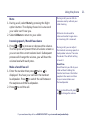
1. Select Menu, Answer Phone is displayed, press
.
2. Press until Record Memo is displayed,
.
press
3. Follow the voice prompt to record your memo and
select Save when you’ve finished.
4. Your memo will be played back to you. Select OK
if you’re happy with it or you can delete it by
selecting Delete.
Set the answer mode (Answer & Record or
Answer Only)
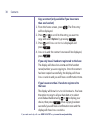
1. Select Menu, Answer Phone is displayed, press
.
2. Press until Answer Mode is displayed,
.
press
3. Press or to display the answer mode you
want: Answer and record or Answer only and press
. Saved will be displayed.
If you need some help, call us on 0800 145 6789* or go to www.bt.com/producthelp