1
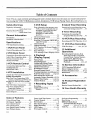
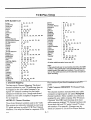
Table of Contents
Note: This is a task oriented operating guide and is broken down into the steps one would ordinarily follow in using this VCR; VCR/Remote controls, Installation, VCR Setup, Playing Tapes, Recording Tapes, etc.
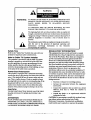
Safety Warnings
5 VCR Setup
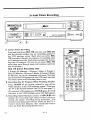
8 Instant Timer Recording
Regulator?," Information
..................
Inside front Cover
Electrical Shock Warnings
..................
Inside front Cover
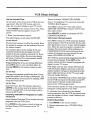
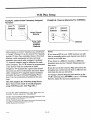
Enter information that prepares your
VCR to receive programs that are
broadcast in your local area and
specifying VHFAJHF type
antenna(s) or Cable service
(CATV) ......................
5-1
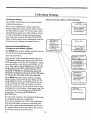
On-Screen Menu System ..........
5-1
Setting the Clock ................
5-2
Receiving TV Programs VHFFLIHF or
Cable TV Service .............
5-2
Channel Search .................
5-2
Channel Save/Skip ...............
5-2
VCR Function On-Screen Display 5-3
Power Failures .............
5-3, 13-1.
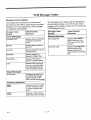
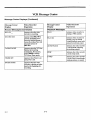
Error Messages .................
5-3
VCR Message Center Displays 54,5,6
Instru,_ ans for recording what you are
currrently viewing on your "IV .... 8-1
General Information
Introduction ......................
Installation Considerations
.........
i
i
Specifications
VCR Specifications
Listing ........
ii
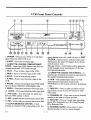
1 VCR Front Panel
,Controls Description
and Use .....
1-1
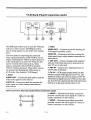
2 VCR Back Panel
,Connections Description and Use
Audio/Video Connection Jacks...
,Antenna Connection Jacks .......
Channel 3-4 Switch ..............
2-1
2-1
2-1
2-1
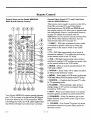
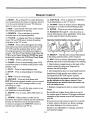
:3VCR Remote Control
Controls Description and Use .....
Installing Batteries ...............
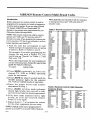
Multi-brand Codes ...............
3-1
3-2
3-3
4 VCR Installation
Unpack the VCR and Accessories 4-1
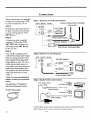
System Connections
]Basic First Time Connections VCR,
Antenna, Cable Box and "IV Set 4-1
Replacing an old VCR with a Zenith
VCR ........................
4-1
New VCR Owner Connections .... 4-1
VCR Front and Back Panel
Connection Options ...........
4-2
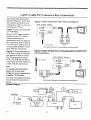
Cable (CATV) Connections ......
4-3
System Diagram .................
4-3
Ilndex of Features
1 Year, 8 Event Timer ...........
:181 Channel Capability ...........
Auto Channel Search ............
Auto Counter Reset .............
9-1
ii
5-1
6-2
Auto Digital Picture Tracking .....
Auto Playback System ...........
6-2
6-1
:'.613-O
6 Playback
(Playing Tapes)
Playing Tapes ...................
Stop Playing Tapes ..............
Loading and Ejecting Tapes ......
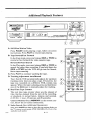
Additional Playback Features .....
Still/Slow Motion/Pause ..........
Rewind/Fast Forward ............
Reverse/Forward Search .........
Tracking Adjustment Auto/Manual
Real Time Tape Counter .... 6-2,
Index Search (See Section 12)
Automatic Counter Resetting 6-2,
Elapsed Time Display .......
6-2,
Counter Memory ...........
6-2,
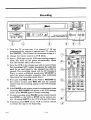
7 Recording
6-1
6-1
6-1
6-2
6-2
6-2
6-2
6-2
1.2-1
Instructions for recording TV
programs while you are away ...9-1
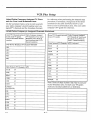
10 VCR Plus Recording
Recording with VCR Pluscodes
11 VCR Plus Recording
VCR Plus Setup ........
11-1, 2, 3, 4, 5
12 Aclditional
Operations
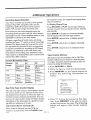
Recording Speed Selection, Real
Time Tape Counter, Automatic
Counter Reset, Counter Memory,
Index Search, Blank Search,
Doul_le Speed Playback, VCR
Flashback ................
12-1, 2, 3
13 Service
Information
(VCR Operating Difficulties)
Before Calling for Sen,ice .......
13-1
Problem/Resolution Chart ..... 13-1, 2
Maintenance ..................
13-2
1.2-1
12-1
1.2-1
7-1
7-2
...............................
Center Load Tape System ........
1-1
Counter Memory ...........
6-2, 12-2
HQ Circuitry ....................
il
Index Search System ............
12-2
Instant Recording ...............
8-1
LED Display ...............
1-1, 3-1
New Larger Controls ............
1-1
14-1
15 Product Registration
Card
Receive Current Product Info ....
16 Your Zenith
...............................
°o°
Ill
10-1, 2
14 Ac:cessories
Tapes
Recording ......................
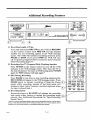
Additional Recording
Features .....................
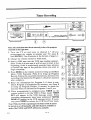
9 Timer Recording
15-1
Warranty
16-1
On-Screen Programming .........
5-1
Slow Motion ....................
6-2
MBR3429 Multi-Brand
TV/VCR/Cable Box Remote
Control .....
3-1, 6-1, 7-1, 8-1, 9-1
VCR Plus ......
10-1,, 2, 1.1-1,2, 3, 4, 5