1
•
•
The caller’s name
The caller’s number
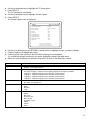
You may also receive messages indicating the following conditions.
•
•
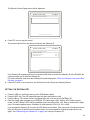
Incoming call from:
John Smith
555-1122
The caller is out of the area
The caller ID information is unavailable
Some of the caller information received is marked as private.
All caller ID information is added to the Call Log. The RG3000 maintains a log of the last 50 calls. Information that is unavailable
appears in the Call Log as unavailable or private. The log includes:
•
•
•
•
The caller’s name
The caller’s number
The date of the call
The time of the call
TO VIEW THE CALL LOG
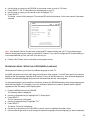
1. Press the CALL ID key on your remote control.
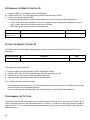
The Caller ID Log is displayed. New calls appear with an asterisk (*) and highlighted text.
User Tip: Make changes to your Caller ID and Voice Mail setups by pressing the MENU button and then selecting “Telephone Services.”
2. Use the up or down (directional) keys to scroll through the list of calls in the Call Log. Or, use the PAGE UP
or PAGE DOWN buttons to scroll through pages of calls.
3. Press EXIT when you have finished.
USING PAY-PER-VIEW
The RG3000 allows you purchase and cancel Pay-Per-View programs and create passwords that control the
ability to purchase programs.
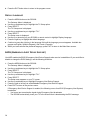
1. Press the PPV key on your remote control.
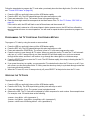
The interactive pay-per-view program guide is displayed.
2. Use your remote control and follow the instructions in the interactive program guide.
ACCESS PARENTAL CONTROL
The RG3000 allows you to use parental discretion about the TV programs or movies you want your children
viewing. This “parental lock” is easily set up and removed using your remote control. You can control access by
limiting access by channel, by rating and content, or by time.
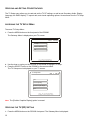
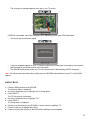
1. Press MENU on your remote control.
14