1
INTRODUCTION
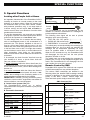
Internal Sounder
Alarm Type
Burglar / 24
hour/ Panic
Fire
Test*
Graphic Representation of Signal
–––––––––––––––––––––––––––––––
Verbal Description of Signal
ON continuously
– – – – – – – – – – – – .................
–– (both external and internal sirens)
ON - ON - ON - pause - ON - ON - ON - pause.....
ON for 2 seconds (once)
Indicators
Display
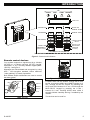
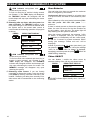
The sounds you will hear while using the control panel
are:
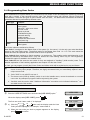
The display is in the form of a single line, backlit 16character LCD. The display includes the time and
date and is also used for the log file by providing the
date and time of each event. The display alternates
with the time and the system status, for example:
READY
HH:MM
(alternating)
READY MEMORY
Single beep, heard whenever a key is
pressed
Double beep, indicates automatic return
to the normal operating mode (by
timeout).
Three beeps, indicates a trouble event
☺
Happy Tune (- - - –––), indicates
successful completion of an operation.
Sad Tune (–––––), indicates a wrong
move or rejection
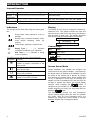
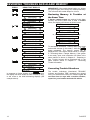
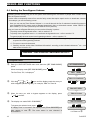
The LEDs you will see on your control panel are:
Inidcation
Function
Power (Green): Indicates that your
system is properly connected to the
power outlet.
Arm (Red): Lights when the system is
in the armed state.
Chime (Green): Chime zones will
chime when disturbed
Trouble (Orange): Lights when the
system is in a state of trouble.
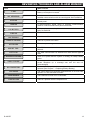
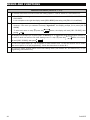
Control Keys
Key
Task
Advance from item to item within a
given menu.
Move one step back within a given
menu
Review status messages one by one
I OK and also select a displayed option.
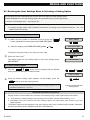
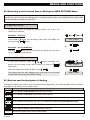
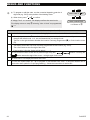
Screen Saver Mode
During installation your installer can configure the
screen saver for the system's display. The purpose of
the Screen Saver (if enabled by the installer) is to hide
the status of the system and to prevent an intruder
from knowing the system status. When enabled and
no key is pressed for more than 30 seconds, the
display will read “PowerMax10-G2” and the LEDs do
not light or indicate any status. The normal display
button. If
resumes when pressing the
configured by the installer for additional security, the
system will ask you to enter your user code after you
press the
button
The pressed key (except Fire and Emergency)
causes normal display return but does not perform
any action. With Fire and Emergency keys, the
pressed key causes the normal display to resume
and also initiates Fire or Emergency alarm.
4
D-302757