1
DX-80 Installation & Maintenance
2.13.2 INSTALLING EXTERNAL MUSIC SOURCE TO MC1/MC2/BOTH
1. Remove the KSU cover (four screws at each corner) of KSU1.
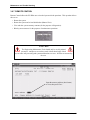
2. Connect a static discharge wrist strap to a suitable earth ground. Be sure that the strap is touching bare skin.
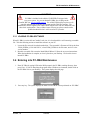
WARNING
Circuit boards are susceptible to damage caused by electrostatic
discharge. You must keep this in mind as you handle the circuit
boards. Refer to Comdial publication IMI01-005, Handling of Electrostatically
Sensitive Components, for details.
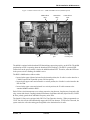
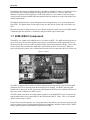
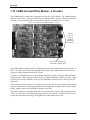
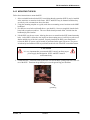
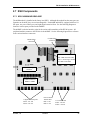
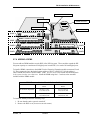
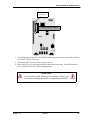
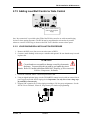
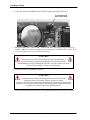
3. Locate the CPM and the “MUSIC” option strap.
4. Make sure that the “MUSIC” option strap is in the “EXT” position. (Required for external
source to operate on MC1.)
5. Locate CPM the “MC1” and “MC2” connector jacks on the CPM.
6. Using an eighth-inch mini plug, connect the output of the external music source to the appropriate MC1 or 2 connector. (At default MC1 is used for Music On Hold.) This is easily accomplished using a prefabricated mini-plug to mini-plug cable available at Radio Shack.
7. Adjust the music volume level at the external music source. When adjusting the music for
Music On Hold, place a call into the system on one of the CO Lines. Place this call on hold so
that the external music source is heard by the calling party (you). Adjust the volume level of the
external music source until a desirable level is reached. (Background Music is then adjusted at
the telephone using the instrument volume control.)
October, ‘03
Comdial
61