1
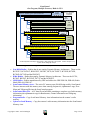
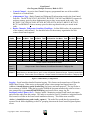
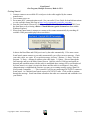
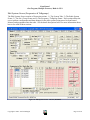
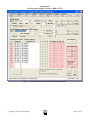
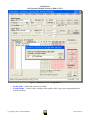
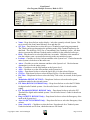
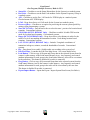
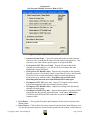
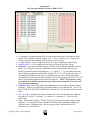
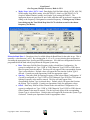
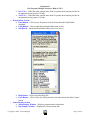
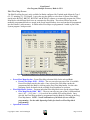
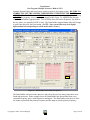
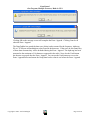
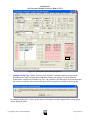
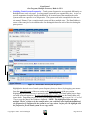
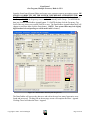
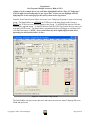
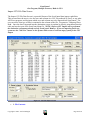
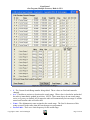
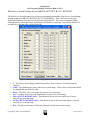
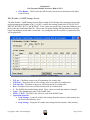
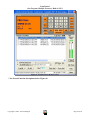
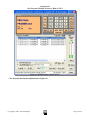
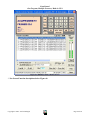
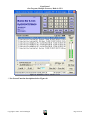
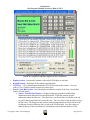
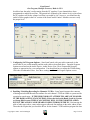
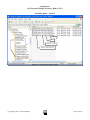
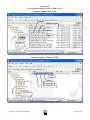
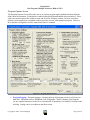
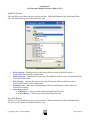
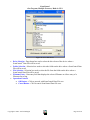
ScanControl One Program, Multiple Scanners, Made in USA Figure 19 - Group Data Frame – Frequencies – SC230, BC246T, BR330T, BCD396T o # - Displays the absolute number from 1 to the maximum number of frequencies in the Group. These numbers cannot be edited. The << Prev 15 and Next 15 >> buttons (see below) are used to move among all the frequencies in the Group o << Prev 15 (10) – Click to display the previous screen of frequencies in the Group. o Next 15 (10) >> - Click to display the next screen of frequencies in the Group. o Frequency – Data entry field for frequency for the selected Channel within the selected Bank. Up to 8 digits of frequency information can be entered but the decimal point MUST be entered for the desired frequency. e.g. typing 4 3 . 2 5 will result in the entry of 043.2500 being displayed in the field. Typing 8 1 0 . 0 2 5 will result in the entry of 810.0250 being displayed in the field. If the decimal point is not entered the program will not know how to parse the digits and therefore an error message will result. You will then be given another opportunity to enter the frequency. NOTE: The frequency value entered must be within the operational range of the connected scanner or an error will occur during programming. o Frequency Tag – Data entry field for the alphanumeric tag associated with the selected frequency. This tag is stored in the ScanControl Memory Area and data file. The SC230, BC246T, BR330T, BCD396T and BCD996T store the first 16 characters of this tag in the radio. o P, L, A, T, R – Checkboxes for control attributes for each selected frequency within the selected Site / Group. P = Priority, L = Lockout, A = Attenuate, T = Tone Lock, R = Record Out. o Tone – Data display field for CTCSS or DCS Tone Code selection data for the selected frequency. See your radio Owner’s Manual for details on the selections available and what they mean. Clicking on this Tone box brings up the Tone/Mode/Step/LCN selection screen. (See Below) Copyright 2009 – 3D Technologies Page 25 of 86