1
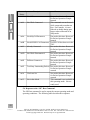
including Name, Location, Callsign and SELCAL. This information is
loaded into the TNC at program startup.
11.5 Set Time Zone
This options allows the user to set the program clock to reflect the correct local and UTC time information. If you have problems with this
setting, check for the presence of a SET TZ line in your config.sys or
autoexec.bat file. If this exists remove or REM the line form the file and
restart the computer
To set the program clock correctly use the following steps.
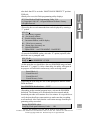
1. Select the "Setup Time Zone" option in the Setup Menu.
2. Enter the Hours offset from UTC.
3. Enter the Minutes Offset from UTC. Normally 0 or 30.
4. Click on the "East of Greenwich, England if your QTH is located
east of this location.
5. Save changes clicking on the OK button.
Note : all changes are immediate.
11.6 Brag Text
The brag text option allows the user to pre-program up to ten response
sequences to ease normal communications. These may be transmitted at
any time by pressing one of the ALT-0 to ALT-9 keys.
All program macros are usable in the brag text definitions.
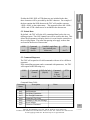
11.7 Brag Files
The brag file feature allows the user to pre-program up to 10 single keystroke file transfers. These keystrokes are assigned to the CTRL-F1
through CTRL-F10 key. Once a file is assigned to a key, it can be sent
at any time by pressing the appropriate control key or by using the Brag
File function on the Right Mouse Button.
To create a new brag file use the following steps:
1. Select the Brag File Option in the Setup Menu.
2. Select one of the CTRL-F1 to CTRL-F10 buttons on the dialog box
that is provided.
3. Enter the name of the file you wish to create in the FileName box in
the file selector dialog box.
4. Press the OK key. If the file does not already exist then the program
will execute the Text Editor. By default this is the Notepad program
provided with Windows.
5. Type any text you wish into the text editor and when complete use
SGC Inc. SGC Building, 13737 S.E. 26th St. Bellevue, WA. 98005 USA
P.O.Box 3526, 98009 Fax: 425-746-6384 or 746-7173 Tel: 425- 746-6310 or 1-800-259 7331
E-mail: [email protected] Web site: http://www.sgcworld.com
41
© 1999 SGC Inc