1
Figure 2
•
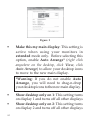
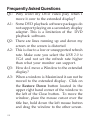
Make this my main display: This setting is
active when using your monitors in
extended mode only. Before selecting this
option, enable Auto Arrange* (right click
anywhere on the desktop, click View, click
Auto Arrange) to allow your desktop icons
to move to the new main display.
*Warning: If you do not enable Auto
Arrange, you will need to drag-n-drop
your desktop icons to the new main display.
•
•
10
Show desktop only on 1: This setting turns
on display 1 and turns off all other displays
Show desktop only on 2: This setting turns
on display 2 and turns off all other displays