1
Windows Server 2008 (32-/64-bit)
1.
2.
3.
4.
5.
6.
7.
Insert the driver CD.
At the AutoPlay box: Double click Setup.
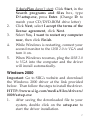
If AutoPlay doesn't start: Click Start, in the
Start Search box, type D:\setup.exe, press
Enter. (Change D: to match your
CD/DVD-ROM drive letter)
Click Next, select I accept the terms of the
license agreement, click Next.
Click Install up to 3 times. Skip this step if
not prompted.
Click Finish.
Connect your second monitor to the USB
2.0 to VGA and turn it on.
Plug the USB 2.0 to VGA into the computer,
the driver will install automatically.
Wait several seconds, then restart Windows
to complete the installation.
Windows Server 2008 R2
1.
6
Insert the driver CD.
At the AutoPlay box: Click Open folder to
view files, then double click Setup.