1
(Continued)
START
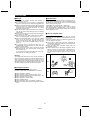
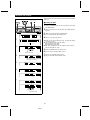
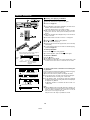
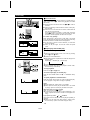
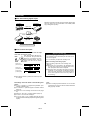
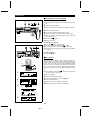
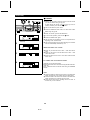
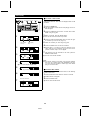
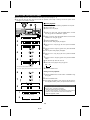
■ Recording from a CD onto a MiniDisc
DISPLAY/CHARACTER
(One-Touch Editing)
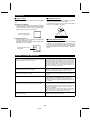
1 Press the CD ■ button.
2 Load a compact disc and a recordable MiniDisc.
● The total number of tracks and the total playing time on the
CD will be displayed.
3 Press the START button.
● Playback of the first track and recording will begin.
● When all discs are recorded, recording will automatically stop.
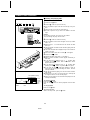
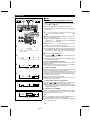
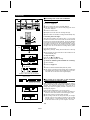
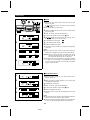
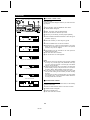
If recording does not begin:
MD
DISPLAY
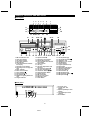
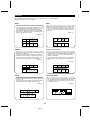
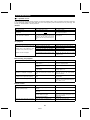
When discs are loaded in all of the disc trays 1 - 3 and if all of
the tracks on the discs cannot be recorded, the number of tracks
that cannot be recorded will be displayed, and the CD DIRECT
PLAY button for the disc that cannot be recorded will flash. Then,
the number of tracks that can be recorded will appear, and the
CD DIRECT PLAY buttons for the discs that can be recorded
will light. Then, the unit will enter the recording stand-by mode.
CD
3
Press the START button.
● Recording will begin, starting from the first track on disc tray
1.
● After recording all of the tracks that can be recorded, the unit
will automatically stop.
1 2 3 4 5 6 7
8 9 10 11 12
TOTAL
12
TOC DISC
4
0dB
OVER
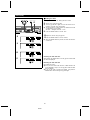
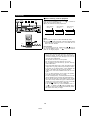
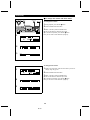
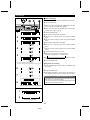
To stop recording:
1 2 3 4 5 6 7
8 9 10 11 12
Press the CD ■ or MD ■ button.
● It is not possible to pause recording.
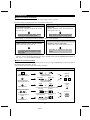
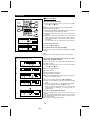
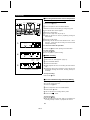
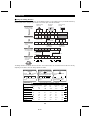
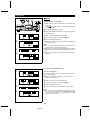
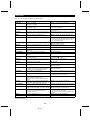
To check the remaining time available for recording:
TOC
1 2 3 4 5 6 7
8 9 10 11 12
REMAIN
Number of tracks that cannot
be recorded
● The number of tracks that have already been recorded and
the available time remaining will be displayed, and five seconds later the unit will return to the original display.
TOC
1 2 3 4 5 6 7
8 9 10 11 12
TOTAL
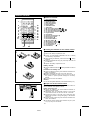
1 Load a MiniDisc.
2 Press the MD ■ button.
3 Press the DISPLAY/CHARACTER (DISPLAY) button.
Number of tracks that can be recorded
Number of tracks
already recorded
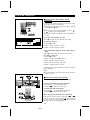
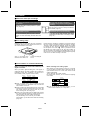
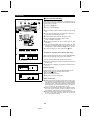
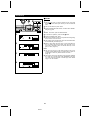
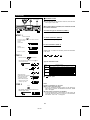
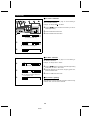
■ To record for a long time in the monaural
DISC TRACK DATE
12
4
0dB
OVER
Recordable time
(39 minites and 14 seconds)
mode (monaural long-play mode)
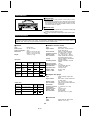
When a recording is made in the monaural long-play mode, it
can be twice as long as the recording time available for a stereo
recording. The monaural long-play mode is very useful for recording songs that were originally recorded in monaural, or for
recording talk programs.
TOTAL
MONO LP
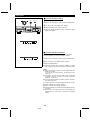
Press the REC MODE button on the remote control.
● Each time the button is pressed, the display will switch between the stereo mode and the monaural long-play mode.
● This mode cannot be changed while recording.
● The recording mode will not change back until you change it
manually. After you have made a recording in the monaural
long-play mode, it is recommended that you return the unit
to the stereo mode so that you won’t forget to do so later.
“MONO LP” indicator
TOTAL
“MONO LP” will disappear.
20
MD-R3