1
68
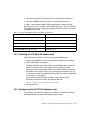
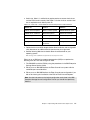
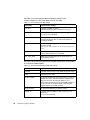
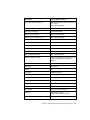
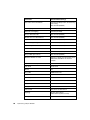
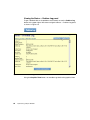
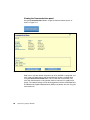
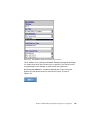
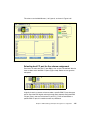
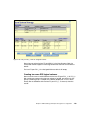
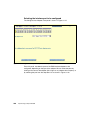
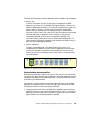
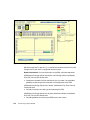
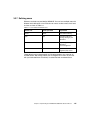
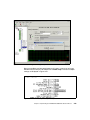
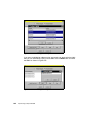
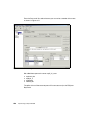
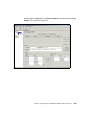
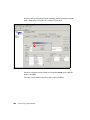
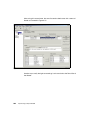
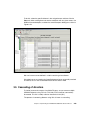
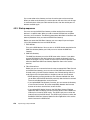
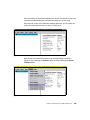
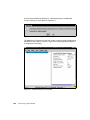
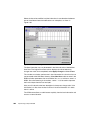
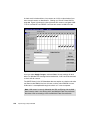
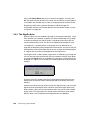
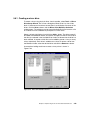
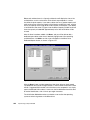
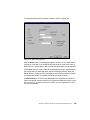
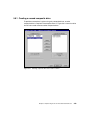
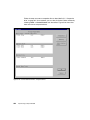
Parameters
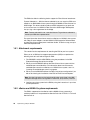
Recommended settings
Use name server after RSCN
Checked (enabled) if fabric attached using
soft zoning
Not checked (disabled)
Lun mapping
Checked (enabled)
Automatic lun mapping
Checked (enabled)
Scan in device ID order
Not checked (disabled)
Enable class 2 for SCSI devices
Not checked (disabled)
Report unknown SCSI devices
Not checked (disabled)
Look for disappearing devices
Not checked (disabled)
Translate queue full to busy
Not checked (disabled)
Use bus reset status for retries
Not checked (disabled)
Retry unit attention
Not checked (disabled)
Retry PLOGI open failures
Not checked (disabled)
Maximum Number of LUNs
Equal to or greater than the number of the
ESS LUNs available to the host bus
adapter
Maximum Queue Depth
8
Link Timer
30 seconds
Retries
64
E_D_TOV
2000 milliseconds
AL_TOV
15 milliseconds
Wait ready timer
45 seconds
Retry timer
2000 milliseconds
R_A_TOV
2 seconds
ARB_TOV
1000 milliseconds
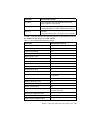
Link Control
Not shown for direct attach
Topology
Point-to-point (fabric)
Arbitrated loop (direct connect)
Link speed
Auto
Implementing an Open IBM SAN