1
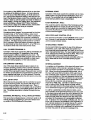
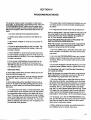
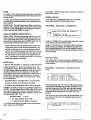
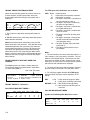
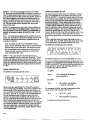
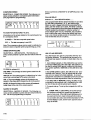
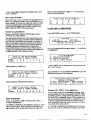
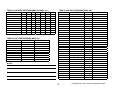
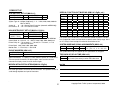
TIP1-TIP8. Phase conditional transit priority shorten
inhibit inputs, When activated, Transit Priority can not
shorten the corresponding phase if the phase is not the
TP phase. The phase, however, can be the TP phase
and can be extended.
TRANSIT PRIORITY CALL DETECTION AND INITIAL
OPERATION
When mapped, the transit priority call inputs are constantly monitored for activity along with the general
controller inputs. When a transit priority call is detected
on any of the inputs, to ensure transit priority phase
service, a standard vehicle call is applied to the
assigned transit priority phase(s) for the duration of its
activity. All other ped and vehicle calls are allowed
normally. The process can operate in either free or
coordination mode. Depending on programming,
special timings such as special maxes and walks from
TP group programming are used until the transit priority
phase(s) are achieved. A priority system may be
implemented if more than one TP input is to be used.
Higher priority inputs override lower priority inputs. If all
of equal priority, the first transit priority phases to
become active from any of the active inputs will be
considered “achieved” and will cause the unit to hold at
that point.
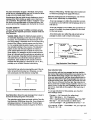
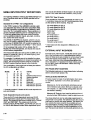
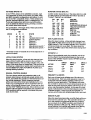
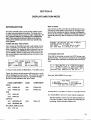
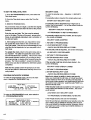
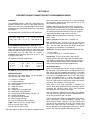
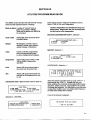
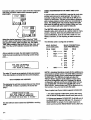
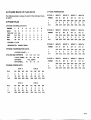
TRANSIT PRIORITY SET-UP PROGRAMMING
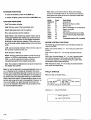
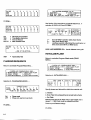
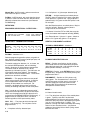
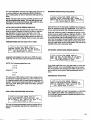
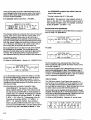
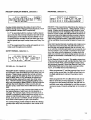
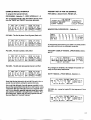
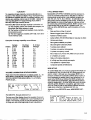
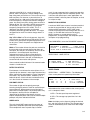
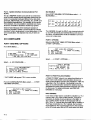
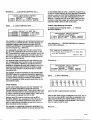
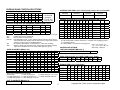
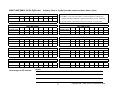
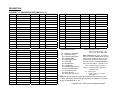
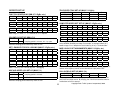
PHASES/MEMORY/DELAY.....Selection 1....
TP INPUT
1
PHASES
26
DELAY
0
MEM
OFF
2
3
4
5
6
48
0
0
0
0
0
0
0
0
0
OFF OFF OFF OFF OFF
PHASES = The desired TP phase(s) for that input to go
to (up to 4 phases). Transit priority phases may or may
not be the coordinated phase(s).
DELAY = 0-255 seconds. The desired delay from
activation of an input to its response.
-If memory is off, the input must remain steady active
through the delay, or TP will not occur. The delay timer
resets and must start over on each new input
activation.
-If memory is on, the delay will continue to time through
to the TP sequence once a call is placed, even by an
input pulse. The delay timer will reset only if the call is
cleared from memory.
MEM ON = The input call will latch and remain active
until either cleared by the clear input, the “Maximum
Wait” value times out, the “Max Extend” timer times out,
the “input fail” timer times out, or the inhibit (all) input is
activated.
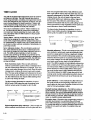
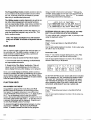
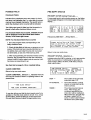
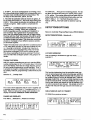
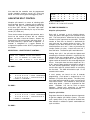
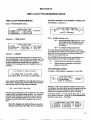
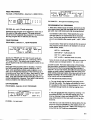
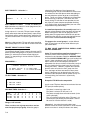
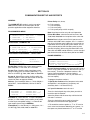
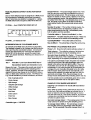
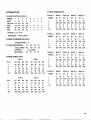
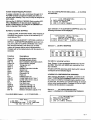
From the Program/Read mode menu....
--PROGRAM/READ MODE-1.SECURITY CODE 4.TIME CLOCK 7.REPORTS
2.CONTROLLER
5.PRE-EMPTION 8.TRANSIT
3.COORDINATION 6.COMM SET-UP
MEM OFF = The input call will go away as soon as the
input does (not latched).
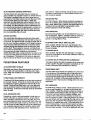
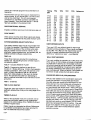
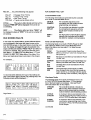
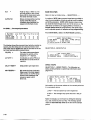
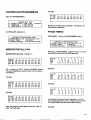
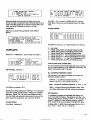
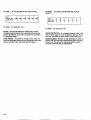
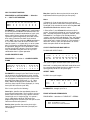
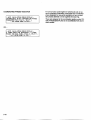
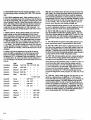
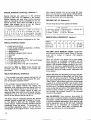
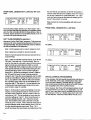
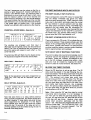
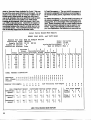
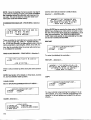
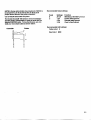
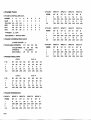
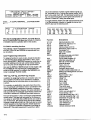
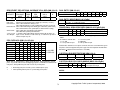
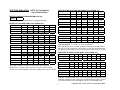
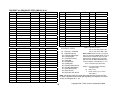
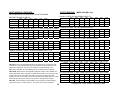
TP INPUT TIMINGS....Selection 2....
TP INPUT
MAX WAIT
MAX EXT
MIN RSVC
TRANSIT......Selection 8....
1
60
12
0
2
30
10
0
3
0
0
0
4
0
0
0
5
0
0
0
6
0
0
0
ALL
5
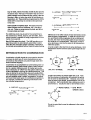
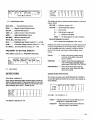
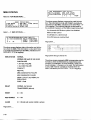
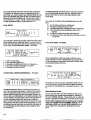
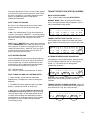
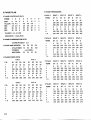
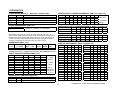
--TRANSIT PRIORITY SET-UP-1.TP INPUT SET-UP
2.TP GRP TIMING
3. TP FREE MODE
4. TP COORD OPTIONS
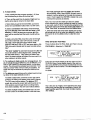
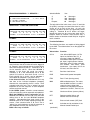
TP INPUT SET-UP.....Selection 1....
--RANSIT PRIORITY INPUT SET-UP-1.PHASES/MEM/DEL
2.INPUT TIMINGS
7-12
3.INPUT PRIORITY
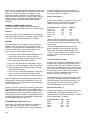
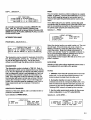
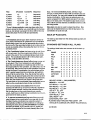
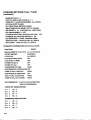
MAX WAIT = Maximum Wait (0-255 seconds). This
value begins timing upon activation of the input. The
timer times down as long as the input remains active or
a call remains in memory. If the Max Wait timer times
out before the transit phase is achieved, the input is
disabled and/or the call is cleared and Transit Priority is
canceled. The input remains disabled until the input
goes away.
Note: A zero max wait value is considered “max wait
inhibit” and max wait will be ignored for that input. True
max wait values are then 1-255 secs.