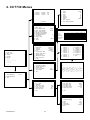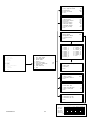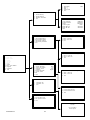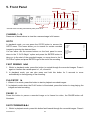
1
6.6 Event
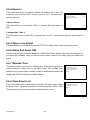
This menu allows you to configure how an EVENT is handled by the CCT730.
6.6.1 Day/ Night Switch
Day/ Night Switch
The CCT730 allows the installer to attach an external device to its I/O
connector to tell the unit when it should use its day or night settings.
This might be an output from an alarm panel that tells the CCT730 to
move into its Night mode when the panel has been activated.
1
2
3
4
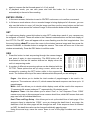
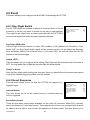
Day / Night SW Enable
Switch <OFF>
Delay For Active
Exit
No
Day
60
Day/ Night SW Enable
Use the right/ left arrow buttons to select YES (enable) or NO (disable) for this option. If you
select “NO”, the Day/ Night Switch signal will be ignored and the unit will follow the day/night
timer schedules defined in the Record menu. If you select YES, the unit will follow the On/ Off
position of the external trigger.
Switch <OFF>
This item allows you to configure which setting (Day/ Night) will be activated when the switch is
OFF. You may select Day or Night by using the right/ left arrow buttons.
Delay For Active
After the Day/ Night switch setting has changed, there is a delay before the process takes place
to avoid the operator triggering a false event by mistake.
6.6.2 Event Response
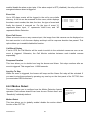
This sub-menu allows you to set how the CCT730 will respond to a
triggered event.
Internal Buzzer
This item allows you to set an internal buzzer to activate when an
event is triggered.
Event Response
1
2
3
4
5
6
7
8
Internal Buzzer
Event Relay Output
Event List
Event Full Screen
Call Event Display
Response Duration
Any Key To Stop
Exit
ON
ON
ON
OFF
ON
10
ON
Event Relay Output
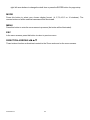
There are two alarm output relays available on the unit’s I/O connector, Alarm N.O. (normally
open) and Alarm N.C. (normally closed). These signals are driven by an on-board relay and can
be used to drive a light or siren to warn the operator of an alarm event. This item allows you to
CCT730 V1.1
26