1
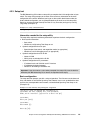
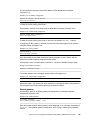
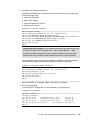
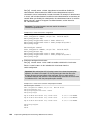
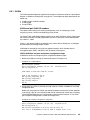
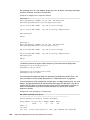
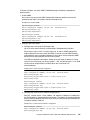
You must configure the RADIUS secret by running the commands shown in Example 4-39.
Example 4-39 RADIUS secret
RS8264(config)# radius-server primary-host 10.10.1.1 key <1-32 character secret>
RS8264(config)# radius-server secondary-host 10.10.1.2 key <1-32 character secret>
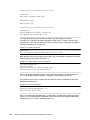
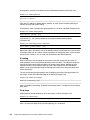
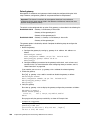
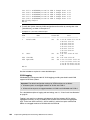
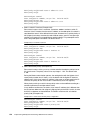
You may change the default UDP port number used to listen to RADIUS (Example 4-40). The
known port for RADIUS is 1812.
Example 4-40 RADIUS UDP port
RS8264(config)# radius-server port <UDP port number>
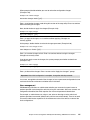
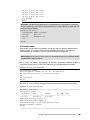
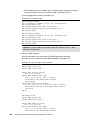
Configure the number of retry attempts for contacting the RADIUS server, and the timeout
period (Example 4-41).
Example 4-41 RADIUS retry and timeout
RS8264(config)# radius-server retransmit 3
RS8264(config)# radius-server timeout 5
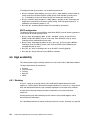
RADIUS options: For more detailed information about all the options related to RADIUS,
see IBM RackSwitch G8264 Blade OS Application Guide, found at:
http://www-01.ibm.com/support/docview.wss?uid=isg3T7000326
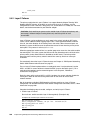
TACACS+
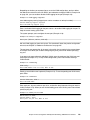
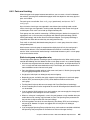
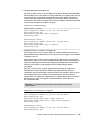
When TACACS+ Command Authorization is enabled, IBM Networking OS configuration
commands are sent to the TACACS+ server for authorization. Use the command shown in
Example 4-42 to enable TACACS+ Command Authorization.
Example 4-42 TACACS+ Command Authorization
RS8264(config)# tacacs-server command-authorization
When TACACS+ Command Logging is enabled, IBM Networking OS configuration
commands are logged on the TACACS+ server. Use the command shown in Example 4-43 to
enable TACACS+ Command Logging.
Example 4-43 TACACS+ Command Logging
RS8264(config)# tacacs-server command-logging
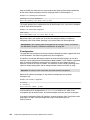
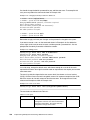
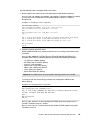
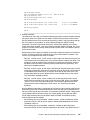
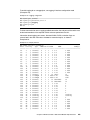
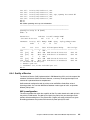
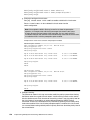
The examples shown in Example 4-44 illustrate the format of IBM Networking OS commands
sent to the TACACS+ server.
Example 4-44 Command format
authorization request, cmd=shell, cmd-arg=interface ip
accounting request, cmd=shell, cmd-arg=interface ip
authorization request, cmd=shell, cmd-arg=enable
accounting request, cmd=shell, cmd-arg=enable
140
Implementing IBM System Networking 10Gb Ethernet Switches