1
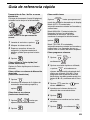
Storing E-mail Addresses
and enter the desired 2-digit
number (01 to 63).
You can store e-mail addresses in the
A, B, and C keys, in Rapid Keys, and in
Speed Dial numbers.
♦ An e-mail address stored in a Rapid
Key or the A, B, or C key is selected
by simply pressing that key. A total of
36 Rapid Keys are available.
(Note: Attach the Rapid Key labels as
shown on page 5.)
♦ An e-mail address stored in a Speed
Dial number is selected by pressing
SPEED DIAL
and entering the 2-digit Speed
Dial number. A total of 63 Speed Dial
numbers are available.
• If you prefer to have the machine
suggest an available Rapid Key /
Speed Dial number at the end of the
procedure, press
.
3 Press
to select E-MAIL.
Display: [E-MAIL # MODE]
4 Enter the e-mail address with the
letter and number keys (max. of 128
characters).
• For information on using the letter
keys, see page 6.
• To clear a mistake, press
.
Note: Rapid Keys and Speed Dial
numbers are also used for fax (p. 27).
5 Press
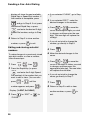
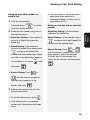
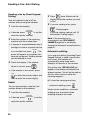
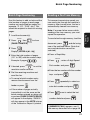
Storing an e-mail address
6 Enter the name of the recipient
Follow the steps below to store an email address using the machine’s
operation panel.
7 Press
(max. 20 characters).
♦ E-mail addresses can also be stored
using the machine’s Web page. To
access the Web page, see page 17.
1 Press
FUNCTION
,
, then
.
2 To store an e-mail address in the A,
B, or C key, press the desired key
and go directly to Step 4.
To store an e-mail address in a
Rapid Key, press the desired Rapid
Key.
To store an e-mail address in a
Speed Dial number, press
.
.
• If you selected a Rapid Key or
Speed Dial number in Step 2, the
display will briefly show [STORED],
and then [NEW NUMBER]. Go to
Step 8.
• If you did not select a Rapid Key or
Speed Dial number in Step 2, the
display will show the next available
Rapid Key or Speed Dial number. If
that number is acceptable, press
and go to Step 8. If not, press
the desired Rapid Key, or press the
SPEED DIAL
A, B, or C key, or press
SPEED DIAL
and
19
2. Fax to
E-mail
Storing E-mail Addresses