1
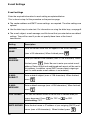
Option Settings
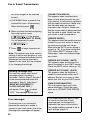
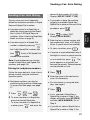
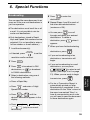
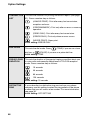
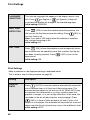
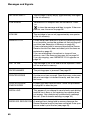
TRANSACTION This sets the condition for printing transaction reports (see page
LIST
51). Press a number key as follows:
(ALWAYS PRINT): Print after every fax transmission,
reception and error.
(ERROR/MEMORY): Print only after an error or memory
operation.
(SEND ONLY): Print after every fax transmission.
(ERROR ONLY): Print only when an error occurs.
(NEVER PRINT): Never print.
Initial setting: ERROR ONLY
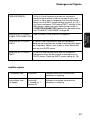
DIAL MODE
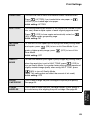
This sets the dial mode. Press
(TONE) if you are on a tone
dial line, or
(PULSE) if you are on a pulse dial line.
Initial setting: TONE
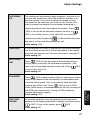
PSEUDO RING
DURATION
This sets the duration of the special ringing sound that alerts you
to voice calls and manually dialed faxes in TEL/FAX reception
mode. Press a number key as follows:
15 seconds
30 seconds
60 seconds
120 seconds
Initial setting: 15 seconds
DISTINCTIVE
RING
46
If you subscribe to a distinctive ring service from your phone
company, use this setting to select the ring pattern of the phone
number that you will use as a fax number. For more information,
see page 39.
Initial setting: OFF SETTING