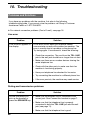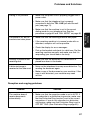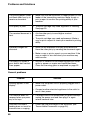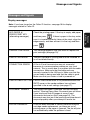
1
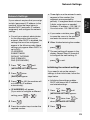
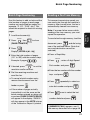
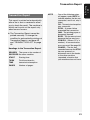
Transaction Report
This report is printed out automatically
after a fax is sent or received to allow
you to check the result. The machine is
initially set to print out the report only
when an error occurs.
♦ The Transaction Report cannot be
printed manually. To change the
condition for automatically printing out
Transaction Reports, see page 45
and “TRANSACTION LIST” on page
46.
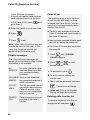
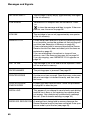
Headings in the Transaction Report
SENDER/ The name or fax number of
RECEIVER the other machine.
START
Starting time.
TX/RX
TIME
Total time taken for
transmission/reception.
PAGES
Number of pages.
NOTE
One of the following notes
will appear under NOTE to
indicate whether the fax was
successful, and if not, why it
failed.
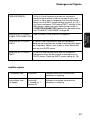
OK - Transmission/reception
was successful.
P.FAIL - A power failure
prevented the transaction.
JAM - The printing paper or
document jammed.
BUSY - The fax was not sent
because the line was busy.
COM.E-X - (Where “X” is a
number.) A communication
error occurred. See page 56.
CANCEL - The fax was
canceled because the STOP
key was pressed, no
document was in the feeder,
or the other machine
requested a function that
your machine does not have.
51
8. Printing
Lists
Transaction Report