1
5) Select the content of the desired message;
6) Select “Protect Mode”, “Transfer Msg” or “Delete Msg”(Note 2);
If “Delete Msg” is selected, the selected massage will be deleted.
If “Transfer Msg” is selected, the following steps are required.
7) Select sending type, “Individual” or “Group Call”;
8) Use the knob selection/keypad entering to determine the desired receiver ID
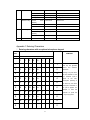
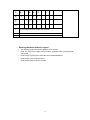
(individual/group). (Please refer to Appendix 1 for character input methods); or
press PF6 to enter ID menu.
9) Press PF6 or the PTT key to send message.
2. Viewing or deleting sent message
1) Select the desired group and channel;
2) Press [Message] key (programmable key) to enter Short Message Menu and
choose “View Message”;
3) Select “Message Sent”;
4) Select the desired short message (Note 1);
5) Select “Transfer Msg” or “Delete Msg”.
If “Delete Msg” is selected, the selected massage will be deleted.
If “Transfer Msg” is selected, the following steps are the same as those 6)-8) in
“Sending Sent Message”. Please refer to “Sending Sent Message”.
Received Message Deleting
All the messages in the “Receive Msg” Inbox will be deleted after selecting “Delete
All” in the main menu and press PF6, except those are set with protect mode.
1) Press [Message] key (programmable key) to enter short message menu and choose
“Delete All”;
2) Delete all messages.
Note 1: If no message inside, “Empty” appears and the after operation cannot proceed.
Note 2: “A” icon appears if protect mode is selected. Press PF6 key to toggle between
protect and non-protect modes. The messages cannot be deleted in protect mode.
Optional Signalling (DTMF/2-Tone/5-Tone/HDC2400TM)
The preset functions are activated when the received signal matches the optional
signalling.
When optional signalling is programmed on a channel or zone, radio LED will flash
orange and the radio will sound an alert tone or transpond to the call if a signal containing
the correct tone/code is received.
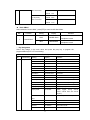
? CTCSS/DCS AND / OR DTMF/2-Tone/5-Tone/HDC2400TM
Signalling
Logic
Squelch
Alert Tone / Transpond
31