1
Getting Started
Registration And Operation Of The 2422 Accessory
Handset
Your GIGAPHONE system can operate up to 4 Handsets.
The accessory Handset consists of the following:
Handset
Belt Clip
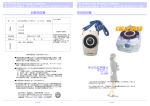
Installation of Battery Pack in Handset
Setup
Battery Pack
1
4
3
1.
Remove the battery cover by pressing
on the indent and sliding downward.
2.
Place the new battery pack in the
handset with the metal contacts
aligned with the charge contacts in
the battery compartment.
3.
Replace the battery cover by sliding
it upwards.
4.
If the new battery pack is not already
charged, place the handset in the
base unit, or a remote charging
stand, and allow it to charge for 12
hours.
After initial charge, a
maintenance charge of 8 hours
should be sufficient.
2422
The original Handset that is shipped with your GIGAPHONE system will be automatically
registered to the Base. This Handset is HANDSET 1.
1.
Plug the AC power adapter into an
electrical outlet.
As you register additional Handsets to the system, they will be assigned extension
numbers in the following order: HANDSET 2, HANDSET 3, and finally HANDSET 4.
2.
Remove the Handset battery cover
by pressing on the indent and sliding
downward.
3.
Whenever a Handset battery pack is installed, the Handset will automatically begin
SEARCHING FOR BASE (if previously registered), or it will prompt you to ENTER
BASE ID to register the new Handset.
Place the new battery pack in the
Handset, with the metal contacts
aligned with the charge contacts in
the battery compartment.
4.
Replace the battery cover by sliding
it upward.
5.
Place the Handset in the Charge
Cradle, and allow it to charge for 12
hours. After the initial charge, a
maintenance charge of 8 hours
should be sufficient.
3
5
1
2
Charger Unit
Setup Of The
Accessory Handset
Follow the steps below:
5