1
Handset Operation
Handset Indicators
Handset Icons
Icon
Description
Line In Use indicator
On steady with no number next to it when a parallel set is in use.
On steady with one or more numbers next to it, indicating which
extensions are using the line. For example,
12 indicates that
Handset 1 and Handset 2 are on an outside call.
Additional Information
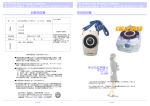
Your GIGAPHONE cordless telephone is equipped with a 2.5mm Headset Jack for use
with an optional accessory Headset for hands-free operation. If you choose to use
the Headset option, you must obtain an optional accessory Headset, which is compatible
with the GIGAPHONE.
To purchase a Headset, call Customer Service at 1-800-667-2118.
Once you have a compatible 2.5mm Headset, locate the Headset Jack on the
GIGAPHONE Handset. Connect the plug on the Headset cord to the jack on the cordless
Handset. The plug should fit securely. Do not force the connection.
Operation
Intercom indicator
On steady with the extension numbers currently on an intercom call.
For example,
02 indicates that the Base and Handset 2 are on an
intercom call.
NOTE :
Whenever a compatible Headset is
connected to the cordless Handset, the
microphone on the Hand-set will be muted.
This is done to limit the effect of background
noise.
The following operational
characteristics apply to SBC Headsets.
The same may also apply to other, nonSBC
supplied headsets, but
SBC
assumes no responsibility for their
performance.
Battery indicator
Cycles (Low, Medium, and High) when Handset battery is charging.
Flashes when a low battery condition is detected.
M
Mute indicator
On steady when the Handset microphone is muted.
H
Hold indicator
On steady when the line is on hold.
R
Belt Clip
Handset Registration indicator
R is displayed when a Handset is either not registered, or is searching
for a Base unit.
The GIGAPHONE is also equipped with a
detachable belt clip. Align the pins on the
inside edge of the clip with the notches on
the sides of the GIGAPHONE Handset.
The belt clip should snap securely into
place. Do not force the connection.
Handset LEDs
LED
Description
Message
Waiting
• Light to indicate that you have new messages in your voicemail.
Service must be subscribed to through your local telephone company.
8
Headset Operation
9