1
Registration
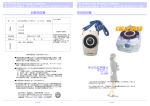
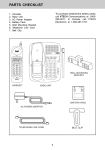
The Handset Layout
Enter Base ID Code
1.
2.
1
After charging the Handset, remove
it from its Charge Cradle, the screen
will display:
2
3
Press NEW, then enter the 15 digit
Base Unit ID code, located on the
underside of the Base Unit.
9
4
5
3.
4.
Press OK. The Handset will display:
PLEASE WAIT!!
6
10
11
7
12
8
13
14
Wait approximately 15 seconds.
The Handset will display:
15
FOUND BASE
1.
2.
3.
4.
5.
6.
7.
8.
If the Handset displays: BASE
BUSY TRY LATER, this indicates
that the system is in use. Wait until
the Base Unit is in the idle (on hook)
mode, and repeat step 2 to 4.
Congratulations! You can now enjoy the
benefits of your multi-Handset system.
6
Antenna
Message Waiting Indicator
Earpiece
Headset Jack (2.5mm)
Scroll Keys
On (Flash)
Dialing Key (0-9)
Handsfree Speakerphone
9. LCD Display
10. Select
11. Off (Clear)
12. Battery Compartment
13. Billed Services
14. Intercom
15. Microphone
7