1
Collection browsing
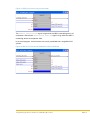
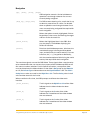
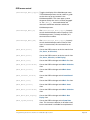
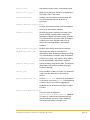
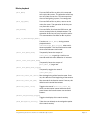
A set of buttons can be programmed to browse through the items in a music
collection. Any music collection (Albums by Artist, Albums by Title, Artists, Genres,
Mix Albums, Classical Composers, Classical Works, New, or any user-defined
collection) can be specified. The module provides three controls for browsing: first,
next, and previous. These controls step through the collection in the order
displayed on the OSD.
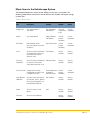
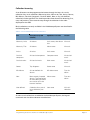
Music collections currently available in the Kaleidescape System are described in
the following table.
Table 2: Current Kaleidescape music collections
Item
Description (of system
contents)
Alphabetical sort order
Albums by Artist
All albums
Artist name, then album All music
title
Albums by Title
All albums
Album name
All music
Artists
All artists
Artist name
All music
Classical
composers
All classical composers
Composer name
All classical
music
Classical works
All classical works
Work name
All classical
music
Genres
Top 40 genres
Genre name
All music
Mix Albums
All user-defined mix
albums
Mix album name
First mix
album
New
Most recently imported Album name
albums. The time period
for considering an album
new can be set in the
browser interface.
User-defined
Collection of any music
items defined by the
user
Item name
First tem
First new
album
All in this
collection
As more music collections are added to the Kaleidescape System, the keypad
commands are also able to browse the collections.
Programming Crestron Controllers for a Kaleidescape System
Page 17