1
Programming options
In addition to direct physical connections through RS-232 or Ethernet ports, there
are other methods of combining Crestron programming with Kaleidescape
commands. There are several methods of connecting Kaleidescape module signals
to other device modules. The Kaleidescape control protocol also allows for routing
commands indirectly, through a single physical connection, to any Kaleidescape
player or server (command routing).
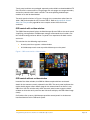
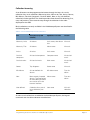
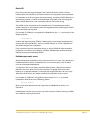
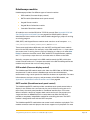
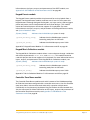
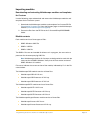
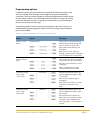
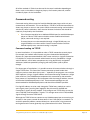
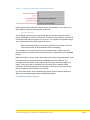
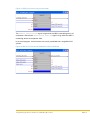
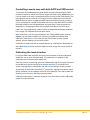
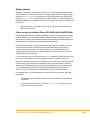
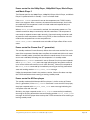
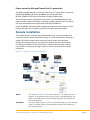
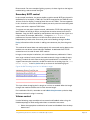
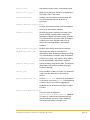
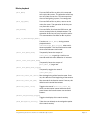
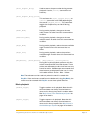
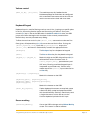
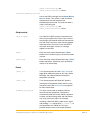
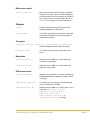
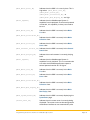
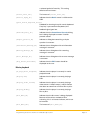
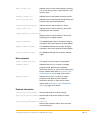
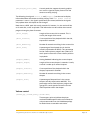
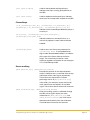
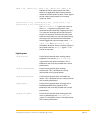
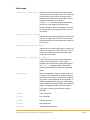
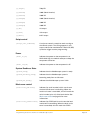
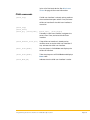
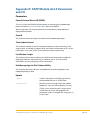
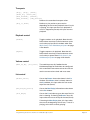
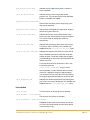
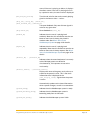
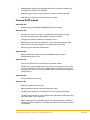
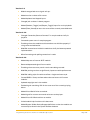
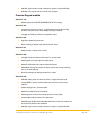
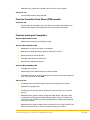
The following table illustrates how physical connections work with Crestron and
Kaleidescape programming options (listed in order from highly recommended to
least recommended).
Table 3: Connections between Crestron and Kaleidescape
Method
Diagram
Description
Multiple TCP/IP
clients
Recommended
Each player is associated with the
Kaleidescape module through the
player’s individual TCP/IP client.
Pros: Good control flexibility and
throughput
Cons: Several TCP/IP clients to
manage. Cannot power on the older
KPLAYER-2000 or KPLAYER-2500.
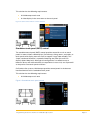
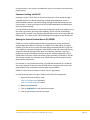
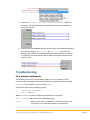
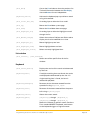
Multiple RS-232
ports
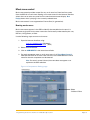
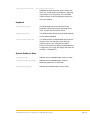
Each player has a direct connection
to an RS-232 port on the controller.
Pros: Best control flexibility and fair
throughput.
Cons: Limited distances, might
require additional RS-232 ports.
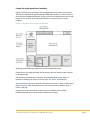
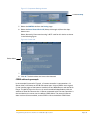
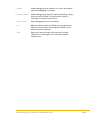
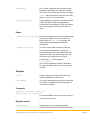
Command routing
with a single
TCP/IP client
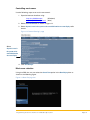
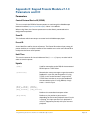
Kaleidescape module signals are
jammed together through a single
TCP/IP client.
Pros: Easier to program, good
throughput.
Cons: Places extra load on Crestron
processor. Cannot power on a
player.
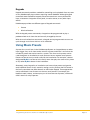
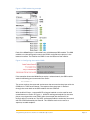
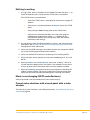
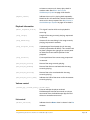
Command routing
with a single
RS-232 port
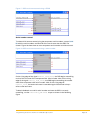
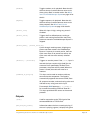
Kaleidescape module signals are
jammed together through a single
RS-232 port.
Pros: Single RS-232 connection.
Cons: Places extra load on Crestron
processor. Poor throughput and
limited distances. Cannot power on
a player.
Programming Crestron Controllers for a Kaleidescape System
Page 27