1
Force Imaging
Force Modulation
13.6.5 Notes About Artifacts
It is possible to see artifacts in force modulation images that are not due to differences in elasticity.
Some artifacts to look for are outlined below:
Aliasing
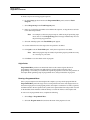
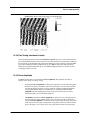
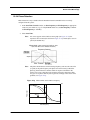
Under some conditions, unwanted oscillations appear in the data due to aliasing of the Drive
Frequency with the image pixel rate. This problem can be eliminated by changing the Drive
Frequency by small increments. Use the arrow keys to change the Drive Frequency up or down
very slightly until the oscillation disappears. On some materials, shifting the Drive Frequency
slightly (1-3Hz) below or above a resonant peak value may improve image contrast. Operators are
encouraged to experiment.
Edge Effects
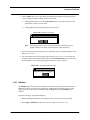
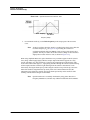
Sometimes force modulation images show changes in amplitude at the edge of topographic features
like steps or bumps. These artifacts typically look like the derivative of the sample topography.
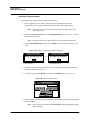
To see if a feature is an edge effect, try reversing the Scan direction from Trace to Retrace, for
example. If the contrast reverses or the amplitude change now appears on the other side of the
topographic feature, then the amplitude change is likely due to the topographic edge, not
differences in elasticity. To minimize edge effects, reduce Drive amplitude, Setpoint or Scan
speed. Set the Integral gain and Proportional gain as high as possible without causing unwanted
oscillations.
Frictional Effects
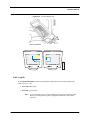
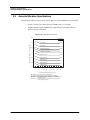
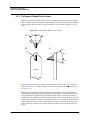
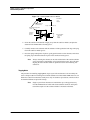
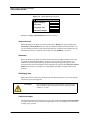
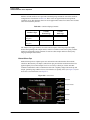
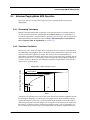
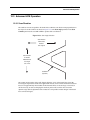
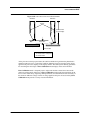
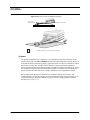
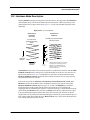
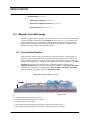
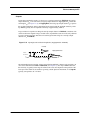
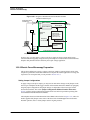
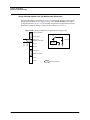
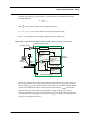
Because the cantilever is held at an angle to the sample surface, the cantilever tip will slide laterally
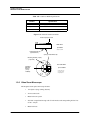
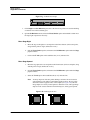
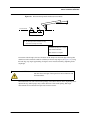
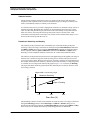
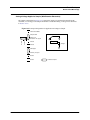
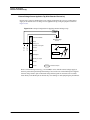
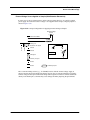
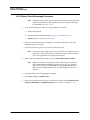
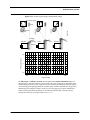
(“skate”) as the tip pushes into the sample (see Figure 13.6f). The amplitude of cantilever motion is
affected by differences in friction between two different materials. For this reason, force
modulation images may contain information about differences in local frictional forces. To reduce
the influence of frictional effects, use a smaller Setpoint or Drive amplitude. Or, if you are using
“Negative LiftMode” (see Section 13.7), use a more positive Lift Height.
Rev. D
Dimension 3100 Manual
241