1
Unit 4: Operation
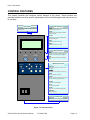
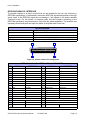
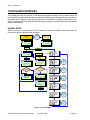
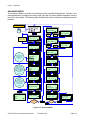
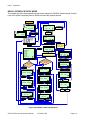
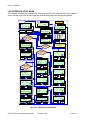
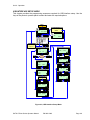
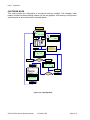
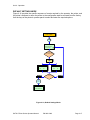
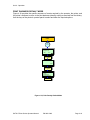
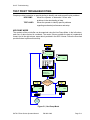
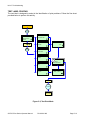
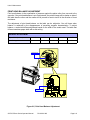
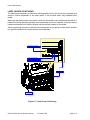
CENTRONICS INTERFACE SETUP MODE
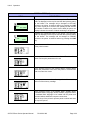
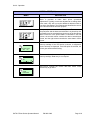
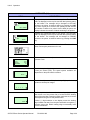
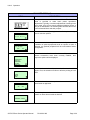
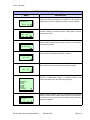
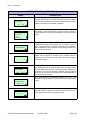
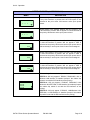
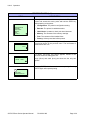
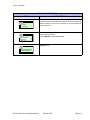
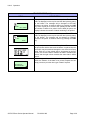
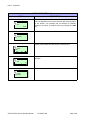
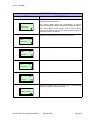
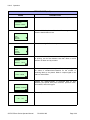
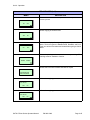
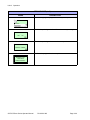
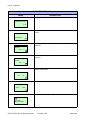
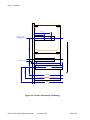
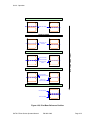
This chapter provides the programming sequences required for Centronics interface setup. Use
the keys of the printer’s operator panel to select and enter the required options.
POWER
Type password if
prompted, then press
ENTER.
ONLINE
QTY: 000000
ENTER
LINE
OFFLINE
000000
Press FUNCTION
anytime during
configuration.
ENTER
INTERFACE CARD
SETTING
DATA PORT
CARD1
YES
CARD2
NO
ENTER
ENTER
Yes / No
CANCEL
ENTER
STATUS PORT
ENABLE
DISABLE
INTERFACE CARD
SETTING
CARD1
CARD2
CANCEL
ENTER
CANCEL
ENTER
IGNORE CR/LF
YES
NO
RECEIVE BUFFER
MULTI
1 ITEM
ENTER
CANCEL
ENTER
IGNORE CAN/DLE
YES
CENTRONICS
ACK SIGNAL
ON
CANCEL
CANCEL
NO
ENTER
OFF
CANCEL
ENTER
CENTRONICS
FAULT SIGNAL
ON
OFF
Figure 4-6, Centronics Interface Mode
SATO GT4xxe Series Operator Manual
PN 9001138C
Page 4-7