1
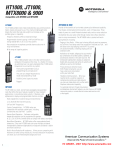
with MURS, 2M Ham (simplex and repeaters), and other VHF uses. The model HT1000
I prefer to own has a dtmf keypad to allow me to use phone patches with repeaters.
The HT1000 was chosen as the perfect SHTF radio, it’s old, well supported, there are
many accessories available for the radio. The HT1000 is mil-spec rugged as evidenced by
decades of use by Police, Fire and EMS personnel.
You should be familiar with basic computer skills, have a list of desired frequencies, their
modes, and understand how to connect the radio to the computer.
Background
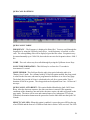
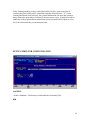
RSS (Radio Service Software) is a program that runs on the PC that allows you to read
and write programming information to and from a radio (in this case, the HT1000). The
various sections within the program accept the frequency, tone, and other miscellaneous
data and then builds an “image of the flash memory into a “codeplug’ which can be
written to the radio. The RSS also offers functions to print the contents of the codeplug,
to retrieve the codeplug from the radio, as well as saving and retrieving the codeplug as a
file on a floppy or hard disk. The RSS allows the codeplug / personality to be stored on
disk, cloned, or edited without the radio as well. The HT1000 radio has an internal
microprocessor which runs its own program from embedded firmware. This radio
firmware reads the data / codeplug and uses this data to configure it’s receive/transmit
frequency, power modes, squelch controls, tone controls, etc.
Basic Requirements
1. Motorola RSS (Radio Service Software)
2. Old, very slow computer (around 100mhz seems to be optimal) with at least (1)
serial port running DOS.
3. Motorola RIB or RIBless cable
4. Motorola HT1000 with a fully charged battery or a battery eliminator
5. Ham Radio License authorizing you to operate on the frequencies you intend to
use.
Note: If you’re just programming MURS, or setting the programmed channels
to not transmit then obviously you won’t need a license
Computer Hardware
It’s important to understand that you do not want a newer, fast machine. You something
between 100mhz and perhaps 200mhz at the upper limit. You also should (to be safe)
only operate this system using MSDOS. I’ve tried MSDOS 7.10 and it works fine. An
older version works as well. The Motorola programming software was written in the
early 90s and although updates were made as recently as 1998 it’s safe to assume that
noting newer than that should be used.
2