1
Quadro Manual II: Administrator's Guide
Administrator’s Menus
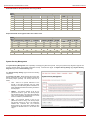
When the first routing rule is used and the call reaches the extension that has the corresponding voice mail profile, the settings of the ForPSTN voice
mail profile will be activated. For the second routing rule, when the call reaches Mike's voice mailbox, the settings of the ForPBX voice mail profile
will be activated.
The same profile name can be used to create profiles for different extensions. This is useful if the profiles have a similar purpose but differ in certain
user-specific settings, such as voice mail greeting, ZeroOut destination number, new voice mail notification options, and so on. Creating multiple
profiles with the same name gives a wide flexibility to have different voice mail settings activated depending on which extension is called.
Please Note: If an extension does not have a profile specified in a call routing rule or the specified profile name is incorrect, the default Voice Mail
Settings of the extension will be used.
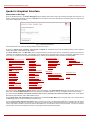
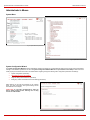
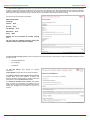
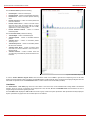
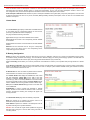
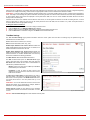
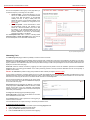
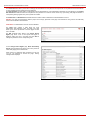
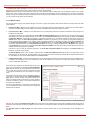
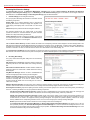
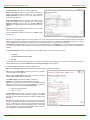
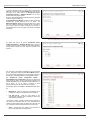
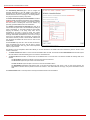
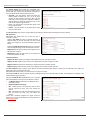
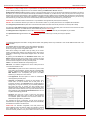
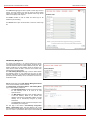
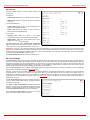
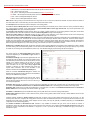
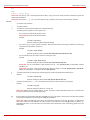
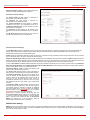
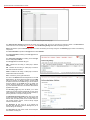
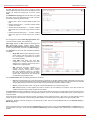
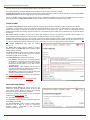
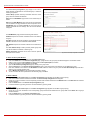
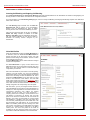
The Voice Mail Profiles page contains a table where all
Voice Mail Profiles for the corresponding extension are
listed. The following functional buttons are available:
Fig. II-234: Voice Mail Profiles page
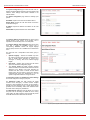
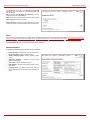
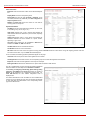
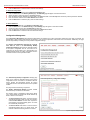
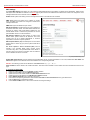
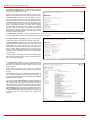
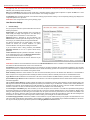
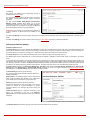
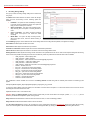
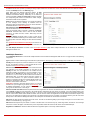
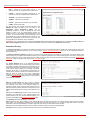
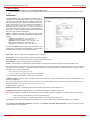
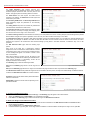
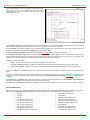
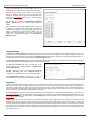
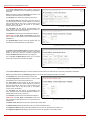
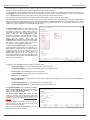
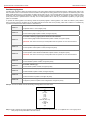
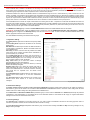
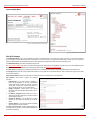
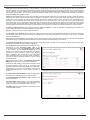
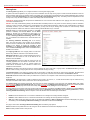
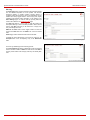
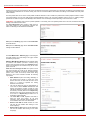
Add opens the Add Entry page where a new Profile Name
should be defined.
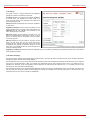
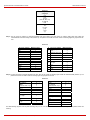
Edit opens the Edit Entry page where Voice Mail Profile
settings should be defined.
Fig. II-235: Voice Mail Profiles – Add Entry page
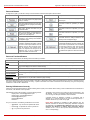
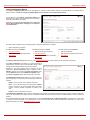
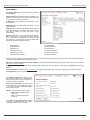
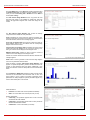
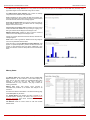
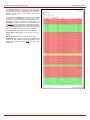
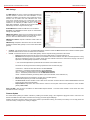
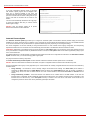
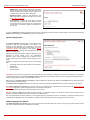
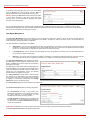
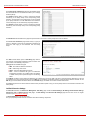
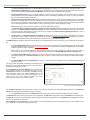
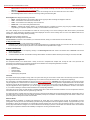
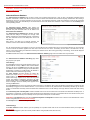
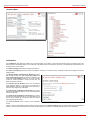
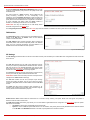
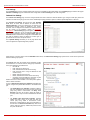
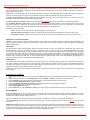
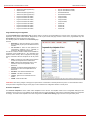
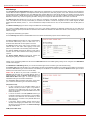
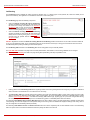
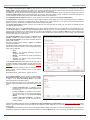
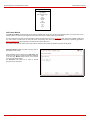
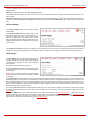
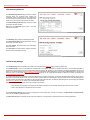
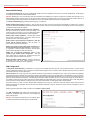
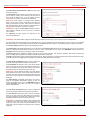
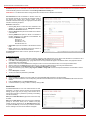
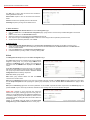
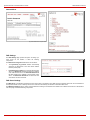
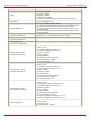
The Voice Mail Profiles - Edit Entry page is used configure
the profile specific voice mail settings. This page contains
the following components:
Maximum Mail Message Duration lists the possible values
for maximum mail duration (counted in minutes) during
which a voice mail will be recorded. The Unlimited selection
allows voice message to be recorded as long as the user's
space could hold.
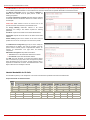
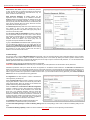
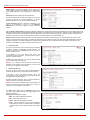
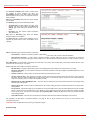
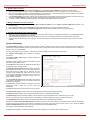
Send new voice message via email is an option to send
new voice mail files via e-mail to the defined recipients.
Mails will be automatically converted to the Windows wave
(CCITT u-law, 8 kHz, 8 bit Mono) format before being
attached to the e-mail. Checkbox activates the following
input options:
•
•
•
•
•
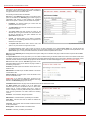
Email Address requires the mailing address(s) of
the person(s) that should to receive the newly
arrived voice mails on their email accounts. Use a
space or a comma to separate the mailing
addresses in the text field.
The next two fields are used for retransmission of
voice mails via email. Number of times text field
requires the maximum number of times the voice
mail will be delivered via email to the recipient within
the interval (in minutes) defined in the Repeat every
text field. If the voice mail is required to be sent only
once, insert "1" in Repeat every text field and "0" in
the Number of times text field.
The Voice Mail and Fax dropdown lists allow to
select the email sent options- do not send
notification, send notification without attachment or
send notification with voice or fax attachments.
Remove Voice Mail on send removes the voice
mail from the user mailbox after sending it to the
email recipient(s).
Remove Fax On Send removes the fax attachment
from the user mailbox after sending it to the email
recipient(s).
Quadro2x, 2xi, Quadro4x, 4xi, Quadro16x, 16xi; (SW Version 5.2.x)
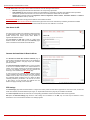
Fig. II-236: Voice Mail Profiles – Edit Entry page
135