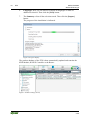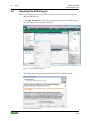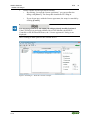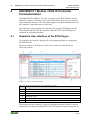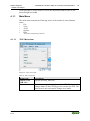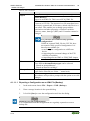
1
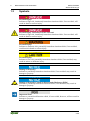
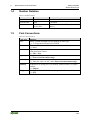
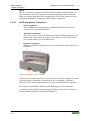
Manual WAGO-Software WAGO ETS Plug-in for the Configuration of WAGO KNX Devices 2.0.0 2 WAGO-Software WAGO ETS Plug-in © 2014 by WAGO Kontakttechnik GmbH & Co. KG All rights reserved. WAGO Kontakttechnik GmbH & Co. KG Hansastraße 27 D-32423 Minden Phone: Fax: +49 (0) 571/8 87 – 0 +49 (0) 571/8 87 – 1 69 E-Mail: [email protected] Web: http://www.wago.com Technical Support Phone: Fax: +49 (0) 571/8 87 – 5 55 +49 (0) 571/8 87 – 85 55 E-Mail: [email protected] Every conceivable measure has been taken to ensure the accuracy and completeness of this documentation. However, as errors can never be fully excluded, we always appreciate any information or suggestions for improving the documentation. E-Mail: [email protected] We wish to point out that the software and hardware terms as well as the trademarks of companies used and/or mentioned in the present manual are generally protected by trademark or patent. Manual 2.0.0 WAGO-Software WAGO ETS Plug-in Table of Contents 3 Table of Contents 1 1.1 1.2 1.3 1.4 1.5 Notes about this Documentation ................................................................. 5 Scope ......................................................................................................... 5 Copyright................................................................................................... 5 Symbols ..................................................................................................... 6 Number Notation ....................................................................................... 8 Font Conventions ...................................................................................... 8 2 Important Notes ........................................................................................... 9 2.1 Legal Bases ............................................................................................... 9 2.1.1 Subject to Changes ............................................................................... 9 2.1.2 Personnel Qualification ........................................................................ 9 2.2 System Requirements .............................................................................. 10 2.3 Safety Advice (Precautions) .................................................................... 10 3 ETS .............................................................................................................. 11 3.1 WAGO ETS Plug-ins .............................................................................. 11 3.2 Access to KNX Devices via ETS4 .......................................................... 12 3.3 Interworking Datapoint Types (DPTs).................................................... 13 3.4 Syntax of Network Variable Names ....................................................... 13 3.4.1 Syntax for Simple Variable ................................................................ 13 3.4.2 Syntax for Array Variables ................................................................. 13 3.4.3 Syntax for Nested Variables ............................................................... 14 3.4.4 Syntax for Nested Array Variables..................................................... 14 3.5 Importing the ETS Plug-in ETS4 ............................................................ 15 3.6 Opening the ETS Plug-in ........................................................................ 18 3.7 Importing a Symbol File in the ETS Plug-in .......................................... 20 4 KNX/EIB/TP1 Module / KNX IP Controller Parameterization............ 22 4.1 Graphical User Interface of the ETS Plug-in .......................................... 22 4.1.1 Main Menu ......................................................................................... 23 4.1.1.1 “File” Menu Item ........................................................................... 23 4.1.1.1.1 Exporting a Configuration as an XML File (Backup) .............. 25 4.1.1.1.2 Exporting a Configuration as a CSV File ................................. 26 4.1.1.1.3 Import XML File (Backup Restore).......................................... 26 4.1.1.1.4 Importing a CSV File ................................................................ 27 4.1.1.2 “View” Menu Item ........................................................................ 27 4.1.1.3 “Tools” Menu Item ........................................................................ 28 4.1.1.4 “Options” Menu Item .................................................................... 28 4.1.1.4.1 Defining the Telegram Delay after Reset ................................. 29 4.1.1.4.2 Finding the File Path to WAGO-I/O-PRO ................................ 29 4.1.1.4.3 Setting the Autosave Function .................................................. 30 4.1.1.4.4 Setting IP Parameters ................................................................ 30 4.1.1.5 “Help” Menu Item ......................................................................... 31 4.1.2 Toolbar ............................................................................................... 32 4.1.3 “Network Variables” Tab – List of Network Variables ..................... 32 4.1.4 “Network Variables” Tab – EIB Datatypes........................................ 34 4.1.5 “Properties” Tab ................................................................................. 36 4.1.6 Status Bar............................................................................................ 38 Manual 2.0.0 4 Table of Contents 4.2 4.2.1 4.2.2 4.2.3 WAGO-Software WAGO ETS Plug-in Associating Network Variables and Group Addresses ........................... 39 Creating Associations ......................................................................... 39 Error Messages ................................................................................... 40 Deleting Associations ......................................................................... 41 5 KNXnet/IP Router Parameterization ...................................................... 42 5.1 “IP Router” Dialog .................................................................................. 42 5.2 Operation ................................................................................................. 43 5.2.1 Device Settings ................................................................................... 43 5.2.2 Bus IP Settings .............................................................................. 46 5.2.2.1 Group Telegrams for the Main Groups 0 to 13 ............................. 46 5.2.2.2 Group Telegrams of Main Groups 14 and 15 ................................ 46 5.2.2.3 Physically Addressed and Broadcast Telegrams ........................... 46 5.2.2.4 Confirmation of Group-Oriented Telegrams ................................. 47 5.2.3 IP Bus Settings .............................................................................. 47 5.2.3.1 Group Telegrams for the Main Groups 0 to 13 ............................. 47 5.2.3.2 Group Telegrams for the Main Groups 14 and 15 ......................... 48 5.2.3.3 Physically Addressed and Broadcast Telegrams ........................... 48 5.2.4 IP Address Assignment for the KNXnet/IP Router ............................ 48 5.2.4.1 Manually Setting the KNXnet/IP Router ....................................... 49 5.2.4.2 Setting a KNXnet/IP Router via BootP or DHCP ......................... 50 5.2.4.3 DHCP Assignment Techniques ..................................................... 51 6 Uninstalling the ETS Plug-in .................................................................... 52 List of Figures ...................................................................................................... 53 List of Tables ........................................................................................................ 54 Manual 2.0.0 WAGO-Software WAGO ETS Plug-in 1 Notes about this Documentation 5 Notes about this Documentation Keep this documentation! The operating instructions are part of the product and shall be kept for the entire lifetime of the device. They shall be transferred to each subsequent owner or user of the device. Care must also be taken to ensure that any supplement to these instructions are included, if applicable. 1.1 Scope This documentation applies for the WAGO ETS Plug-in in conjunction with ETS and the KNX IP controller 750-889. 1.2 Copyright This Manual, including all figures and illustrations, is copyright-protected. Any further use of this Manual by third parties that violate pertinent copyright provisions is prohibited. Reproduction, translation, electronic and phototechnical filing/archiving (e.g., photocopying) as well as any amendments require the written consent of WAGO Kontakttechnik GmbH & Co. KG, Minden, Germany. Non-observance will involve the right to assert damage claims. Manual 2.0.0 6 1.3 Notes about this Documentation WAGO-Software WAGO ETS Plug-in Symbols Personal Injury! Indicates a high-risk, imminently hazardous situation which, if not avoided, will result in death or serious injury. Personal Injury Caused by Electric Current! Indicates a high-risk, imminently hazardous situation which, if not avoided, will result in death or serious injury. Personal Injury! Indicates a moderate-risk, potentially hazardous situation which, if not avoided, could result in death or serious injury. Personal Injury! Indicates a low-risk, potentially hazardous situation which, if not avoided, may result in minor or moderate injury. Damage to Property! Indicates a potentially hazardous situation which, if not avoided, may result in damage to property. Damage to Property Caused by Electrostatic Discharge (ESD)! Indicates a potentially hazardous situation which, if not avoided, may result in damage to property. Important Note! Indicates a potential malfunction which, if not avoided, however, will not result in damage to property. Manual 2.0.0 WAGO-Software WAGO ETS Plug-in Notes about this Documentation Additional Information: Refers to additional information which is not an integral part of this documentation (e.g., the Internet). Manual 2.0.0 7 8 1.4 Notes about this Documentation Number Notation Table 1: Number notation Number code Decimal Hexadecimal Binary 1.5 WAGO-Software WAGO ETS Plug-in Example 100 0x64 '100' '0110.0100' Note Normal notation C notation In quotation marks, nibble separated with dots (.) Font Conventions Table 2: Font conventions Font type italic Menu > Input “Value” [Button] [Key] Indicates Names of paths and data files are marked in italic-type. e.g.: C:\Programme\WAGO-I/O-CHECK Menu items are marked in bold letters. e.g.: Save A greater-than sign between two names means the selection of a menu item from a menu. e.g.: File > New Designation of input or optional fields are marked in bold letters, e.g.: Start of measurement range Input or selective values are marked in inverted commas. e.g.: Enter the value “4 mA” under Start of measurement range. Pushbuttons in dialog boxes are marked with bold letters in square brackets. e.g.: [Input] Keys are marked with bold letters in square brackets. e.g.: [F5] Manual 2.0.0 WAGO-Software WAGO ETS Plug-in 2 Important Notes 9 Important Notes This section describes the legal principles and system requirements for using the software in compliance with intended purpose, underlying provisions and stated specifications. 2.1 Legal Bases 2.1.1 Subject to Changes WAGO Kontakttechnik GmbH & Co. KG reserves the right to provide for any alterations or modifications that serve to increase the efficiency of technical progress. WAGO Kontakttechnik GmbH & Co. KG owns all rights arising from the granting of patents or from the legal protection of utility patents. Third-party products are always mentioned without any reference to patent rights. Thus, the existence of such rights cannot be excluded. 2.1.2 Personnel Qualification Any steps related to the use of WAGO software may only be performed by qualified employees with sufficient knowledge of handling the respective PC system used. Steps in which files are created or changed on the PC system may only be performed by qualified employees with sufficient knowledge in the administration of the PC system used in addition to the aforementioned. Steps in which the behavior of the PC system in a network is changed may only be performed by qualified employees with sufficient knowledge in the administration of the network used in addition to the aforementioned. Manual 2.0.0 10 2.2 Important Notes WAGO-Software WAGO ETS Plug-in System Requirements Minimal system requirement: Table 3: Minimal system requirement PC Operating System Main memory Fixed disk storage Monitor Resolution Mouse Drive Interface Others 2.3 min. 1 GHz processor capacity Windows 98, Windows 2000, Windows XP, Windows 7 (recommended) 256 MB 3 GB Super VGA or higher 1024x768 recommended USB, serial, KNXnet/IP controller 750-889 as router, KNXnet/IP the ETS Plug-in requires the ETS in version 3.0f or higher Safety Advice (Precautions) Use up-to-date security software! Secure operation of the PC system can be at risk as a result of malware such a viruses and Trojans, as well as related threats such as denial-of-service attacks. Therefore, make sure that the latest security software and definitions are always installed on the PC system. Disable or uninstall software that is no longer required! The vulnerability of a PC system against malware and related threats increases with the number of installed or active software components (applications and services). Therefore, uninstall or disable software components that are not needed for the purpose at hand. Manual 2.0.0 WAGO-Software WAGO ETS Plug-in 3 ETS 11 ETS The ETS (Engineering Tool Software) was specially developed for planning, project design and startup of KNX/EIB networks. During its development, ETS functionality was optimized and the latest version includes options for setting up, maintaining, servicing and expanding KNX networks. The software integrates all the major components of a KNX network such as lines, devices and building areas into an intuitive, easy-to-use package that enables controllers and device behaviors to be set up or modified. The software programs and configures individual devices within the bus system in order to implement new requirements effectively and quickly. The manufacturer-independent design of ETS enables manufacturers in the building automation industry to integrate their devices into the ETS product database using certified standards. This manual describes devices developed WAGO Kontakttechnik GmbH & Co. KG. Additional information Additional information about ETS can be found on the manufacturer’s website http://www.konnex.org. 3.1 WAGO ETS Plug-ins The WAGO ETS Plug-ins described in this document are an extension of the ETS product database for using WAGO devices such as the KNX/EIB/TP1 Module (753-646) and the KNX IP Controller (750-889), as well as the KNXnet/IP Router (consisting of the KNX Module and KNX IP Controller). This extension enables you to configure WAGO devices via ETS. The software’s enhanced structure offers intuitive navigation — providing both new experienced ETS users with exceptional usability. The key feature of the KNX/EIB/TP1 Module and Controller software is the ability to map WAGO network variables 1:1 to communication objects in the ETS. Communication objects are activated via a checkbox in the “Edit Parameters” dialog. The communication object is visible in the topology area of the ETS when this checkbox is checked, and is hidden when the checkbox is unchecked. Communication objects are given the same name as the network variable they are mapped to. This ensures that the internal mapping of the WAGO software is also represented inside ETS. Manual 2.0.0 12 3.2 ETS WAGO-Software WAGO ETS Plug-in Access to KNX Devices via ETS4 ETS provides the following options in order to access KNX devices within a bus system: • • • Serial, using the COM interface USB ETHERNET (“KNXnet/IP” or “KNXnet/IP Routing”) The ETS4-equipped PC used for project design must be connected to a KNX interface. An interface can be configured in ETS4 via [Settings] > Communication > [New]. This procedure applies to all selected connection types. Further information can be found in ETS Help. Figure 1: “New Connection” dialog If the KNX IP Controller functions as a KNXnet/IP Router, you can connect it directly to a standard ETHERNET interface on your PC using an RJ-45 cable. In this case, the cable runs from ETHERNET to twisted pair and twisted pair to ETHERNET via the KNX IP Controller (750-889) and the KNX/EIB/TP1 Modules (see also Section “KNXnet/IP Router Parameterization”). Manual 2.0.0 WAGO-Software WAGO ETS Plug-in 3.3 ETS 13 Interworking Datapoint Types (DPTs) DPTs describe defined formats and data widths of communication objects. The KNX Module supports the following EIB data widths: • 1 … 7 bits • 1 … 4 bytes • 6 bytes • 8 bytes • 10 bytes • 14 bytes Additional information about “Interworking Datapoint Types”! Additional information about “Interworking Datapoint Types” can be found at http://www.konnex.org. 3.4 Syntax of Network Variable Names Each network variable name contains the program name. It is preceded and separated from the actual name by a period. “Show short name” option The “Show short name” option in the ETS Plug-in user interface (see Section “KNX/EIB/TP1 Module/KNX IP Controller” >… > “'View' menu item”) makes it possible to suppress the display of the program name. This also removes the prefix, infix (in this case, the “period” character between the basic name and the suffix) and suffix. The communication objects in the ETS user interface are then also displayed accordingly in abbreviated form! 3.4.1 Syntax for Simple Variable The syntax for simple variable names is: <Program name>.M<No1>_<No2>_<Basic name> Table 4: Syntax for simple variable Wildcard <No1> <No2> 3.4.2 Length Digits 3 digits Explanation KNX Module number Data address Syntax for Array Variables The syntax for array variable names is: <Program name>.M<No1>_<No2>_<Basic name>[<No3>] Manual 2.0.0 14 ETS WAGO-Software WAGO ETS Plug-in Table 5: Syntax for array variable Wildcard <No1> <No2> <No3> 3.4.3 Length Digits 3 digits Digits Explanation KNX Module number Identifies variable array Identifies variable in array Syntax for Nested Variables The syntax for names of nested variables is: <Program name>.M<No1>_<No2>_<Basic name>[<No3>] Table 6: Syntax for nested variables Wildcard <No1> <No2> <No3> 3.4.4 Length Digits 3 digits Digits Explanation KNX Module number Identifies variable group Identifies variable in group Syntax for Nested Array Variables The syntax for names of nested array variables is: <Program name>.M<No1>_<No2>_<Basic name>._<No3><Suffix>[<No4>] Table 7: Syntax for nested variables Wildcard <No1> <No2> <No3> <No4> Length Digits 3 digits Digits Digits Explanation KNX Module number Identifies main group Identifies subgroup in main group Identifies variable in subgroup Manual 2.0.0 WAGO-Software WAGO ETS Plug-in 3.5 ETS 15 Importing the ETS Plug-in ETS4 To import the ETS plug-in, select the corresponding vd4 file: 1. Click the [Catalogs] button on the ribbon. 2. Click the [Import…] button. Figure 2: Importing products This opens the “Import Products” dialog containing the import wizard that guides you through importing a product catalog into your database: Figure 3: Import products – Starting the import wizard Manual 2.0.0 3. File: Find the file path of the product file to be imported in the directory and click the [Next] button. 4. Conversion: The file you selected may have to be converted from an older format to the new format. If required, you can enter a path here to save the converted output file (optional). Click the [Next] button. 5. Products: You can decide here whether to import all products or make an additional selection. Then click the [Next] button. 16 ETS WAGO-Software WAGO ETS Plug-in 6. Languages: Here you can choose to import all languages or make an additional selection. Then click the [Next] button. 7. The Summary relists all the selections made. Then click the [Import] button. The progress of the installation is indicated: Figure 4: Progress display The product database of the ETS is then automatically updated and contains the KNX Module, KNX IP Controller or the Router. Figure 5: Product catalog (extract) Manual 2.0.0 WAGO-Software WAGO ETS Plug-in ETS 17 Multiple selections are possible if you import without using the import wizard! To import multiple products at the same time, hold down the [SHIFT] key while clicking the [Import…] button. This enables the simultaneous import of several products. Manual 2.0.0 18 3.6 ETS WAGO-Software WAGO ETS Plug-in Opening the ETS Plug-in Move to the topology view of the ETS in order to accept the license agreement and open the plug-in. 1. Click Edit Parameters in the context menu of a device in the ETS to open the ETS Plug-in and configure the device. Figure 6: Opening the ETS Plug-in 2. The dialog for the license agreement of the WAGO software opens: Figure 7: License agreement Manual 2.0.0 WAGO-Software WAGO ETS Plug-in 3. ETS Please read the license agreement carefully. • By clicking “I accept the license agreement.” you can confirm the dialog with [Next >]. The Setup then installs the ETS Plug-in. • If you do not agree with the license agreement, the setup is canceled by clicking [Cancel]. The license agreement is not displayed with previously installed software! If the ETS Plug-in was already installed for a KNX Module, the KNX IP Controller or the KNXnet/IP Router, the “License agreement” dialog is not displayed. The ETS Plug-in then opens for the selected device. Figure 8: ETS Plug-in – KNX IP Controller example Manual 2.0.0 19 20 3.7 ETS WAGO-Software WAGO ETS Plug-in Importing a Symbol File in the ETS Plug-in Specific configurations are required to operate the KNX Module and the KNX IP Controller. The WAGO-I/O-PRO software generates these configurations and exports them to an “SYM_XML” icon file. In the Plug-in window: 1. Click [File] in the main menu of the plug-in user interface. 2. Select the Import SYM-XML file… menu item. Figure 9: “Import SYM-XML file…” menu item 3. In the “Select SYM-XML file for this device” window, select a SYM_XML file containing the specific configuration of the KNX Module or KNX IP Controller. Figure 10: “Select SYM-XML file for this device” dialog A checkbox is provided below the entry field for the source file. • If the box is unchecked, the device configuration is overwritten with the data in the SYM_XML file. • If it is checked, the current device configuration is synchronized with the settings specified in the SYM_XML file. Manual 2.0.0 WAGO-Software WAGO ETS Plug-in ETS 21 If a node contains several KNX Modules, the DPTs of all bus modules are contained in the SYM_XML file. In this case, proceed as follows: 4. In the Module index selection field (“Settings” area), select the KNX Module number for the DPTs to be imported. 5. Click [Update] to start the synchronization. Observe the index counting method and designation! If a second KNX Module of this type is used on a KNX IP Controller (750-889), it will operate in device mode. The first KNX Module is automatically set to router mode. Although the first KNX Module cannot be accessed via the IEC application, the second KNX Module is addressed via index 2 (see also the manual of the KNX IP 750-889 Controller). The selected module index influences the naming of the network variables (see Section “Network Variables”). Configure KNX Modules individually! Several KNX Modules cannot be configured at the same time. Manual 2.0.0 22 4 KNX/EIB/TP1 Module / KNX IP Controller Parameterization WAGO-Software WAGO ETS Plug-in KNX/EIB/TP1 Module / KNX IP Controller Parameterization The KNX/EIB/TP1 Module (753-646), referred to as the KNX Module, and the KNX IP Controller (750-889) use the same ETS Plug-in; however, the controller offers additional functions. This description applies to both the KNX Module and the Controller. Other functions are described. The following section describes the procedure for using the ETS Plug-in for the KNX Module and the KNX IP Controller within the ETS. The ETS Plug-in is contained in the product database. 4.1 Graphical User Interface of the ETS Plug-in The graphical user interface displays all relevant data applicable to configuring the KNX Module. The main window is divided into various areas, which are described in the following sections: Figure 11: Overview of the ETS Plug-in Table 8: Legend for the “Overview of the ETS Plug-in” figure Pos. 1 2 3 4 5 6 Description/Section Main Menu Toolbar “Network Variables” tab – List of network variables “Properties” tab Status bar – Percentage bar “Network variables” tab – EIB datatypes This display structure cannot be changed, although the toolbar and the Properties window may be shown or hidden above the View menu item in the main menu. It Manual 2.0.0 WAGO-Software WAGO ETS Plug-in KNX/EIB/TP1 Module / KNX IP Controller Parameterization 23 is also possible to use the mouse to resize the individual window panes to the desired height and width. 4.1.1 Main Menu The main menu contains the following items, each contains its own submenu items: • File • View • Tools* • Options • Help * only when configuring controllers 4.1.1.1 “File” Menu Item Figure 12: “File” menu item Table 9: “File” menu item Menu Item Import SYMXML file… Save Manual 2.0.0 Description Imports an SYM_XML file. Saves the settings to the database of the ETS. The basic changes made via the ETS Plug-in are saved in the ETS. The menu item is only activated if changes were made. 24 KNX/EIB/TP1 Module / KNX IP Controller Parameterization WAGO-Software WAGO ETS Plug-in Table 9: “File” menu item Menu Item Export Description The following submenu items enable you to export the current configuration. XML (Backup) Export as XML file (not a SYM_XML file). All settings of WAGO devices (assignment of network variables, their properties, the settings of network variables and the assignment of communication objects to group addresses, etc.) are saved as an XML file. This file is used as a backup or as a template for the ETS Plug-in. When importing this file, the predefined settings are accepted in the devices and replace any existing settings. CSV (editing parameters) Export as CSV file. The exported ASCII text contains a table of the network variables visible in the ETS. The first row is used as the header and contains the property names. Any additional row corresponds to a network variable. The property values (table columns) are separated by semicolons. You can open and edit the exported *.csv file with Excel or a text editor. Notes on saving a *.csv file after editing! Excel cannot save any additional information in CSV format, such as cell formats, row heights or column widths. Therefore when saving, confirm the format warning prompt with “Yes” in order to retain the *.csv file format! Manual 2.0.0 WAGO-Software WAGO ETS Plug-in KNX/EIB/TP1 Module / KNX IP Controller Parameterization 25 Table 9: “File” menu item Menu Item Import Description Use the following submenu items to import a configuration. XML (Restore) Import as an XML file. This is not a SYM_XML file. CSV Export as a CSV file. The imported .csv file must have been previously exported and, if necessary, edited with Excel or a text editor. This enables you to change group address associations and other properties of network variables. However, name, data type (DPT) and CO number cannot be changed. CSV file does not contain a fully specified configuration! Unlike an exported XML file, the CSV file does not contain a fully specified configuration. It is therefore not suitable for: • transferring the configuration to a different device • reimporting after a manual change of the ETS visibility of variables • reimporting after an XML or SYM_XML import. Print... Print preview… Exit… Prints the current configuration. Two different documentation types can be selected: • “Based on group addresses” • “Based on network variables”. Displays the print preview. The same two documentation types can be selected (see “Print…” menu item). Closes the Plug-in. If the modifications have not been saved, the software will provide a prompt with the option to save the changes. 4.1.1.1.1 Exporting a Configuration as an XML File (Backup) 1. In the main menu choose File > Export > XML (Backup). 2. Enter a storage location in the opened dialog. 3. Left-click [Save] to save the configuration and close the dialog. Routinely save the configurations! It is recommended that the configurations are regularly exported to create a backup file. Manual 2.0.0 26 KNX/EIB/TP1 Module / KNX IP Controller Parameterization WAGO-Software WAGO ETS Plug-in 4.1.1.1.2 Exporting a Configuration as a CSV File CSV file does not contain a fully specified configuration! Unlike an XML file, the CSV file does not contain a fully specified configuration. It is therefore not suitable as a backup file. 1. In the main menu choose File > Export > CSV. 2. Enter a storage location in the opened dialog. 3. Left-click [Save] to save the configuration and close the dialog. Simple editing of group address associations and other properties of network variables! You can edit the properties of network variables with Excel or a text editor. Many text fields start with an additional blank space in order to prevent accidental automatic Excel conversions. After editing, be sure to save the file again in *.csv file format. 4.1.1.1.3 Import XML File (Backup Restore) 1. In the main menu, choose File > Import > XML (Restore). 2. Search for the required XML file in the dialog that opens. 3. Left-click [Open] to import the configuration file and close the dialog. 4. A warning prompt indicates that importing a configuration will overwrite all existing settings and assignments. If you agree, click the [Yes] button. Retain settings via the ETS Import/Export function (XML)! The export or import function (XML) enables you to recover previous settings after a new installation of the ETS, or to load them another PC. Manual 2.0.0 WAGO-Software WAGO ETS Plug-in KNX/EIB/TP1 Module / KNX IP Controller Parameterization 27 4.1.1.1.4 Importing a CSV File CSV files do not contain a fully specified configuration! Unlike an exported XML file, the CSV file does not contain a fully specified configuration. It is therefore not suitable for: • transferring the configuration to a different device • reimporting after a manual change of the ETS visibility of variables • reimporting after an XML or SYM_XML import. 4.1.1.2 1. In the main menu, choose File > Import > CSV. 2. In the dialog that opens, search for the CSV file required. 3. Left-click [Open] to import the file and close the dialog. 4. A warning prompt indicates that importing a configuration will overwrite all existing settings and assignments. If you agree, click the [Yes] button. “View” Menu Item Figure 13: “View” menu item Table 10: “View” menu item Menu Item Show toolbar Show properties Show short names Description When checked, displays the toolbar. The toolbar is otherwise hidden. When checked, the “Properties” tab is displayed on the right in the window. It is otherwise hidden. The network variable names are displayed in short form, e.g., “FbDPT_Switch” instead of “PLC_PRG.M2_001_FbDPT_Switch”. Selecting the Show Short Name option displays the network variable names in abbreviated form — both in the Plug-in window, as well as with the communication objects in the ETS user interface. The short name omits the following: • the preceding program name, including the separator • the prefix for identifying the KNX Module and index of the DPT function block Manual 2.0.0 28 KNX/EIB/TP1 Module / KNX IP Controller Parameterization • WAGO-Software WAGO ETS Plug-in the infix (between basic name and suffix) for identification when nesting. Table 11: Structure of the network variable name – long/short form Langform <Program name>.<Basic name> <Program name>.KNX<No>_<Basic name> <Program name>.M<No1>_<No2><Basic name> <Program name>.M<No1>_<No2><Basic name>[<No3>] <Program name>.M<No1>_<No2><Basic name>.<Suffix> <Program name>.M<No1>_<No2><Basic name>. <Suffix> <No4>] Short form <Basic name> <Basic name> <Basic name> <Basic name>[<No3>] <Basic name>.<Suffix> <Basic name>.<Suffix>[<No4>] More information on the syntax of network variable names can be found in the Section “ETS” > … > “Syntax of Network Variable Names.” 4.1.1.3 “Tools” Menu Item The Tools menu item is only displayed for controller configuration. Figure 14: “Tools” menu item Table 12: “Tools” menu item Menu Item Start CODESYS… Web browser… *) Description Start the WAGO-I/O-PRO software *) Start the web browser with the Web-based Management (WBM) **) Requirement: Correct path to the .exe file of the software, see Section “Find file path to WAGO-I/O-PRO” Requirement: Available connection to the controller. **) Configure the IP parameters prior to CODESYS or web access! To start CODESYS or the web browser via ETS, the IP parameters must be set via Options > IP Parameters… (see Section “Setting IP Parameters”). 4.1.1.4 “Options” Menu Item Figure 15: “Options” menu item – Controller example Manual 2.0.0 WAGO-Software WAGO ETS Plug-in KNX/EIB/TP1 Module / KNX IP Controller Parameterization 29 Table 13: “Options” menu item Menu Item IP parameters… *) Options… *) Description This opens the “IP Controller” dialog to set the IP parameters for the controller. *) This opens the “Options” dialog to enter settings for functions such as telegram delay and automatic save. only when configuring controllers The Options… menu item opens the “Options” dialog. The “Options” dialog consists of 3 tabs: • Parameters • CODESYS • Autosave 4.1.1.4.1 Defining the Telegram Delay after Reset Use the “Parameters” tab to define the telegram delay after a reset. This is the smallest interval that must be observed between successive telegrams. 0, 50, 100, 250 and 500 milliseconds [ms] can be selected. Figure 16: “Options” dialog – “Parameters” tab 4.1.1.4.2 Finding the File Path to WAGO-I/O-PRO In the “CODESYS” tab, enter the file path of the .exe file for the WAGO-I/OPRO (CODESYS) software. Manual 2.0.0 30 KNX/EIB/TP1 Module / KNX IP Controller Parameterization WAGO-Software WAGO ETS Plug-in Figure 17: “Options” dialog – “CODESYS” tab 4.1.1.4.3 Setting the Autosave Function Use the “Autosave” tab to define automatic save for the current configuration. For this, the Enable automatic save of the configuration checkbox must be checked. Enter a number that defines the save interval in minutes. “Autosave” function saves changes in the database! The “Autosave” function is identical to the normal “Save” function and saves changes in the ETS database. An XML file is not saved (as is the case with File > Export > XML (Backup)). Figure 18: “Options” dialog – “Autosave” tab 4.1.1.4.4 Setting IP Parameters The IP Parameters… menu item is only displayed when configuring the controller. This opens the “IP Controller” dialog: Manual 2.0.0 WAGO-Software WAGO ETS Plug-in KNX/EIB/TP1 Module / KNX IP Controller Parameterization 31 Figure 19: “IP Controller” dialog – KNXnet/IP parameters of the KNX IP Controller The KNX IP Controller needs an IP address for network integration. Various options for assigning the IP address include “manual,” “BootP,” “DHCP.” Use the [Scan IP] button to search the network for the IP address of the controller specified by the MAC address. If no suitable device is found for the MAC address, the device is marked accordingly. An automatic search is also performed for the device after opening the parameters dialog. Specify the MAC address in the IP parameters dialog! The MAC address of the KNX IP Controller must be specified in the MAC address field. The address is located on the back of the controller and on a selfadhesive, tear-off label on the side of the controller. 4.1.1.5 “Help” Menu Item Figure 20: “Help” menu item Table 14: “Help” menu item Menu Item Online help… About… Manual 2.0.0 Description Activates online help. Displays information about the ETS Plug-in. 32 KNX/EIB/TP1 Module / KNX IP Controller Parameterization 4.1.2 WAGO-Software WAGO ETS Plug-in Toolbar The toolbar provides fast and convenient access to frequently used functions of the main menu. Figure 21: Toolbar Table 15: Toolbar Button Action Imports an SYM_XML file, similar to selection of the SYM_XML file. Saves the settings to the ETS. The SYM_XML file is not changed. Prints the current configuration. Shows or hides the “Properties” tab. Opens the “Options” dialog. Opens the “IP Parameters” dialog. *) Exports the current configuration as an XML file (not a SYM_XML file). Imports a configuration as an XML file (not a SYM_XML file). Activates online help. *) 4.1.3 only when configuring controllers “Network Variables” Tab – List of Network Variables A “List of network variables” is located in the middle of the “Network Variables” tab. This lists all the network variables available that you can associate with group addresses from the ETS. These network variables each have a specific data point type by which they can be filtered (see Section “'Network Variables' tab – Datatypes”). Observe naming conventions of network variables! Observe the syntax conventions for network variable names, which are described in detail in the Section “ETS” > … > “Syntax of Network Variable Names.” The following properties are listed in the “List of network variables” table: Manual 2.0.0 WAGO-Software WAGO ETS Plug-in KNX/EIB/TP1 Module / KNX IP Controller Parameterization 33 Table 16: “List of network variables” table Table Column No. CO # Name Type Send on reset Read on reset Timeout Cyclic send Group addresses Value / Description Checkbox for enabling or disabling visibility in the ETS. (Table row number) Consecutive number of the table rows. (Communication Communication object number in the ETS' object number) topology. The communication object number is assigned automatically. (Network variable The network variable name is taken from name) WAGO-I/O-PRO (CODESYS) and is preceded by the “program name.” With the appropriate setting in the “View” menu item, only the short name is shown; the display of the program name is disabled. (Data point type Data point type name. If the data point has name or, if without no type, its data width is shown. type, amount + unit of data width) On/Off If the controller is reset, this variable automatically sends the current value on the bus or not. This function can be used to initialize the specific group object. On/Off If the controller is reset, this variable automatically reads the current value from the bus or not. This function can be used to initialize the associated function block. (amount + unit) The data point has a watchdog and expects an update within the specified time. (amount + unit) Time interval for repetitive cyclic send operation. (x/x/x) Assigned KNX group addresses. A data point can be associated with several group addresses, maximum 253 group addresses/assignments. Data points and group addresses are associated in the topology window of the ETS. Checkbox for Visibility in the ETS The checkbox at the beginning of the line for each list entry defines whether the corresponding network variable in the ETS is visible as a communication object and appears in the topology list. Some of the current properties/values of the network variables, e.g., “Read on reset,” can be edited in the area of the “Properties” tab (see Section “'Properties' tab”). Manual 2.0.0 34 KNX/EIB/TP1 Module / KNX IP Controller Parameterization WAGO-Software WAGO ETS Plug-in Multiple selection is supported! In order to change the properties of several network variables at the same time, you can mark several lines in the “List of network variables” simultaneously. The changes that you make in the “Properties” tab then apply to all network variables marked in the list. 4.1.4 “Network Variables” Tab – EIB Datatypes The “Network Variables” tab contains the “EIB datatypes” in the left-hand area of the user interface. The tree structure displayed enables you to filter the “List of network variables” by EIB datawidth, EIB datatypes or EIS types. The EIB and EIS types represent the available data point types in the ETS. The “List of network variables” only shows those network variables that correspond to the data type you have selected. The “EIB datawidths” tree node enables you to filter the network variables independently by datawidth rather than the actual data type. This enables you to also list the new datawidths without a type. Figure 22: Selection of EIB datatype 9 xxx, corresponds to DPT_Value_Temp Manual 2.0.0 WAGO-Software WAGO ETS Plug-in KNX/EIB/TP1 Module / KNX IP Controller Parameterization Figure 23: Selection of EIS type EIS 5, corresponds to DPT_Value_Temp Figure 24: Selection of EIB datawidth 2 byte, also contains DPT_Value_Temp Only one attribute (data type/datawidth) can be used as a filter! Only one attribute can be entered as a filter. Multiple selection in the EIB datatype window is not possible. Manual 2.0.0 35 36 KNX/EIB/TP1 Module / KNX IP Controller Parameterization 4.1.5 WAGO-Software WAGO ETS Plug-in “Properties” Tab Figure 25: “Properties” tab The “Properties” tab displays the properties of selected network variables. You can read or write properties here. The settings made are immediately updated in the “List of network variables” table. Manual 2.0.0 WAGO-Software WAGO ETS Plug-in KNX/EIB/TP1 Module / KNX IP Controller Parameterization 37 Table 17: Properties of network variables Designation Name Send on reset checkbox Read on reset checkbox Timebase Cyclic send checkbox Timeout checkbox Explanation Description of the selected network variable. If several network variables are selected: empty Startup behavior If the checkbox is checked, values are updated after a device reset. The values are updated with a voltage reset, the reset of the node from the ETS and a software reset of the IEC application. If the checkbox is checked, the device reads the current value from the bus after a device reset. Timing behavior Conversion of the timebase to seconds [sec.] or minutes [min.]. Only enabled if the Cyclic send or Timeout checkbox is selected If the checkbox is checked, the device sends its value to the bus with the defined interval. If the checkbox is checked and the telegram is not updated within the specified time, the device indicates a timeout on the corresponding FbDPT function block in the PLC. The data point has a watchdog and expects a program update within the specified time. Read / Write R RW RW R/RW R/RW R/RW If you have made multiple selections in the “List of network variables,” the properties of all selected network variables can be updated simultaneously. Checkboxes in which the selected network variables are different are marked in blue (see figure “Multiple selection for editing network variables”). Manual 2.0.0 38 KNX/EIB/TP1 Module / KNX IP Controller Parameterization WAGO-Software WAGO ETS Plug-in Figure 26: Multiple selection for editing network variables 4.1.6 Status Bar The “Assigned group addresses” percentage bar is shown on the right of the status bar. This indicates the relative usage of the ETS Plug-in based on the following limits: • • • 253 communication objects for the configuration of controller and modules 254 group addresses for the configuration of controller and modules 254 associations for the configuration of controller and modules. Usage is stated as a percentage of the specified capacity. It is displayed as a green bar. Figure 27: “Assigned group addresses” percentage bar (example) Example: The system is at full capacity when there are 253 communication objects or 254 group addresses or 254 associations present. If two communication objects with 127 group addresses each are connected, this makes 254 associations. The system is then at full capacity. No further assignments are possible with 100 % rate of usage. Manual 2.0.0 WAGO-Software WAGO ETS Plug-in 4.2 KNX/EIB/TP1 Module / KNX IP Controller Parameterization 39 Associating Network Variables and Group Addresses The basic task of the ETS software is visualizing the associations of network variables of the KNX Module or KNX IP Controller with group addresses in the ETS and enabling them to be edited. 4.2.1 Creating Associations Associations between communication objects and group addresses are created using “drag & drop” in the ETS. To do this, click and hold down the required network variable from the Topology area and drag it to the required group address. Invalid association attempts are detected and indicated. Figure 28: Creating an association using “drag & drop” Associated network variable sets the type for further associations! If a group address is associated with a network variable, only additional variables of the same type can be associated with the relevant group address. Manual 2.0.0 40 KNX/EIB/TP1 Module / KNX IP Controller Parameterization WAGO-Software WAGO ETS Plug-in Alternatively, you can also create the association via the context menu of the relevant communication object (Link with…). This opens the “Link Device Objects” dialog. Figure 29: “Link Device Objects” dialog > “Group address selector” This dialog enables you to select the required target group address from a list of available group addresses and create the link, or directly create a new group address that is immediately linked with the network variable. Group addresses that are already available cannot be created! If the “Create new group address” option is selected and you enter a preexisting group address, the message “Group address already exists” is displayed. An identical group address cannot be created. 4.2.2 Error Messages Errors occurring as a result of the multiple assignment of network variables to group addresses are indicated with popup windows. These popup windows contain the group address used and show possible causes of the error. Manual 2.0.0 WAGO-Software WAGO ETS Plug-in KNX/EIB/TP1 Module / KNX IP Controller Parameterization 41 Figure 30: Example of an error message 4.2.3 Deleting Associations There are two options to remove an association of network variable and group address. If you right-click a group address from the Group Addresses area, you can choose Unlink from the context menu. This menu item is used removes links between the selected group address and all communication objects connected to it. Manual 2.0.0 42 5 KNXnet/IP Router Parameterization WAGO-Software WAGO ETS Plug-in KNXnet/IP Router Parameterization The first KNX Module behind a KNX IP Controller (and possibly behind other non-KNX Modules) extends the function of the KNX IP Controller to a KNXnet/IP Router. Any subsequent KNX modules operate in device mode. The KNXnet/IP Router routes telegrams from IP to a twisted-pair cable and vice versa. The following section describes the steps for using the KNXnet/IP Router within the ETS. 5.1 “IP Router” Dialog Proceed as follows to parameterize the KNXnet/IP Router: 1. Right-click the IP Router in the Topology area of the ETS to open the context menu of the KNXnet/IP Router. 2. Choose here Edit Parameters to open the “IP Router” dialog. This opens the “IP Router” dialog: Figure 31: “IP Router” dialog Manual 2.0.0 WAGO-Software WAGO ETS Plug-in 5.2 KNXnet/IP Router Parameterization 43 Operation The software has the basic task of setting up the KNXnet/IP Router and adapting its IP parameters to the network. 5.2.1 Device Settings You can view or set general data such as device name, project number or installation number in the “Device settings” area of the user interface. Figure 32: “Extended device parameters” dialog Table 18: Settings for the KNXnet/IP Router Option Device settings Device name Voltage monitor [Extended settings] Manual 2.0.0 Description Freely selectable device name with a maximum of 30 characters to identify the device in the ETS. Response of the device to a bus power failure: “unlocked”: Failure and restoration of power on the bus line is reported via KNXnet/IP. “locked”: Power failure and restoration are not reported. This button opens the “Extended device parameters” dialog for setting the Project number (value range 0…4096) and the Installation number (value range 0…15) 44 KNXnet/IP Router Parameterization WAGO-Software WAGO ETS Plug-in Table 18: Settings for the KNXnet/IP Router Option [Bus IP] [IP Bus] Description Opens the “Bus IP” dialog for configuring the filtering and confirmation of telegrams from the bus to the IP medium (see Section “Bus IP settings”) Opens the “IP Bus” dialog for configuring the filtering and confirmation of telegrams from the IP medium to the bus (see Section “IP Bus Settings”) KNXnet/IP parameter Enable IP parameter checked: settings unchecked: checkbox IP address assignment IP Address Subnet mask Standard gateway Routing multicast address MAC address Current IP address of device [Scan IP] Manual setting of the parameters possible Manual setting not possible, these settings are also not transferred to the device during a download. manual: The following IP parameters can be set manually. BootP: BootP assignings the IP address. DHCP: DHCP assignings the IP address. (see Section “IP Address Assignment”) IP address of the KNXnet/IP Router Subnet mask of the KNXnet/IP Router, valid address, e.g., 255.255.255.0 IP telegrams addressed to devices outside of the local network are sent via the standard gateway of the KNXnet/IP Router. IP address for KNXnet/IP routing: address reserved for KNXnet/IP: 224.0.23.12 general address: 239.0.0.0 … 239.255.255.255 valid address range: 224.0.0.0.0…239.255.255.255 MAC address of the KNXnet/IP Router Current IP address of the KNXnet/IP Router This button starts the search in the network for the router specified by the MAC address. If the device is found, the IP address of the found device is entered in Current IP address of device. If no device matching the MAC address is found, an appropriate message is generated (<not found>). Assign value “0” to project and installation numbers! The project and installation numbers are used for the compatibility of future ETS developments and should have the value “0” for current ETS projects. Manual 2.0.0 WAGO-Software WAGO ETS Plug-in KNXnet/IP Router Parameterization 45 Incorrect entries will not be saved! Incorrect entries are not saved in the system! Watch for different project numbers! The project number in the “Extended Device Parameters” dialog is not identical to the project number assigned in the ETS. Bus power failure and return are reported via KNX! If a power failure is detected on the bus line, the error is output as a KNXnet/IP telegram. Power restoration is also indicated via KNXnet/IP. Exception: Bus power failure and return are not reported if you select the “locked” option for Voltage monitor. Specify tunneling address! Enter in the Settings tab of the ETS Properties menu a physical address (tunneling address) for communicating with KNX devices. Alternatively, this setting can also be made via the WBM of the controller. Tunneling address must originate from the router line! The physical address (tunneling address) must originate from the line that the KNXnet/IP Router will be connected to. Example: Line: 1.3 Physical address: 1.3.XXX, where X must be a number between 0 and 255. Ensure uniqueness of physical addresses! The physical address (tunneling address) is not managed by the ETS. For this reason, the ETS cannot prevent a double assignment of the same physical address and it is recommended that an address in the upper value range is used (e.g., 1.1.254). Manual 2.0.0 46 KNXnet/IP Router Parameterization 5.2.2 WAGO-Software WAGO ETS Plug-in Bus IP Settings This dialog sets the parameters for the filtering and confirmation of telegrams sent from the bus to the IP medium. Figure 33: “Bus IP” dialog 5.2.2.1 Group Telegrams for the Main Groups 0 to 13 In this selection box, you set the filtering of telegrams for the main groups 0 to 13: • • • 5.2.2.2 route: lock: filter (normal): All telegrams are routed. No telegram is routed. Filtering is performed according to the filter table. Group Telegrams of Main Groups 14 and 15 In this selection box, you set the filtering of telegrams for the main groups 14 to 15: • • 5.2.2.3 route: lock: All telegrams are routed. No telegram is routed. Physically Addressed and Broadcast Telegrams This selection box sets filtering for the physically addressed telegrams and broadcast telegrams: • route: All telegrams are routed. Manual 2.0.0 WAGO-Software WAGO ETS Plug-in • • 5.2.2.4 lock: filter (normal): KNXnet/IP Router Parameterization 47 No telegram is routed. Filtering is performed according to the filter table. Confirmation of Group-Oriented Telegrams This selection box sets how telegrams for group-oriented telegrams are confirmed: • • 5.2.3 all: All telegrams are confirmed. only when routed: All routed telegrams are confirmed. IP Bus Settings This dialog sets the parameters for filtering and confirming telegrams sent from the IP medium to the bus. Figure 34: “IP Bus” dialog 5.2.3.1 Group Telegrams for the Main Groups 0 to 13 In this selection box, you set the filtering of telegrams for the main groups 0 to 13: • • • Manual 2.0.0 route: lock: filter (normal): All telegrams are routed. No telegram is routed. Filtering is performed according to the filter table. 48 KNXnet/IP Router Parameterization 5.2.3.2 WAGO-Software WAGO ETS Plug-in Group Telegrams for the Main Groups 14 and 15 In this selection box, you set the filtering of telegrams for the main groups 14 to 15: • • 5.2.3.3 lock: route: No telegram is routed. All telegrams are routed. Physically Addressed and Broadcast Telegrams In this selection box, you set the filtering of physically addressed and broadcast telegrams: • • • 5.2.4 route: lock: filter (normal): All telegrams are routed. No telegram is routed. Filtering is performed according to the filter table. IP Address Assignment for the KNXnet/IP Router The KNX IP Controller needs an IP address to be integrated correctly in the network. In combination with the subnet mask, the IP address uniquely defines the device in the network. Figure 35: KNXnet/IP parameters of the KNXnet/IP Router There are three ways of assigning an IP address to the KNXnet/P Router: Manual 2.0.0 WAGO-Software WAGO ETS Plug-in 5.2.4.1 KNXnet/IP Router Parameterization 49 Manually Setting the KNXnet/IP Router The “Enable IP parameter settings” checkbox defines the behavior of the plug-in. If the checkbox is unchecked, manually setting the parameters is not possible and these settings are not transferred to the device during a download. If the checkbox is checked, the IP parameters can be set manually. The following information is required for consultation with your network administrator in order to configure the KNXnet/IP Router manually: • IP Address An IP address (Internet protocol address) is a number for addressing computers and other devices in an IP network. • Subnet mask The subnet mask is a bit mask separating an IP address into a network and a device or host component. It is used on IP networks to make routing decisions. • Standard gateway A gateway is an interface between different transmission protocols. Depending on the network structure, it may have different features but it is valid for the whole network. • Routing multicast address The IP routing multicast address routes telegrams via IP. The multicast IP address 224.0.23.12 was reserved by IANA (Internet Assigned Numbers Authority) for this purpose (KNXnet/IP or EibNet/IP). If a different multicast IP address is required, it must originate from the range 239.0.0.0 to 239.255.255.255. • MAC address The MAC address represents the unique identification of a network-capable device. This address cannot be changed. The MAC address consists of 48 bits, numbered from 47 to 0. The addresses are usually written in hexadecimal format, e.g., 00:30:DE:01:40:22. Use hexadecimal notation for the MAC address! This hexadecimal format is also used by the KNXnet/IP Router; you should therefore use this notation. The [Scan IP] button allows users to search the network for the IP address of the router specified by the MAC address. If a device matching the MAC address is not found, an appropriate message is generated (<not found>). An automatic device search is also performed directly after opening the parameters dialog. Manual 2.0.0 50 KNXnet/IP Router Parameterization WAGO-Software WAGO ETS Plug-in Additional information Additional information on the “Internet Assigned Numbers Authority” can be found at http://www.iana.org. An overview of multicast addresses can be found at http://www.iana.org/assignments/multicast-addresses. The following figure shows the successful configuration of a KNX Module that will operate as a KNXnet/IP Router: Figure 36: Fully configured KNXnet/IP Router 5.2.4.2 Setting a KNXnet/IP Router via BootP or DHCP Besides manual address allocation, two other options are available for automatically assigning an IP address to the KNXnet/IP Router — BootP and DHCP. This may only require the server configuration to be adjusted by the system administrator. BootP The BootP “bootstrap protocol” communicates via UDP and assigns its required data — such as IP address, subnet mask, etc. — to a fieldbus coupler/controller during the boot process. This process requires a BootP server. During booting, a client broadcasts a UDP request to the available network that the BootP server responds to. It returns a packet with the required data to the client. If the BootP server is not in the same subnet as the client, the BootP server will require a BootP gateway. Manual 2.0.0 WAGO-Software WAGO ETS Plug-in KNXnet/IP Router Parameterization 51 DHCP DHCP is a further development of BootP. Whereas BootP assigns IP addresses from an address table to the clients and cannot accept further clients when all addresses from the table have been assigned, DHCP offers the benefit of a three assignment techniques, including possible dynamic assignment. 5.2.4.3 DHCP Assignment Techniques • Static assignment This assignment corresponds to the assignment by BootP. Each client always receives the same IP address. • Automatic assignment The server receives a list of IP addresses (defined by addressing space and subnet masks) from which it assigns a free address to a client. The client receives this address for an unlimited time. • Dynamic assignment Similar to automatic assignment, but after a defined time, the client loses its IP address. Figure 37: MAC address on the controller In all previously mentioned cases, the specification of the MAC address to enable a globally unique assignment of a network device is mandatory. The MAC address is shown on the address label on one side of the KNXnet/IP Controller. You will also find the MAC address on the WBM pages of your controller. A routing multicast address representing an IP address must also be defined (see Section “Manual Setting of the KNXnet/IP Router”). Manual 2.0.0 52 6 Uninstalling the ETS Plug-in WAGO-Software WAGO ETS Plug-in Uninstalling the ETS Plug-in Proceed as follows to remove the software from your system. For router and controller: 1. On your PC, open the Control Panel and click “Programs,” [Uninstall a program]. The entry “Wago-IEC61131Controller-IpRouter” is shown in the software list. 2. Right-click the required entry and choose [Uninstall] in the context menu. For modules: 1. On your PC, open the Control Panel and click “Programs,” [Uninstall a program]. The entry “Wago-TP1Clamp” is shown in the software list. 2. Right-click the required entry and choose [Uninstall] in the context menu. Manual 2.0.0 WAGO-Software WAGO ETS Plug-in List of Figures 53 List of Figures Figure 1: “New Connection” dialog ...................................................................... 12 Figure 2: Importing products ................................................................................. 15 Figure 3: Import products – Starting the import wizard ........................................ 15 Figure 4: Progress display ..................................................................................... 16 Figure 5: Product catalog (extract) ........................................................................ 16 Figure 6: Opening the ETS Plug-in ....................................................................... 18 Figure 7: License agreement ................................................................................. 18 Figure 8: ETS Plug-in – KNX IP Controller example .......................................... 19 Figure 9: “Import SYM-XML file…” menu item ................................................. 20 Figure 10: “Select SYM-XML file for this device” dialog ................................... 20 Figure 11: Overview of the ETS Plug-in............................................................... 22 Figure 12: “File” menu item .................................................................................. 23 Figure 13: “View” menu item ............................................................................... 27 Figure 14: “Tools” menu item ............................................................................... 28 Figure 15: “Options” menu item – Controller example ........................................ 28 Figure 16: “Options” dialog – “Parameters” tab ................................................... 29 Figure 17: “Options” dialog – “CODESYS” tab................................................... 30 Figure 18: “Options” dialog – “Autosave” tab ...................................................... 30 Figure 19: “IP Controller” dialog – KNXnet/IP parameters of the KNX IP Controller ..................................................................................................... 31 Figure 20: “Help” menu item ................................................................................ 31 Figure 21: Toolbar ................................................................................................. 32 Figure 22: Selection of EIB datatype 9 xxx, corresponds to DPT_Value_Temp . 34 Figure 23: Selection of EIS type EIS 5, corresponds to DPT_Value_Temp ........ 35 Figure 24: Selection of EIB datawidth 2 byte, also contains DPT_Value_Temp . 35 Figure 25: “Properties” tab .................................................................................... 36 Figure 26: Multiple selection for editing network variables ................................. 38 Figure 27: “Assigned group addresses” percentage bar (example) ....................... 38 Figure 28: Creating an association using “drag & drop” ...................................... 39 Figure 29: “Link Device Objects” dialog > “Group address selector” ................. 40 Figure 30: Example of an error message ............................................................... 41 Figure 31: “IP Router” dialog ............................................................................... 42 Figure 32: “Extended device parameters” dialog .................................................. 43 Figure 33: “Bus IP” dialog ............................................................................... 46 Figure 34: “IP Bus” dialog ............................................................................... 47 Figure 35: KNXnet/IP parameters of the KNXnet/IP Router ............................... 48 Figure 36: Fully configured KNXnet/IP Router.................................................... 50 Figure 37: MAC address on the controller ............................................................ 51 Manual 2.0.0 54 List of Tables WAGO-Software WAGO ETS Plug-in List of Tables Table 1: Number notation........................................................................................ 8 Table 2: Font conventions ....................................................................................... 8 Table 3: Minimal system requirement................................................................... 10 Table 4: Syntax for simple variable ...................................................................... 13 Table 5: Syntax for array variable ......................................................................... 14 Table 6: Syntax for nested variables ..................................................................... 14 Table 7: Syntax for nested variables ..................................................................... 14 Table 8: Legend for the “Overview of the ETS Plug-in” figure ........................... 22 Table 9: “File” menu item ..................................................................................... 23 Table 10: “View” menu item................................................................................. 27 Table 11: Structure of the network variable name – long/short form ................... 28 Table 12: “Tools” menu item ................................................................................ 28 Table 13: “Options” menu item............................................................................. 29 Table 14: “Help” menu item ................................................................................. 31 Table 15: Toolbar .................................................................................................. 32 Table 16: “List of network variables” table .......................................................... 33 Table 17: Properties of network variables ............................................................. 37 Table 18: Settings for the KNXnet/IP Router ....................................................... 43 Manual 2.0.0 WAGO-Software WAGO ETS Plug-in Manual 2.0.0 List of Tables 55 WAGO Kontakttechnik GmbH & Co. KG Postfach 2880 • D-32385 Minden Hansastraße 27 • D-32423 Minden Phone: +49/5 71/8 87 – 0 Fax: +49/5 71/8 87 – 1 69 E-Mail: [email protected] Internet: http://www.wago.com