1
Printer Configuration
INTRODUCTION TO SETUP
The FormsMaster 8000 series printers feature simple, easy to use menus for
setting the various operating parameters for the printer. The parameters
available in these menus usually only need to be set one time, either when
the printer is first installed or perhaps when a new form is to be used. These
values are stored in nonvolatile memory, which means that they will remain
set even if the printer is turned off. Following this introduction are
complete, detailed descriptions of each menu item.
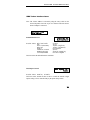
Setup Buttons
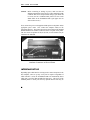
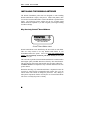
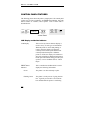
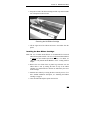
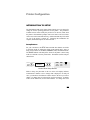
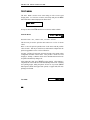
For your convenience, the SETUP button and the other buttons used while
in the Setup mode are labeled in yellow on the control panel. Once in
Setup, these buttons are the MENU, SUBMENU, ITEM, and VALUE buttons.
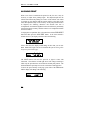
The ONLINE indicator will flash yellow whenever the printer is in the Setup
mode as a reminder to use the yellow labels. The buttons used for Setup are
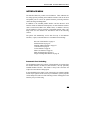
shown below.
SETUP
MENU
ALIGN
PRINT
SUBMENU
LCD
DISPLAY
ITEM
FORM
SELECT
FORM
FEED
VALUE
UNLOAD
LOAD
ON LINE
Control Panel Setup Buttons
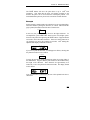
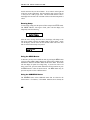
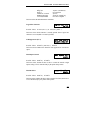
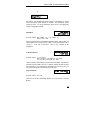
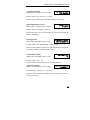
While in Setup, the placement of the text on the LCD display indicates
which button or buttons to use to change what is displayed. In nearly all
cases, you should use the button or buttons closest to the item you wish to
change. To change what is on the top line, use the top buttons. To change
what is on the bottom line, use the bottom buttons. To change what is on
39