1
Contents
Getting started
13
Introduction ............................................................................................14
Operator Manual conventions ....................................................................14
System description ................................................................................16
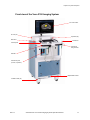
Cart description.............................................................................................16
Vevo 2100 Workstation Software description ..........................................28
Available configurations..............................................................................29
Quick Start Tutorial.................................................................................30
Vevo fundamentals
33
How the Vevo 2100 Imaging System works .........................................34
Turning your system On and Off ...............................................................34
Application packages ...................................................................................36
Operators .......................................................................................................36
Studies, series and images ...........................................................................37
Image acquisition modes .............................................................................37
Logging on ..............................................................................................41
Logging on the very first time the system is used ...................................41
Logging on for a typical session .................................................................42
Vevo 2100 Imaging System workspaces ..............................................44
Mode window workspace ...........................................................................44
Study Browser window workspace ...........................................................49
Study Information window workspace.....................................................50
Preferences window workspace .................................................................51
Analysis Browser window workspace ......................................................53
Rev 1.1
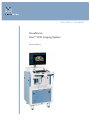
VisualSonics Vevo 2100 Imaging System Operator Manual
3