1
Machine Environment, Installation, and Transportation
Service Manual
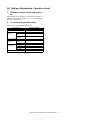
1.Machine Environment and Installation
(2)Power voltage
Before installing the machine, check that the following conditions are
satisfied.
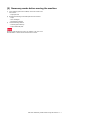
Measure the voltage during copying to check that the voltage is in the
range of the specified voltage +/- 10%.
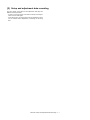
If the installing (use) conditions are not satisfied, the machine may not
exhibit full performance, resulting in problems. It may also cause
safety problems. Using the following information, make sure all
aspects of installation, space, power, transportation, leveling, and
safety are met.
If the voltage is outside the specified range, please have a certified
electrician upgrade the outlet.
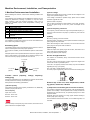
No.
1
2
3
4
5
Content
Transportation space
Installing space
Power source (Capacity, fluctuation, safety)
Floor strength
Direct rays of the sun, dust, temperature, humidity, gases,
chemicals
(Electrical work is required.)
Use of a step-up transformer is also available. In this case, the capacity must be great enough for the max. power consumption of the
machine.
(3)Power frequency, waveform
The frequency must be within the range of the specified frequency +/2%. If the power waveform is improper, a problem may occur with the
machine.
(4)Safety
A.Transportation space
Be sure to properly ground the machine.
For installation of a large size machine, be sure to check that the door
size is wide enough before bringing in.
Grounding (earth connection) must be performed before inserting the
power plug into the power outlet.
B.Installing space
When disconnecting the earth connection, be sure to disconnect the
power plug from the power outlet in advance.
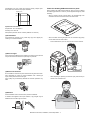
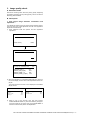
The following space must be provided around the machine in order to
assure machine performance and proper operations.
(5)Power plug
If any option is installed, provide the additional space for with installation.
Check the shape of the power plug of the machine, and insert it into a
power outlet of the acceptable shape.
Power plug stated in power capacity.
Adequate space must be provide behind the machine for proper ventilation of heat and dust. The machine will not function properly if heat
and dust cannot be properly expelled from the machine.
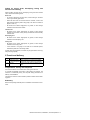
D.Floor strength and level
11-13/16"
(30cm)
This machine is considerably heavy and becomes heavier with an
option installed.
The floor must be strong enough to safely support the weight of the
machine as well as any installed options.
If the unit is not properly leveled, toner density may become affected
degrading the copy / print quality.
11-13/16"
(30cm)
C.Power source
safety, plug)
17-23/32"
(45cm)
(Capacity,
voltage,
Also, color shift or image distortion may occur.
To assure proper Image quality, make sure the machine is sitting level.
frequency,
If the power specifications are not satisfied, the machine cannot exhibit
full with performance and may cause safety trouble.
E.Direct rays of the sun, dust, temperature, humidity, gasses, chemicals, vibration
Strictly observe the following specifications.
(1)Power capacity
Check that the following power capacity is satisfied. If not, additionally
provide a proper power source.
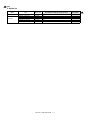
Current capacity
Japan: 20A or more
EX 100V: 15A or more
(1)Temperature and humidity (Environmental conditions)
This machine is designed to perform properly under the specified temperature and humidity. If the temperature and humidity exceeds the
specified range, the machine may not operate properly and or cause
equipment failure.
Especially when the humidity is too high, paper absorbs humidity to
cause a paper jam or dirty copy.
EX 200V: 10A or more
Do not install the machine near a heater, an air conditioning outlet, or a
humidifier.
Check the shape of the power plug of the machine, and insert it into a
power outlet of the acceptable shape.
Machine Environment, Installation, and Transportation -i