1
SETUP Menu: Memorize
Assignment
Channels,
Memorize
Memorize
(Figure
Menu, Input
Channels
9)
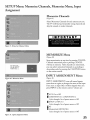
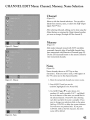
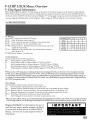
Select Memorize Channels for each antenna you use.
The TV will find and remember strong channels and
skip the unused or weaker channels.
_7_Y2
Figure 9. Memorize
Channels Menu
MEMORIZE
(Figure
Menu
10)
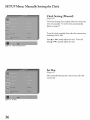
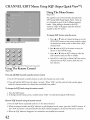
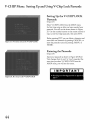
Stop memorization
Channels
N_
m_morizing
all
th_
stations
you
can
receive
on,_lTAir.
Please
stand
at any time by pressing
memorized
will stay in memory.
prior to pressing
After
you may select memorized
by.
descending
order by pressing
on the remote control.
INPUT
Figure 10. Memorize
(Figure
Menu
channels
channels
CANCEL.
CANCEL
are memorized,
in ascending
the CHANNEL
ASSIGNMENT
or
button
Menu
11)
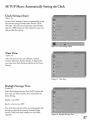
INPUT ASSIGNMENT
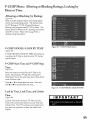
turns offunused inputs,
turns them on again or changes the name of the input.
If you turn an input Off, it will be skipped when you
press INPUT on the remote control. Choices are:
ANT:
On or Off
COMPONENT-I,
Cycle through
INPUT-l,
COMPONENT-2
a list of preset names
or Off
INPUT-2
Cycle through
a list of preset names
or Off
Pc
MonitorLink
Cycle through
Figure 11. InDutAssignment
(MONLINK)
a list of preset names
or Off
Menu
35