1
Kir-C2-ENcombine_F_FM.book Page 58 Friday, September 19, 2003 3:00 PM
Using Internet Fax Functions
Received Images
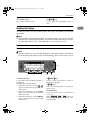
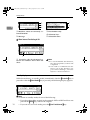
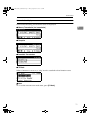
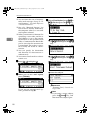
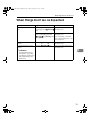
Here is an example of an Internet Fax message sent from this machine and received on a computer using Outlook e-mail software.
The received image varies according to e-mail software.
3
January
4
This E-mail was sent from "Head Office" (XXXX).
Queries to: [email protected]
AAN052S
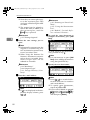
1. E-mail transmitted without specifying a subject in “E-mail Options”.
2. E-mail transmitted with a subject
specified in “E-mail Options”.
3. From
The name (e-mail address) of the sender
4. Date
The date and time of e-mail transmission
5. To
The e-mail address of the recipient
6. Subject
Shows the subject specified in "E-mail
Options" at the time of transmission. If no
subject is specified, one is automatically
assigned in the format shown in 1 above.
From "Own Fax Number" ("Own Name")
(Fax Message NO. document number)
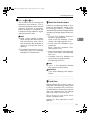
7. The message is inserted in all emails.
XXXX is a product name.
8. Attachment File
Any message included by the sender is
displayed as an attached document.
58