1
Kir-C2-ENcombine_F_FM.book Page 15 Friday, September 19, 2003 3:00 PM
Placing Originals
Placing Originals
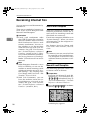
You can place the originals either in
the optional ADF or ARDF or on the
exposure glass. Some types of originals are unsuitable for the ADF or
ARDF, so they must be placed on the
exposure glass.
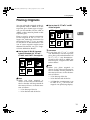
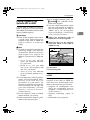
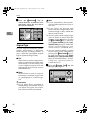
Place to scan by portrait orientation
for the original of A4, 8 1/ 2 "×11" or
larger size, landscape orientation for
the original of A4, 81/2"×11" or smaller size shown in the illustration. The
size of some originals might not be
detected. For details, see p.19 “Original sizes difficult to detect”.
×81/2" and B5
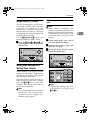
❖ How to place A5, 51/2"×
JIS size originals
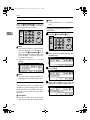
❖ How to place A4, B4 JIS (Japanese
×11",
Industrial Standard), A3, 81/2"×
81/2"×
×14", and 11"×
×17" size originals
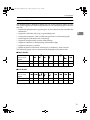
Limitation
❒ If you place A5, 51/2"×81/2" or B5
size documents on the exposure
glass, they will not be detected. A5
or 5 1 / 2 "×8 1 / 2 " size documents
placed in the ADF or ARDF are
sent. See p.19 “Original sizes difficult to detect”.
Original
Where original is placed
Exposure glass
For ADF or ARDF
*1
*2
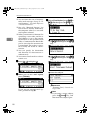
AAN055S
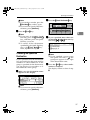
Note
❒ When you place originals as
shown in the above illustration,
the fax header will be printed on
the received faxes at the destination as follows:
• *1 On the top of the fax
• *2 On the left side of the fax
Original
*2
Where original is placed
Exposure glass
For ADF or ARDF
*3
2
*1
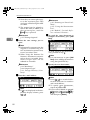
AAN056S
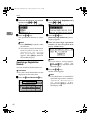
Note
❒ When you place originals as
shown in the above illustration,
the fax header will be printed on
the received faxes at the destination as follows:
• *1 On the top of the fax
• *2 On the left side of the fax
• *3 When the scanning size is set
to A4L or 81/2"×11"L on the
original size specifying display.
15