1
E
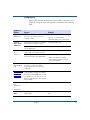
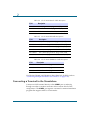
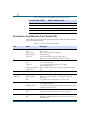
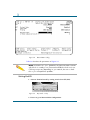
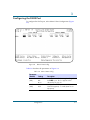
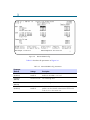
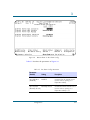
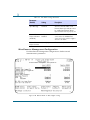
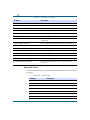
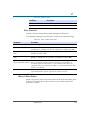
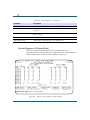
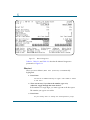
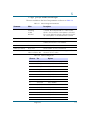
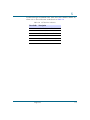
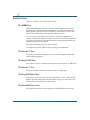
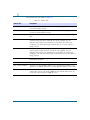
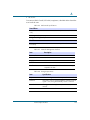
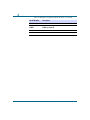
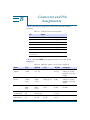
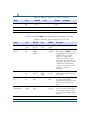
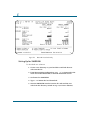
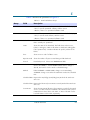
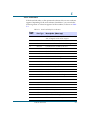
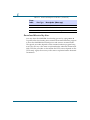
The menu and download options for the Download Utility are shown in
Table E-2.
Table E-2
Menu and Download Options
Menu
Description
0-Return to Menu 4
Returns to Menu-4 Main Configuration.
1-Local Download
Begins the download to the local Solo E1
DSU.
2-Local Code File Change
Begins the Code File change in the local Solo
E1 DSU.
3-Remote Download
Begins the download to the remote Solo E1
DSU.
4-Remote Code File Change
Begins the Code File change in the remote
Solo E1 DSU.
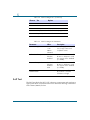
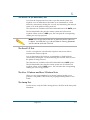
NOTE: If you select menu options 2 or 4, the Code File to be changed
next must not show ABSENT; otherwise, changes are not allowed.
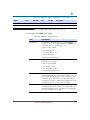
Abnormal Termination
The download process fails if any of these conditions occur:
¥ A corrupt software load.
¥ There are transmission errors.
¥ Failure of the downloading computer, the modem (if one is used), the
connection between the downloading computer and the unit or a failure
of the unit, (includes a power failure).
¥ User aborts the download process.
¥ A time-out occurs according to the XMODEM or TFTP protocols.
Typically, abnormal termination of the download process leaves the Code
File in a corrupted state. The Download Utility indicates that the Code File
is absent, or corrupted.
E-6
Solo E1 DSU User Guide—June 1998