1
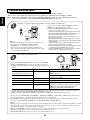
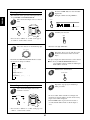
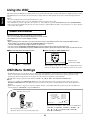
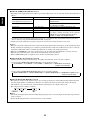
This universal remote control can operate not only this unit but also most popular brands of audio and video components
such as CD players, DVD players, tape decks, TVs, VCRs, satellite units, cable boxes, etc.
• To operate 8 components other than this unit, you should enter the setup code for each component.
(For details, refer to “ENTERING A SETUP CODE” on page 19)
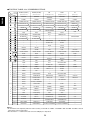
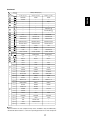
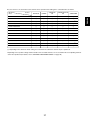
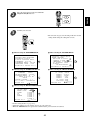
• The numbered buttons on the remote control have different functions in different device modes.
For details, refer to “FUNCTION TABLE of the NUMBERED BUTTONS” on the next page.
Note :
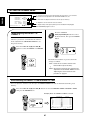
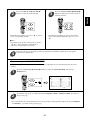
• This section explains the basic operations to control this unit and other Sherwood components with this remote control.
For various and convenient functions of this remote control, refer to the operating manual inclosed with this remote control.
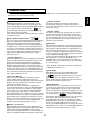
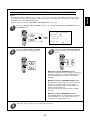
DIGI LINK system remote controls
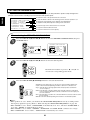
This remote control can also operate Sherwood compatible components bearing the DIGI LINK(II or III) logo.
• For DIGI LINK system remote control operation, first make the DIGI LINK connections between Sherwood components.
• In the DIGI LINK III remote control system, if pressing PLAY, etc. on CD player or tape deck, CD or TAPE MONITOR is
selected automatically on the unit without selecting the input source. Then PLAY, etc. starts.
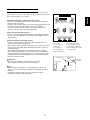
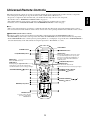
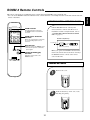
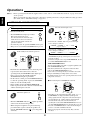
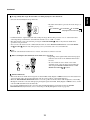
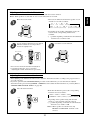
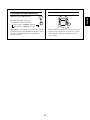
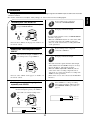
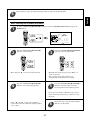
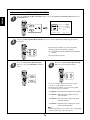
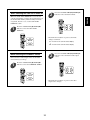
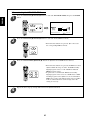
POWER ON
STANDBY
STANDBY button
POWER ON button
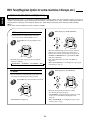
MAIN
AUD1 AUD2
LCD(FUNCTION) buttons
CD
SAT
AUX
Enters the MAIN menu mode.
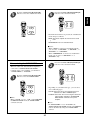
Activates the backlighting of the remote control
for a specified time(up to 99 sec.) If any other
button is pressed while the backlighting is on,
the remote control will remain backlit for an
additional period.
VCR
TAPE
MAIN button
LIGHT button
TV
DVD
CABLE
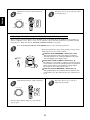
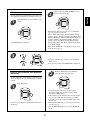
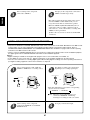
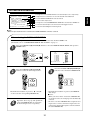
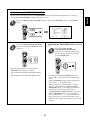
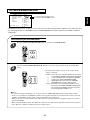
AUD1
LCD(FUNCTION) buttons
PAGE button
While displaying the page menu of the
selected device or the favorite channel menu,
each time this button is pressed, its page changes.
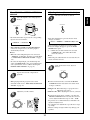
VOLUME UP/DOWN( / ) buttons
PA GE
LCD SCREEN
FAV
MAIN
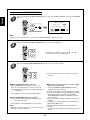
FAVORITE button
Enters the favorite channel mode.
Each time this button is pressed, its page changes.
CH.
SEL
CH/
VOL
ADJUST
MUTE
DECODE
DSP
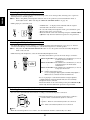
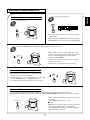
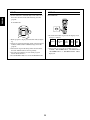
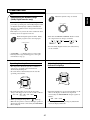
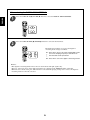
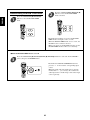
CHANNEL LEVEL / ADJUST
UP/DOWN( / ) buttons
DSP
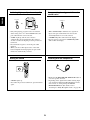
CURSOR CONTROL(
ENTER( ) buttons
RETURN
STEREO
NUMERIC(1~0) buttons
1
2
3
4
5
6
7
8
9
OSD/MENU
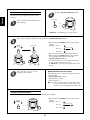
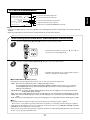
MACRO buttons
To operate a macro function,
press the corresponding
MACRO button.
DISP
0
ENT
MI
M2
M3
RNC-510
15
),
ENGLISH
Universal Remote Controls