1
ENGLISH
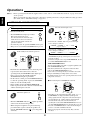
Achieving higher purity of sound quality
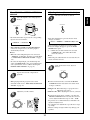
Compensating for edgy or shrill movie
sound tracks
POWER ON
STANDBY
PURE AUDIO
AUD2
SLEEP
or
S.A/B
ROOM2
SUR.B
T.TON
PURE
OSD
CINEMA EQ
D/A
DIMM
PARA.
PAGE1
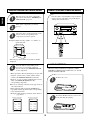
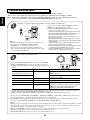
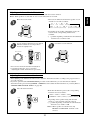
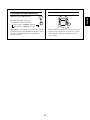
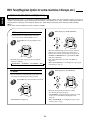
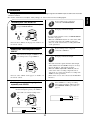
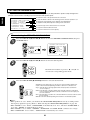
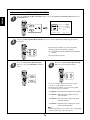
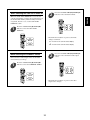
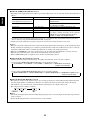
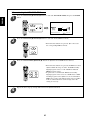
• Only when playing program sources recorded in
either analog stereo or 2 channel PCM format, the
pure audio function can be selected.
• “PURE” lights up and the stereo mode is
automatically selected and all the video-related
circuits as well as the digital processing circuits are
turned off.
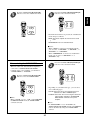
• Press this button again to cancel the pure audio
function.
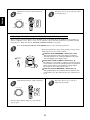
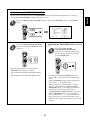
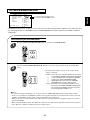
• When you select other input source or the other
between digital and analog inputs, the pure audio
function is automatically canceled.
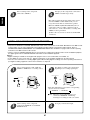
• When 96 kHz PCM(2 channel stereo) signals are
input or the pure audio function is selected, the
cinema EQ function can not be selected.
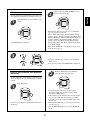
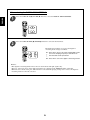
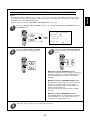
• “CINEMA-EQ ON” will scroll on the display.
• Press it again to cancel, then “CINEMA-EQ OFF”
will scroll on the display.
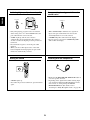
Muting the sound
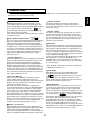
Listening with the headphones
POWER ON
STANDBY
PHONES
PAGE
MUTE
FAV
MAIN
CH.
SET
CH/
VOL
ADJUST
MUTE
DECODE
DSP
DSP
RETURN
STEREO
1
2
4
5
7
8
3
6
9
OSD/MENU
DISP
0
ENT
MI
M2
M3
RNC-510
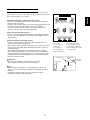
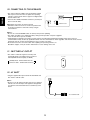
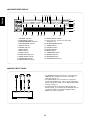
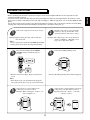
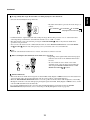
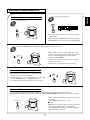
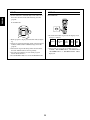
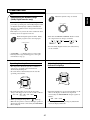
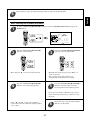
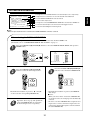
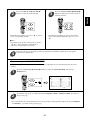
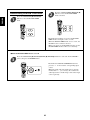
• Ensure that the HEADPHONE SELECTOR button is
set to the speaker off mode.
• Depending on the signal format which is being input,
you can listen in different Dolby Headphone modes,
stereo mode, etc. with pressing the DOLBY
HEADPHONE button. (For details, refer to
“Listening in a Dolby Headphone mode” on page 30).
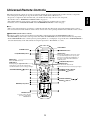
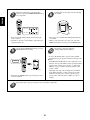
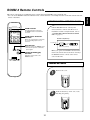
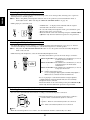
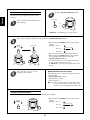
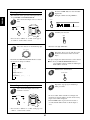
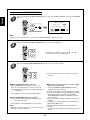
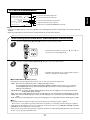
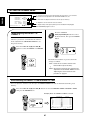
• “MUTE” lights up.
• To resume the previous sound level, press the button
again.
24