1
CP3002/-RC/-RA uEFI BIOS
7.
Updating the uEFI BIOS
Updating the uEFI BIOS
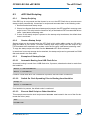
BIOS updates are typically delivered as an update CD ISO image. This ISO image needs just
to be burned to a CD and booted. Follow the menu for updating the uEFI BIOS. For further information refer to the update CD documentation.
7.1
BIOS Redundancy Strategy
The CP3002/CP3002-RC/CP3002-RA has two sets of uEFI flash banks to form a redundancy
strategy. The basic idea behind that is to always have at least one working uEFI flash bank
available regardless if there have been any flashing errors or not.
Updating Strategy
To always maintain at least one uEFI flash correct, the update CD uses the following update
procedure:
1. Switch to the second flash bank.
Since the update CD always changes the flash bank prior to doing any updates, the uEFI
BIOS that was used to actually boot the board and is therefore known to be good is preserved for backup.
2. Update the second flash bank.
This flash is now selected as active boot flash.
The update CD will not allow to flash both banks at a time. Flashing both banks would destroy
the backup version and therefore break the redundancy.
If you want to have the same BIOS version on both flash banks, then simply run the update CD
twice.
7.3
uEFI BIOS Recovery
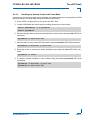
In case of one flash being corrupted and therefore the board not starting up, the second flash
can be selected via the onboard jumper JP4 on the CP3002-RC/-RA and via DIP Switch SW1,
switch 2 on the CP3002.
For further information, refer to Chapter 4.1, DIP Switch Configuration in the CP3002 User
Guide, and Chapter 4.1.2 in the CP3002-RC/CP3002-RA User Guide, or contact Kontron for
further assistance.
7.4
Determining the Active Flash
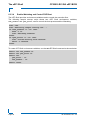
Sometimes it may be necessary to check which flash is active. On the AMI Aptio-based uEFI
BIOS, the information is available using the EFI Shell command kboardinfo. For further information, refer to Chapter 6.2.2, kboardinfo uEFI Shell Command.
ID 1042-8946, Rev. 3.0
Page 57
PRELIMINARY
7.2