1
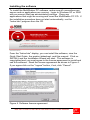
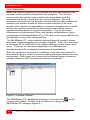
Figure 5. User information
Next, enter the requested User information as shown in Figure 5. Enter
the user information and serial number.
(Note: serial # is located on the installation CD)
When all information has been entered, click "Next".
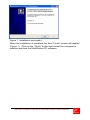
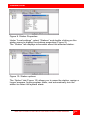
Figure 6. Destination folder
You can install the MultiStation PC software in the default folder name
“C:\Program Files\MultistationPC\” or change it to a folder name of your
choosing by clicking on the “Browse” button.
(Figure 6)
10
MULTISTATION PC INSTALLATION AND OPERATIONS MANUAL