1
OPERATION
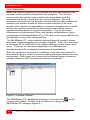
Figure 9. Station Properties
Under “Local settings”, select “Stations” and double clicking on the
station name to display the stations properties (Figure 9).
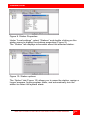
The “Station” tab displays information about the selected station.
Figure 10. Station options
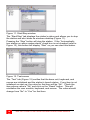
The ‘Option” tab (Figure 10) allows you to name the station, assign a
Logon program, logon program folder, and automatically turn the
station on when the system starts.
MULTISTATION PC INSTALLATION AND OPERATIONS MANUAL
13