1
Inter-Tel® Axxess® Administrator
System Features
Guide — Issue 11.0, May 2008
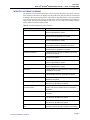
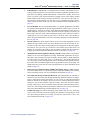
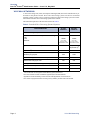
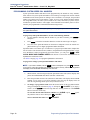
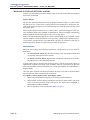
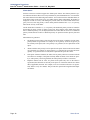
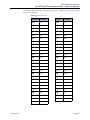
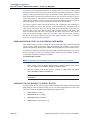
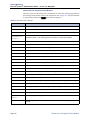
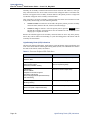
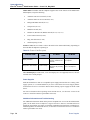
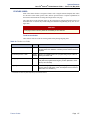
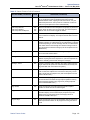
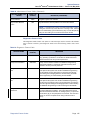
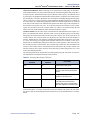
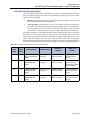
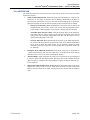
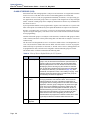
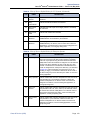
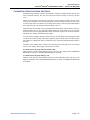
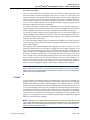
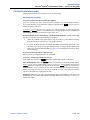
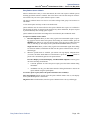
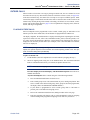
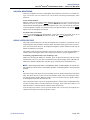
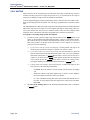
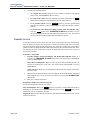
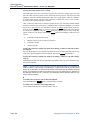
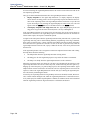
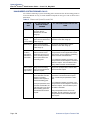
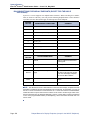
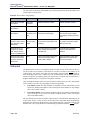
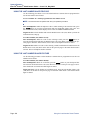
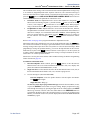
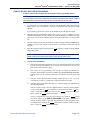
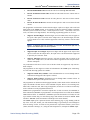
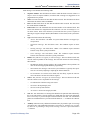
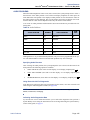
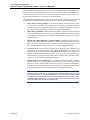
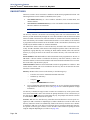
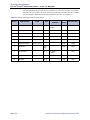
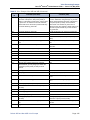
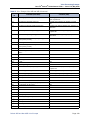
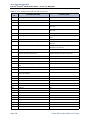
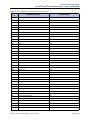
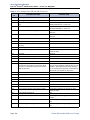
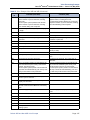
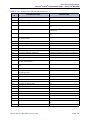
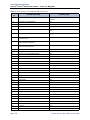
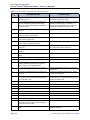
Table 19. Diagnostics Feature Codes (Continued)
FEATURE NAME (CONTINUED)
CODE (U.S./
EUROPE)
Diagnostic - Minor Reset
9964/9164
This is used by Inter-Tel software developers and cannot be used
in Beta or Production software.
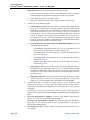
Diagnostic - Network
Freeze Zone
System Histories
9939/9139
The system fault history for any freeze zone in the network can be
halted (frozen) or re-enabled using these feature codes when diagnostics mode is enabled. The fault history can then be extracted
from each zone and used by service personnel when troubleshooting the system.
9989/9189
Diagnostic - Network
Unfreeze Zone
System Histories
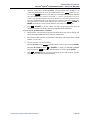
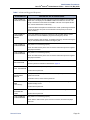
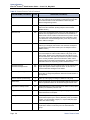
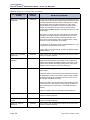
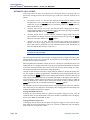
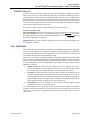
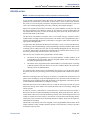
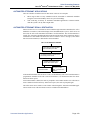
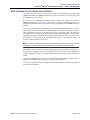
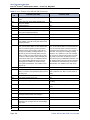
DEFINITION (CONTINUED)
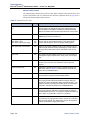
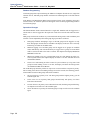
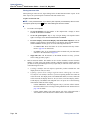
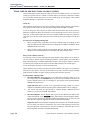
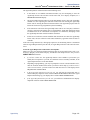
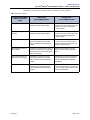
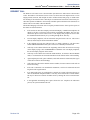
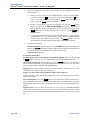
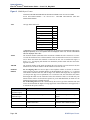
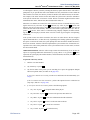
Diagnostic - Network
Groups
9963/9163
Allows an administrator to verify that the Network Groups on the
local node are programmed properly. When 9963 is entered at an
administrator’s endpoint, the telephone system initiates pings from
each Inter-Tel IP device on the local node and determines if the
other devices respond to the ping. If a device does not respond to
the ping or if a firewall is detected, the system issues a Message
Print message.
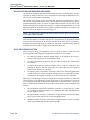
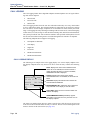
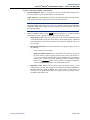
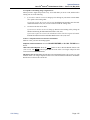
Diagnostic - Print
Auxdata
9972/9172
(Not Programmable) Sends a report to a designated printer or file
that shows system reset history information to be used for troubleshooting purposes.
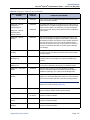
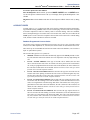
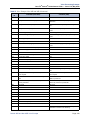
Diagnostic - Print
Message Log
9975/9175
(Not Programmable) Sends a report to a designated printer or file
that lists system error messages to be used for troubleshooting
purposes.
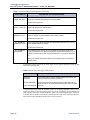
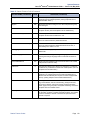
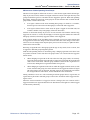
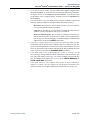
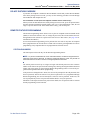
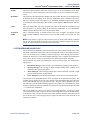
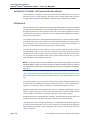
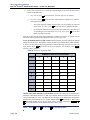
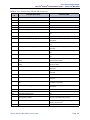
Diagnostic - Print
Network Log
9976/9176
This feature code prints the network log to message print. This feature is useful in determining the system of a networked system.
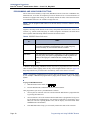
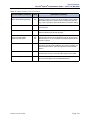
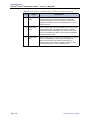
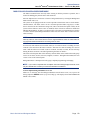
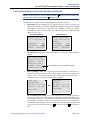
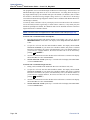
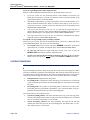
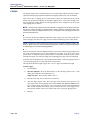
Diagnostic - Query Node
Traffic
9978/9178
Using this feature code you can query the status of various
devices on the system based on the status of the traffic flags in
Database Programming. The output is sent to Message Print.
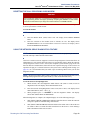
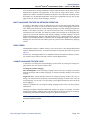
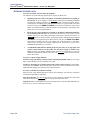
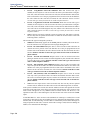
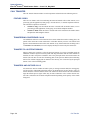
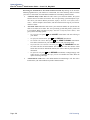
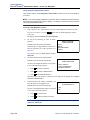
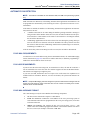
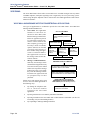
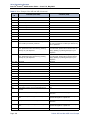
Diagnostic - Show
Version
9928/9128
To check the call processing software version at an administrator's
endpoint, you can enable diagnostics mode, then enter this feature
code to view the version and date of the call processing software.
NOTE: This feature code displays the firmware version of the
endpoint if it is in SIP mode (see page 104).
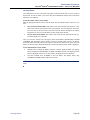
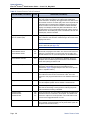
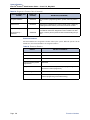
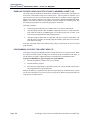
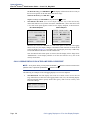
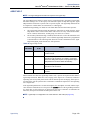
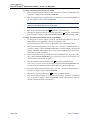
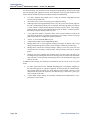
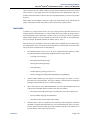
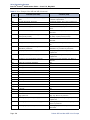
Diagnostic - SIP View
9987/9187
Allows the user to change the system wide SIP output value.
Options include No Output, Headers and Full Output.
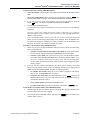
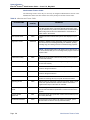
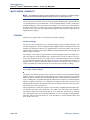
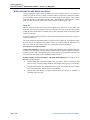
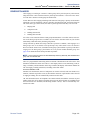
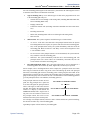
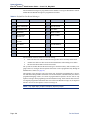
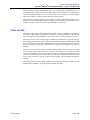
Diagnostic - Spare 1-3
9910-9912/
9110-9112
This is used by Inter-Tel software developers and cannot be used
in Beta or Production software.
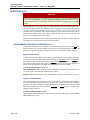
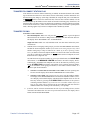
Diagnostic - System
History
9974/9174
This is used by Inter-Tel software developers and cannot be used
in Beta or Production software.
Diagnostic - View
Displays
9983/9183
This is used by Inter-Tel software developers and cannot be used
in Beta or Production software.
Diagnostics Feature Codes
Page 127