1
Inter-Tel® Axxess® Administrator
System Features
Guide — Issue 11.0, May 2008
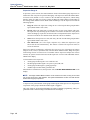
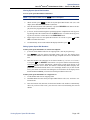
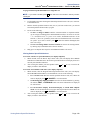
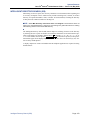
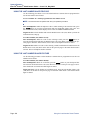
Viewing System Speed Dial Numbers
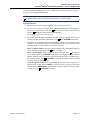
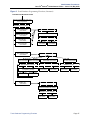
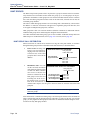
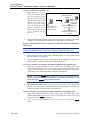
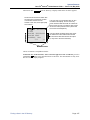
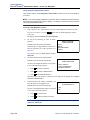
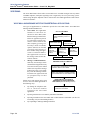
To view system speed-dial numbers and names:
NOTE: If you make a mistake, use the
MUTE
button to backspace.
1.
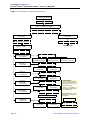
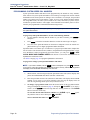
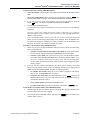
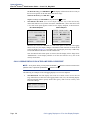
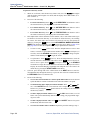
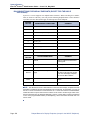
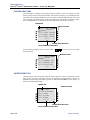
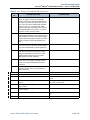
While on-hook, press SYS SPDL or enter the System-Speed Dial feature code (381). The
display shows REVIEW SYS SPEED # (000-999).
2.
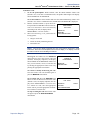
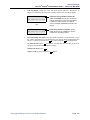
Enter the desired location code (000-999) or press the SEARCH menu button. The display shows the programmed name and number.
3.
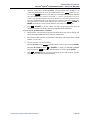
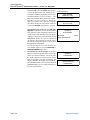
If desired, scroll forward through the speed-dial locations in alphabetical order by pressing the high end of the volume button or the NEXT button, or scroll backward by pressing the low end of the volume button or the PREVIOUS button.
4.
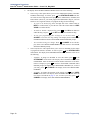
Repeat steps 2 and 3 for each speed-dial location to be viewed. Or, press
CEL to terminate this feature.
5.
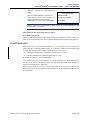
To automatically select a trunk and dial the displayed number, press
#
or CAN-
.
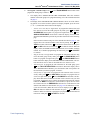
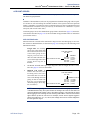
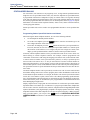
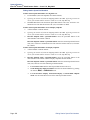
Dialing System Speed Dial Numbers
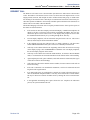
To dial system speed-dial numbers at an Inter-Tel endpoint:
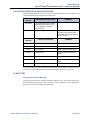
1. If desired, lift the handset and select an outgoing trunk. (You may skip this step.)
2.
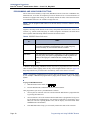
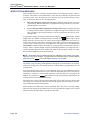
Press SYS SPDL or enter the System Speed Dial feature code (381). The display shows
REVIEW SYS SPEED # (000-999). Non-display endpoint users hear a confirmation
tone.
3.
Enter the location code (000-999) for the desired number. If you have not selected a
trunk, press # or the ACCEPT menu button to accept the number and automatically
select a trunk. Or, press the ARS button, a trunk button, a trunk group button, or the
OUTGOING button to select a trunk. The number is automatically dialed. (Display endpoints show the number dialed unless it is a non-display number.) If you hear reorder
tones, your station is restricted from dialing the selected number. If the display shows
INVALID BIN NUMBER, you entered an invalid speed-dial location code.
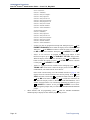
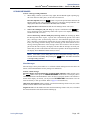
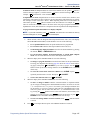
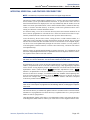
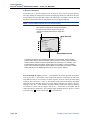
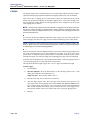
To dial system speed-dial numbers at a single-line set:
1. Lift the handset and select an outgoing trunk.
2.
Hookflash/Recall and enter the System Speed Dial feature code (381). You hear a confirmation tone.
3.
Enter the location code (000-999) for the desired number. The number is automatically
dialed. If you hear reorder tones, your station is restricted from dialing the selected
number.
Viewing System Speed Dial Numbers
Page 245