1
FILTER MODULE
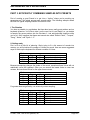
2 - LFO AMOUNT, KEYBOARD AMOUNT
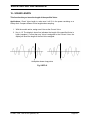
This function determines the extent to which the LFO modulates the filter cutoff
frequency, and also sets keyboard tracking between 0.00 (minimum) and 1.87
(maximum).
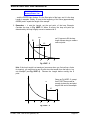
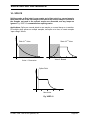
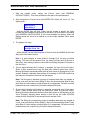
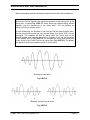
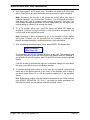
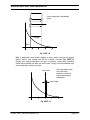
Application (Keyboard Tracking): With no tracking, a sound will become progressively less
bright as you play higher on the keyboard. This is useful with some bass sounds, where you
don’t want the high notes to sound too trebly. With normal tracking (keyboard amount 1.00), the
timbre of a sound remains constant as you play up the keyboard. This is generally used to give
the most realistic synthesizer and instrument sounds. With overtracking (keyboard amount
greater than 1.00), the overall timbre becomes brighter as you play higher up on the keyboard.
This is useful for playing upper keyboard register leads that really “cut” while also playing a
more sedate, muted line in the lower registers.
1.
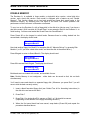
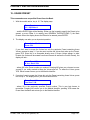
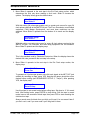
With the module active, Current Voice assigned (see GENERAL INSTRUCTIONS 2),
and the ENTER LED either lit steadily or off, key in 2. The display says:
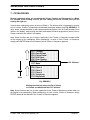
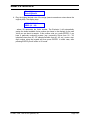
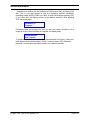
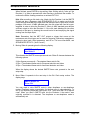
LFO Amt KBD Amt
XX
X.XX
...where x is a numeral.
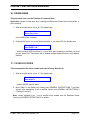
LFO Amt, controlled by Slider A, determines the extent to which the LFO modulates the
filter cutoff frequency. Range is from 00 to 15, with higher values giving more
modulation.
Note: LFO rate, delay, and variation are set from the VCA/LFO module (see
VCA/LFO 2).
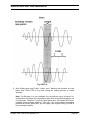
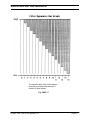
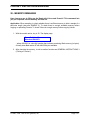
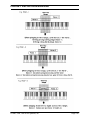
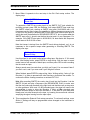
KBD Amt, controlled by Slider B, sets the filter tracking from 0.00 (no tracking) to 1.87
(overtracking). With 0.00 tracking, the filter cutoff will not be affected by the keyboard
pitch. With 1.00 tracking, the filter cutoff will precisely track the keyboard pitch. With 1.87
tracking, the filter cutoff will change at almost twice as fast a rate as keyboard pitch
changes.
2. To exit to another function, see GENERAL INSTRUCTIONS 3 (“Exiting a Function”).
© 1985, 1986, 1987 E-mu Systems, Inc.
Page 69